
Most people know roughly how much they earn. Knowing exactly where the money goes is another matter.
A few subscriptions renew quietly. Grocery spending creeps upward. Several small purchases add up to an uncomfortable total. And when bank accounts and credit cards are spread across different services, getting a clear picture of monthly spending can feel like an entire project.
Google now wants Gemini to make that process easier.
On November 13, 2026, Google announced a new Google Wallet connection for Gemini, allowing eligible users in the United States to ask its AI assistant questions based on financial information they choose to connect.
The feature can help analyze transactions, identify recurring subscriptions, create spending charts and suggest budgets based on previous purchases.
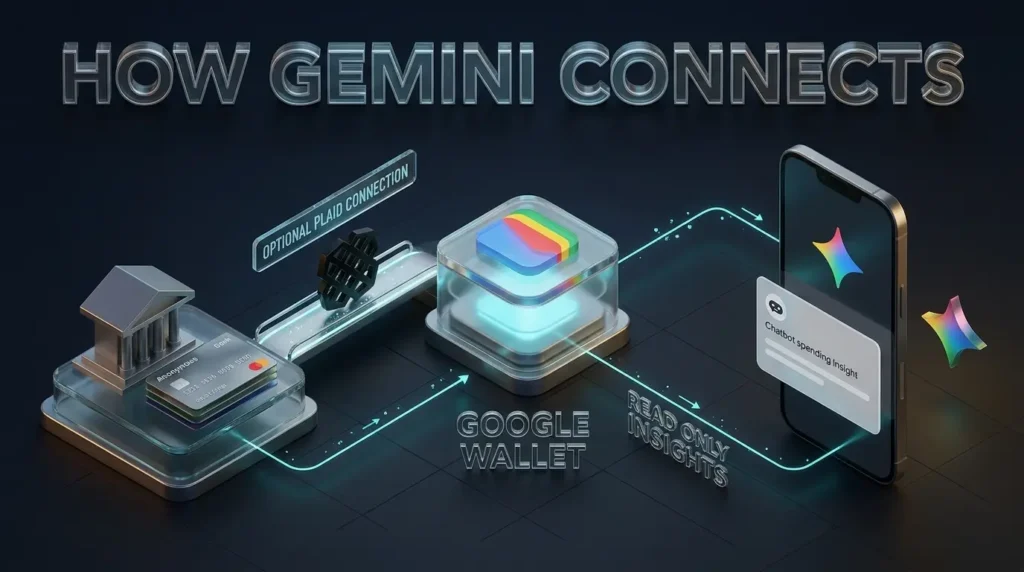
Users can also connect supported bank accounts and credit cards through Plaid, giving Gemini more financial context than it would have from Google Wallet alone.
But the announcement introduces an important question that deserves as much attention as the budgeting tools themselves.
What happens to your financial information when you let an AI assistant examine it?
Google says Gemini’s access is read only, meaning it cannot move or invest your money through this feature. Yet its privacy documentation also explains that information derived from connected apps can be used to improve AI models under certain settings.
Here’s what the new integration actually does, who can access it, how to connect or disconnect it, and what to understand before giving Gemini access to personal financial information.
What Is Google Gemini Wallet Integration?
Google Gemini Wallet is the connection between the Gemini AI assistant and Google Wallet, Google’s digital wallet service.
It is not a separate financial account, a newly created bank or an AI payment service.
Instead, Google Wallet becomes another source of information that Gemini can use when a person chooses to enable Personal Intelligence.
Google already allows eligible users to personalize Gemini with information from services such as Gmail, Google Photos, YouTube and Search. The November 13 announcement adds Wallet to that connected ecosystem.
Once enabled, Gemini can answer questions using relevant Wallet information, including supported financial data and certain saved items.
For example, rather than opening different banking applications and manually adding expenses, someone could ask Gemini how much they spent on groceries over the previous month.
If the necessary transaction information is accessible through a supported connection, Gemini can analyze it and present an answer.
Google says the integration is rolling out for eligible Gemini users in the United States on the web, Android and iOS.
However, availability remains gradual. Even people who meet the requirements may not immediately see the feature in their accounts.
What can Gemini see in Google Wallet?
The information available depends on which services the user connects and what relevant data those services contain.
Google’s official documentation describes access to Wallet information such as saved passes, rewards, payment related information and financial account details linked through supported services.
Plaid expands the potential financial picture by enabling users to connect supported accounts to Google Wallet.
According to Plaid’s November 13 announcement, those accounts may include bank accounts, credit cards, loans and investment accounts, depending on support and individual eligibility.
That does not mean Gemini automatically receives every account a person owns.
The user must authorize the relevant connections, and the assistant can only work with information made available through those connections.
What Can Gemini Do With Your Financial Information?
Google is presenting the new feature as a way to turn transaction records into useful explanations.
Instead of only displaying historical purchases, Gemini can help people identify patterns and connect spending decisions to financial goals.
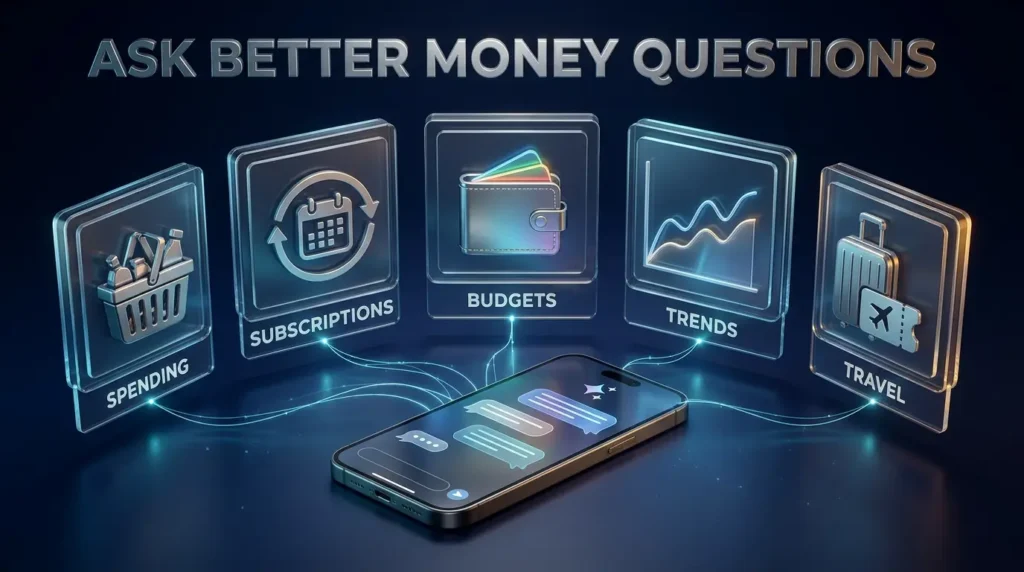
The capabilities announced by Google fall into several practical categories.
1. Analyze monthly spending
Imagine having two credit cards and a bank account.
You know how much you pay for rent and utilities, but smaller purchases across multiple accounts are harder to follow.
Gemini can help organize available transaction records into categories and summarize where money has gone.
A person could ask:
“How much did I spend on groceries last month?”
Or:
“Compare my restaurant spending over the past three months.”
When enough relevant data is available, Gemini may generate charts to make the results easier to understand.
The important limitation is that the answer depends on the completeness and accuracy of the information connected to Gemini.
If an account is missing or a transaction is categorized incorrectly, the resulting summary may be incomplete.
2. Find subscriptions you may have forgotten
Subscription spending can be difficult to notice because each recurring payment may seem small on its own.
Google says Gemini can look for repeating charges across linked accounts and help identify subscriptions whose prices have increased.
A useful example would be:
“Which subscriptions am I still paying for, and have any increased in price this year?”
The assistant may identify recurring payments that deserve a closer look.
That does not mean every repeated charge is an unwanted subscription. Monthly insurance payments, loan installments and other regular expenses could appear in similar patterns.
Users should verify the merchant and billing details before deciding that a charge is unnecessary.
3. Build a budget using previous purchases
Traditional budgeting begins with an estimate of what someone expects to spend.
Gemini’s new approach can use available transaction history to make that estimate more specific.
For instance, a person planning holiday travel might ask Gemini to review last year’s spending on flights, accommodation and gifts, then help estimate an appropriate budget for the coming season.
Google specifically highlights this kind of personalized planning in its announcement.
The value is not that an AI model knows the perfect budget.
It is that the model may be able to organize existing information more quickly and make unusual spending patterns easier to see.
4. Visualize cash flow
A person’s spending is not always consistent.
Some expenses happen every month. Others appear once or twice a year. Income may also vary for freelancers, contractors and people working multiple jobs.
Google says Gemini can generate dynamic charts for cash flow, spending and budgets within the conversation.
That could make it easier to recognize periods when expenses are unusually high or savings goals may need adjustment.
However, AI generated charts should be treated as interpretations of account data rather than independently audited financial statements.
5. Check saved rewards and Wallet information
The integration is not limited to banking transactions.
Google’s Gemini Wallet support documentation describes asking about saved passes, loyalty information, rewards and special offers.
This means a user may be able to ask Gemini about information already stored in Wallet without manually searching through the application.
Which details can be retrieved will depend on what is saved and which capabilities are available to that account.
For readers exploring other budgeting applications, TrendOutsider’s comparison of AI tools for personal finance management explains how dedicated finance products approach spending, subscriptions and financial planning.

How to Connect Google Wallet to Gemini
The setup process is relatively simple, provided the feature is available for your account.
Google supports the integration through the Gemini web application and its mobile apps.
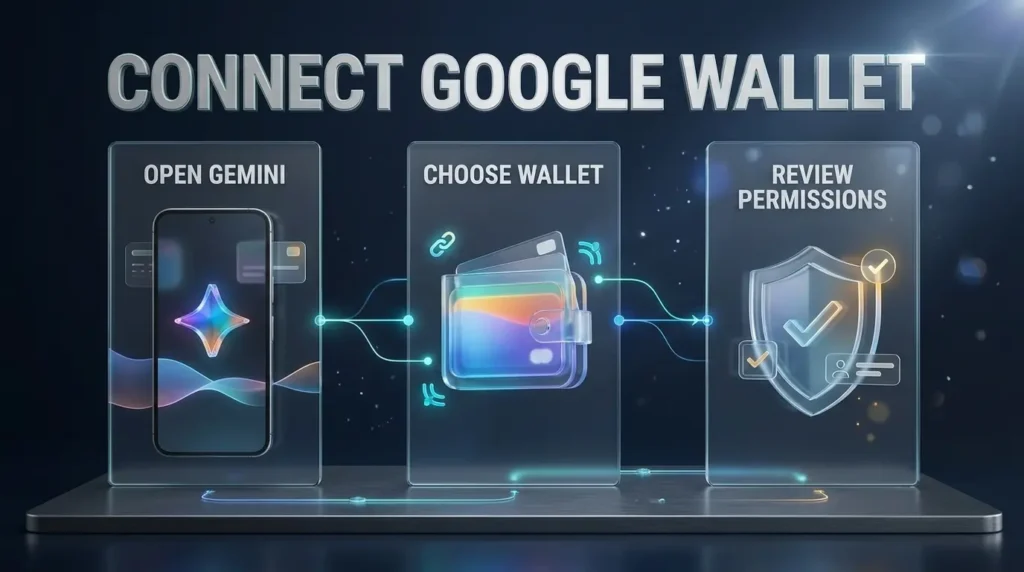
Step 1: Open Gemini
Visit gemini.google.com or open the Gemini mobile application on Android or iOS.
Sign in using your personal Google Account.
Work and school accounts are not currently eligible for this Wallet integration.
Step 2: Check Personal Intelligence settings
Open Gemini’s settings and find Personal Intelligence, then Connected Apps.
If Google Wallet is available for your account, it should appear among the services you can connect.
Google’s interface may differ slightly between the mobile and web versions.
You can also try asking Gemini a question that requires information from Google Wallet.
Step 3: Ask Gemini to use Google Wallet
For example, enter:
“@Google Wallet, how much did I spend on groceries last month?”
Google says mentioning Google Wallet or using the @Google Wallet reference can help Gemini identify the connected service.
If Wallet has not been connected, Gemini may display an option to enable the connection.
Follow the instructions shown on your screen.
Step 4: Connect financial accounts if you want deeper insights
Connecting Google Wallet does not automatically mean every financial account has been linked through Plaid.
To access more detailed spending information across supported financial institutions, users can choose to connect eligible accounts through the account linking process.
Review the permissions and financial institutions involved before authorizing access.
You do not need to link every available account simply because the option exists.
Step 5: Review your first result
Start with a question that is easy to verify independently.
For example:
“How much did I spend at grocery stores last week?”
Compare the result with the relevant transactions in your actual financial account.
This helps you understand whether the categories and time periods are being interpreted correctly before relying on more complicated budget summaries.
These instructions are based on Google’s published setup guidance. TrendOutsider has not independently performed a live account connection.
Google Gemini Wallet Availability: Who Can Use It?
Google began rolling out the feature on November 13, 2026.
As of November 15, the official eligibility conditions are specific.
| Requirement | Current availability |
|---|---|
| Country | United States |
| Minimum age | 18 |
| Account | Personal Google Account |
| Language | English |
| Platforms | Gemini web, Android and iOS |
| Gemini Live | Not supported |
| Gems | Not supported |
| Keep Activity | Must be enabled |
| Financial account linking | Optional through supported providers such as Plaid |
Google says the feature is rolling out gradually.
A person can satisfy every listed condition and still not see the integration immediately.
Is Gemini Wallet available in Pakistan, India or the United Kingdom?
Google has not announced general availability for those countries as part of the November 13 launch.
The currently documented integration is restricted to eligible users in the United States.
Google Wallet itself may operate in additional markets, but availability of Google Wallet does not automatically establish eligibility for Gemini’s new financial insights connection.
Readers outside the United States should avoid assuming that changing a device setting or switching to English will provide legitimate access.
Google has not supplied a verified worldwide expansion date.
Is Google Gemini Wallet Safe?
Google has designed the integration around read only financial access.
That is an important safeguard.
According to Google’s announcement, Gemini cannot move, manage or invest money through the Wallet connection.
It also cannot use this connected app to make transactions with payment methods stored in Google Wallet.
But security involves more than whether an assistant can send money.
Financial information can reveal spending habits, travel patterns, recurring medical expenses, subscription services and other details about someone’s personal life.
That is why the privacy rules deserve particular attention.
Does Google train Gemini on your financial data?
The answer requires a distinction.
Google says it does not train its generative AI models directly on the underlying Google Wallet and payments data in connected services.
However, Google’s Connected Apps privacy explanation says that summaries, excerpts, inferences and other information derived from connected apps may be used to improve its services, including training generative AI models when Keep Activity is enabled.
Consider a hypothetical example.
A person asks Gemini to examine spending across several connected accounts.
The assistant produces a summary identifying broad categories, recurring payments and changes over time.
Google’s published policy distinguishes the original Wallet records from certain information generated or used within the Gemini interaction.
That distinction matters.
It would be inaccurate to claim that Google automatically trains Gemini on the complete raw contents of every connected bank account.
It would also be inaccurate to promise that information derived from those financial records can never contribute to model improvement.
Can humans review Gemini conversations involving Wallet?
Google’s Connected Apps documentation explains that certain interactions and derived information may be reviewed by trained service providers.
The documentation specifically identifies interactions, summaries, excerpts and inferences involving Google Wallet and payment information among the categories that may be included in review.
Google says it takes steps to reduce personal information and disconnect reviewed interactions from users’ Google Accounts in relevant circumstances.
Nevertheless, people should understand that AI privacy controls are not identical to keeping financial information entirely within a banking application.
Google advises users against connecting confidential information they would not want a reviewer to see.
Why does Keep Activity matter?
Google requires Keep Activity to be enabled for the Wallet connection.
Its Gemini Apps Privacy Hub explains how saved activity can be used to provide, improve and develop Gemini services.
The setting also affects whether certain connected apps are available.
This creates a practical tradeoff: someone who wants to keep Gemini activity turned off cannot currently use the Wallet integration under Google’s documented requirements.
Users should review these conditions before connecting accounts, not only after they have already shared financial information.
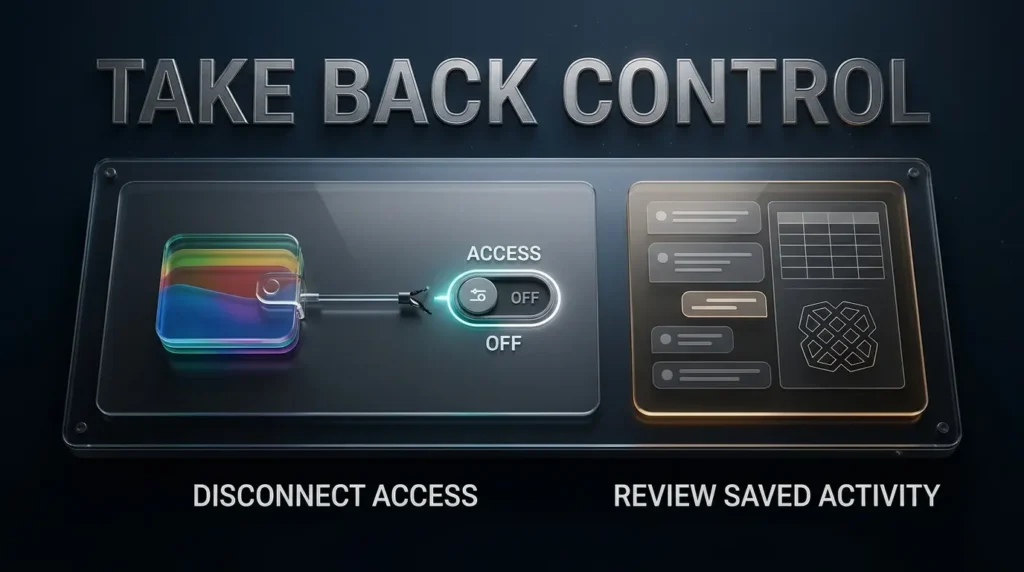
What Happens to Your Data When You Disconnect Google Wallet?
Disconnecting an application and deleting previously stored activity are two different actions.
Google lets users turn off the Wallet connection through Personal Intelligence settings.
That stops Gemini from continuing to use the connection in the normal way.
However, disconnecting a connected app does not automatically mean that previous Gemini interactions, summaries or saved activity have been deleted.
How to disconnect Google Wallet
On the Gemini website, open Settings, then Personal Intelligence and Connected Apps.
Find Google Wallet and select the option to disconnect it.
On mobile, open the Gemini app’s Personal Intelligence settings, locate Connected Apps and turn off the Wallet connection.
The exact placement of these controls may change as Google updates its interface.
How to unlink financial accounts from Plaid
If you connected bank accounts or cards through Plaid, review the financial account connections separately.
Google’s support documentation directs users to Wallet settings for managing linked financial accounts.
Plaid also provides Plaid Portal for managing supported connections.
Disconnecting Gemini from Wallet should not be treated as equivalent to revoking every financial data connection at its original source.
How to delete saved Gemini activity
Google allows users to review and delete Gemini Apps activity through the activity controls associated with their Google Account.
Visit Google’s Gemini activity management guide for the current instructions.
Users can delete individual interactions, selected time periods or broader histories.
Google also explains that some information previously reviewed by service providers may be retained separately under its published retention rules.
Deleting a conversation should therefore not be described as instant deletion of every derived record in every Google system.
Google Gemini Wallet vs ChatGPT Wallet: What Is the Difference?
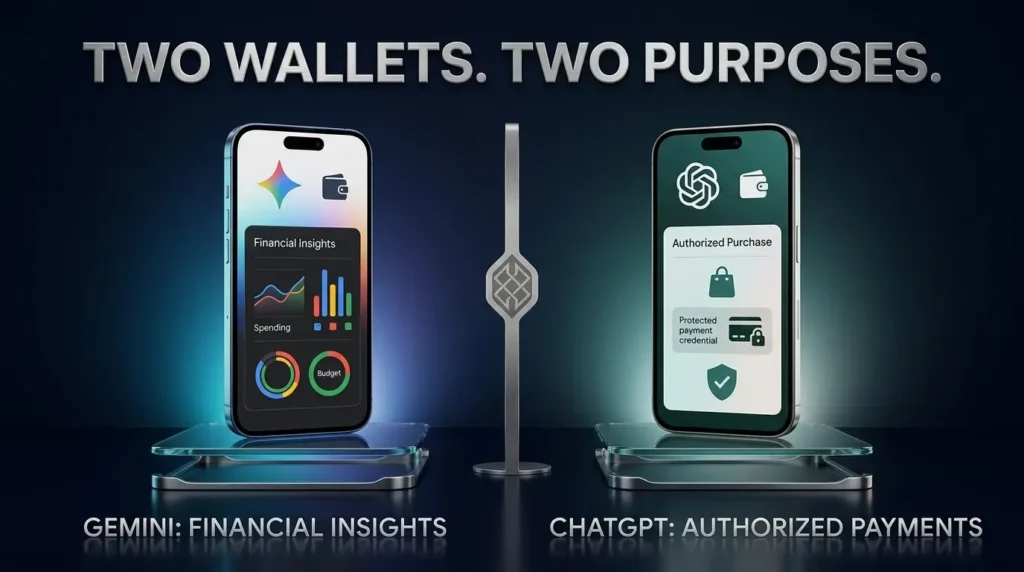
The names sound similar, but the products solve different problems.
Google’s new Gemini connection is primarily about helping users understand financial information.
ChatGPT Wallet, announced by OpenAI on November 13, is designed to help eligible AI agents complete purchases after users authorize payments.
One is focused on financial analysis. The other is focused on shopping and checkout.
| Feature | Google Gemini Wallet connection | ChatGPT Wallet |
|---|---|---|
| Primary purpose | Spending insights and budgeting | Agent assisted shopping and payment |
| Financial data analysis | Yes, using connected information | Not the primary announced purpose |
| Bank account linking | Optional through supported Plaid connections | Uses an eligible payment card |
| Can initiate purchases through the feature? | No | Supports eligible user authorized agent purchases |
| User control | Connected app permissions and activity controls | Purchase review and payment authorization |
| Initial availability | Eligible US Gemini users | Restricted eligible US ChatGPT Pro users through dots |
| Main concern | Financial data privacy and interpretation | Purchase accuracy, authorization and merchant compatibility |
Neither integration should be confused with unrestricted access to a user’s money.
Google’s connection is read only.
OpenAI’s payment experience uses authorization and payment safeguards, but supports a different activity: completing purchases through an eligible agent.
TrendOutsider has already published a detailed explanation of how ChatGPT Wallet works, its safety protections and its availability.
For readers comparing both launches, the most important question is what they want the assistant to do.
Do they want help understanding where money has gone?
Or do they want an agent to help complete a purchase?
Those are fundamentally different financial experiences.
Can Gemini Replace a Budgeting App or Financial Advisor?
For some basic questions, Gemini may reduce the need to open several applications and manually review transaction histories.
A person who wants to understand grocery spending or identify repeating charges may find conversational financial summaries convenient.
But this does not mean the new feature replaces every dedicated budgeting application.
Products designed for personal finance management often provide specialized capabilities such as ongoing expense categorization, shared household budgets, financial goal tracking, reminders and detailed reporting.
Gemini’s newly announced Wallet connection is primarily a way to ask questions and receive personalized insights based on accessible data.
The announcement does not establish that it duplicates every feature offered by dedicated finance platforms.
There is an even larger distinction between budgeting assistance and professional financial advice.
Analyzing spending patterns is not the same as evaluating complicated tax obligations, estate planning, investment suitability or major lending decisions.
An AI assistant may also produce incorrect interpretations, especially when transactions are incomplete or unusual.
TrendOutsider’s existing guide to AI money coaches versus human financial advisors explores why different financial situations require different levels of expertise and human judgment.
For everyday expense awareness, AI can be a useful starting point.
For consequential decisions, users should verify the underlying numbers and consult qualified professionals where appropriate.
Five Useful Gemini Wallet Prompts to Try
If you are eligible and decide to connect Wallet, begin with questions that are specific and easy to verify.
Prompt 1: Find recurring payments
“@Google Wallet, show me recurring payments from the last three months and identify any subscription charges that increased.”
Prompt 2: Understand grocery expenses
“@Google Wallet, summarize my grocery spending by month and compare the latest month with the previous two.”
Prompt 3: Review unnecessary spending
“@Google Wallet, identify spending categories that increased during the last quarter and explain the largest differences.”
Prompt 4: Plan a monthly budget
“@Google Wallet, use my available transaction history to suggest a realistic monthly budget. Show the assumptions and tell me which accounts or expenses might be missing.”
Prompt 5: Prepare for holiday expenses
“@Google Wallet, review my available travel and gift spending from last year and help me estimate a budget for this year’s holiday season.”
These are suggested questions, not independently verified results from a live Gemini account.
The assistant’s answers will depend on your connected records, eligibility and the information the service can actually retrieve.
Users should avoid interpreting a confident response as proof that all relevant financial records were considered.
Should You Connect Your Financial Accounts to Gemini?
The answer depends on what you want from the service and how comfortable you are with the privacy tradeoff.
For someone who already uses Gemini regularly, a connected Wallet may make basic financial questions easier to answer.
Instead of assembling spending records manually, they may be able to request a summary or chart in a familiar conversation.
The integration may be particularly appealing for reviewing recurring payments, comparing categories and preparing budgets.
But connecting financial accounts also increases the amount of sensitive information available to the AI experience.
Google’s read only restriction prevents certain financial actions. It does not mean the system never processes transaction information, generates inferences from it or uses eligible interactions to improve services.
Before connecting accounts, consider whether the convenience is worth sharing that information under the applicable privacy terms.
You can also connect a smaller selection of accounts rather than automatically linking every available source.
Review Gemini’s Keep Activity setting, inspect the permissions presented during linking and learn how to disconnect the relevant services before relying on the integration.
And if you already have a budgeting system that works well without involving a general purpose AI assistant, there is no requirement to replace it.
A useful product is not necessarily the right product for every person.
Frequently Asked Questions
What is Google Gemini Wallet?
Google Gemini Wallet refers to Google Wallet being available as a connected app within Gemini. Eligible users can ask Gemini questions based on Wallet information and supported linked financial accounts.
When did Google launch the Gemini Wallet integration?
Google announced the integration on November 13, 2026, with a gradual rollout for eligible users in the United States.
Is Google Gemini Wallet free?
Google has not announced a separate universal consumer fee for simply connecting Wallet to Gemini. Availability depends on the user’s account and eligibility, and charges from financial institutions or other services should be assessed separately where applicable.
Can Gemini see my bank account?
Gemini can use relevant information from supported financial accounts that you choose to connect through services such as Plaid. It does not automatically gain access to every financial account you own.
Can Gemini withdraw or transfer money?
No. Google says the Wallet integration is read only and cannot move, manage or invest your money.
Can Google use my Wallet information to train AI?
Google says its models are not trained directly on raw Google Wallet data. However, summaries, excerpts and inferences derived from connected information may be used for model training when Keep Activity is enabled, under Google’s published policies.
Is Google Gemini Wallet available worldwide?
No. As of November 15, 2026, the integration is documented for eligible users in the United States. Google has not confirmed a worldwide launch date.
Does the feature work with Gemini Live?
No. Google’s current help documentation lists Gemini Live and Gems among experiences where the Wallet connected app is not available.
Can Gemini cancel subscriptions?
Google describes subscription identification and spending analysis, not unrestricted subscription cancellation through the Wallet connection. Finding a recurring charge does not mean Gemini can cancel it on your behalf.
What happens if I disconnect Google Wallet?
Disconnecting prevents the normal ongoing use of that connected app, but it does not automatically erase every previously saved Gemini interaction. Review both your connected financial accounts and Gemini Apps Activity controls.
Is Gemini Wallet the same as ChatGPT Wallet?
No. Gemini’s Wallet integration focuses on reading financial information for budgeting and analysis. ChatGPT Wallet focuses on facilitating authorized purchases through eligible AI agents.
The Bottom Line
Google’s new Gemini Wallet integration makes personal finance one of the latest areas where conversational AI is moving beyond general advice into information drawn from a person’s actual accounts.
It could make everyday budgeting easier.
A question that once required opening several applications, sorting transactions and comparing totals may become a simple conversation.
But the most important part of the announcement is not the ability to draw a spending chart.
It is the decision to let a general purpose AI assistant work with sensitive financial information.
Google has introduced meaningful limits on what the assistant can do with money. Users remain responsible for choosing which accounts to connect, reviewing their activity settings and deciding how much information they want to share.
For people comfortable with those conditions, Gemini Wallet may become a useful financial companion.
For others, keeping budgeting records inside dedicated financial applications may remain the more comfortable choice.
Either way, the principle is worth remembering: an AI assistant can help you understand your money without becoming the authority over it.

Editorial note: This article is based on Google’s November 13, 2026 announcement, official Gemini support and privacy documentation, Plaid’s launch statement and independent reporting. TrendOutsider has not independently connected or tested financial accounts with Gemini. Features, account requirements and availability may change after publication.
Financial information disclaimer: This article is for educational and informational purposes. It does not provide personalized financial, investment or legal advice.
Visual disclosure: Accompanying AI generated artworks are illustrative editorial graphics. They are not authentic screenshots of a user’s bank account, verified transaction records or evidence of a live Gemini financial session.






Leave a Reply