
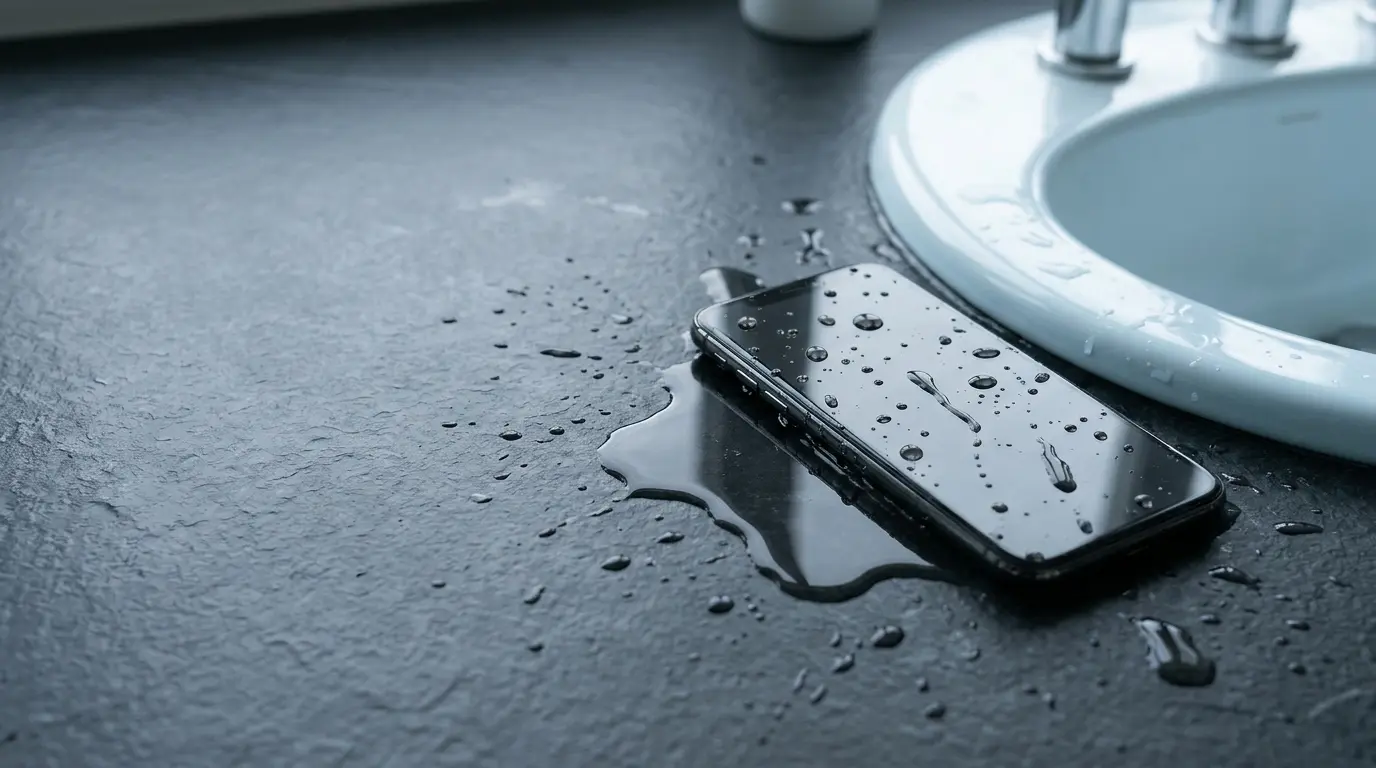
Your phone slips out of your hand and lands in the sink. Or maybe it falls into the toilet, gets soaked in the rain, or disappears beneath the water at the swimming pool.
You pick it up, and your first instinct is to check whether it still works.
That instinct is understandable. But what you do next matters.
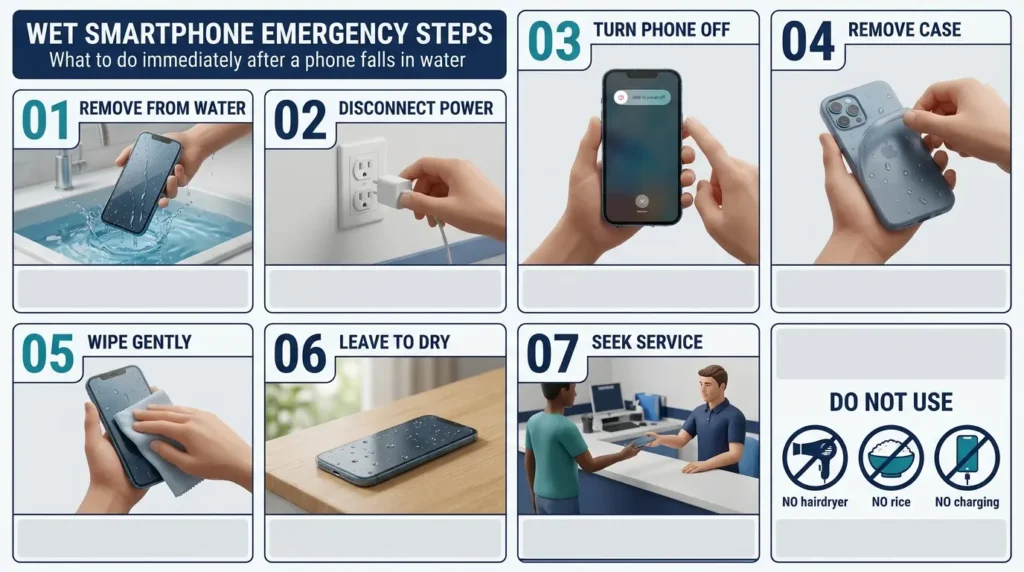
If your phone fell in water, remove it immediately, disconnect it from power, switch it off if it is safe to do so, and gently dry the outside. Do not charge it while wet, use a hair dryer, or put it in rice.
That advice is consistent with the safety guidance published by Apple, Samsung and Google, although the precise drying instructions depend on your phone and how it got wet.
Here is what to do, what to avoid, and when professional repair is the safer choice.
Phone Fell in Water? Do These 7 Things Immediately
If you are reading this with a wet phone in your hand, start here.
- Take the phone out of the water immediately. Do not leave it submerged while you look for instructions.
- Disconnect it from any charger or accessory. If water is near an electrical outlet or power strip, avoid touching wet electrical equipment. Disconnect power only when it is safe.
- Turn the phone off if it is safe and responsive. Do not repeatedly press buttons or try to restart a phone that has already switched off.
- Remove the case and external accessories. Wipe away any water trapped between the case and the phone.
- Dry the outside with a soft, clean cloth. Pay attention to visible moisture around the screen, buttons and charging port.
- Let the phone dry in a clean, ventilated place at room temperature. Keep it away from heat, direct sunlight and charging cables.
- Watch for warning signs. If the phone becomes unusually hot, smells strange, swells, shows display problems or stops working, discontinue use and seek professional help.
Do not force open a sealed phone or attempt to remove its internal battery.
If the device fell into salt water, a swimming pool, a sugary drink or another contaminating liquid, the risk is different from a few drops of clean water. We explain those situations below.
These steps are intended to reduce the chance of additional damage. They cannot guarantee recovery after liquid has entered the phone.
Why Water Can Damage a Phone Even When It Still Works
One of the most confusing things about phone water damage is that a device can appear perfectly normal at first.
The screen lights up. Notifications arrive. You can even make a call.
It is tempting to assume everything is fine.
Unfortunately, a working screen does not tell you whether moisture has reached internal connectors, circuits or other sensitive components.
Water and dissolved contaminants can create unwanted electrical paths. Moisture can also contribute to corrosion, particularly around exposed contacts and connectors.
Apple specifically warns that charging while moisture remains in an iPhone connector can cause corrosion and permanent connection problems.
That is why checking the battery percentage or plugging in a charger immediately after an accident is a poor idea.
The safest response depends on the exposure.
A splash on a phone with intact water resistance is not the same as a cracked phone that spent several minutes underwater.
Likewise, a damp charging port is not the same as liquid entering the battery compartment.
The challenge is that you usually cannot see what happened inside.
Should You Put a Wet Phone in Rice?
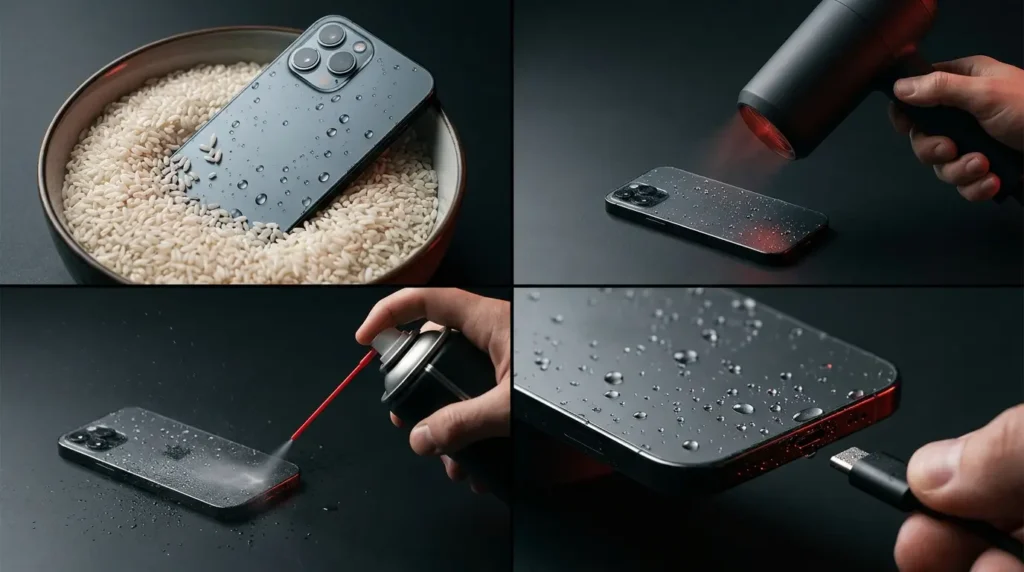
No. Rice is not a recommended phone rescue method.
You have probably heard the familiar advice: bury your phone in a bowl of uncooked rice and leave it overnight.
It sounds simple, and that is probably why the idea has survived for so long.
But it is not the approach recommended by major phone manufacturers.
Apple’s official liquid detection guidance explicitly advises against putting an iPhone in rice because small particles can damage the device.
Rice also does not remove dissolved salts, sugary residue or corrosion that may already be developing inside a phone.
Even if a phone starts working after sitting in rice, that does not prove the rice repaired it. The phone may simply have dried over time.
What about silica gel packets?
Silica gel can absorb moisture in a closed environment, but it is not a guaranteed repair method for liquid inside a sealed smartphone.
It cannot remove contamination from internal components or reverse corrosion.
If you have a serious immersion incident, do not delay professional inspection while experimenting with drying materials.
For an ordinary wet charging connector, follow the manufacturer’s instructions for ventilation and drying instead.
How Long Does a Wet Phone Take to Dry?
There is no single drying time that applies to every wet phone.
A little moisture inside a charging connector may evaporate relatively quickly.
A phone that has been completely submerged, especially one with damaged seals, may have liquid trapped inside that cannot be safely removed through ordinary air drying.
The manufacturer’s advice also varies by situation.
| Situation | Published guidance | What it means |
|---|---|---|
| iPhone shows a liquid detection alert | Apple says a connector can sometimes be checked after at least 30 minutes and may need up to 24 hours | This applies to connector moisture, not a guarantee after full immersion |
| iPhone has been exposed to liquid generally | Apple advises allowing at least 5 hours before wired charging, and only when completely dry | The longer general precaution matters |
| Samsung Galaxy has moisture in its charging port | Samsung says evaporation may take approximately 1 to 2 hours | The alert must clear and the port must be dry |
| Google Pixel fell in water | Google advises switching off, wiping dry and leaving it at room temperature | Google does not give one universal recovery time |
The important difference is between a wet connector and possible internal liquid damage.
If your phone was submerged and now behaves abnormally, waiting 24 or 48 hours does not establish that it is safe to power on.
For that situation, arrange professional assessment.
What Not to Do After Dropping Your Phone in Water
A few common reactions can make the situation worse.
Do not use a hair dryer
Hot air can expose the phone to temperatures it was not designed to tolerate.
Apple and Google both advise against external heat sources.
Do not place the phone near a heater, inside an oven or on a hot car dashboard.
Do not use compressed air
A strong blast of air may push moisture or debris into places you cannot inspect.
Apple specifically warns against compressed air for wet iPhone connectors.
Do not insert tissue or cotton into the charging port
It may seem helpful to absorb water with a cotton swab, but objects inserted into the connector can damage delicate contacts or leave material behind.
Do not keep trying the charger
Repeatedly plugging in a wet connector is not a useful drying test.
It can also create additional risk.
If a moisture alert returns, stop and follow the device manufacturer’s instructions.
Do not shake the phone aggressively
Some manufacturers recommend gently encouraging excess water out of a connector.
That is different from vigorously shaking, striking or spinning the entire device.
Avoid anything that could cause physical damage.
Do not keep restarting it
If a submerged phone has turned off unexpectedly, repeatedly attempting to power it on may be unwise.
The device may need inspection before it can be safely operated.
What to Do If Your iPhone Fell in Water
Apple’s guidance provides useful instructions, but two situations should be treated separately.
Situation 1: Your iPhone shows a liquid detection alert
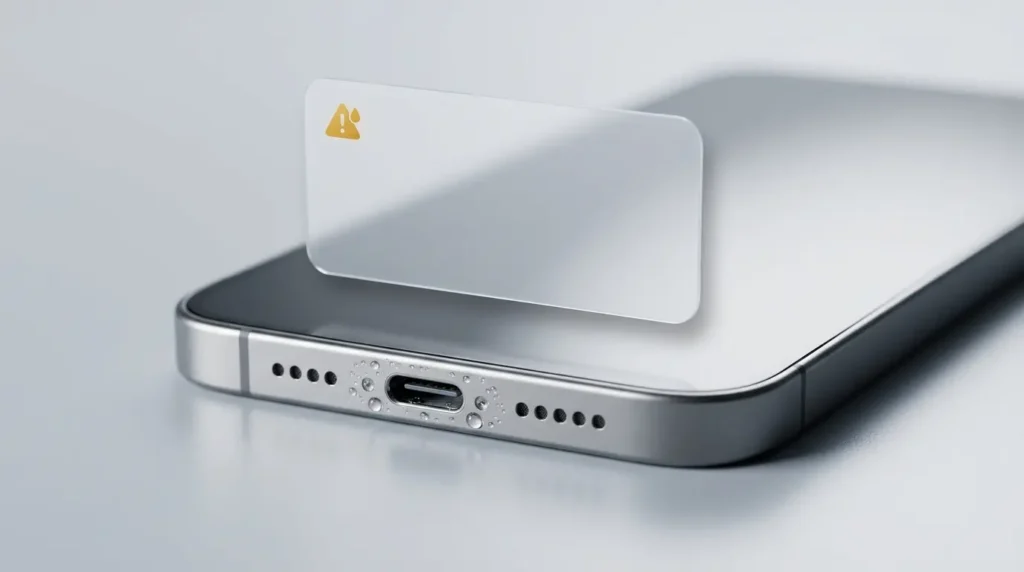
Newer iPhones can display warnings when moisture is detected in the Lightning or USB C connector or a connected accessory.
You might see a message such as:
“Liquid Detected in USB C Connector”
or
“Charging Not Available”
If this happens, disconnect the cable.
Apple recommends gently tapping the iPhone against your hand with the connector facing downward, then leaving it in a dry place with airflow.
Its connector alert guidance allows another check after at least 30 minutes. If the alert appears again, more drying time may be needed, potentially up to 24 hours.
Do not override the warning merely because you want to charge faster.
Apple provides an emergency override option on some devices, but using a wet connection can cause damage.
Situation 2: Your iPhone was splashed or submerged
Apple’s broader water resistance and liquid exposure guidance advises disconnecting cables and waiting until the phone is completely dry.
For wired charging after liquid exposure, Apple specifies a minimum wait of five hours.
That minimum is not proof that a submerged or damaged phone has fully dried.
If the screen is malfunctioning, the phone has switched off unexpectedly, or liquid may have entered the enclosure, do not treat the charging alert instructions as a complete repair procedure.
Seek an authorized repair assessment.
Can you use wireless charging?
Apple permits wireless charging in some moisture situations when the back of the iPhone is dry.
However, this does not mean wireless charging is safe for a phone with suspected internal liquid damage.
If the phone has been submerged or shows signs of damage, avoid charging until it has been assessed.
What if your iPhone speaker sounds muffled?
Apple recommends checking for water around the speaker or microphone and allowing it to drain onto a soft, lint free cloth.
Sound may improve as moisture evaporates.
If the problem persists, professional inspection is more appropriate than forcing air or objects into the speaker openings.
What to Do If Your Samsung Galaxy Fell in Water
Samsung phones can show a moisture detection warning when the charging port is wet.
This is a protective feature, not necessarily proof that the entire phone has been damaged.
According to Samsung’s official charging port guidance, supported devices can prevent wired charging when moisture is detected.
If the warning appears:
- Disconnect the charging cable.
- Dry the exterior of the phone.
- Allow moisture in the port to evaporate.
- Do not insert objects into the connector.
- Seek service if the problem does not resolve.
Samsung says water in the charging port may evaporate in approximately one to two hours.
However, a phone that was fully submerged or is malfunctioning requires more caution than a phone with a slightly damp connector.
What if the moisture warning stays on?
Sometimes a warning can remain after the outside appears dry.
Possible explanations include remaining moisture, contamination, a problem with the cable or a fault requiring service.
Do not repeatedly force charging.
If the warning persists despite following the official instructions, contact Samsung support or an authorized service center.
Can Samsung phones charge wirelessly while the port is wet?
Samsung says supported models may use wireless charging when the device is otherwise safe and thoroughly dry on the outside.
Again, that advice should not be interpreted as permission to charge a phone with suspected internal damage.
What About Google Pixel and Other Android Phones?
Google’s advice for a Pixel phone that falls in water is straightforward.
The company recommends taking the phone out, switching it off, drying the exterior with a soft cloth and leaving it on a flat surface to dry at room temperature.
You can read the instructions in Google’s official Pixel water damage guide.
Other Android brands may use different sealing methods, charging protection systems and cleaning instructions.
That is why it is worth checking the support page for your exact phone model.
A general internet tip should not override a specific manufacturer warning.
For example, a premium Android phone may carry an IP68 rating, while an older or budget model may have no published immersion protection.
The appropriate response depends on the actual device, not simply whether it runs Android.
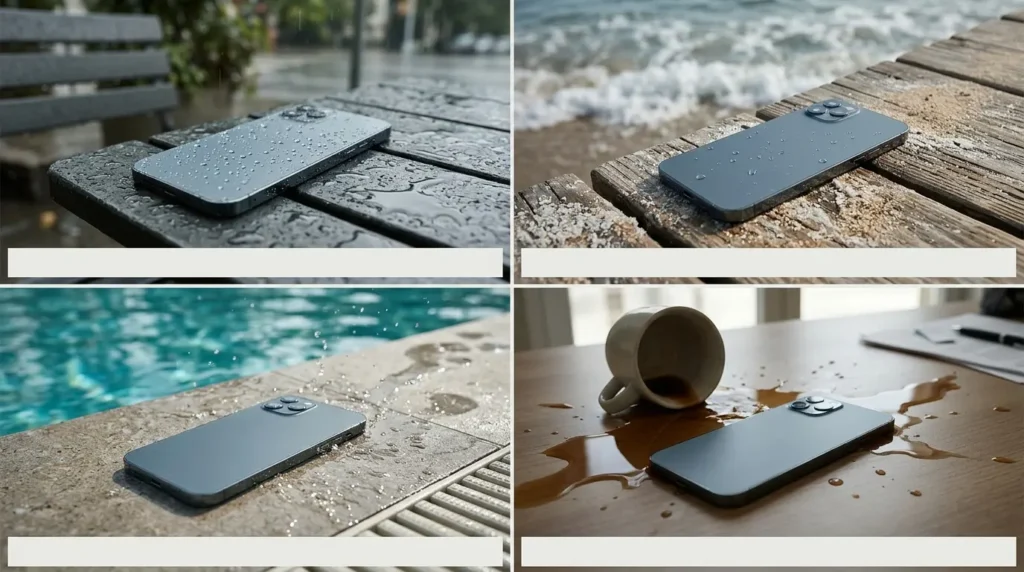
What If Your Phone Fell in Salt Water, Pool Water, Coffee or the Toilet?
Not every liquid creates the same problem.
Salt water
Salt water is especially concerning because it leaves conductive and corrosive residue.
Even if the outside dries, salt deposits may remain around connectors or inside the device.
If your phone fell into the sea, turn it off and arrange prompt professional assessment.
Some manufacturers provide specific fresh water rinsing instructions for particular water resistant devices. Do not apply those instructions to every phone.
Swimming pool water
Pool water contains treatment chemicals and other dissolved substances.
It should not be treated as equivalent to clean laboratory test water.
If the device was submerged and shows any abnormal behavior, seek repair advice.
Coffee, tea, soda and juice
Sugary drinks can leave sticky residue after the visible moisture disappears.
That residue can affect connectors, buttons and internal components.
Avoid trying to flush an unknown phone with water or household cleaners.
Professional cleaning may be necessary.
Toilet water
In addition to liquid damage, contamination is a concern.
Avoid inserting objects into ports or using harsh disinfectants that the manufacturer has not approved.
Follow the device’s published exterior cleaning guidance, and seek repair advice if the liquid may have entered the enclosure.
Rain
A brief exposure to light rain is generally a different event from full immersion.
But heavy rain, cracked glass, worn seals and exposed charging ports can increase risk.
If the phone behaves normally, dry it carefully and watch for warning signs.
If you notice charging errors, screen problems or unusual heat, stop using it and seek help.
Phone Fell in Water and Won’t Turn On: What Now?
This is the situation people worry about most.
You retrieve the phone, press the power button, and nothing happens.
It is tempting to connect a charger immediately.
Do not do that if the phone may still be wet.
A device that refuses to start after immersion may have a damaged battery, internal circuitry, display or power management system.
There is no reliable home shortcut that can identify which component has failed.
What you should do
Leave the phone disconnected from power.
Do not repeatedly attempt to restart it.
Keep it in a safe, dry location away from flammable materials.
If it is hot, swollen, smoking or producing an unusual smell, stop handling it and seek appropriate professional assistance.
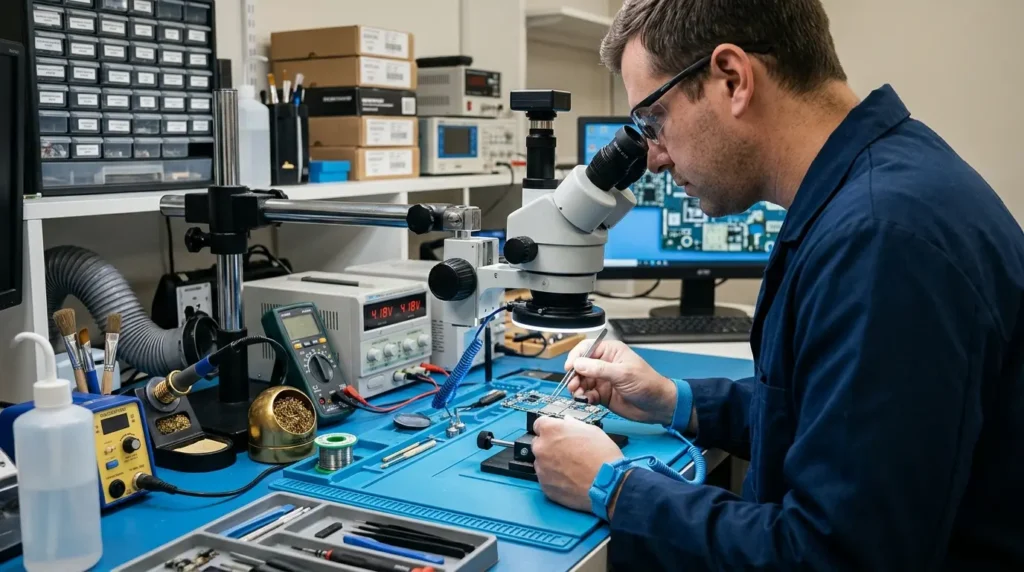
Otherwise, contact an authorized service provider or a reputable repair specialist experienced in liquid damage.
Tell the technician what liquid was involved, how long the phone was exposed and whether anyone attempted to charge it afterward.
Those details may help guide the inspection.
What if the phone turns on after drying?
That is encouraging, but it does not prove there is no internal damage.
Watch for charging problems, unexpected shutdowns, camera condensation and other changes.
Once the device is considered safe to operate, back up important data promptly.
Phone Speaker Sounds Muffled After Water Exposure
A wet speaker can sound quiet, distorted or unusually muffled.
This may happen because moisture affects the speaker opening or acoustic components.
For an iPhone, Apple recommends placing the speaker side downward on a lint free cloth to check whether water drains out.
Allow the phone to dry naturally.
Avoid blowing hot air into the speaker.
You may also see online suggestions to play a particular sound frequency to push water out.
Some devices have manufacturer supported water clearing functions, but there is no universal sound that repairs every wet phone.
Sound playback cannot remove corrosion or repair a damaged speaker assembly.
If the problem persists, seek professional assistance.
Water in the Charging Port: How to Tell When It Is Safe
A charging port can remain damp even when the rest of the phone feels dry.
That is why moisture detection warnings are useful.
A few practical rules apply across brands.
Never insert a cable into a visibly wet connector.
Do not use metal tools, tissue or cotton to probe the opening.
Let moisture evaporate according to the manufacturer’s instructions.
Check that the charging cable itself is dry and undamaged.
If an alert keeps returning, do not assume that another charging attempt will fix it.
The safest time to resume wired charging is when the phone and cable are dry, the relevant manufacturer waiting period has been followed, and no signs of damage remain.
If the phone was submerged or is behaving abnormally, obtain a repair assessment instead.
Why Your Phone Camera Looks Foggy After Water Exposure
Fog or condensation inside a camera lens is different from a few water droplets on the outside glass.
External moisture can usually be wiped away.
Internal condensation may indicate that moisture has entered an area that should normally be protected.
This is particularly concerning if the camera stays cloudy, photographs become hazy or condensation returns repeatedly.
Do not heat the phone to clear the lens.
Avoid opening the camera assembly yourself.
A repair technician may need to inspect the device for moisture intrusion and related damage.
This issue is especially frustrating on expensive camera phones.
For example, our Vivo X500 Pro Max camera and specifications guide explains the advanced camera hardware used in a recent flagship. Sophisticated camera systems can be expensive to repair, making it particularly important not to ignore suspected internal moisture.
IP67, IP68 and IP69: Is Your Phone Really Waterproof?
Smartphone marketing can create a false sense of security.
You may see a phone advertised with an IP67, IP68 or IP69 rating and assume water cannot damage it.
That is not what these ratings mean.
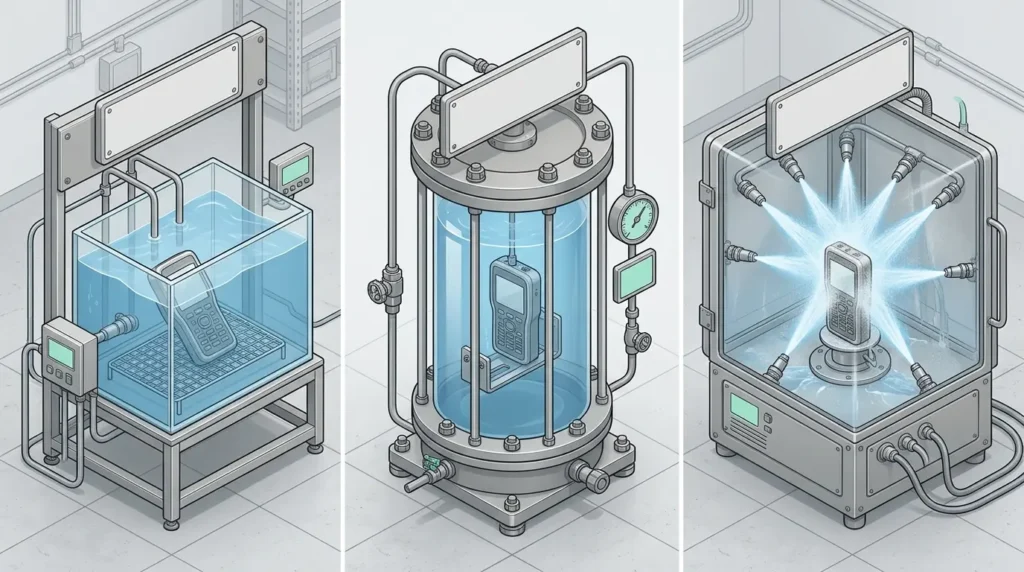
An IP rating describes protection against specified types of dust and water exposure under defined test conditions.
The first digit generally relates to protection against solid particles.
The second relates to water exposure.
What does IP67 mean?
IP67 includes protection against dust ingress and temporary immersion under specified laboratory conditions.
What does IP68 mean?
IP68 describes protection against dust and immersion under conditions specified by the manufacturer.
The exact depth and duration can differ between products.
Two phones with IP68 ratings do not necessarily have identical immersion limits.
What does IP69 mean?
IP69 relates to protection against high pressure and high temperature water jets under defined test conditions.
It does not mean a phone is invulnerable to every liquid or underwater environment.
Why can a water resistant phone still fail?
Water resistance may decrease with normal wear.
A cracked screen, damaged frame, previous repair or aging adhesive can affect sealing.
Manufacturers also test resistance under controlled conditions that may not resemble a swimming pool, ocean or bathroom accident.
This is relevant to both phones and tablets.
Our iPad mini 2026 guide discusses its published IP67 rating, while our Vivo X500 Pro Max review of specifications covers a phone advertised with IP68 and IP69 protection.
Neither rating should be treated as permission to deliberately submerge a device.
Can a Water Damaged Phone Be Repaired?
Sometimes, yes.
The outcome depends on which parts were affected, how much contamination entered the device and how quickly the problem is addressed.
A repair might involve cleaning corrosion, replacing a charging assembly, replacing a display or repairing components on the main board.
Some devices are beyond economical repair.
Others can be restored well enough to recover important files even if they are not suitable for continued everyday use.
How much does water damage repair cost?
There is no dependable universal price.
Costs vary by model, region, service provider and the actual damage.
A charging port repair may be less expensive than extensive board repair, but a proper diagnosis is needed before quoting the work.
Be cautious about websites promising a fixed cheap repair price for every liquid damaged phone.
Is water damage covered by warranty?
Often, accidental liquid damage is excluded from standard limited warranties, even on devices with water resistance ratings.
Check the warranty terms for your exact model and any separate accidental damage coverage you purchased.
Google, for example, states that accidental water damage is not covered under its standard Pixel warranty.
Should you repair or replace the phone?
Compare the repair estimate with the phone’s age, value and remaining useful life.
Also consider whether the technician can provide confidence in the repair and whether the device has suffered recurring problems.
If the phone contains irreplaceable data, data recovery may be a higher priority than making the device fully functional.
How to Save Your Photos and Data After Water Damage
For many people, the phone itself is not the biggest loss.
It is the photos, conversations, documents and other memories stored inside.
If the device is not safe to power on, do not attempt to retrieve files by repeatedly charging or restarting it.
Tell a repair specialist that data preservation is your priority.
Ask before authorizing repairs that may erase data or replace the main board.
If the phone is working safely
Once it has been assessed or you are confident there are no signs of continuing damage, back up important information as soon as practical.
For iPhone users, check iCloud backup or create a backup using a trusted computer.
For Android users, review Google account backup settings and any manufacturer specific backup options.
Confirm that the files you need are actually present in the backup.
Do not assume that every photograph or app is automatically synchronized.
What if the phone never turns on?
Data recovery may still be possible in some cases.
But modern smartphones use encryption, and recovery can depend on the condition of the original hardware.
There is no guarantee that a repair shop can recover everything.
Avoid services that promise 100 percent recovery without inspecting the device.
How to Prevent Water Damage in the Future
Nobody plans to drop a phone into water.
But a few habits can reduce the risk.
Use a properly fitted case that protects against accidental drops and cracked screens.
Keep phones away from the edge of sinks, bathtubs and swimming pools.
Consider a waterproof pouch designed for your activity when near water, while remembering that pouches can fail and should be checked according to their instructions.
Avoid charging your phone in damp environments.
Do not deliberately test water resistance by submerging your device.
And most importantly, keep reliable backups.
A phone can be replaced.
An unbacked photograph or important document may be much harder to recover.
Frequently Asked Questions
My phone fell in water but still works. Is it safe?
Not necessarily. A functioning screen does not rule out moisture or damage inside the device. Dry it according to the manufacturer’s guidance, avoid charging while wet and watch for abnormal behavior.
Should I turn my phone off after it falls in water?
For a submerged phone, turning it off if safe is a sensible precaution. Google explicitly recommends switching off a Pixel after it falls in water. Do not repeatedly restart a phone that has already shut down.
How long should I leave my phone to dry?
There is no universal drying period. Apple’s connector guidance allows an initial check after at least 30 minutes and says drying may take up to 24 hours. Other liquid exposure situations require different precautions. Full immersion may require professional inspection.
Does rice really remove water from a phone?
Rice is not a recommended repair method. Apple warns that rice particles can damage an iPhone. It also cannot remove corrosion or dissolved contaminants.
Can I charge my phone after it gets wet?
Do not charge a wet phone. Follow the manufacturer’s instructions, and seek service if the device was submerged or shows signs of damage.
What if my phone fell in water for only a few seconds?
The risk depends on the phone’s condition, its water resistance and the liquid involved. A short exposure is not a guarantee of safety.
Why does my Samsung say moisture detected?
Samsung uses a protective charging warning when moisture is detected in the connector. Disconnect the charger and follow Samsung’s official drying instructions.
Can I use a hair dryer to dry my phone?
No. Apple and Google advise against external heat sources.
What if my phone fell in the toilet?
Remove it safely, disconnect it from power, dry the exterior and avoid charging. Follow the manufacturer’s cleaning instructions for the exterior and seek service if liquid may have entered the device.
Can salt water permanently damage a phone?
Yes. Salt water can leave corrosive residue. Prompt professional assessment is advisable after suspected internal exposure.
Will my phone insurance cover water damage?
It depends on the policy. Some accidental damage plans include liquid incidents, while standard manufacturer warranties often exclude them.
Can a phone recover from water damage after several days?
Sometimes a device begins working again, but that does not prove the internal components are undamaged. Persistent or recurring problems require professional assessment.
Final Thoughts: The Best Thing You Can Do Is Avoid Making It Worse
When a phone falls into water, panic often causes more trouble than the first few seconds of the accident.
People try to charge it, switch it on repeatedly, blow hot air into the connector or bury it in rice.
Those actions are not reliable repairs.
A better approach is to remove the phone from water, disconnect power, switch it off when appropriate, dry the outside and follow the guidance for the exact model.
If the phone was fully submerged, exposed to a contaminating liquid or begins behaving abnormally, professional inspection is the safer next step.
And once everything is working again, check your backups.
The best outcome is not simply getting the screen to light up today. It is keeping the phone safe, protecting your data and avoiding a bigger problem tomorrow.
Sources and Editorial Disclosure
This article is based on published manufacturer guidance and technical safety information, including:
- Apple: What to do when an iPhone detects liquid in its connector
- Apple: Splash, water and dust resistance of iPhone
- Samsung: Moisture in a Galaxy charging port
- Google: Help prevent water damage to a Pixel phone
- Google: Pixel device safety and charging precautions
Editorial disclosure: TrendOutsider has not independently tested water damaged phones or performed laboratory drying experiments for this article. Advice is based on published manufacturer instructions and general device safety principles. Drying times and recovery outcomes vary by device and type of exposure. Images accompanying the article are conceptual illustrations unless explicitly identified as genuine manufacturer materials.
Last reviewed: November 4, 2026.







Leave a Reply