
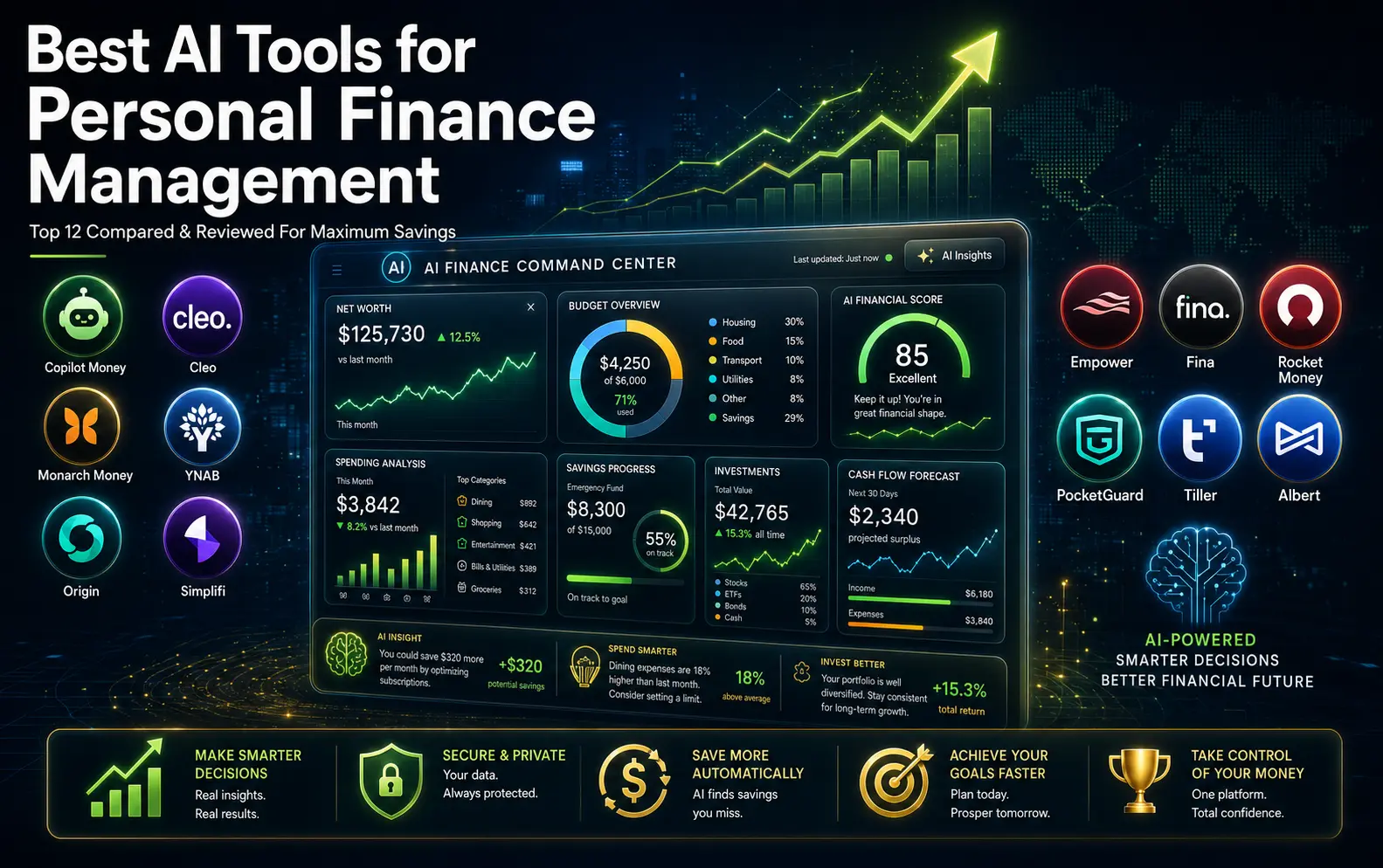
The State of Personal Finance in 2026
Managing money has become exponentially more complex. Today’s Americans are juggling mortgage payments, student loans, multiple credit cards, subscription services, investment accounts, side income from gig work, and a constant stream of unexpected expenses. Meanwhile, inflation continues to eat away at savings, and economic uncertainty makes people more cautious than ever about their financial future.
The real challenge is not understanding finance basics. The challenge is staying on top of everything simultaneously.
According to recent research, the personal finance app market has grown dramatically to $207.69 billion in 2026, up from $165.9 billion in 2025. This explosive growth reflects a fundamental shift in how Americans approach money management. More than 49 percent of global consumers now use AI to support savings and investment decisions. Among younger generations, adoption is even higher. Gen Z uses AI for financial management at a rate of 68 percent, while millennials follow at 65 percent.
But here is what matters most. A significant gap exists between adoption and actual effectiveness. Many people download finance apps but abandon them within weeks. Others connect to multiple apps, creating confusion instead of clarity. The real question is not which app exists or which tool has the most features. The real question is which tool actually helps you improve your financial life and stay consistent with it.
This is why artificial intelligence has become so valuable in personal finance. Unlike traditional spreadsheets or basic banking apps, modern AI finance tools can identify patterns you would never spot manually. They can detect unusual spending behaviors, flag forgotten subscriptions, forecast future cash flow, and provide genuinely actionable recommendations based on your specific situation.
But not all AI finance tools are created equal. Some are designed primarily for budgeting. Others excel at investment tracking. Some focus on automation, while others emphasize education and behavior change. Choosing the wrong tool for your specific needs is a waste of money and time. Choosing the right one can genuinely change how you manage money.
Why AI Personal Finance Tools Actually Matter
Personal finance management used to require hours every month. You would need to log into multiple accounts, review transactions, manually categorize expenses, track recurring bills, calculate budget totals, and try to make sense of spending patterns. Most people started this process with good intentions. By month two or three, the system fell apart.
Artificial intelligence removes this friction. Modern AI finance tools work in the background, continuously analyzing your financial data to reveal insights you would never discover on your own.
For example, imagine you feel like you are living paycheck to paycheck with no money left to save. A traditional banking app shows you your balance and transaction history. An AI finance tool does something different. It analyzes your spending patterns across several months, identifies that you are spending more on small purchases than you realize, discovers three subscriptions you forgot about, detects that your grocery spending is trending upward, and provides a specific action plan to redirect $300 per month toward savings.
This is not a small difference. This is the gap between feeling helpless and feeling in control.
According to 2026 research from the TD AI Insights Report, more than 78 percent of Americans now use AI powered tools in their daily lives. Among those using financial AI tools specifically, a remarkable 37 percent have made AI their primary financial management tool. This shift reflects more than just novelty. It reflects genuine recognition that AI can handle routine financial tasks better than humans can, freeing you to focus on bigger decisions.
The key insight is consumer preference for AI with human oversight. While 62 percent of Americans believe AI can provide reliable financial information, only 18 percent are comfortable letting AI make important financial decisions independently. This matters because it means the best AI finance tools do not replace human judgment. They enhance it. They provide information faster, organize data more clearly, and highlight patterns that deserve your attention. Then you make the actual decision.
What Makes an AI Finance Tool Actually Worth Your Time
The finance app market is crowded. Hundreds of tools claim to help you manage money. Many of them are poor choices. Before we review the best options, it helps to understand what separates genuinely useful tools from the apps that look good but deliver little value.
Smart Automation That Actually Works
A strong AI finance tool should handle routine tasks automatically without requiring constant manual work. This means automatic transaction categorization, automatic detection of recurring bills, automatic identification of subscriptions you forgot about, and automatic alerts for unusual spending patterns.
The key word is automatic. If you have to manually review and categorize transactions every time you spend money, the tool is not saving you time. It is just moving your work from a spreadsheet to an app. Real automation means the tool learns from your patterns over time and gets better at categorizing transactions correctly without intervention.
Security That You Can Actually Trust
Personal finance data is extraordinarily sensitive. You are connecting the tool to your bank accounts, credit cards, investment accounts, and sometimes loan information. Before connecting your accounts to any tool, you need to verify that it uses bank-level encryption, complies with financial regulations, maintains clear data privacy policies, and gives you full control over what information is shared.
Many finance apps claim security compliance. Fewer actually deliver it. Look for specific security certifications, third-party audits, and transparent privacy policies you can actually read and understand.
Insights That Drive Real Behavior Change
The most sophisticated dashboards and pretty charts are worthless if they do not help you change how you spend money. A strong AI finance tool provides insights that are specific, actionable, and tied to your actual goals.
Rather than simply telling you that you spent $900 on restaurants, a useful tool helps you understand whether that is normal for you, whether it has increased recently, what percentage of your income it represents, and what could change if you adjusted your spending in this category. Even better, it helps you see the cumulative impact of multiple small changes and connects this to your specific financial goals.
User Experience Simple Enough to Sustain
The best finance tool is useless if you stop using it after two weeks. This is why user experience matters more than feature count. A tool with fewer features that you use consistently beats a tool packed with powerful features that you abandon after a month.
Setup should take less than 30 minutes. The dashboard should be clear at a glance. Key information should be easy to find. The learning curve should be gentle. Customer support should be responsive. The most important metric is whether you will actually open the app and use it regularly.
Quick Comparison Table of Top AI Finance Tools
| Tool | Best For | Key Strength | Price Range | Best If You Want |
|---|---|---|---|---|
| Copilot Money | Premium budgeting | Clean interface, AI categorization | $95-156/year | Beautiful dashboard with strong automation |
| Cleo | Conversational AI | Chat-based simplicity | Free-premium | To ask questions instead of reading reports |
| Monarch Money | Couples and families | Full financial overview | ~$99/year | Shared visibility and collaboration |
| YNAB | Budget discipline | Zero-based methodology | $109-180/year | To control spending and build habits |
| Origin | AI financial planning | Comprehensive platform | Variable pricing | All-in-one AI financial command center |
| Quicken Simplifi | Budget-conscious users | Affordable all-in-one | $48-80/year | Good features without premium pricing |
| Empower Personal Dashboard | Investors | Net worth and retirement tracking | Free basic | Investment and retirement focus |
| Fina Money | Customization seekers | Flexible tracking | Free-premium | Complete control over categories |
| Rocket Money | Subscription management | Bill and subscription tracking | Free-$168/year | To find and cancel unwanted charges |
| PocketGuard | Simple budgeting | Safe-to-spend feature | $12.99-75/year | Quick clarity on available spending |
| Tiller Money | Spreadsheet lovers | Google Sheets automation | $79/year | Spreadsheet control with automation |
| Albert | All-in-one money app | Comprehensive features | $240-480/year | Multiple financial tools in one app |
The 12 Best AI tools for personal finance management in 2026
1. Copilot Money: Premium Budgeting Meets Modern Design

Copilot Money stands out as one of the most polished personal finance apps available. It is built around tracking spending, budgeting, investments, net worth, and providing personalized recommendations. The app works on iPhone, iPad, Mac, and through a web interface, making it accessible across multiple devices.
The core strength of Copilot Money is how it combines beautiful design with intelligent automation. When you connect your bank account, the app automatically categorizes transactions. Over time, the AI learns your spending patterns and becomes more accurate. This is not a one-time categorization. The tool continuously improves.
For professionals who care about financial visibility, Copilot Money delivers. The dashboard gives you a clear picture of net worth, spending trends, subscription services, cash flow, and investment performance. Nothing feels cluttered or overwhelming. Information is presented in a way that actually helps you understand your financial situation without requiring a finance degree.
The biggest limitation is that this premium experience comes at a cost. Copilot Money is not free, and it is not the cheapest option. However, for people who prioritize user experience and automation over cost, the value proposition is strong.
Best For: Professionals and high-income earners who value design and automation. People who want to track net worth alongside budgeting. Those willing to pay for a polished experience.
Pricing: $95 per year if billed annually, or $13 per month for month-to-month billing. Some promotional pricing may be available periodically.
Pros: Excellent user interface, strong AI-powered categorization, good net worth tracking, no ads or unnecessary upsells, clean mobile and web experience.
Cons: No free tier for full features, may appeal more to Apple users than Android users, not ideal for people committed to zero-based budgeting, higher price than some alternatives.
Verdict: Copilot Money is one of the best premium AI budgeting tools if you want beautiful design, solid automation, and comprehensive financial tracking in one place.
2. Cleo: AI Budgeting Through Conversation
Cleo takes a fundamentally different approach to personal finance. Instead of presenting you with charts and dashboards, Cleo uses conversational AI to help you understand your money. You ask Cleo questions. Cleo responds with relevant information and guidance.

This approach works because many people find traditional budgeting stressful. Charts feel formal. Categories feel restrictive. Rules feel judgmental. By making finance feel like a conversation with a friendly assistant, Cleo removes much of the psychological barrier to financial management.
You can ask Cleo questions like “How much did I spend on food this month?” or “Why is my balance lower than I expected?” or “Help me find ways to save money.” Cleo analyzes your transactions and provides conversational responses. This feels less like homework and more like getting advice from someone who understands your situation.
For younger people, students, and anyone who finds traditional budgeting boring, Cleo removes friction from the experience. You are more likely to engage with your finances if it feels like a conversation rather than a chore.
The main limitation is that Cleo is better suited for basic budgeting questions than for complex financial planning. If you have significant investments, multiple properties, or complicated income sources, you may need a different tool. But for everyday money management and spending awareness, Cleo delivers value.
Best For: Beginners, younger professionals, anyone who finds traditional budgeting intimidating. People who prefer conversational interaction to dashboards. Those seeking to build basic financial awareness.
Pricing: Free version available with core features. Premium options available for advanced features, typically in the $3 to $9 per month range.
Pros: Very beginner-friendly, conversational experience feels less stressful, free version useful, good for spending awareness, approachable tone reduces financial anxiety.
Cons: Limited for complex financial situations, not ideal for serious investors, paid features required for full functionality, conversational format not for everyone.
Verdict: Cleo is excellent if you want an AI assistant that makes money management feel like a conversation rather than a chore.
3. Monarch Money: Full Financial Dashboard for Families

Monarch Money fills a specific need that many households have. It provides a comprehensive view of household finances in a single dashboard. When Mint shut down in early 2024, many users sought replacement options. Monarch Money emerged as one of the strongest alternatives.
What sets Monarch Money apart is its focus on household financial management. If you are married or living with a partner, you can set up shared access. Both of you can view transactions, spending, budgets, and goals. This eliminates the information silos that often create financial confusion in relationships.
Monarch Money brings together bank accounts, credit cards, loans, real estate valuations, investment accounts, and retirement accounts into one place. You get a complete net worth picture. You see detailed reports about spending patterns. You can set shared goals. You can track progress together.
For couples who want to manage finances as a team, this matters. Separate finances create separate conversations and often lead to misunderstandings. A shared dashboard creates a shared view of reality, which makes financial decisions easier.
The setup is more involved than some simpler tools. You need to take time to properly configure categories, set up budgets, and establish shared access. But once set up, the system provides ongoing value.
Best For: Married couples and partners who manage finances together. Households with multiple accounts and investments. Anyone seeking a comprehensive financial dashboard.
Pricing: Approximately $99 per year when billed annually. Promotional pricing may be available at certain times.
Pros: Excellent for couples, comprehensive account aggregation, strong budgeting and reporting features, useful net worth tracking, good partner collaboration tools.
Cons: Higher price point than some alternatives, setup requires time and effort, may feel excessive for simple financial situations, less focused on specific niches like investors or freelancers.
Verdict: Monarch Money is one of the best options for households that want a complete financial dashboard and shared visibility.
4. YNAB: Budgeting Built on Behavior Change
YNAB stands for “You Need A Budget.” It is built around a specific philosophy of zero-based budgeting, where every dollar gets assigned a job before it leaves your account. This is not just another app. It is a complete budgeting system with community, education, and methodology behind it.
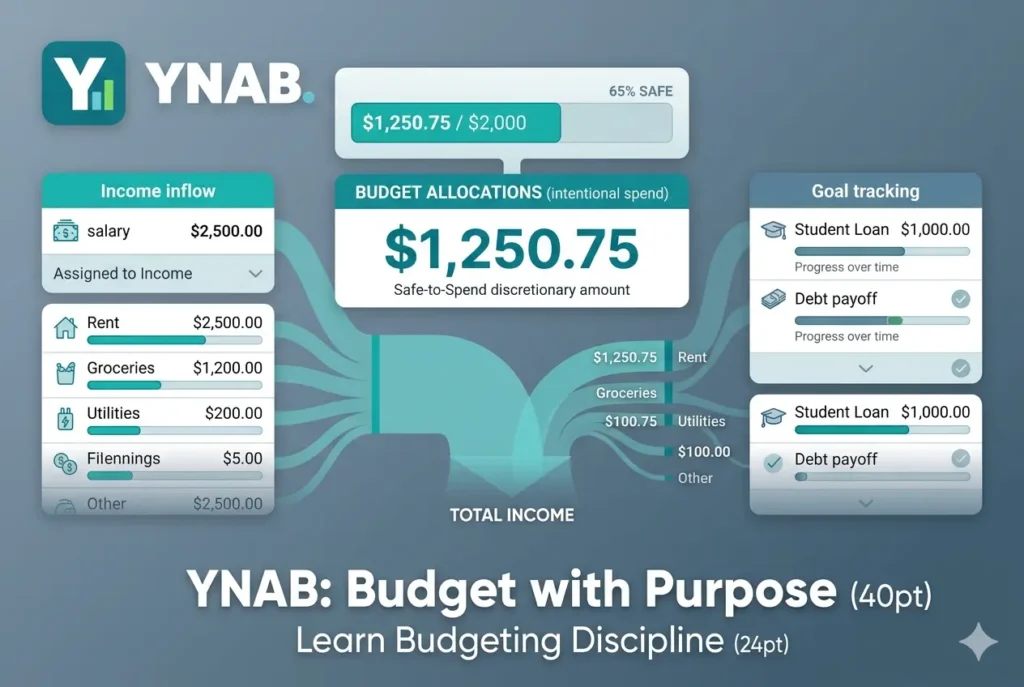
The difference between YNAB and most other budgeting apps is philosophical. YNAB is not primarily concerned with tracking what already happened. It is concerned with planning ahead and making intentional decisions about where your money goes.
When you set up YNAB, you do not create a budget based on historical spending. You create a budget based on your values and priorities. Every dollar gets assigned to something. You can adjust as your situation changes. Over time, this process changes how you think about money. You shift from reactive (wondering where money went) to proactive (deciding where money goes).
For people trying to pay off debt, build emergency savings, or fundamentally change their financial habits, YNAB works because it combines the system with community support and educational resources. You are not just using an app. You are joining a methodology.
The learning curve is steeper than some other apps. YNAB requires regular engagement and active decision-making. But for people ready to change their financial behavior, this is a strength, not a weakness.
Best For: People serious about budgeting discipline. Anyone trying to pay off debt. Couples managing finances together. Those wanting to fundamentally change financial habits.
Pricing: $109 per year when billed annually, or $14.99 per month for monthly billing. The app includes a 34-day free trial to test the system.
Pros: Excellent budgeting methodology, strong community support, good for debt payoff and habit change, great educational resources, useful for couples.
Cons: Requires regular engagement and active decision-making, steeper learning curve than simpler apps, not ideal for people wanting a passive dashboard, monthly engagement is essential.
Verdict: YNAB is best for people who want to fundamentally change their financial habits and are willing to actively engage with the budgeting process.
5. Origin: AI-Powered Financial Planning Platform
Origin represents a newer generation of personal finance tools. Rather than focusing primarily on budgeting, Origin positions itself as an AI-powered financial advisor that can help with spending, budgeting, investing, financial planning, and even estate planning.
The platform uses AI to understand your complete financial picture and provide guidance. You can ask Origin questions about your money. The AI analyzes your personal financial data and provides personalized recommendations. This goes beyond expense categorization. It provides strategic financial guidance.
For professionals with multiple income streams, investments, and complex financial situations, Origin’s comprehensive approach is valuable. You get budgeting tools, but you also get investment tracking, financial planning features, and AI-powered recommendations.
The main consideration is pricing, which often includes promotional offers that make the initial cost very low. However, ongoing pricing varies, so check current rates before committing.
Best For: Professionals with comprehensive financial situations. People wanting AI-powered financial planning. Those seeking investment guidance alongside budgeting.
Pricing: Often promotional pricing available. Current pricing should be verified directly on their website.
Pros: Strong AI positioning, comprehensive financial planning features, good for investors, modern interface, AI recommendations personalized to your situation.
Cons: Pricing can be confusing, may be excessive for simple financial situations, newer than established competitors, requires more active engagement than passive tracking.
Verdict: Origin is strong for people who want AI powered financial planning beyond basic budgeting.
6. Quicken Simplifi: Affordable All-in-One Solution
Quicken Simplifi represents the best value option for people wanting comprehensive features without premium pricing. It delivers genuine functionality at a low cost when you commit to annual billing.
Simplifi handles budgeting, spending tracking, cash flow projection, investment tracking, and retirement planning. The interface is clean and organized. Setup is straightforward. The learning curve is minimal. For people starting with personal finance management, Quicken Simplifi provides a full-featured system without overwhelming complexity.
One of Simplifi’s strengths is that it gives you many tools without requiring premium app pricing. This makes it accessible to people who are cost-conscious or new to active financial management.
The main limitation is that Simplifi is less premium-feeling than newer apps like Copilot Money. But if you care more about functionality than design aesthetics, Simplifi delivers excellent value.
Best For: Budget-conscious users wanting comprehensive features. Beginners to personal finance management. Anyone seeking value without paying premium prices.
Pricing: Starts around $3.99 per month when billed annually. Annual commitment is required for best pricing.
Pros: Affordable pricing, comprehensive feature set, trusted Quicken brand, good for beginners, useful reporting and planning tools.
Cons: Less premium feeling than newer apps, annual billing required for best rates, may not feel as modern as newer competitors.
Verdict: Quicken Simplifi is one of the best value options if you want comprehensive personal finance tools at an affordable price.
7. Empower Personal Dashboard: Investment and Retirement Focus
Empower Personal Dashboard, formerly known as Personal Capital, takes a different approach. Rather than focusing primarily on budgeting, it focuses on net worth, investment tracking, retirement planning, and portfolio management.
This tool works best for people whose primary financial concern is growing wealth and optimizing investments rather than managing monthly budgets. If you have a diverse investment portfolio, significant assets, or a primary focus on retirement planning, Empower provides value that budgeting apps do not.
The dashboard tracks net worth across all accounts. You see your complete financial picture including investments, real estate, and retirement accounts. Empower provides retirement planning projections, investment analysis, and performance tracking.
For high-net-worth individuals or anyone serious about investment optimization, this tool justifies its existence. For people primarily concerned with monthly budgeting and spending control, a simpler tool might better serve your needs.
Best For: Investors and high-net-worth individuals. People focused on retirement planning. Anyone with significant investment portfolios.
Pricing: The basic dashboard is free. Premium advisory services involve additional fees that vary.
Pros: Excellent for investment tracking, free dashboard access, strong retirement planning tools, comprehensive net worth visibility, useful for wealth growth focus.
Cons: Not primarily built for daily budgeting, advisory services add cost, interface can feel investment-focused rather than spending-focused.
Verdict: Empower is best for investors and high-net-worth individuals wanting to track and optimize wealth.
8. Fina Money: Customizable Finance Tracking
Fina Money approaches personal finance differently by emphasizing customization. Rather than forcing you into predefined categories and structures, Fina lets you build your own financial tracking system.
This flexibility is valuable for people with non-traditional finances. Freelancers with irregular income, small business owners mixing personal and business spending, or anyone with a unique financial situation can use Fina to create a tracking system that actually reflects their life rather than trying to fit their life into a standard template.
The tradeoff is that customization requires more setup time. You need to think about what you want to track, how to categorize your spending, and what metrics matter to you. This is more work upfront but creates a system perfectly aligned with your needs.
For people comfortable with technology and willing to invest time in setup, Fina offers genuine value. For people wanting simplicity and predefined structure, a more standardized app might suit you better.
Best For: Freelancers and self-employed individuals. People with non-traditional income. Anyone wanting custom tracking systems.
Pricing: Free and paid options available. Premium plans vary in cost.
Pros: Highly customizable, good for non-traditional finances, AI categorization saves time, flexible for unique situations.
Cons: Smaller brand than established competitors, requires more setup, may feel less simple than standardized apps.
Verdict: Fina Money is excellent for people wanting highly customized personal finance tracking.
9. Rocket Money: Subscription and Bill Management
Rocket Money specializes in what many people need most: finding and eliminating waste. It excels at identifying recurring bills, finding forgotten subscriptions, and helping you cancel unnecessary charges.
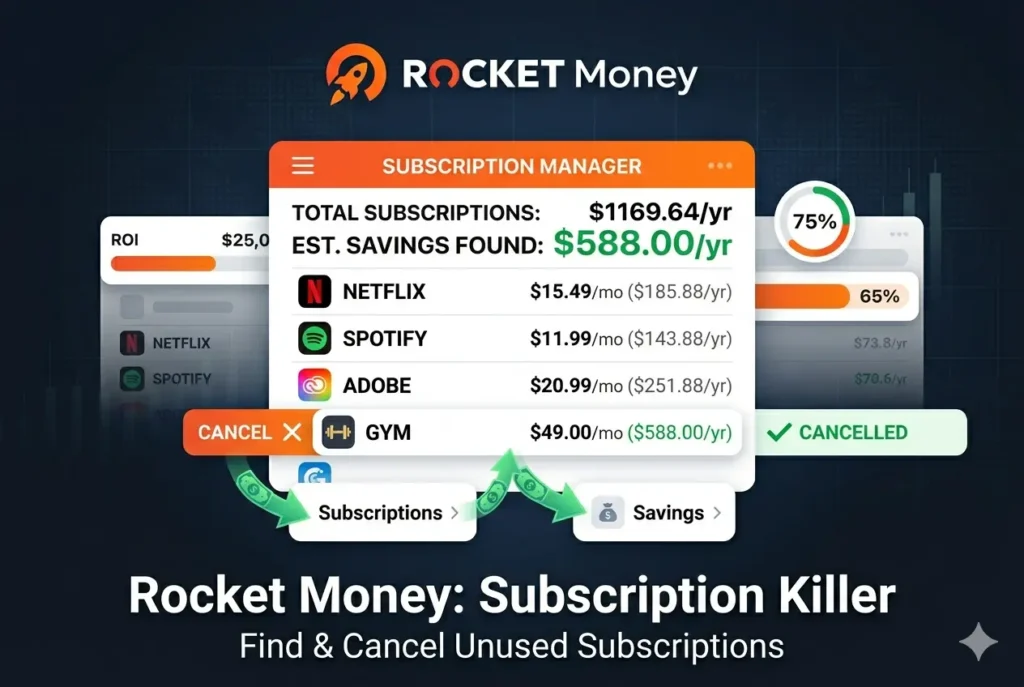
Research shows that the average person has more unused subscriptions than they realize. Streaming services you signed up for and forgot about. Software trials that converted to paid subscriptions. Recurring charges for services no longer used. These small expenses add up to hundreds or thousands of dollars annually.
Rocket Money’s primary value is helping you find these charges, understand them, and decide whether to keep or cancel them. Beyond subscriptions, it provides budgeting and spending insights.
For anyone wanting to reduce monthly expenses and eliminate waste, Rocket Money provides immediate, tangible value. Finding and canceling just three unused subscriptions often more than pays for the tool’s annual cost.
Best For: Anyone with too many subscriptions. People wanting to reduce monthly expenses. Those seeking simple budgeting without complexity.
Pricing: Free plan available with core features. Premium typically ranges from $7 to $14 per month.
Pros: Excellent subscription visibility, free plan available, easy to use and understand, helps identify waste, useful for reducing recurring costs.
Cons: Premium required for hands-off cancellation, not ideal for advanced investment tracking, less comprehensive than all-in-one platforms.
Verdict: Rocket Money is excellent for finding and eliminating financial waste through subscription management.
10. PocketGuard: Simple Safe-to-Spend Budgeting
PocketGuard simplifies budgeting to its core question: How much is safe to spend right now? It categorizes your money into bills, goals, and discretionary spending. Then it tells you what you can spend without jeopardizing other financial obligations.

This simplicity is valuable for people overwhelmed by complex budgeting systems. You do not need to build elaborate spreadsheets or learn complicated methodologies. You just need to know what is safe to spend today.
PocketGuard also provides useful subscription tracking and recurring bill detection. You get alerts about upcoming bills. You see spending trends. The app provides insights focused on practical spending decisions.
For people wanting budgeting clarity without complexity, PocketGuard delivers value. For people wanting advanced financial planning or investment tracking, you would need additional tools.
Best For: People overwhelmed by complex budgeting. Anyone seeking simplicity. Those wanting clear safe-to-spend guidance.
Pricing: Basic features available free. Premium (Plus) typically costs $12.99 per month or $74.99 per year.
Pros: Simple safe-to-spend concept, good for debt planning, useful recurring bill detection, easier than complex budgeting systems.
Cons: Less advanced for investors, best features require paid Plus tier, may feel too basic for power users.
Verdict: PocketGuard is ideal if you want quick clarity on spending limits without building complex budgets.
11. Tiller Money: Spreadsheet Power With Automation
Tiller Money takes a unique approach. It automates data entry into Google Sheets or Microsoft Excel, giving you spreadsheet power with automatic updates.
If you love spreadsheets but hate manual data entry, Tiller solves your problem. It connects to your bank accounts and automatically feeds transactions, balances, and account information into your spreadsheets daily. You build your own budgeting system using familiar spreadsheet tools.
This appeals to people who want complete control and customization. You are not limited by what any app allows. You can build exactly the tracking system you want.
The tradeoff is that this requires comfort with spreadsheets and willingness to spend time on setup. Once set up, the system requires maintenance. But for spreadsheet enthusiasts, the value is exceptional.
Best For: Spreadsheet users wanting automation. People wanting complete customization. Financial professionals and coaches.
Pricing: 30-day free trial available, then $79 per year.
Pros: Excellent customization through spreadsheets, no rigid app structure, strong automation for manual users, good for spreadsheet enthusiasts.
Cons: Not ideal for people uncomfortable with spreadsheets, requires setup and maintenance, conversational AI not available.
Verdict: Tiller is the best option for spreadsheet lovers wanting automated data without rigid app limitations.
12. Albert: Comprehensive All-in-One Money App
Albert combines multiple financial tools into one mobile app. Budgeting, banking features, saving assistance, investing, identity monitoring, and an AI assistant called Genius all exist in one place.
For people wanting everything in one app, Albert provides convenience. You do not jump between multiple applications. Everything is integrated. The AI assistant is available for questions.
The main consideration is pricing. Albert is not inexpensive. Plans range from $19.99 to $39.99 per month, making it one of the more expensive options in this comparison.
However, for people genuinely wanting comprehensive financial management integrated into one mobile experience, the all-in-one approach has value.
Best For: People wanting multiple financial tools in one app. Mobile-first users. Those seeking comprehensive financial management integration.
Pricing: Plans range from $19.99 to $39.99 per month.
Pros: All-in-one money app, AI assistant included, good for mobile-first users, integrated features in one place.
Cons: Most expensive option, requires subscription for most features, AI assistant can make mistakes per disclaimers.
Verdict: Albert is useful if you want multiple financial tools integrated into one comprehensive app, though cost is significant.
Choosing Your Personal Finance Tool
Selecting the right AI finance tool for your situation depends on what matters most to you. Consider these key questions.
What is your primary financial goal right now?
Are you trying to control spending and stick to a budget? Manage multiple accounts and see your complete financial picture? Pay off debt and build emergency savings? Track investments and plan for retirement? Reduce monthly expenses and cut waste? Your primary goal should guide your choice.
How much time and engagement are you willing to invest?
Some tools require regular active engagement. Others run passively in the background. YNAB requires weekly interaction. Empower requires less engagement. Copilot Money works automatically after initial setup. Match your tool to the engagement level you will realistically maintain.
What is your budget for a finance tool?
Some tools are completely free. Others cost under $10 per year. Others cost $30 to $40 per month. Your budget should align with the value you expect to receive.
Are you managing finances alone or with a partner?
If you share finances with someone else, shared visibility and collaboration features matter. Monarch Money, YNAB, and several others support household financial management.
Common Mistakes People Make With Finance Apps
Choosing based only on price
The cheapest app is not always the best choice. If a $10 per month tool helps you cancel $60 per month in unused subscriptions, it pays for itself. If a free app you never use wastes your time, that is a poor choice regardless of price.
Connecting to too many apps at once
Connecting your bank accounts to five different finance apps creates confusion, not clarity. Pick one main app. Use it consistently. Review it regularly. Then decide if you need additional tools.
Ignoring privacy and security
Personal finance data is extraordinarily sensitive. Before connecting accounts, review security certifications, data privacy policies, and encryption standards. Choose reputable tools with proven track records.
Expecting AI to fix habits automatically
AI can show patterns and insights. It cannot force discipline. You still need to review information, adjust spending, and make decisions. AI is a tool to help you, not a replacement for personal financial responsibility.
Not reviewing categories during setup
AI categorization is helpful but not perfect. During your first week using a tool, review transactions and categories carefully. Correct misclassifications so the AI learns your actual spending patterns.
Getting Started Today
You do not need perfection. You need to start. Here is a simple plan.
Choose one tool based on your primary goal. Do not overthink this. Most finance apps offer free trials or free versions.
Spend one hour setting up. Connect your main checking account. Review the interface. Adjust basic settings. That is enough for day one.
Use it for five minutes daily for one week. Look at spending, alerts, and basic information. Let the tool learn your patterns.
After one week, review whether the tool is helping you understand or improve your finances. If yes, consider adding another account or setting up budgets. If not, try a different tool.
Commit to 30 days before deciding if the tool is working for you. Most tools take at least a month to show real value as they learn your patterns and build historical data.
FAQ About AI Finance Tools
Which AI finance tool is best for beginners?
Cleo, Rocket Money, PocketGuard, and Quicken Simplifi are all good beginner-friendly options. They are easier to understand than complex financial dashboards and do not require advanced financial knowledge.
Are AI finance tools safe to use?
Reputable finance apps use secure bank connections and encryption. Review each company’s security policies before connecting accounts. Avoid apps with unclear ownership, vague privacy policies, or poor reviews.
Can I use multiple finance tools together?
You can, but start with one primary tool. Multiple tools can create confusion rather than clarity. After mastering one tool, add others if they serve specific needs.
What if I am not comfortable connecting my bank account?
Many tools work with manual entry. You can also start with limited account connections and add more as you build trust.
Do AI finance tools really help people save money?
Yes. Research shows that people using finance apps save more and are more aware of spending. However, the tool is only as effective as your commitment to using it.
Should I switch from Mint after it shut down?
Yes. Monarch Money, Rocket Money, and Quicken Simplifi are solid alternatives. Choose based on what mattered most about Mint to you.
The Reality of AI in Personal Finance Management
The personal finance app market in 2026 represents genuine progress. AI tools are real, they work, and they provide meaningful value to millions of Americans. The data confirms this. Nearly half of adults now use AI to support financial decisions. Adoption continues growing across all age groups.
But AI is not magic. It is a tool. The magic comes from you. When you consistently use a good tool, review insights, adjust your habits, and make intentional decisions, the results are real. You save money. You reduce waste. You build stronger financial habits. You feel more in control.
The worst financial management tool is the one you abandon after two weeks. The best tool is the one you use consistently, even if it is simpler than other options.
Start today with one tool that aligns with your goal and your personality. Give it genuine engagement for 30 days. Let it help you improve how you manage money. This is how financial improvement actually happens.
The technology exists. You have everything you need to take control of your finances. The question now is whether you will use it.









Comments (2)
How to Use AI to Manage Money and Save More in 2026: Complete Step-by-Step Guide - Trendoutsidersays:
May 24, 2026 at 12:07 am[…] money. That statistic alone tells you something important. AI has quietly become mainstream in personal finance, and it’s delivering real results for millions of people. Yet most people still don’t know how […]
Best AI Budgeting Apps for Beginners in USA: Complete Guide to Smart Money Management in 2026 - Trendoutsidersays:
May 24, 2026 at 10:09 pm[…] diving into detailed reviews, here’s a snapshot of the seven best AI budgeting apps for beginners in USA that I tested. This gives you a quick way to see which might match what you’re looking […]