
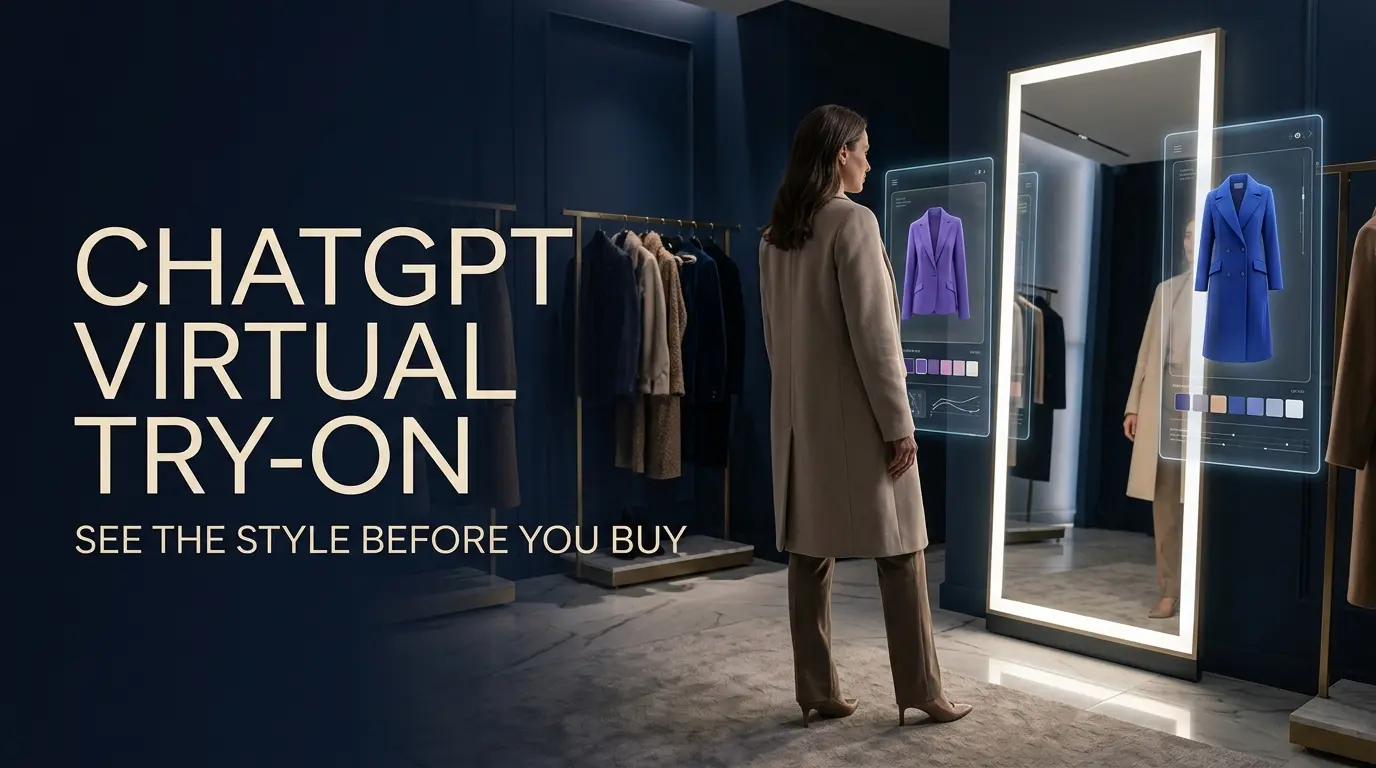
You find a jacket online. The color looks perfect, the price is reasonable, and the model in the product photo makes it look effortlessly stylish.
But there’s a question the photos can’t answer.
What would it look like on you?
Maybe you usually avoid that particular color. Maybe you’re unsure whether a cropped jacket suits your style. Or perhaps you want to compare two outfits without ordering both and dealing with returns.
Online shopping has always involved a little imagination.
Now ChatGPT wants to make that part easier.
On October 1, 2026, OpenAI announced a new ChatGPT virtual try-on(ChatGPT virtual try on) experience that lets people generate images showing how eligible clothes and accessories might look on them.
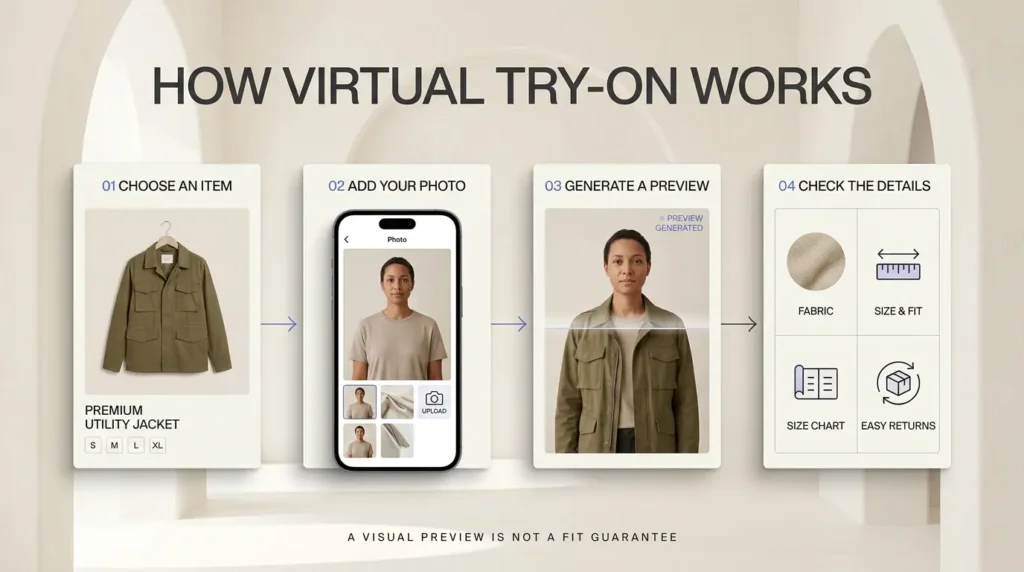
You can select a product, upload or take a selfie, and receive an AI-generated preview.
It’s a useful idea. It’s also one that deserves a realistic explanation.
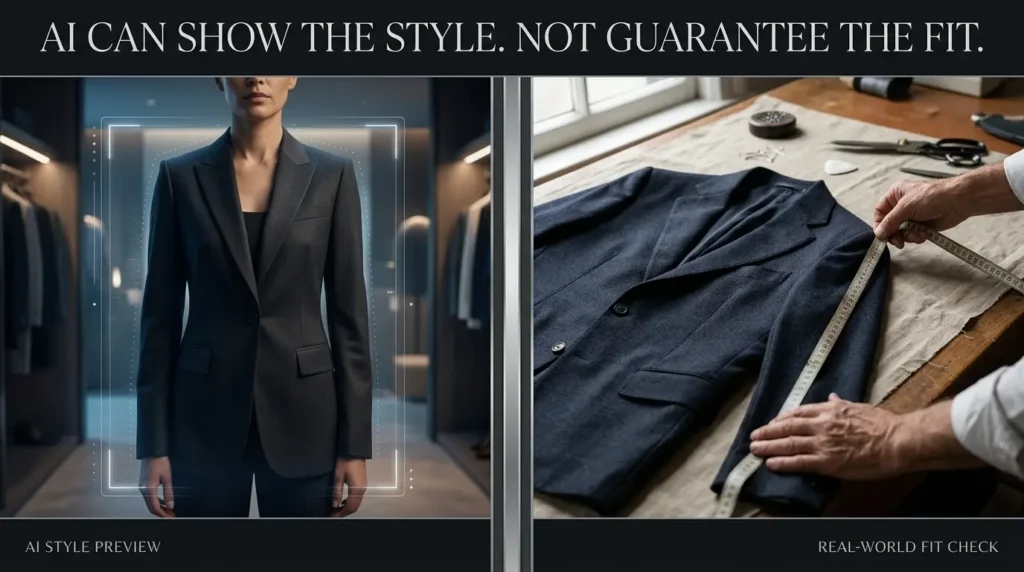
A virtual try-on image can help you explore colors, silhouettes, and outfit combinations. It cannot reliably tell you whether a garment will fit your body, feel comfortable, or look exactly the same in person.
Here’s how the feature works, how to use it, what to do if the Try on button doesn’t appear, and how to avoid common mistakes.
What is ChatGPT Virtual Try-On?
ChatGPT Virtual Try-On is an AI shopping feature that generates a visual preview of how clothing or accessories could look on a person using a reference photo.
It is part of ChatGPT’s broader shopping experience.
According to OpenAI’s ChatGPT release notes, the feature was announced on October 1, 2026, for ChatGPT on mobile and web.
When you’re browsing eligible clothing or accessory listings, you may see a Try on button.
Selecting it allows you to take a selfie or upload an existing photo. ChatGPT Images then creates a visual representation of the selected item on you.
There’s another way to use the idea, too.
OpenAI’s shopping documentation says you can upload a picture of clothing or accessories in a conversation and ask ChatGPT to show how the item could look on you.
That makes the experience more flexible than a traditional online-store fitting-room widget.
But it also creates an important distinction.
A visual preview is not a fitting measurement
The image is generated by AI.
It is not a physical simulation of the actual garment on your body.
That means the output may change details such as the way fabric hangs, how the clothing fits around the shoulders, or how a particular shade looks under real lighting.
OpenAI explicitly warns that try-on images may not reproduce the product or your appearance exactly and do not guarantee fit or size.
So the best way to think about the feature is as a style exploration tool, not a replacement for a retailer’s sizing chart.
How to use ChatGPT Virtual Try-On: Step by step
The basic process is simple.
You need access to ChatGPT, a suitable product, and a photo you’re comfortable using.
Step 1: Open ChatGPT
Visit ChatGPT on the web or open the mobile app.
Sign in to your account.
The October 1 announcement confirms that the shopping feature is available through ChatGPT on mobile and web. However, availability of a specific Try on control can depend on the product listing and the current rollout.
Step 2: Search for clothing or accessories
Describe what you’re looking for.
For example:
“Show me casual black jackets for autumn.”
Or:
“Find a simple beige blazer I could wear to work.”
ChatGPT may present shopping results with product images, descriptions, and merchant links.
The exact products displayed can vary.
Not every available item on the internet will necessarily appear in ChatGPT’s shopping results.
Step 3: Look for the Try on button
On a supported clothing or accessory listing, select Try on.
If the button doesn’t appear, that doesn’t automatically mean you’ve done something wrong.
The control may not be available for that particular item, listing, or account experience.
You can also try uploading a clothing image directly in a conversation and asking ChatGPT to create a virtual try-on.
Step 4: Take or upload a selfie
ChatGPT will ask for a reference photo.
You can take a new selfie or upload an existing one.
Choose a clear photo that shows the relevant part of your body.
For example, if you’re trying on a jacket, a photo that clearly shows your upper body is more useful than one where your shoulders are hidden behind another object.
For trousers or full outfits, a full-body photo may provide better visual context.
This is practical guidance, not a guarantee that a particular image will produce an accurate result.
Step 5: Generate your virtual try-on
Once you’ve selected the product and supplied a photo, ChatGPT Images creates a generated preview.
Review the result as a visual suggestion.
Ask yourself:
- Do I like the overall color?
- Does this style match the clothes I already own?
- Does the outfit look too formal or too casual?
- Would I prefer a different cut or silhouette?
- Is this something I would realistically wear?
Those questions are more useful than trying to judge exact fit from the image.
Step 6: Compare alternatives
If you don’t like the first result, explore another color, product, or style.
For example:
“Show how a navy blazer might work with this outfit.”
Or:
“Compare this jacket with a more relaxed, casual alternative.”
A generated comparison can help you narrow down what you want.
However, when evaluating a specific retail product, confirm that ChatGPT hasn’t altered important details from the merchant’s original listing.
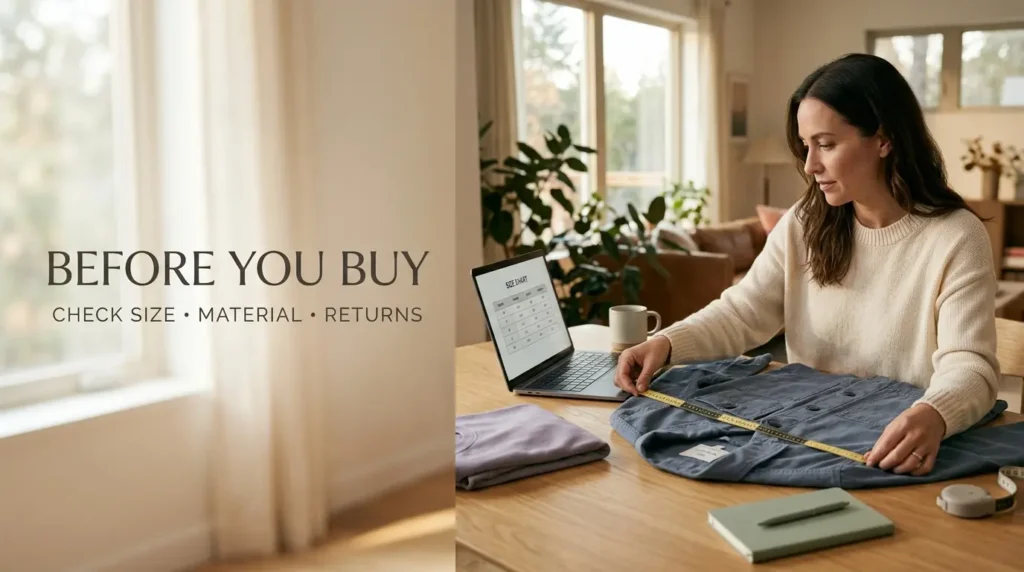
Step 7: Verify the actual product before buying
This final step matters more than the image itself.
Check the retailer’s:
- Size chart and measurements.
- Product materials.
- Available colors.
- Customer reviews, where useful.
- Delivery charges.
- Return and exchange policy.
If the AI preview looks convincing but the merchant’s size chart doesn’t match your measurements, trust the sizing information rather than the generated picture.
Can you upload your own clothing photo to ChatGPT?
Yes.
You don’t always have to begin with a shopping result.
OpenAI says you can upload an image of clothing or accessories into a conversation and ask ChatGPT to show how the item might look on you.
Imagine you have a screenshot of a jacket from a retailer.
You could upload the jacket image, provide a reference photo of yourself, and write:
Show me a realistic virtual try-on of this jacket using my reference photo. Preserve the jacket’s visible color, pattern, and design details as closely as possible. Do not change my facial features unnecessarily. Treat this as a style preview, not an accurate sizing prediction.
This can be useful when you’re considering a product that doesn’t have a Try on button in a shopping result.
However, the generated output is still an AI interpretation.
It may not perfectly preserve the original garment’s construction, fabric texture, or proportions.
What makes a useful reference photo?
A good reference photo is one where the relevant features are clearly visible.
Try to use:
- Even lighting.
- A relatively simple background.
- A natural standing or seated pose.
- A clear view of the clothing area.
- An image without heavy filters.
Avoid sharing more personal information than necessary.
You don’t need to include your home address, identification documents, or other sensitive material in the background.
Which clothes and accessories can you try on?
OpenAI describes the feature as supporting clothing and accessories.
Examples that may be useful to explore include jackets, shirts, dresses, coats, and fashion accessories.
But this does not mean every clothing category, every merchant, or every product is guaranteed to support a one-click Try on experience.
The important requirement is that the product or image is suitable for the feature and that ChatGPT can generate a useful visual preview.
Some items may work better than others.
A simple jacket with a clear product image may be easier to represent convincingly than a complicated layered outfit with unusual textures.
Accessories can introduce their own problems.
For example, the generated position of a handbag or piece of jewelry may look attractive without reflecting its actual dimensions.
That is why product measurements still matter.
Five practical prompts for better virtual try-on results
You can get more useful outputs by telling ChatGPT exactly what you want to compare.
Here are five prompts worth trying.
Prompt 1: Preserve the original product
Use my reference photo to create a virtual try-on of this clothing item. Keep the visible color, pattern, buttons, and overall design as close to the product image as possible. Do not add decorative details that are not present in the original. This is for visual style exploration only.
This is helpful when you want to focus on one particular product.
It doesn’t guarantee perfect product reproduction, but it tells ChatGPT what matters to you.
Prompt 2: Compare two styles
Help me compare these two jackets for everyday wear. Generate separate conceptual try-on previews where possible, keeping the pose and lighting reasonably consistent. Then explain the visible style differences without making claims about physical fit or fabric quality.
This makes the comparison more structured.
Prompt 3: Build an outfit around one item
I want to wear this blazer in a smart-casual outfit. Suggest three combinations using neutral colors and simple wardrobe pieces. Explain which combinations work for a casual office, a dinner, and a weekend outing.
You can use this even without generating a try-on image.
Sometimes a clear styling explanation is more useful than another picture.
Prompt 4: Explore colors without changing the product
Show how this outfit could look with three different color combinations. Clearly label any colors or clothing details that are AI-generated suggestions rather than confirmed product options. Do not imply the retailer sells a color unless it appears in the product listing.
This helps avoid confusing imagined alternatives with items that are actually available to buy.
Prompt 5: Create a shopping checklist
Based on this outfit and the product listing, help me prepare a pre-purchase checklist. Include size-chart questions, material details to verify, return-policy checks, and anything the AI try-on cannot reliably tell me.
This is arguably the most useful prompt of the five.
It moves the conversation from “Does this look good?” to “What should I verify before spending money?”
Can ChatGPT Virtual Try-On predict your clothing size?
No. You should not rely on ChatGPT’s generated try-on image to determine your clothing size.
This is the most important limitation of the feature.
A generated picture may make a jacket appear comfortably fitted, but it doesn’t measure your shoulders, chest, waist, or the garment’s actual construction.
Even two items labeled “medium” can fit differently depending on the brand and design.
And visual appearance isn’t the same as comfort.
A pair of trousers may look right in an image but feel restrictive when sitting.
A jacket may appear perfectly proportioned but have sleeves that are too long.
A dress may look smooth in a generated preview while behaving very differently when made from the actual fabric.
What AI can help you judge
Virtual try-on may help you explore:
- Overall outfit style.
- Color combinations.
- Broad silhouette preferences.
- How an item might complement your existing wardrobe.
- Whether you prefer one visual direction over another.
What AI cannot reliably verify
It cannot guarantee:
- Correct clothing size.
- Accurate fabric drape.
- Real-world comfort.
- Exact color under different lighting.
- Accurate product construction.
- How the garment will behave when you move.
A better way to choose your size
Use the AI preview to decide whether you’re interested in the item.
Then use the merchant’s actual size chart to decide which size to order.
If you’re between sizes, check whether the retailer provides garment measurements rather than just generic body-size labels.
Reviews can sometimes help identify whether an item runs small or large, but reviews are subjective.
When uncertain, a flexible return policy may matter more than a particularly convincing AI image.
How to save favorite products in ChatGPT
Another part of OpenAI’s October shopping update is the ability to save products.
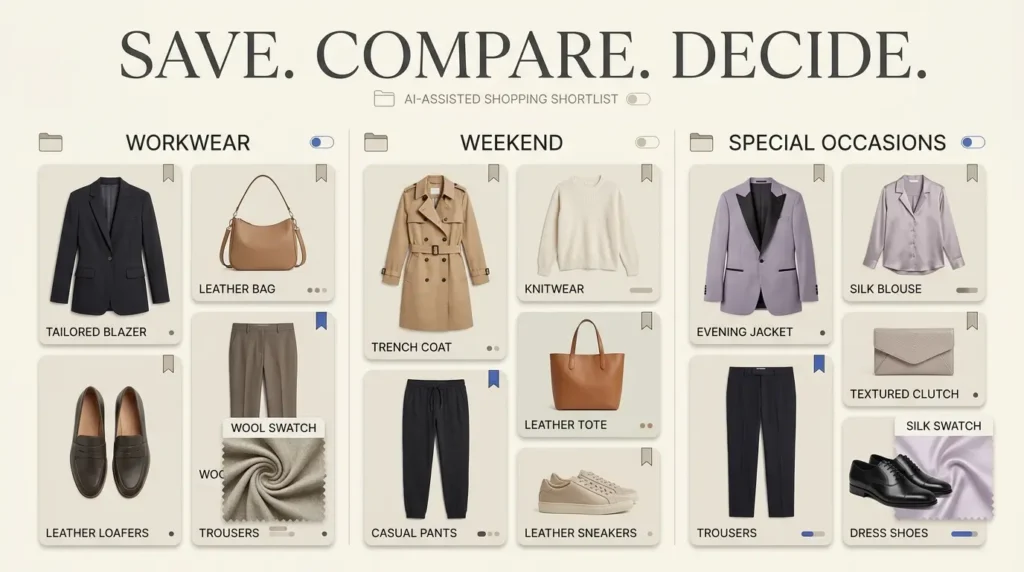
Instead of losing an interesting item in a long conversation, you can bookmark it.
OpenAI’s Library documentation explains that products can be saved to Favorites and organized into folders.
How to save an item
- Find a product you want to keep.
- Select its bookmark icon.
- Open Library to view saved items in Favorites.
- Organize items into folders when that option is available.
On the web, the bookmark action can also open a folder menu.
You might organize products into collections such as:
- Everyday clothing.
- Work outfits.
- Winter wardrobe.
- Special occasions.
- Gift ideas.
The exact folder organization is up to you.
Why saving products is useful
Imagine you’ve looked at 12 jackets over several evenings.
Without a shortlist, it’s easy to forget which ones you liked and why.
A saved collection lets you return to promising items.
You can then compare their actual prices, materials, sizes, and return policies.
That matters because an attractive AI image is only one part of a purchase decision.
What happens to your reference photo?
When you use virtual try-on, ChatGPT can save your reference photo for future try-ons.
That means you may not need to upload the same photo each time.
But it’s important to know where the photo is managed.
OpenAI documents the following path:
Settings → Personalization → Reference photos
From there, you can select a saved photo and choose to change or delete it.
How to delete a reference photo
- Open ChatGPT Settings.
- Go to Personalization.
- Open Reference photos.
- Select the photo you want to manage.
- Use the delete option to remove it.
If you’re concerned about privacy, review this setting before trying on multiple items.
Also remember that a reference photo, an uploaded image in a conversation, and a generated image can have different storage or retention behavior.
Deleting one type of item should not be assumed to delete every related copy automatically.
For broader information, OpenAI provides documentation on ChatGPT data controls.
Should you upload your face to an AI shopping tool?
That’s a personal decision.
A selfie can contain identifiable information, and some people will be more comfortable sharing it than others.
Before uploading, consider whether you’re happy with the photo being processed by the service.
Use a photo you own or have permission to use.
Don’t upload another person’s face without appropriate consent.
For children or sensitive personal images, take particular care and review the service’s applicable policies.
ChatGPT Virtual Try-On vs traditional online shopping
Virtual try-on doesn’t replace ordinary online shopping.
It adds another layer to the decision process.
| Shopping question | Traditional online store | ChatGPT Virtual Try-On |
|---|---|---|
| What does the product look like? | Official product photography | AI-generated style preview |
| What sizes are available? | Merchant listing | Must be verified with merchant |
| Will it fit? | Size charts and customer feedback | No fit guarantee |
| What is it made from? | Product specifications | May help explain listed materials |
| Can I compare styles? | Browse multiple products | Generate or discuss alternatives |
| What does it cost? | Merchant checkout | Shopping results may show prices, which require verification |
| Can I return it? | Merchant policy | Must check merchant policy |
The best approach combines both.
Use ChatGPT to explore possibilities.
Use the retailer’s information to verify what you’re actually buying.
For more ways AI can support everyday decisions and workflows, TrendOutsider also has a broader guide to AI and productivity tools that save time.
What if the Try on button doesn’t appear?
There are several possible explanations.
1. The product may not be eligible
OpenAI describes Try on as appearing on clothing and accessory product listings.
Not every item is necessarily supported.
Try another suitable listing.
2. The feature may not be available in your current experience
Product capabilities can vary during rollouts.
Check whether you’re using an updated ChatGPT app or the web version.
3. You’re viewing a normal search result, not a supported product listing
A webpage link or ordinary image result isn’t necessarily the same as a ChatGPT shopping card.
Try asking ChatGPT to find products in a shopping context.
4. You may be able to use the image-upload method instead
OpenAI says you can upload a clothing or accessory image and ask for a virtual try-on.
That may be useful even when a particular shopping result lacks a Try on button.
5. The generated image doesn’t look like the product
Try a clearer source image.
Ask ChatGPT to preserve visible product details.
If the result continues to change important features, don’t rely on it to evaluate that specific product.
Is ChatGPT Virtual Try-On free?
OpenAI’s October 1 announcement confirms the feature’s introduction on mobile and web, but the documentation reviewed for this guide does not establish a universal guarantee that every account or plan has identical try-on access and usage limits.
For that reason, it would be misleading to promise unlimited free try-ons.
The best approach is to check your own account for the Try on option and review OpenAI’s current product documentation.
Avoid purchasing a subscription solely on the assumption that a particular shopping item will support virtual try-on.
If you’re deciding whether the feature is worth using, start with a small, low-stakes experiment.
Choose a clothing item you’re genuinely interested in.
Generate a preview if the option is available.
Then compare the experience with the actual product listing.
Is ChatGPT’s shopping advice trustworthy?
ChatGPT can help you discover and compare products, but it isn’t a substitute for checking the merchant’s details.
OpenAI’s shopping research guide explains that shopping results can contain incomplete or outdated information.
Prices, availability, colors, and shipping costs can change.
Product descriptions may also be simplified.
So before buying, confirm:
- Final price and currency.
- Product size and color.
- Availability.
- Shipping costs.
- Seller identity.
- Return and exchange terms.
OpenAI says ChatGPT’s shopping results are selected independently and are separate from ads.
That doesn’t make every recommendation perfect.
An AI recommendation is still something to evaluate.
A useful rule for AI-assisted shopping
Let AI help you discover and compare.
Let verified merchant information guide the final purchase.
Five mistakes to avoid when using AI virtual try-on
Mistake 1: Treating the image as proof of fit
A generated picture isn’t a measurement.
Mistake 2: Ignoring differences from the original product
If the AI changes buttons, fabric patterns, or the cut, the preview may no longer represent the item you’re considering.
Mistake 3: Assuming an AI-suggested color is available
ChatGPT may generate a color variation that the merchant doesn’t actually sell.
Mistake 4: Uploading sensitive photos without thinking about privacy
Review your reference-photo settings and use images you’re comfortable sharing.
Mistake 5: Buying without checking the return policy
Even a promising virtual preview cannot eliminate the possibility of disappointment when the product arrives.
Frequently asked questions
What is ChatGPT Virtual Try-On?
It is a feature that uses ChatGPT Images to generate a visual preview of how clothing or accessories might look on you using a reference photo.
When did ChatGPT launch virtual try-on?
OpenAI announced the feature on October 1, 2026.
How do I try on clothes in ChatGPT?
Find an eligible clothing or accessory product listing, select Try on, and take or upload a selfie to generate a preview.
Can I upload my own clothing image?
Yes. OpenAI says you can upload a clothing or accessory image in a conversation and ask ChatGPT to show how it might look on you.
Does ChatGPT Virtual Try-On work on mobile?
OpenAI announced the new shopping features for ChatGPT on mobile and web.
Does it work for every clothing item?
No universal support is guaranteed. The Try on control may not appear on every product listing.
Can ChatGPT tell me my clothing size?
No. Virtual try-on images do not guarantee fit or size.
Can I try different outfit colors?
You can ask ChatGPT to explore visual alternatives, but AI-generated colors should not be confused with confirmed retailer options.
Where are my reference photos stored?
OpenAI says reference photos are saved for future try-ons and can be managed under Settings → Personalization → Reference photos.
Can I delete my reference photo?
Yes. OpenAI documents an option to change or delete saved reference photos.
Can I save clothes I like?
Yes. You can bookmark products into Favorites and organize them in Library.
Is ChatGPT Virtual Try-On completely free?
The official announcement reviewed here does not establish universal free access or identical limits for every account. Check your current availability.
Are ChatGPT shopping results advertisements?
OpenAI says shopping results are selected independently and are separate from ads.
Can I buy clothes directly inside ChatGPT?
Some eligible products and merchants may offer Instant Checkout. Availability varies, and many purchases still take place through merchant websites.
Is ChatGPT Virtual Try-On accurate?
It can be useful for style exploration, but it may not accurately represent the product, your appearance, sizing, or physical fit.
Final verdict: Useful for style, not a substitute for trying clothes on
ChatGPT Virtual Try-On addresses a familiar online-shopping problem.
It’s difficult to imagine how an unfamiliar item will look on you.
A generated preview can make that decision feel more concrete.
It may help you decide that a color isn’t for you, compare two jacket styles, or build a shortlist of outfits you want to explore.
But it doesn’t remove the uncertainty of buying clothing online.
The image can’t tell you whether the fabric will feel comfortable, whether the sleeves will be too long, or whether the product will look identical when it arrives.
That’s why the best shopping workflow remains a combination of imagination and verification.
Use ChatGPT to explore the look. Use the retailer’s measurements and policies to make the purchase decision.
For a feature built around visual possibilities, that distinction makes all the difference.
Sources and research methodology
This guide is based on official OpenAI product documentation reviewed on October 10, 2026. It explains documented functionality and practical use cases; it does not claim independent testing of virtual try-on accuracy or availability across every account.
- OpenAI — ChatGPT release notes
- OpenAI — Shopping with ChatGPT Search
- OpenAI — Powering product discovery in ChatGPT
- OpenAI — Using Library to manage files in ChatGPT
- OpenAI — Using shopping research in ChatGPT
- OpenAI — Data Controls FAQ
- OpenAI — Chat and file retention in ChatGPT
Editorial note: Generated virtual try-on images are illustrative, not guaranteed product or fit representations. Check product details and OpenAI feature availability again before publishing on October 28, 2026.







Leave a Reply