
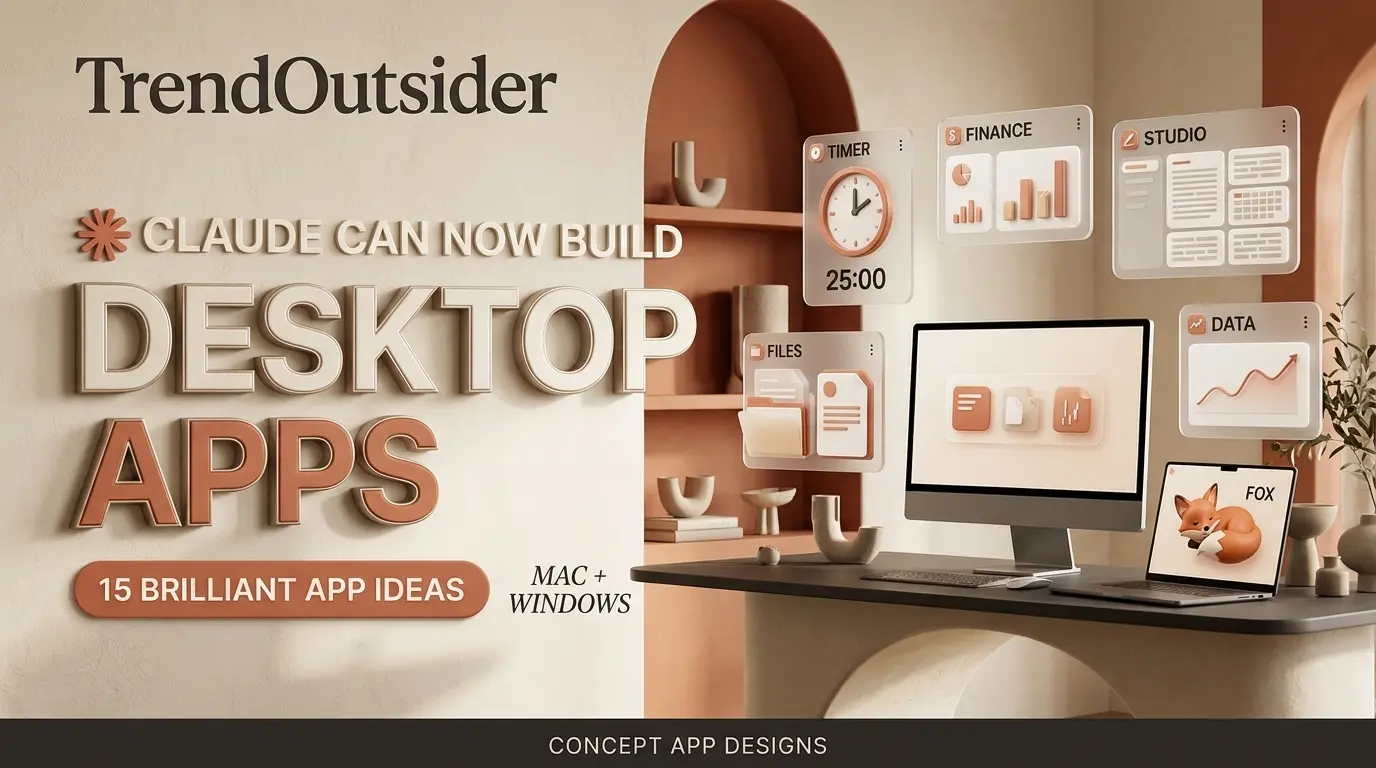
There is a particular kind of frustration that comes with downloading productivity software.
You find an application that almost does what you need. It has a beautiful interface, plenty of features and perhaps even an affordable subscription. But the one thing you actually wanted is missing, buried behind several menus or reserved for a more expensive plan.
For years, the alternative was learning to program, hiring a developer or settling for something that was never quite right.
Anthropic is introducing another possibility: describe the application you want and let Claude help you build it.
On November 24, 2026, the company announced a feature called Install as app. It allows eligible Claude Artifacts to become installed desktop applications on Mac and Windows, complete with their own windows, icons and optional operating system capabilities.
You could create a personal finance tracker that displays exactly the information you care about. A freelancer could build a pricing calculator tailored to their services. A student could create a revision application organized around their own course materials.
Someone who simply wants a little animated companion sitting in the corner of their desktop could experiment with that, too.
The interesting part is not that artificial intelligence can generate another attractive interface. It is that these creations can now live outside the ordinary Claude conversation window.
Here is how the feature works, what its limitations are, and 15 genuinely useful application ideas you can start building today.
What Are Claude Desktop Apps?
Claude Desktop Apps are installed versions of eligible Artifacts created through Claude.
An Artifact is a separate workspace where Claude can produce interactive tools, visualizations, interfaces and other content alongside a conversation.
Previously, you might ask Claude to build a calculator or a productivity dashboard, experiment with it inside the Artifact panel and return to that conversation whenever you needed the tool again.
The new installation feature gives eligible creations a dedicated place on your computer.
According to Anthropic’s official November 24 announcement, these applications can appear in their own windows and have their own icons. They can also use connected services and request permission to interact with certain operating system features.
The distinction from traditional software is important. These are still Claude connected applications, rather than independently packaged programs that necessarily work without an internet connection or a Claude account.
The practical attraction is that users do not need to manage a conventional software packaging and signing process simply to install an eligible Artifact.
Claude Install as App: Everything You Need to Know
| Feature | Current availability |
|---|---|
| Official feature name | Install as app |
| Announcement date | November 24, 2026 |
| Release status | Beta |
| Supported computers | Mac and Windows |
| Minimum desktop version | 6.28899.0 |
| Eligible plans | Free, Pro, Max, Ultra, Team and Enterprise |
| Dedicated app window | Yes |
| Application icon | Yes |
| Separate API key | Not required |
| Internet connection | Required when opening an app |
| AI functionality | Subject to Claude usage limits |
| Local computer interaction | Depends on permissions |
| Linux installation | Not currently supported |
| Mobile installation | Not currently supported |
Availability is subject to the gradual rollout and relevant organization settings.
Independent reporting from MacRumors has also highlighted the significance of the new application format and its permission controls.
For many people, the most meaningful change will be surprisingly simple. A useful tool no longer has to disappear among dozens of old AI conversations.
How to Build and Install Your First Claude Desktop App
You do not need to begin with a complicated business system. A small calculator, timer or checklist is a much better introduction.
The following process is based on Anthropic’s official installation instructions.
Step 1: Update Claude Desktop
Open the Claude application on your computer.
On macOS, use the application menu to check for updates. On Windows, look for the update option within the Help menu.
You need version 6.28899.0 or later.
If the feature does not appear after updating, the beta may not have reached your account yet.
Step 2: Describe the application you want
Open a new Claude conversation and explain the problem your application should solve.
Rather than saying, “Build me a productivity app,” describe the exact functions you need.
For example:
Create an interactive productivity timer as an installable Artifact. Include a 25 minute focus session, a five minute break, pause and reset controls, and an optional notification when a session finishes. Do not request full computer access.
This gives Claude a clearer target than a vague description of an entire software category.
Step 3: Test the Artifact before installing it
Try the buttons. Enter different values. Check what happens when you leave a field empty or cancel an action.
If the application produces incorrect calculations, loses information unexpectedly or contains controls that do nothing, ask Claude to correct those issues.
An attractive interface is not evidence that an application works correctly.
Step 4: Install the Artifact
Open the Artifact’s menu or its Share menu and select Install as app if the option is available.
Review the installation confirmation before proceeding.
On a Mac, installed applications can be accessed through the Claude Apps folder within your home Applications directory. On Windows, they can appear in the Start menu or through a desktop shortcut.
Step 5: Review the permissions
If the application requests permission to send notifications, use global shortcuts or interact with your computer, decide whether those capabilities are actually necessary.
A simple calculator has no obvious reason to require unrestricted access to your computer.
Step 6: Test it again outside the conversation
Open the newly installed application and repeat your essential checks.
Make sure it behaves as expected in its dedicated window.
Also test what happens after closing and reopening it, particularly if the application needs to preserve information between sessions.
15 Brilliant Claude Desktop Apps You Can Build Without Coding
The following ideas are original application design briefs prepared for this guide.
They include copyable prompts, suggested functions and practical acceptance tests.
Some are straightforward interactive tools. Others involve optional operating system capabilities that require additional care.
These are proposed applications, not independently tested finished products. The exact implementation will depend on Claude’s output, your device, permissions and current beta capabilities.
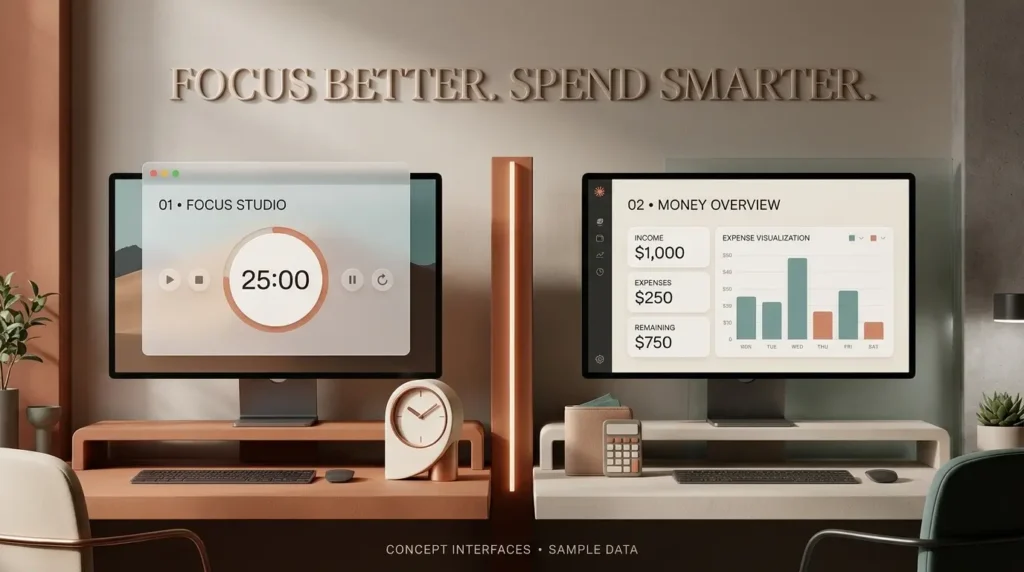
1. A Productivity Timer That Actually Fits Your Working Day
Difficulty: Beginner
Most productivity timers follow a familiar formula: work for a fixed period, take a short break and repeat.
That is useful, but not everyone works comfortably within the same schedule.
A designer might prefer 50 minute sessions. A student might concentrate better in shorter intervals. Someone working from home may simply want a quiet reminder that it is time to stand up and take a break.
A custom Claude timer could give you precisely those choices without the distractions of a larger productivity platform.
Copy this Claude prompt
Create an installable desktop Artifact called Focus Studio. Build a clean productivity timer with customizable work and break durations, start, pause, resume and reset controls. Add an optional daily session counter and a setting to disable sounds. Use a calm dark theme with large accessible typography. Request notification permission only if the user enables desktop reminders. Keep the basic timer functional without AI calls. Do not request full computer access. Explain how the timer behaves when its window closes.
Suggested permissions: None for the basic timer. Notifications are optional.
What to test: Start a short session, pause it, resume it and verify that the timer finishes correctly. Test sleep and wake behavior before relying on long sessions.
This is one of the best first projects because the expected behavior is easy to understand and verify.
2. A Personal Finance Tracker With No Unnecessary Features
Difficulty: Beginner to intermediate
Many personal finance applications attempt to connect every bank account, categorize every purchase and sell users an increasingly elaborate financial management experience.
Sometimes you just want to know how much money arrived this month, what you spent and whether your savings are moving in the right direction.
A Claude finance tracker can be designed around manually entered information, without requesting access to your actual banking credentials.
Copy this Claude prompt
Create an installable Artifact called Money Overview. Include monthly income, manually entered expenses, spending categories, savings goals and a clear remaining budget calculation. Add editable transactions, category filters, monthly comparisons and a user initiated data export. Use clearly labeled fictional sample data until I enter my own values. Validate negative amounts and invalid dates. Explain how information is stored and whether it survives restarting the app. Do not connect to banks, request payment credentials, make transfers or provide investment recommendations.
Suggested permissions: None for manually entered information.
What to test: Enter $1,000 in income and $250 in expenses. The remaining balance should be exactly $750. Change and delete a transaction to verify that totals update correctly.
For sensitive financial information, review the application’s storage and data handling before entering real figures.
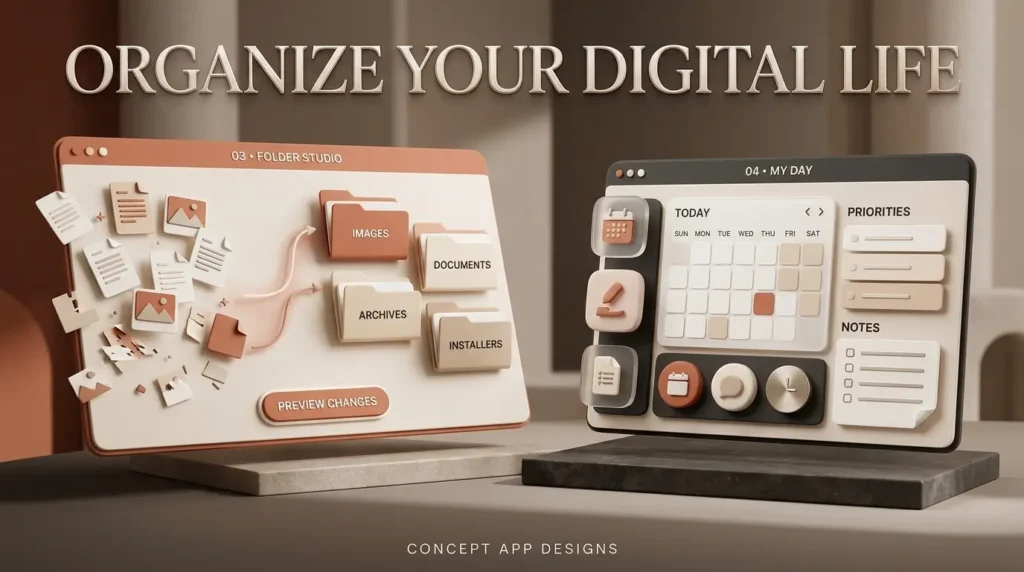
3. A Smart File Organizer for Your Downloads Folder
Difficulty: Advanced
The Downloads folder has a remarkable ability to become a digital attic.
Invoices, screenshots, documents, installers and images gradually accumulate until finding something takes longer than downloading it again.
A custom organizer could help classify files by type, date or purpose.
However, this is also one of the application ideas where permissions become particularly important.
An app that can move files may be able to modify much more than the folder displayed in its interface if granted full computer access.
Copy this Claude prompt
Create an installable desktop Artifact called Folder Studio. Begin with a simulation using fictional filenames. Organize files into suggested categories such as Images, Documents, Archives and Installers. Display every proposed file move in a review table, including the original path and proposed destination. Include duplicate name detection and an option to cancel the entire operation. Do not delete files or execute commands automatically. If a real folder integration requires elevated permissions, explain the risks and ask me before implementing it. Keep the simulation available without elevated access. Use a disposable test directory for any real file operations.
Suggested permissions: None for the simulation. Automated local file operations may require full computer access.
What to test: Use a new folder containing copies of harmless sample files. Check duplicate filenames and destination collisions before permitting any actual movement.
Do not begin by allowing the application to reorganize your complete Documents or Downloads directory.
4. A Daily Life Planner That Puts Everything in One Place
Difficulty: Beginner
Some days need a calendar. Others need a shopping list, a reminder to make an important call and a realistic way to decide what can wait until tomorrow.
A personalized daily planner could combine those elements into one compact desktop window.
Unlike a large project management system, it does not need to understand every detail of your working life.
It simply needs to make today manageable.
Copy this Claude prompt
Build an installable interactive Artifact called My Day. Include a daily calendar view, three priority tasks, a general checklist, a notes section and a tomorrow planning area. Support adding, editing, completing and reordering tasks. Add an optional desktop reminder for tasks with a selected time. Keep all external calendar integrations disabled by default. Use a warm minimalist interface and accessible controls. Explain the supported persistence method and provide a data export option. Do not request full computer access.
Suggested permissions: None for the planner. Notifications are optional.
What to test: Add three tasks, mark one complete, change a deadline and reopen the application to check whether the information survives.
If you later connect an external calendar, begin with access that is as limited as the supported connector permits.
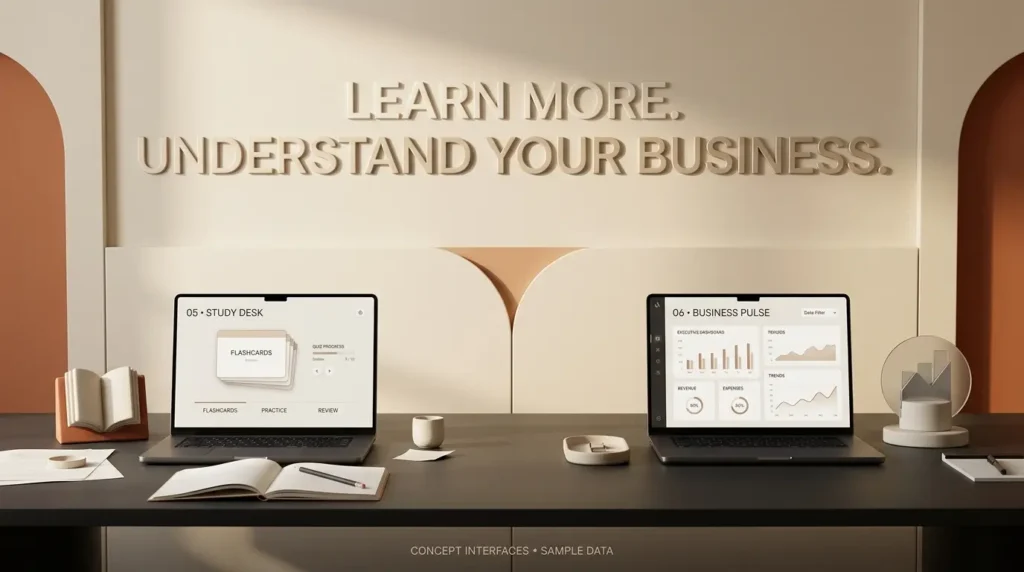
5. An AI Study Assistant Built Around Your Own Subjects
Difficulty: Beginner to intermediate
A useful study application should reflect the material you actually need to learn.
For a university student, that might mean economics, software engineering or biology. For someone preparing for a professional qualification, it might mean a very specific collection of regulations, technical concepts and practice questions.
Claude could help build a learning tool that starts with the notes you provide rather than a predetermined curriculum.
Copy this Claude prompt
Create an installable interactive Artifact called Study Desk. Let me paste study notes and organize them into subjects. Include flashcards, multiple choice quizzes, a progress tracker and a review queue for incorrectly answered questions. Generate questions only from the supplied material unless I explicitly request additional research. Distinguish source information from AI explanations. Include a way to reveal answers and review mistakes. Clearly label uncertain answers. Do not request access to unrelated files or accounts.
Suggested permissions: None for manually supplied notes.
What to test: Provide a short paragraph with known facts. Check that generated questions can be answered from that paragraph and that the application scores responses correctly.
Do not treat generated educational explanations as automatically authoritative, particularly for technical or professional examinations.
6. A Business Dashboard for the Numbers That Actually Matter
Difficulty: Intermediate
Many small businesses collect information across several different systems.
Sales may be recorded in a spreadsheet, expenses in accounting software and customer inquiries somewhere else entirely.
A compact dashboard can help bring the important figures together without immediately attempting to automate the entire company.
Start with manually imported data. Add approved connectors only after the underlying calculations are reliable.
Copy this Claude prompt
Build an installable Artifact called Business Pulse. Include configurable KPI cards, monthly revenue, expenses, gross profit, customer counts and trend charts. Begin with manually entered figures or a user selected CSV file. Add filters for date range and business category. Clearly distinguish revenue from profit and validate incomplete data. Include a visible demo data label. Use accessible charts and a clean executive dashboard layout. Do not connect to external business systems or transmit confidential records unless I explicitly authorize a supported integration.
Suggested permissions: None for a basic manual dashboard.
What to test: Import sample figures with a known total. Verify all calculations, filters and chart labels against the original dataset.
A custom dashboard is often the beginning of a broader automation project. Our guide to generative AI workflows explores how businesses can organize repeated tasks around AI tools.
7. A Personal Writing Studio Without the Clutter
Difficulty: Beginner
Writing software can easily become more complicated than writing itself.
There are folders, formatting tools, publishing integrations, analytics and collaboration features. All of them can be useful, but they are not always needed when you are trying to develop an idea.
A personal writing studio could contain exactly the elements that support your own creative process.
Copy this Claude prompt
Create an installable desktop Artifact called Quiet Writer. Include a distraction free text editor, document title field, word count, optional writing goals and a separate outline panel. Provide light and dark themes, adjustable text size and simple keyboard shortcuts. Include explicit save and export controls. AI editing assistance should be optional and activated only when I select text and request it. Never overwrite original writing without confirmation. Explain where drafts are stored and how to recover or export them.
Suggested permissions: None for the editor itself. Global shortcuts, if genuinely needed, require separate permission.
What to test: Write a short sample, save it, reopen it and compare the exported text with the original.
The most important feature of a writing application is not its AI capability. It is that your work remains intact.
8. A Habit Tracker That Does Not Make You Feel Guilty
Difficulty: Beginner
A habit tracker should help you notice patterns, not turn every missed day into a personal failure.
Instead of relying entirely on consecutive streaks, you could create an application that measures consistency over time and lets you adjust goals when circumstances change.
Copy this Claude prompt
Build an installable Artifact called Steady Habits. Let me create custom habits, choose how often I want to complete them and mark daily progress. Include a weekly overview, completion percentages and a flexible calendar. Do not reset all progress because of a missed day. Allow editing and archiving habits. Use calm colors, accessible typography and optional reminders. Do not make medical claims or interpret missed habits as psychological diagnoses. Explain the persistence method and include an export option.
Suggested permissions: None for tracking. Notifications are optional.
What to test: Create a habit with a goal of three completions per week. Record two completions and confirm that the progress calculation is correct.
A small, thoughtfully designed application may be more useful than a complicated system you rarely open.
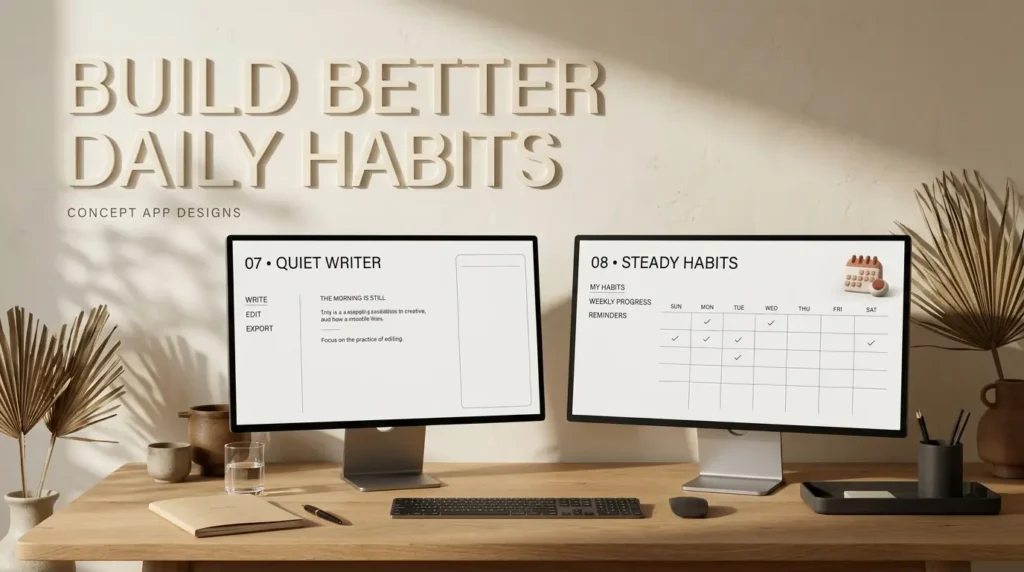
9. An Image Organizer for Photographers and Creators
Difficulty: Intermediate to advanced
Photographers, designers and social media creators often accumulate thousands of images over time.
The filenames may reveal very little about their contents, and useful photographs can become difficult to find.
An image organizer could help create searchable collections, suggest tags and identify possible duplicates.
However, image classification and file modification should be treated as separate tasks.
A tool may be able to suggest that two photographs look similar without needing permission to delete either one.
Copy this Claude prompt
Create an installable Artifact called Image Library. Let me select sample images explicitly and display them in a searchable thumbnail grid. Include manually editable tags, favorites, project collections and suggested filenames. Treat duplicate detection as a review feature only. Never delete or overwrite images. Do not upload image contents to AI services unless I knowingly enable an optional analysis feature. Begin with fictional or harmless sample images. Explain whether additional file permissions are necessary for larger library integration.
Suggested permissions: None for a basic user selected image interface. Broader filesystem automation may require elevated permissions.
What to test: Import several sample photographs, add tags and confirm that search filters return the correct images.
If you eventually implement automatic renaming, test exclusively on copies.
10. A Freelance Pricing Calculator That Protects Your Time
Difficulty: Beginner
One of the hardest parts of freelancing is deciding what a project should cost.
Charging only for the hours spent producing the final work can overlook research, meetings, revisions, administration and software expenses.
A custom calculator could help you think about pricing more consistently.
It does not need access to client emails, invoices or banking information to be useful.
Copy this Claude prompt
Build an installable interactive Artifact called Project Quote. Include estimated project hours, hourly rate, research time, revision allowance, software expenses, contingency and an optional tax field. Display an editable quote breakdown and final total. Clearly distinguish tax, business expenses and profit assumptions. Allow percentage or fixed amount contingency. Include printable or exportable summaries. Reject invalid numeric inputs. Do not send quotes automatically or suggest that calculated prices guarantee clients or income.
Suggested permissions: None for ordinary calculations.
What to test: Enter ten billable hours at $50 per hour, no additional expenses and a 10% contingency. The subtotal with contingency should be $550 before tax.
This is a particularly sensible first business application because its logic is transparent and its usefulness does not depend on continual AI requests.
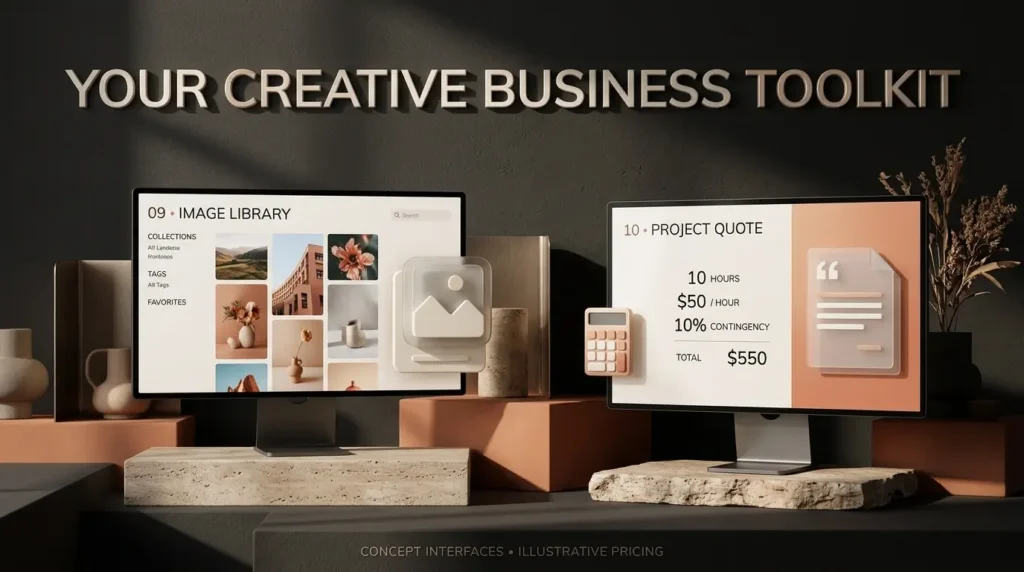
11. A Shopping Budget Planner That Keeps Discounts in Perspective
Difficulty: Beginner
Shopping events have a way of making people focus on individual discounts rather than total spending.
A $30 saving on one purchase does not mean much if you end up spending hundreds of dollars on things you did not originally need.
A custom budget planner could bring a little discipline to the process.
Copy this Claude prompt
Create an installable Artifact called Smart Shopping Budget. Include a total shopping budget, editable product list, original comparison prices, actual purchase prices, taxes, shipping and priority levels. Calculate total spending and remaining budget using deterministic formulas. Let me mark items as Buy, Wait or Skip. Add an optional comparison field for retailer links. Never purchase products, request payment information or claim that an advertised discount is a verified historical saving. Use fictional sample products until I enter real items.
Suggested permissions: None.
What to test: Set a $300 budget, enter two items costing $100 and $75, then verify that the remaining budget is $125 before taxes and shipping.
The application could be useful during holiday sales, but its real value is encouraging you to think about spending as a whole.
12. A Language Learning App for Your Personal Goals
Difficulty: Beginner to intermediate
Someone preparing for a trip to Spain has different language learning needs from a person studying Spanish for work.
The first might want restaurant vocabulary, directions and everyday phrases. The second might need professional conversation, formal writing and industry terminology.
A personalized learning application can make those differences part of the interface.
Copy this Claude prompt
Build an installable interactive Artifact called Language Corner. Let me select a target language and learning goal. Include vocabulary cards, short phrase exercises, translation practice, a personal word list and a review queue. Support manually supplied verified vocabulary. If AI generates translations or explanations, label them clearly and allow correction. Include a progress indicator and adjustable lesson length. Do not claim formal language proficiency certification. Keep microphone and external service integrations disabled unless I request them.
Suggested permissions: None for text exercises.
What to test: Add vocabulary from a trusted language resource, complete an exercise and confirm that mistakes enter the review queue.
For pronunciation and formal language accuracy, supplement the application with reliable teaching materials.
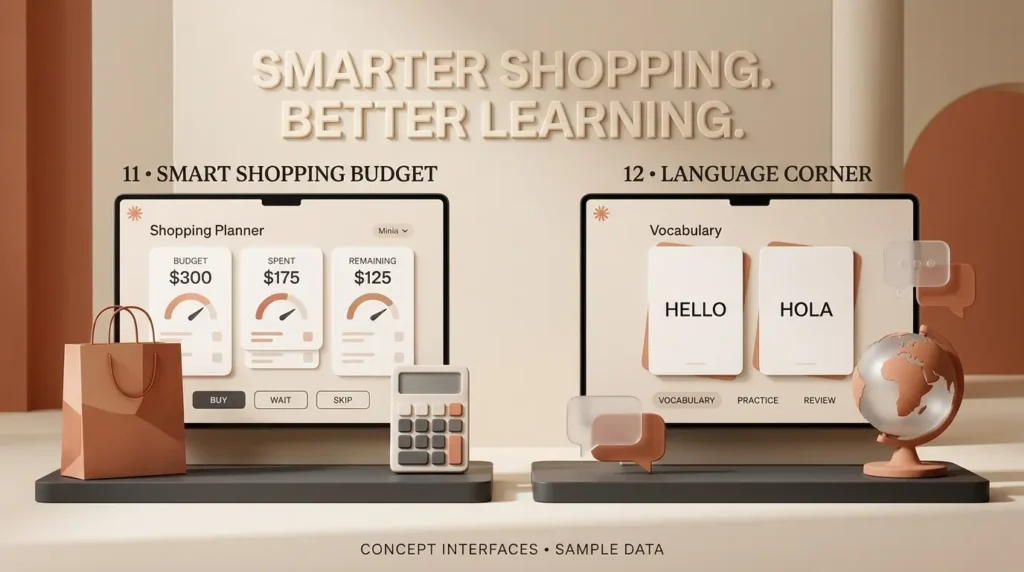
13. A Content Calendar for Bloggers and Social Media Creators
Difficulty: Beginner to intermediate
Publishing regularly can be difficult when research notes, draft articles, image ideas and social media captions all live in different places.
A content calendar could combine those stages into one workspace.
Unlike a fully automated publishing agent, it can begin as a transparent planning system where every item remains under your control.
Copy this Claude prompt
Create an installable Artifact called Editorial Desk. Include a monthly and weekly calendar, content ideas, target keywords, article status, source links, image production status and publication deadlines. Support workflow stages for Research, Draft, Fact Check, Visuals, Ready and Published. Include filters by platform and category. Add optional reminders and a data export feature. Never publish content, fabricate keyword metrics or connect to social accounts without explicit approval. Keep research notes and draft content clearly separated.
Suggested permissions: None for planning. Notifications are optional.
What to test: Create an article scheduled for Friday, move it through each editorial stage and check that the date and status remain consistent across calendar views.
For creators who eventually want to connect their calendar with other automation systems, our overview of AI agent startups and business operations provides useful wider industry context.
14. A Desktop Computer Performance Monitor
Difficulty: Advanced
Anyone who works with video editing, large datasets, AI models or demanding software knows how useful a quick performance monitor can be.
Rather than continually opening several system utilities, you might prefer a compact window that displays the computer information you care about.
Anthropic’s own announcement includes a performance monitoring demonstration called Vitals, showing the kinds of desktop utilities the new feature is intended to support.
However, retrieving actual computer metrics may require operating system capabilities that are not available to an ordinary Artifact.
Copy this Claude prompt
Create an installable desktop Artifact called System View. Begin with a clearly labeled demonstration mode using fictional CPU, memory and disk values. Build an accessible compact dashboard with current readings and simple trend charts. Investigate whether real system metrics are available through documented installed app capabilities on my operating system. Explain any necessary permission before implementing live readings. Do not run arbitrary commands, change system settings, terminate programs or access unrelated files. Clearly distinguish simulated data from live measurements.
Suggested permissions: None for the demonstration. Live system monitoring may require elevated access depending on implementation.
What to test: Confirm that demonstration values are visibly labeled. If live monitoring is implemented safely, compare readings with Windows Task Manager or macOS Activity Monitor.
Do not rely on fictional numbers or an unverified interface for diagnosing hardware problems.
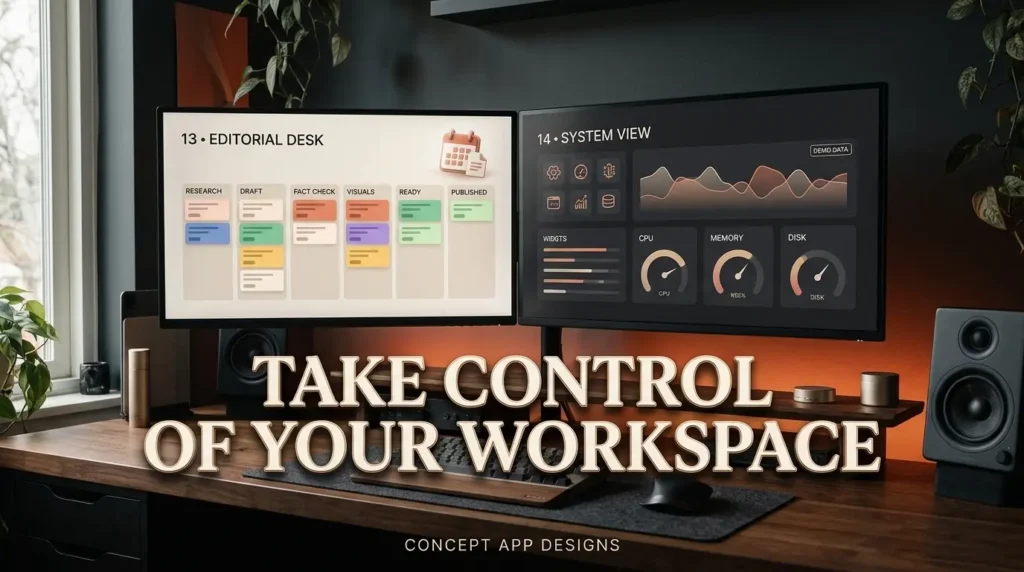
15. An Interactive Desktop Pet That Makes Your Computer Feel More Personal
Difficulty: Intermediate
Not every application needs to save time or improve a business process.
Sometimes software can simply be enjoyable.
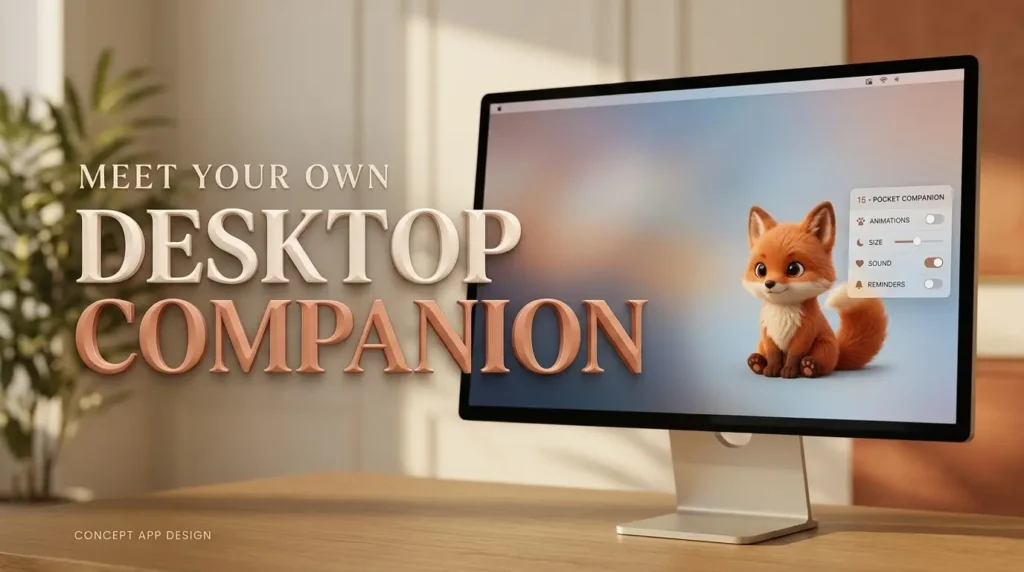
Imagine a little illustrated fox, cat or robot sitting quietly in a corner of your desktop. It might react when you click it, perform a short animation when you finish a focus session or occasionally remind you to take a break.
This is also a particularly interesting example of the difference between an ordinary browser Artifact and an installed application with optional desktop capabilities.
Copy this Claude prompt
Create an installable interactive Artifact called Pocket Companion. Design an original small animated fox character with gentle idle, sleeping, happy and playful animations. Let me click the character to trigger different reactions. Include settings for animation speed, sound, size and optional break reminders. Begin with a normal application window. Offer an optional floating desktop mode only if supported, and explain the necessary permission before enabling it. Include an easy way to close, hide or pause the character. Do not request camera, microphone, location or full computer access. Do not track activity outside the application.
Suggested permissions: None for an ordinary window. Floating above other windows requires the relevant optional permission.
What to test: Trigger every animation, adjust the settings and close the app. Confirm that it can be dismissed easily and does not create an unwanted persistent overlay.
A desktop companion may sound like a small example, but it demonstrates something important about personalized software.
An application does not need a huge market to be worth creating. Sometimes it only needs to make one person’s computer a little more pleasant to use.
Which Claude Desktop App Should You Build First?
The best choice is rarely the most technically impressive idea.
It is the one you can understand, test and genuinely use.
| Application | Suggested starting complexity | Additional permissions |
|---|---|---|
| Productivity timer | Beginner | Optional notifications |
| Personal finance tracker | Beginner | None for manual entry |
| File organizer | Advanced | Potential full computer access |
| Daily planner | Beginner | Optional notifications |
| Study assistant | Beginner | None for supplied notes |
| Business dashboard | Intermediate | Optional integrations |
| Writing studio | Beginner | Optional global shortcuts |
| Habit tracker | Beginner | Optional notifications |
| Image organizer | Intermediate | Depends on filesystem integration |
| Freelance calculator | Beginner | None |
| Shopping budget planner | Beginner | None |
| Language learning app | Beginner | None for text learning |
| Content calendar | Beginner | Optional notifications |
| Performance monitor | Advanced | Potential elevated access |
| Desktop pet | Intermediate | Optional floating window |
If you have never created an Artifact before, start with the freelance calculator, shopping budget planner or productivity timer.
Their expected behavior is easy to verify, and they do not require unrestricted computer access.
Understanding Claude Desktop App Permissions
An AI generated application deserves the same careful consideration as any other software you install.
It may look professional. It may even have been generated from your own instructions. That does not automatically establish that its code is secure or that it handles your information correctly.
Anthropic describes three broad levels of access.
| Permission level | What it means |
|---|---|
| Default | Ordinary browser style capabilities |
| Additional app permissions | Specific desktop features such as reminders, shortcuts and floating windows |
| Full computer access | Ability to execute programs and interact extensively with local files |
The highest permission level is particularly significant.
It can allow an application to run programs and read, modify or remove files without requiring a separate approval for every operation.
A user who grants that access should understand the underlying trust implications, not simply click Allow because an application requests it.
Anthropic also states that it does not individually review these applications before installation.
For more details about the available controls, consult the official Claude Help Center permission documentation.
The safest rule for beginners
Start with the smallest amount of access needed to accomplish the task.
A calculator needs numbers. A timer may need notification permission. A basic writing studio needs somewhere to preserve your drafts.
None of those requirements automatically justifies unrestricted access to the computer.
Why permissions may be requested again after an update
Installed apps are associated with their underlying Artifacts. Editing the Artifact can therefore change the installed application.
Permission approval applies to the relevant version. Updates can trigger new permission requests.
There is also an important qualification: externally loaded application code can change independently, which means an update may not always produce a fresh Claude permission prompt.
Be especially cautious about applications that rely on unfamiliar external scripts.
Can You Revoke Permissions or Uninstall a Claude App?
Yes.
On macOS, permission controls are available through the installed application’s menu. On Windows, they can be reached from the application window’s system menu.
Claude Desktop also provides a management area for installed applications.
If you remove an application, its installation permissions are removed. The original Artifact is a separate object and is not necessarily deleted.
Revoking permissions does not undo actions that have already occurred.
If an application has previously changed files, exported information or performed another consequential operation, removing its access will not automatically restore the previous state.
That is one reason backups and simulated test data matter so much when experimenting with more ambitious applications.
Are Claude Desktop Apps Really Free?
The installation feature is rolling out across Claude’s plans, including the Free plan.
However, creating an application and using features that make requests to Claude consumes the applicable account usage allowance.
There is an important design choice here.
A simple calculator should generally calculate its results using ordinary application logic rather than asking an AI model to perform every addition or subtraction.
Similarly, a timer does not need an AI request every second.
Reserve model calls for tasks that benefit from language understanding, such as generating study questions, summarizing text or suggesting classifications.
This can make an application more predictable while reducing unnecessary consumption of your Claude allowance.
Claude Artifacts vs Traditional Desktop App Development
The new installation feature makes it easier to move from an idea to a personal desktop tool.
It does not eliminate every reason to use conventional software development.
| Consideration | Installed Claude Artifact | Traditional desktop application |
|---|---|---|
| Initial creation | Natural language assisted | Usually conventional development tools |
| Installation | Managed through Claude | Depends on packaging and distribution |
| Claude account | Required to open the installed app | Not inherently required |
| Internet connection | Required to open the installed app | Depends on application design |
| Software distribution | Tied to supported Claude sharing | Can use independent distribution systems |
| Security review | Creator and user responsibility | Depends on developer and distribution process |
| Maintenance | Linked to underlying Artifact edits | Managed by developer |
| Advanced native integration | Subject to supported capabilities and permissions | Potentially broader |
The most appropriate approach depends on what you are building.
For a personal calculator, a small productivity dashboard or an internal planning tool, an installed Artifact may be an attractive starting point.
For commercial software requiring independent installation, offline operation, advanced native integration, formal security testing or extensive customer support, conventional development may remain the better option.
Organizations should also consider the broader selection of specialized tools available for sensitive business workflows. Our guide to AI tools for HR professionals illustrates why individual departments may need dedicated capabilities beyond a general custom application.
How to Write Better Claude App Creation Prompts
A surprisingly common mistake is asking AI to build a complete application without explaining what the application is supposed to do.
A prompt such as “Build the best productivity app ever” leaves too many decisions unresolved.
A better instruction contains a small number of clear components.
| Component | What to specify |
|---|---|
| Purpose | The specific problem the app solves |
| Inputs | Information the user provides |
| Outputs | What the app calculates, displays or produces |
| Interface | Layout, controls and accessibility |
| Data handling | Storage, export and deletion requirements |
| Permissions | What the application may access |
| Error handling | What happens when inputs are invalid |
| Acceptance tests | How to confirm that it works |
Here is a reusable creation prompt you can adapt to almost any small project.
Create an interactive Artifact suitable for installation as a desktop application. Its purpose is [describe the problem]. The user should be able to enter [inputs] and receive [outputs]. Build the interface around [essential controls]. Use deterministic application logic for ordinary calculations and reserve AI calls for tasks that require language understanding. Explain how information is stored, exported and removed. Use sample data initially. Do not request operating system or account permissions unless a specific feature requires them. Explain the reason for each additional permission. Include input validation, useful error messages and a test checklist. Do not invent unsupported features or claim that tests have passed until they have actually been performed.
The objective is not to describe the application in the most impressive language possible.
It is to give Claude enough information to build something whose behavior you can evaluate.
A Practical Testing Checklist Before You Install Any AI Generated App
Before relying on your creation, work through the following checks.
- Confirm that every important button performs its intended action.
- Test empty fields, invalid values and unusual input.
- Independently verify important calculations.
- Check whether information survives closing and reopening.
- Confirm that export and recovery controls work.
- Review requested permissions.
- Deny unnecessary access and verify that the application remains usable.
- Test update behavior.
- Use copies of files during filesystem experiments.
- Confirm that the application can be closed or uninstalled.
For applications handling business, financial or personal information, review where that data is processed and stored before entering genuine records.
Do not let an attractive interface substitute for basic software quality checks.
Why Is Install as App Not Showing in Claude?
There are several possible explanations.
Your desktop client may be outdated. Your account may not have received the beta rollout yet. An organization administrator may have disabled the feature, or the Artifact you are trying to install may belong to an unsupported category.
Anthropic specifically identifies template based Docs, Slides and Sheets, certain older Artifacts and live Cowork Artifacts as unsupported installation formats.
Try creating a fresh interactive Artifact, updating Claude Desktop and checking the Artifact’s menu.
For business accounts, ask the appropriate organization owner to confirm the relevant settings.
The feature is also unavailable in certain deployment and regulatory configurations.
Do not assume that a missing menu can be resolved by downloading unofficial applications or changing unrelated security settings.
The Bigger Question: Is Personal Software Becoming Personal Again?
For much of the history of consumer software, developers built applications for groups of users.
A task manager was designed for millions of people with different working habits. A finance application attempted to satisfy households with different spending patterns. A content planner needed features suitable for several kinds of creators.
The result was often a compromise.
Personal AI application creation offers a different model.
Instead of asking whether enough other people want a particular feature, you can experiment with a tool designed around your own requirements.
That does not mean every person will become a professional software developer. It does not mean existing applications are suddenly unnecessary, either.
Professional development still matters when reliability, accessibility, security, performance and long term maintenance are important.
But there is a meaningful space between downloading an existing application and commissioning an entirely new software product.
A small tool for organizing your study notes belongs in that space. So does a pricing calculator designed around your own freelance business or a timer that accommodates the way you prefer to work.
Claude’s installation feature makes that space easier to explore.
Frequently Asked Questions
Can Claude really create desktop applications?
Yes. Anthropic has introduced beta installation support for eligible Artifacts on Mac and Windows. These applications receive dedicated windows and icons and can request additional desktop capabilities.
They remain connected to Claude.
Do I need programming experience?
You can describe an application using ordinary language. Programming experience is not required to begin experimenting, although technical knowledge becomes increasingly valuable for more complex or sensitive applications.
Can I build Claude desktop apps on Windows?
Yes. The feature supports Claude Desktop for Windows, subject to account eligibility and the required application version.
Can I build Claude desktop apps on Mac?
Yes. Eligible Artifacts can be installed on macOS.
Can I install Claude apps on Linux or Android?
Not through the announced desktop installation feature at launch.
Do Claude desktop apps work offline?
An internet connection and a signed in Claude Desktop session are required to open installed applications. The feature should not be treated as an independently distributable offline software system.
Can Claude desktop apps access my files?
They may be able to interact extensively with local files when given appropriate permissions. Unrestricted access should be reserved for trusted applications where the need is clearly understood.
Can I share an app with another person?
Anthropic supports sharing installed Artifact experiences, subject to the relevant access and permission rules. Recipients still need a compatible Claude environment.
Can I sell an application created with Claude?
Commercial possibilities depend on the application, applicable Claude terms, intellectual property rights and the distribution method.
The installation feature should not be assumed to provide a conventional independent software distribution or payment system.
Do Claude desktop apps automatically update?
Installed applications can reflect changes to their underlying Artifacts. Updates may require additional permission confirmation.
What is the easiest Claude app to build?
A simple timer, calculator or checklist is an excellent starting point because its functionality is straightforward and can be tested without broad computer permissions.
Final Thoughts
The most interesting thing about Claude’s new desktop application feature is not how complicated a program you might be able to create.
It is how simple an application can be and still make a difference.
A freelance calculator that helps you price a project consistently. A writing studio that removes unnecessary distractions. A small study application that concentrates on the subjects you find difficult.
These are modest ideas, but they can solve real problems.
You do not need to start with a complicated automation system or grant an AI generated application access to your entire computer.
Choose one small problem. Describe exactly what you need. Build a first version, test its behavior and improve it gradually.
For the first time, the productivity application you have always wanted might begin with a conversation rather than a search through an application store.
Editorial methodology: This guide is based on Anthropic’s November 24, 2026 announcement, current official support documentation and independent technology reporting. The 15 application designs and creation prompts are original editorial examples. TrendOutsider has not independently built, installed or tested these 15 applications. Actual functionality depends on implementation, platform support, account availability and permissions.
Visual disclosure: The accompanying illustrations depict conceptual application designs. They are not screenshots of tested software or official Anthropic product demonstrations.







Leave a Reply