

Imagine leaving your laptop on a desk for a few minutes.
You lock the screen before walking away. Windows asks for a PIN or password when someone tries to use it. BitLocker is enabled, so you assume the files stored on the computer are protected.
Then somebody approaches the machine.
They don’t know your password. They don’t have your recovery key. And they haven’t signed into your account.
Yet security researchers have demonstrated a way to make certain locked Windows computers run programs anyway.
The technique is called FastUnlock, and its disclosure on November 19, 2026, has raised uncomfortable questions about the protection provided by the Windows 11 sign-in screen.
The problem involves Narrator, Microsoft’s built-in screen reader, and a recovery interface accessible before a user signs in.
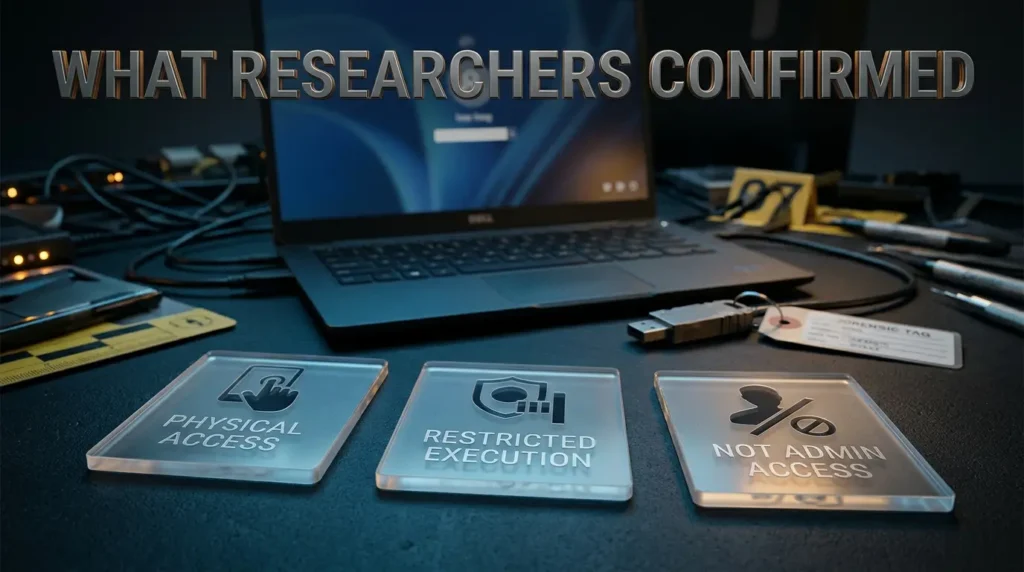
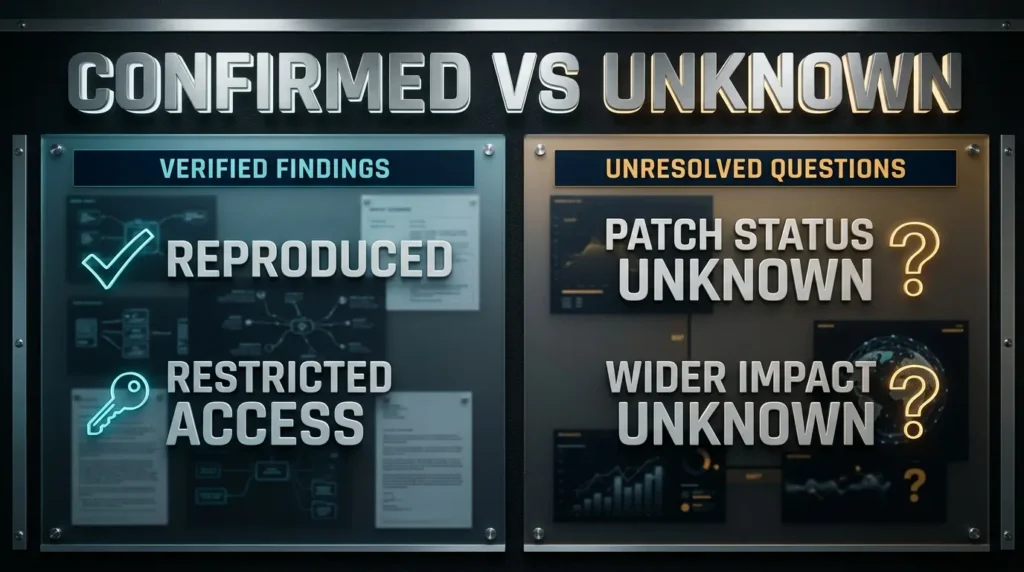
Security company ThreatLocker independently reproduced the behavior and confirmed that programs could be executed under a restricted Windows account.
That is a serious security boundary failure.
But it is not the same as someone instantly gaining administrator access, reading every private document or breaking BitLocker’s encryption.
The distinction matters, especially for people deciding whether their laptops are safe to carry to work, university or public places.
Here’s what FastUnlock actually does, which computers may be affected, why BitLocker does not necessarily stop it and what you can do while waiting for an official fix.
What Is FastUnlock, and What Happened on November 19?
FastUnlock is the name given to a newly disclosed Windows lock screen bypass technique.
Security researcher Nightmare Eclipse, who also uses the name MSNightmare, published information about the issue on November 19, 2026.
The researcher described a problem involving how Windows Narrator handles its interface when operating within the locked sign-in environment.
In ordinary use, Narrator helps people navigate Windows through spoken descriptions and accessibility controls.
That functionality is important because accessibility features need to remain available even before someone signs into a computer.
But the researcher’s findings suggest that an interface intended for accessibility can unexpectedly provide access to parts of Windows that should not be reachable from the lock screen.
The original disclosure was reported by Security Affairs.
On the same day, security company ThreatLocker conducted its own investigation.
In a published proof of concept, the company’s threat intelligence team reported that it successfully reproduced the behavior.
The resulting execution occurred under a Windows account known as WsiAccount.
That detail is important.
ThreatLocker explicitly identifies it as a restricted account rather than an administrator account.
Windows 11 FastUnlock: The Key Facts
| Question | What is currently known |
|---|---|
| What is FastUnlock? | A Windows lock screen bypass involving Narrator |
| When was it disclosed? | November 19, 2026 |
| Has anyone reproduced it? | Yes, ThreatLocker published an independent test |
| Does it require physical access? | Yes, in the publicly described scenario |
| Is a Microsoft account involved? | Yes, the reported attack requires access to the account recovery flow |
| Which Windows version was tested? | Windows 11 26H2 with November 2026 updates |
| Does it automatically grant administrator rights? | No |
| Does it break BitLocker encryption? | No cryptographic break has been established |
| Is there an official fix? | No public fix confirmed as of November 20 |
| Has it been used in actual attacks? | No confirmed cases identified in the reviewed reporting |
The central security finding is that a locked computer may allow unauthorized activity before a normal user signs in.
Exactly how far someone could proceed from that initial access depends on conditions and capabilities that have not all been independently established.
How Does the Windows 11 Lock Screen Bypass Work?
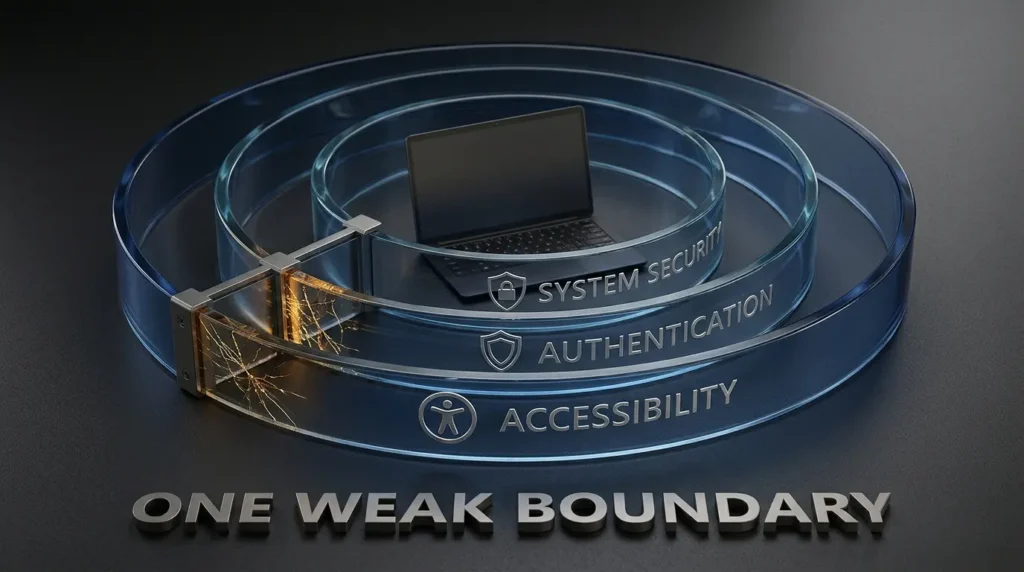
The issue involves a boundary that Windows is supposed to enforce.
Certain functions must be available on the sign-in screen. Accessibility tools are among them because users may need assistance before entering their credentials.
Other functions should remain unavailable until a user has authenticated.
FastUnlock appears to expose a problem in how those two sets of capabilities interact.
Narrator Is Central to the Issue
Narrator is Microsoft’s screen reader.
It provides spoken feedback and keyboard-based navigation for people who are blind or have low vision.
There is nothing inherently malicious about Narrator. It is an important accessibility feature built into Windows.
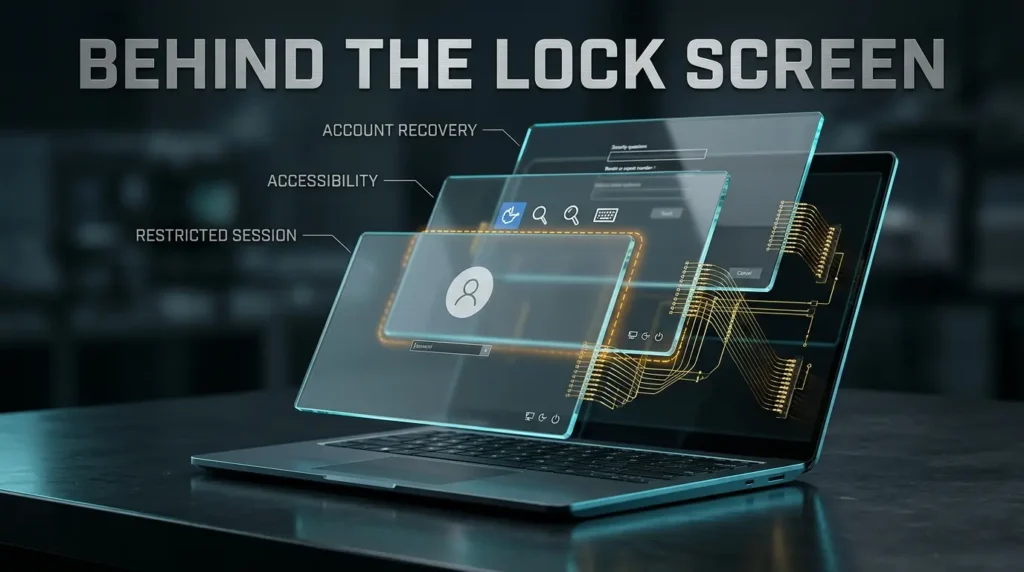
The security problem arises from the way its interface reportedly behaves when launched from the Windows account recovery environment.
According to the researcher’s disclosure, parts of the Narrator interface can become accessible in a context where Windows should still be enforcing the sign-in boundary.
That can provide a route into system interfaces without authenticating as the account owner.
The publicly described technique involves interaction with a recovery screen and accessibility controls, eventually reaching application functionality that should not be available in that state.
For security reasons, there is little value in turning this article into a sequence of commands that would help somebody reproduce an unauthorized bypass on another person’s computer.
The important finding is the broken security boundary, not the precise sequence of keyboard actions.
What ThreatLocker Independently Confirmed
ThreatLocker investigated the technique on November 19.
Its researchers confirmed that they could launch a program while the computer remained locked.
The process ran under WsiAccount, an account associated with Windows sign-in functionality.
ThreatLocker also reported limitations in ordinary keyboard input during its test.
Those observations matter because they establish that the demonstrated behavior is not equivalent to a normal signed-in desktop session.
Someone exploiting FastUnlock does not simply inherit the legitimate user’s full account permissions.
But being able to run code before authentication is still significant.
It may create opportunities for further activity, depending on the system configuration and whether other vulnerabilities are present.
Why Physical Access Matters
This is not described as an attack that a stranger can launch remotely merely by knowing your email address.
The public research involves someone who can physically operate the computer.
The described scenario also requires a Microsoft account accessible through the relevant account recovery flow.
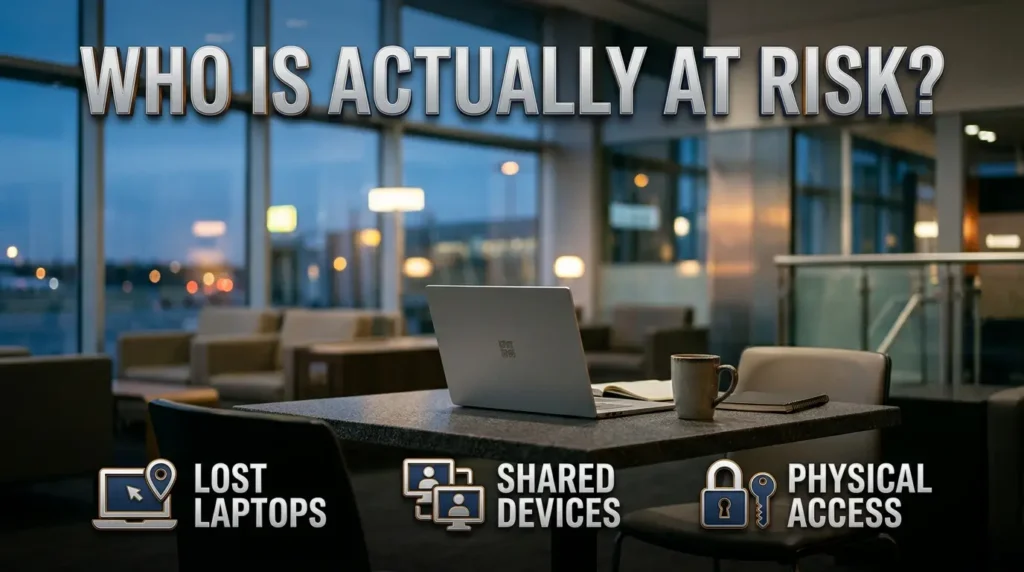
That makes FastUnlock especially relevant to lost laptops, shared workstations, unattended office computers and machines left accessible in public environments.
A desktop inside a securely controlled private room has a different exposure profile from a laptop routinely left unattended in airports, classrooms or coworking spaces.
Can FastUnlock Really Bypass BitLocker?
This is the part of the story that deserves the most care.
Several reports describe FastUnlock as bypassing BitLocker.
But that phrase can give readers the wrong impression.
The confirmed finding is unauthorized program execution through a running Windows system. It is not evidence that researchers have broken the encryption algorithm protecting BitLocker drives.
To understand why, it helps to distinguish three separate things.
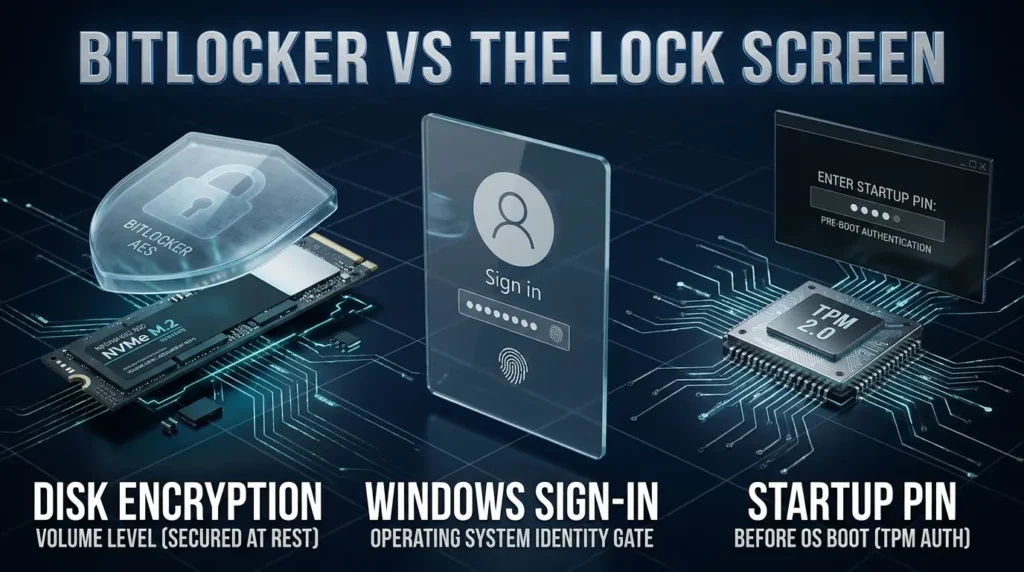
1. BitLocker Protects Data Stored on the Drive
BitLocker encrypts storage so that an unauthorized person cannot simply remove the drive and read its contents.
Its protection is especially important when a computer is powered off, decommissioned, lost or stolen.
Microsoft explains how this works in its official BitLocker overview.
But encryption and sign-in are not interchangeable.
Once Windows has started and the encrypted system drive has been unlocked through its normal boot process, Windows relies on other protections to control what users and processes can access.
2. Windows Sign-In Protects the Active Session
The lock screen is supposed to prevent somebody without valid credentials from operating the computer as an authorized user.
FastUnlock concerns this layer.
The concern is not that somebody has discovered the BitLocker recovery key.
It is that some operations may become possible while the operating system is running but the user has not authenticated.
This distinction explains how a computer can have an encrypted drive and still be exposed to a flaw in its running sign-in environment.
3. A BitLocker Startup PIN Adds Protection Before Windows Loads
Many encrypted Windows computers use TPM-only BitLocker protection.
The Trusted Platform Module checks important startup conditions and can automatically release the required encryption keys during normal boot.
That makes startup convenient.
A separate BitLocker startup PIN changes the process by requiring user input before the system drive is unlocked.
Microsoft’s BitLocker countermeasures documentation recommends additional startup authentication for certain physical-access threats.
This is why ThreatLocker identifies a preboot BitLocker PIN as a potentially useful protection for machines that have been shut down or hibernated.
It doesn’t solve the problem on a computer that is already running and sitting at the Windows lock screen.
BitLocker vs Windows PIN vs FastUnlock
| Protection | What it does | Why it matters here |
|---|---|---|
| Windows sign-in PIN | Authenticates a user to Windows | FastUnlock targets the pre-sign-in boundary |
| BitLocker TPM-only | Protects the encrypted drive and can unlock during normal startup | The drive may already be unlocked when Windows reaches its sign-in screen |
| BitLocker startup PIN | Requires authentication before the system drive unlocks | Helps protect a properly shut down or hibernated laptop before Windows starts |
| Windows lock screen | Restricts use of an active Windows session | The reported issue allows limited activity without normal sign-in |
This is also why changing your ordinary Windows Hello PIN to a longer number does not, by itself, address the underlying vulnerability.
A Windows sign-in PIN and a BitLocker startup PIN serve different purposes.
Which Windows 11 Computers Are Affected?
The researcher’s public disclosure identifies Windows 11 version 26H2, including the November 2026 security updates, as a tested environment.
Microsoft’s Windows 11 release information confirms that version 26H2 received its November security updates on November 10, 2026.
That makes the timeline significant.
The reported behavior was demonstrated against a system that had already received the month’s ordinary security updates.
However, there is no authoritative, exhaustive compatibility table showing exactly which Windows versions and configurations are vulnerable.
What About Windows 11 25H2 or 24H2?
Those releases should not automatically be declared safe or vulnerable solely because they are not the main version named in the original research.
The public evidence does not yet establish every affected build.
Is Windows 10 Affected?
The researcher did not establish Windows 10 exposure in the initial disclosure.
That means the correct answer is unknown, rather than yes or no.
Are Local Accounts Affected?
The reported path depends on a Microsoft account being accessible through the recovery process.
A computer configured only with local accounts may not meet that particular condition.
However, that is not a substitute for a vendor assessment confirming that all local-account configurations are immune.
Is Every BitLocker Laptop Vulnerable?
No such universal conclusion is supported.
Device state, recovery flow availability, account configuration, Windows build and startup protection can all affect exposure.
ThreatLocker’s independent reproduction confirms a genuine issue under specific conditions, not every conceivable Windows installation.
Who Should Pay Particular Attention?
Owners of portable Windows laptops should pay attention because theft or temporary unauthorized physical access is plausible.
Businesses using shared workstations or managing fleets of laptops should assess their exposure.
Educational institutions, hotels, public-facing offices and organizations handling confidential information have additional reasons to review physical security.
A computer that never leaves a controlled environment presents a different level of immediate risk.
Is There a FastUnlock Patch From Microsoft?
As of November 20, 2026, the reporting and official resources reviewed for this article did not identify a Microsoft security fix specifically addressing FastUnlock.
There was also no confirmed Microsoft CVE assignment or public vulnerability advisory for the issue in those sources.
That status may change quickly.
Microsoft sometimes releases security fixes through its regular monthly updates and, when necessary, through updates outside the normal schedule.
However, no confirmed FastUnlock patch date should be presented as fact.
The November security updates were released before the public disclosure.
The next ordinary monthly security update is therefore an event worth monitoring, but it is not a promise that FastUnlock will be fixed in that release.
Readers should follow Microsoft’s Windows release health information and Windows Update rather than downloading unofficial patches or tools from unfamiliar websites.
Has FastUnlock Been Exploited in the Wild?
No confirmed real-world attack using FastUnlock was identified in the reviewed reporting as of November 20.
That is an important distinction.
A published proof of concept demonstrates that a technique is possible under tested conditions.
It does not establish that criminals have already used it against actual victims.
There is also no evidence that every Windows 11 system has been compromised simply because the vulnerability was publicly discussed.
What Should You Do to Protect Your Windows Laptop?
The most useful response is practical rather than dramatic.
The immediate risk depends heavily on somebody being able to reach the physical computer.
That means reducing unnecessary physical exposure is an important first step.
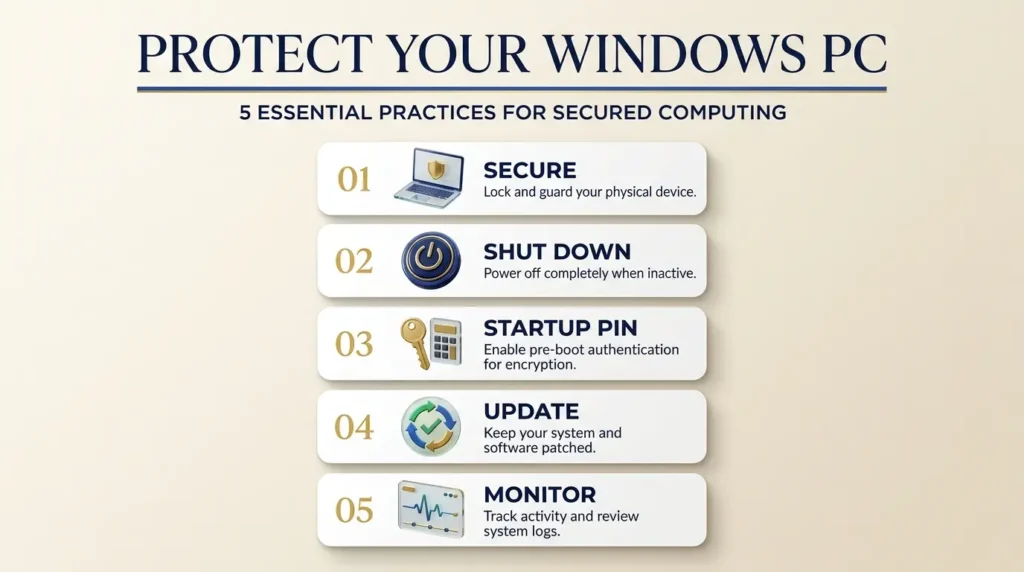
1. Shut Down Sensitive Laptops When Leaving Them Unattended
If you’re travelling or leaving a laptop outside your control, consider shutting it down rather than simply locking the screen.
This reduces exposure to an attack that relies on an already running Windows environment.
For high-sensitivity devices, appropriate encryption startup protection is also important.
Simply shutting down an unencrypted laptop is not a substitute for full disk encryption.
2. Understand the Difference Between Sleep and Hibernate
Sleep keeps parts of a system’s working state available so it can resume quickly.
Hibernate saves system state to storage and generally allows the system to power down more completely.
Microsoft’s BitLocker security guidance discusses why organizations facing physical-access risks may prefer hibernation or shutdown over standby.
However, the additional protection of a startup PIN depends on the device actually requiring that PIN before the system drive is unlocked.
Do not assume every sleeping or hibernating laptop offers identical protection.
3. Consider a BitLocker Startup PIN
For supported Windows configurations, a BitLocker startup PIN adds a factor that must be supplied before the protected drive unlocks during startup.
This is separate from the PIN you enter at the Windows sign-in screen.
ThreatLocker specifically identifies preboot authentication as a useful mitigation when a device is switched off or hibernated.
Setting this up can require administrative privileges, suitable Windows editions and configuration changes.
Organizations should use their normal IT management procedures.
Before making changes, confirm that the BitLocker recovery key is safely backed up.
Do not experiment with encryption settings on an important computer without understanding how to recover access.
4. Don’t Leave Important Computers Within Easy Reach
A lock screen is not a replacement for controlling physical access.
Secure your laptop when travelling.
Avoid leaving it unattended in public places.
In workplaces, review who can enter areas containing logged-in or locked machines.
This advice is not unique to FastUnlock, but the new research makes it especially relevant.
5. Continue Installing Legitimate Windows Security Updates
Even though the November updates do not appear to resolve FastUnlock, keeping Windows current remains important.
Outdated systems may be exposed to additional vulnerabilities unrelated to this particular technique.
Install updates from Microsoft through normal trusted channels.
Avoid any download claiming to be an unofficial FastUnlock fix unless Microsoft has authenticated it.
6. Keep Endpoint Protection and Monitoring Active
Security software cannot be assumed to prevent the original lock screen weakness.
But endpoint monitoring may help identify suspicious program execution, unexpected file activity or other unusual behavior.
Organizations with managed devices should check available endpoint telemetry and incident response procedures.
Microsoft Defender for Endpoint provides device investigation capabilities that organizations can use where licensed and configured.
Security monitoring should complement system updates and physical controls, not replace them.
7. Do Not Disable Accessibility Features Casually
Some informal discussion has suggested restricting Narrator as a workaround.
But no broadly applicable Microsoft-approved FastUnlock mitigation involving disabling Narrator was confirmed during this review.
Accessibility features are essential for many users.
Disabling them without understanding the consequences may prevent someone from operating the computer properly.
Managed organizations should assess any proposed restriction through their IT and accessibility policies before deployment.
A Practical Risk Reduction Checklist
| Action | Why it helps | Important limitation |
|---|---|---|
| Keep physical control of your laptop | Reduces opportunity for the demonstrated attack | Does not fix the flaw |
| Shut down before leaving a device unattended | Avoids leaving a running lock screen exposed | Encryption still matters |
| Use a supported BitLocker startup PIN | Adds authentication before normal Windows startup | Not a remedy for an already running session |
| Keep Windows updated | Provides legitimate security fixes as released | No FastUnlock fix was confirmed on November 20 |
| Monitor managed devices | Helps investigate suspicious activity | Detection is not guaranteed |
| Preserve recovery keys | Prevents accidental permanent data loss during configuration changes | Recovery keys must be stored securely |
What If Somebody Has Already Had Access to Your Laptop?
A lost, stolen or unattended laptop creates a different problem from reading about a vulnerability that hasn’t been exploited in your environment.
If somebody may have had unauthorized physical access, don’t assume that changing a Windows PIN is enough to establish what occurred.
The appropriate response depends on the information stored on the device and the surrounding circumstances.
For a personal computer, contact a trusted security professional if you notice suspicious account activity or unexpected changes.
Review relevant account sign-ins from another trusted device where appropriate.
For a company laptop, notify the IT or security team promptly.
Preserving potential evidence may be more important than immediately restarting or resetting the machine.
Security teams should investigate what was executed, under which account, and whether there is evidence of access to sensitive data.
The restricted account identified in ThreatLocker’s test matters here.
It would be inaccurate to assume that arbitrary execution under WsiAccount automatically proves access to every user file.
But the absence of administrator rights does not make an unauthorized execution event harmless.
Determining the impact requires evidence from the particular device.
Why FastUnlock Matters Beyond One Windows Bug
The research highlights a broader challenge in modern operating systems.
A security boundary is only as reliable as the interactions between all the features allowed to cross it.
Windows must provide accessibility options before login.
It must provide account recovery tools.
It must manage encrypted drives, system services and background accounts.
Each feature has a legitimate purpose.
But those features also need to respect the difference between an authenticated user and somebody standing in front of a locked screen.
FastUnlock shows how a problem at that boundary can affect an otherwise well-protected device.
That is not an argument against accessibility technology.
It is an argument for rigorously testing the security assumptions surrounding it.
The Broader Problem of Software Permissions
Similar questions arise with emerging AI assistants that can operate applications on a user’s behalf.
The technology is different, but the core concern is familiar: what can software do before a user has explicitly authorized the relevant action?
TrendOutsider recently examined that issue in our coverage of Google Gemini’s new computer control feature for Mac, including its application permissions and security risks.
The wider lesson is that useful functionality must be designed around meaningful limits.
Why Independent Software Downloads Deserve Scrutiny
People researching FastUnlock may encounter links to demonstration files, security tools or unofficial workarounds.
This is not the moment to ignore ordinary Windows security warnings.
Our earlier article on AutoSwarm AI coding agents for Windows discusses why unsigned software installers can trigger Microsoft SmartScreen warnings and why those warnings should not be dismissed casually.
That same caution applies to unfamiliar downloads claiming to protect against FastUnlock.
Why Business Security Requires More Than a Checklist
Organizations also need clarity about who owns device security, who reviews risk and how unusual endpoint activity is investigated.
Our guide to AI governance and technology accountability approaches those questions from a broader management perspective.
FastUnlock is a Windows security issue rather than an AI incident, but the principle of accountable technology governance remains relevant.
A company should know which devices carry sensitive information, how they are protected and what happens when a potential compromise is reported.
Does FastUnlock Mean BitLocker Is Useless?
No.
BitLocker remains an important security technology.
It helps protect information on lost, stolen or decommissioned storage devices, and Microsoft offers several ways to strengthen its startup configuration.
A weakness in the sign-in environment does not establish that the encryption itself is worthless.
The key distinction is between data at rest and an operating system that has already booted.
A properly configured, powered-off encrypted laptop is not in the same state as a computer that has started Windows and is displaying its ordinary sign-in screen.
Users should avoid two opposite conclusions.
The first is that BitLocker makes every locked computer immune to all attacks.
The second is that FastUnlock proves all encrypted Windows laptops can be completely decrypted.
Neither is supported by the available evidence.
Security works through layers.
Drive encryption, authentication, operating-system protections, updates, monitoring and physical device control all serve different purposes.
A flaw in one layer can be serious without making every other layer irrelevant.
What We Still Need to Learn About FastUnlock
Several questions remain open.
The first is how broadly the problem affects supported Windows releases beyond the version named in the original test.
The second is whether Microsoft will publish a CVE, security advisory or official temporary mitigation.
The third is what an attacker could accomplish by combining the initial restricted execution with other weaknesses on particular systems.
That last possibility must be treated carefully.
Researchers may discuss theoretical chains of vulnerabilities, but those discussions are not proof that every affected machine can automatically be taken over.
Another open question is whether any criminal activity using FastUnlock will be identified.
At present, the public reporting establishes a disclosed technique and an independent reproduction, not a documented campaign against Windows users.
Frequently Asked Questions
What is the Windows 11 FastUnlock vulnerability?
FastUnlock is a publicly disclosed lock screen bypass involving Windows Narrator and account recovery functionality. Under specific conditions, it can allow program execution before a normal user signs in.
When was FastUnlock discovered?
The researcher publicly disclosed the issue on November 19, 2026. ThreatLocker published an independent reproduction on the same date.
Is FastUnlock a remote attack?
Not in the demonstrated scenario. It requires physical access to the computer.
Does FastUnlock work without a password?
The research describes program execution without authenticating as the normal Windows user. That does not mean the person gains the user’s full account privileges.
Does FastUnlock bypass BitLocker?
It can undermine the protection someone expects from a running, BitLocker encrypted computer’s lock screen. No break of BitLocker’s encryption algorithm has been established.
Is Windows 11 26H2 affected?
The original researcher reported successful testing on Windows 11 26H2 with November 2026 security updates. ThreatLocker independently reproduced the lock screen bypass behavior.
Are Windows 11 25H2 and Windows 10 affected?
The full impact across other versions is not established by the available original disclosure. Do not assume they are conclusively safe or vulnerable.
Can someone become an administrator using FastUnlock?
ThreatLocker’s confirmed reproduction resulted in execution as WsiAccount, a restricted account. Automatic administrator access was not demonstrated in that result.
Is there a FastUnlock patch?
No Microsoft fix specifically for FastUnlock was publicly confirmed in the sources reviewed as of November 20, 2026. Check Microsoft’s current security updates for changes.
Can antivirus stop FastUnlock?
Security software may help detect suspicious follow-on activity, but there is no basis for promising that every antivirus product prevents the original lock screen bypass.
Does a stronger Windows PIN protect against FastUnlock?
A longer sign-in PIN does not directly correct the reported security boundary issue. A BitLocker startup PIN is a separate measure that can protect an encrypted drive before Windows starts.
Should I turn off Narrator?
Do not disable important accessibility functionality solely on the basis of an unverified online workaround. Await authoritative guidance or consult your organization’s IT team.
Is it safer to shut down or sleep my laptop?
For sensitive laptops outside your control, shutdown or appropriately protected hibernation can offer advantages over leaving Windows running at the lock screen. Microsoft and ThreatLocker both discuss the value of preboot authentication for physical-access threats.
Has FastUnlock been used by hackers?
No confirmed real-world attack using FastUnlock was identified in the reporting reviewed for this article.
Should businesses be worried?
Organizations managing portable computers, shared devices and sensitive information should review physical security, BitLocker configurations and incident monitoring. The risk depends on the environment and device configuration.
Final Verdict: A Locked Screen Is Not the Same as a Powered-Off, Protected Computer
FastUnlock exposes an uncomfortable truth about computer security.
A laptop can look secure because its screen is locked, its drive is encrypted and the latest updates are installed.
Yet the safety of the machine still depends on how Windows handles the features available before a user signs in.
The November 19 research demonstrated a weakness in that boundary, and ThreatLocker’s independent testing confirms that unauthorized restricted execution is possible under the conditions it examined.
That is worth taking seriously.
It does not mean every Windows 11 laptop has been remotely compromised, that BitLocker encryption has been broken or that someone can automatically become an administrator.
The immediate practical lesson is to protect physical access, understand your encryption configuration and avoid leaving sensitive computers unattended in a running state.
For organizations, it is also a reason to review their response plans before a lost laptop becomes a larger problem.
The next major development will be Microsoft’s response.
Until a confirmed patch or official mitigation arrives, good security habits and appropriately configured startup protections are the strongest practical measures supported by the available guidance.
Editorial research note: This article is based on the November 19, 2026 FastUnlock disclosure, ThreatLocker’s independent proof of concept, Microsoft’s published BitLocker documentation and credible independent security reporting. TrendOutsider has not independently reproduced the vulnerability or tested a workaround.
Update status: No official FastUnlock patch was confirmed in the sources reviewed on November 20, 2026. This article should be updated when Microsoft publishes a relevant advisory, fix or authoritative clarification.
Visual disclosure: All accompanying visuals are conceptual editorial illustrations, not authentic photographs of a compromise or screenshots proving exploitation.







Leave a Reply