

Imagine planning a weekend trip without spending half an hour opening hotel websites, comparing prices, checking locations and copying details into a spreadsheet.
Instead, you ask your browser to research suitable hotels, compare their cancellation policies and prepare a shortlist.
Now imagine that same browser can click through websites, fill in certain forms and organize information across several tabs.
That’s the idea behind AI browser agents.
Traditional browsers wait for you to do the work. AI browser agents can take some of those steps on your behalf. They can read webpages, navigate between sites and, when supported and permitted, interact with buttons, forms and other elements.
But there’s a catch: not every product marketed as an AI browser is actually capable of autonomous browsing. Some tools mainly summarize webpages or answer questions. Others can perform multi-step tasks. And the most advanced features are often restricted by subscription, geography or account eligibility.
So which AI browser agents are worth understanding? Can you use one for free? And how much control should you give an AI tool that can interact with websites while you’re logged in?
Let’s break it down.
What Is an AI Browser Agent?
An AI browser agent is software that uses artificial intelligence to help carry out tasks involving websites and browser interactions.
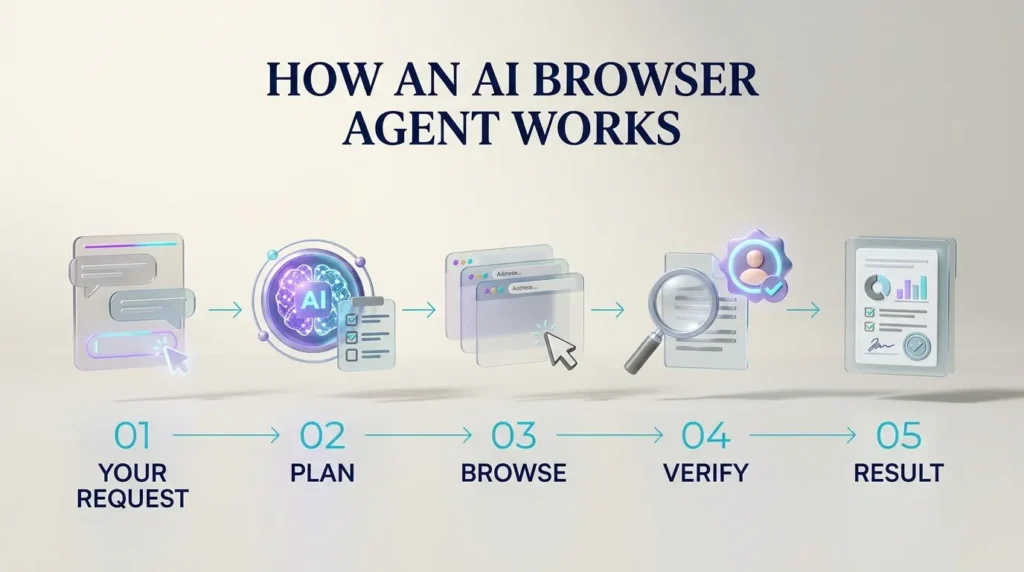
Instead of requiring a separate instruction for every click, an agent can interpret a broader goal, decide which steps are needed and attempt to complete them.
For example, you might ask:
“Find three hotels near the conference venue, compare their cancellation policies and show me the best options under my budget. Don’t book anything.”
A capable browser agent may search multiple websites, open relevant pages, extract details and organize the findings.
The important word is may.
An agent’s actual capabilities depend on the product, subscription, permissions, supported websites and safeguards. Some can navigate and type in browser tabs. Others only answer questions based on page content.
AI browser agents are not a replacement for checking important information yourself.
AI Browser Assistant vs. AI Browser Agent: What’s the Difference?
The easiest way to understand the distinction is to look at what happens after you ask a question.
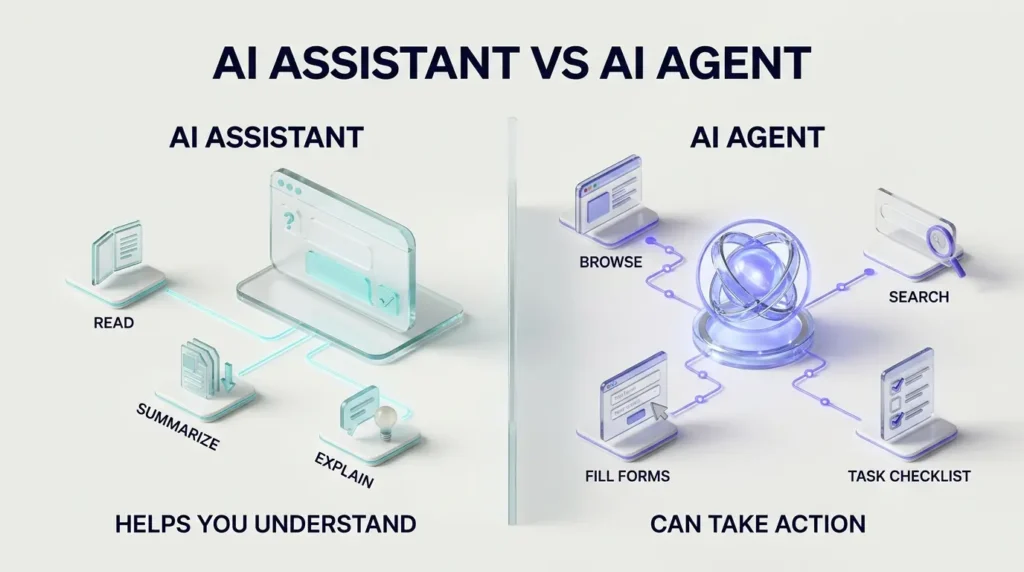
An AI browser assistant generally helps you understand information. An AI browser agent can also attempt to act on that information.
| Task | AI browser assistant | AI browser agent |
|---|---|---|
| Summarize an article | Usually supported | Usually supported |
| Explain a webpage | Usually supported | Usually supported |
| Compare information | Often supported | Often supported |
| Navigate through several websites | Sometimes limited | Common agent capability |
| Click buttons and interact with forms | Not necessarily | Supported by some agents |
| Complete a multi-step workflow | Limited or manual | Possible with supported tools |
| Make purchases or submit information | Usually requires you | May assist, with permissions and safeguards |
Here’s a simple example.
You ask an assistant to compare three project-management tools. It may summarize their features and explain the differences.
You ask an agent to research those tools, open their pricing pages, compare plan limitations and prepare a table. Depending on its capabilities, it may carry out several browsing steps before returning the result.
The distinction matters because an attractive AI sidebar doesn’t automatically mean you have a fully autonomous browser agent.
What Can AI Browser Agents Actually Do?
The most useful applications aren’t necessarily dramatic. Often, they’re the repetitive browser tasks that take up small pieces of your day.
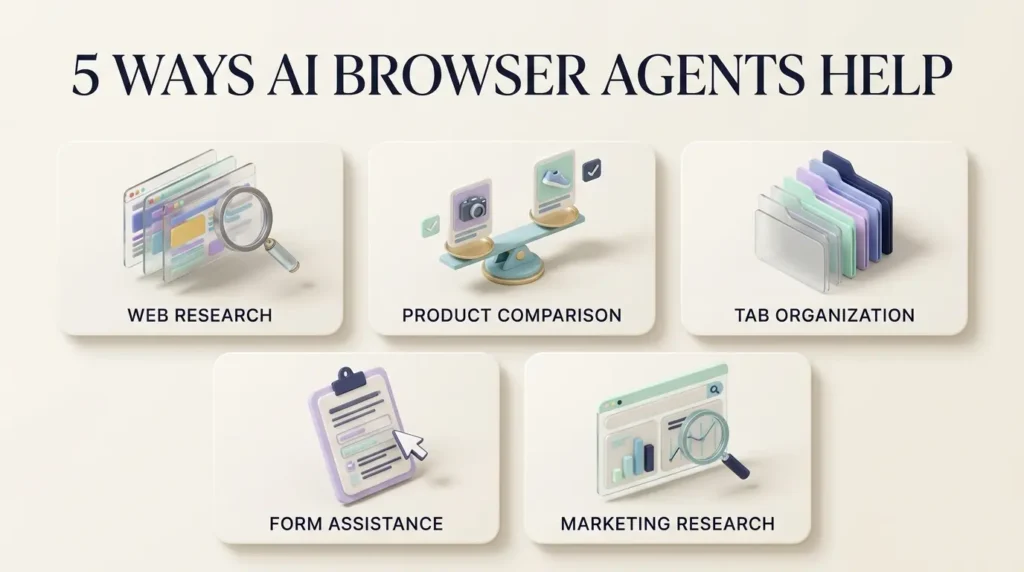
1. Research across multiple websites
A browser agent may collect information from several sources, compare details and organize the results.
For example, a student could ask it to find publicly available course information, or a business owner could ask it to compare software subscription features.
The output still needs checking. A tool may miss a page, misunderstand a pricing condition or rely on outdated information.
2. Compare products and services
Browser agents can help organize specifications, prices, return policies and availability.
A useful prompt might be:
“Compare these three laptops using the manufacturers’ official specification pages. Include battery claims, display specifications and warranty terms. Show the source for every important detail.”
For a purchase, verify the final price, shipping fees and return terms directly with the seller.
3. Organize information across tabs
Some browser assistants and agents can use context from several open tabs.
This is helpful when you’re reviewing reports, comparing documentation or preparing a research summary.
However, the amount of information a tool can access depends on its permissions and browser integration.
4. Help with forms and routine administrative tasks
Supported agents may enter information into forms, navigate dashboards or help complete repetitive workflows.
These tasks require particular care.
A mistake in a research summary is inconvenient. A mistake in a payment form, account setting or customer record can have consequences.
Start with read-only tasks before allowing an agent to modify information.
5. Support digital marketing research
Consider a small business planning a new marketing campaign.
An AI browser agent could help gather publicly available competitor information, compare published service offerings, identify recurring questions in search results and organize research for a campaign brief.
That can be useful preparation for work involving SEO, content planning or paid advertising.
For example, Social Stellor offers digital marketing services including SEO, social media management, Google Ads, Meta Ads and web development. A business evaluating services like these could use browser-assisted research to compare publicly stated offerings before discussing its actual requirements with an agency.
Disclosure: Social Stellor is a related business reference included for context, not an independently tested or ranked AI-browser product.
An agent should not be used to fabricate customer reviews, scrape restricted private data, create spam, or publish unverified claims.
Which AI Browser Agents Are Available?
Several major technology companies are developing AI-assisted and agentic browsing experiences.
They aren’t interchangeable. Some are standalone browsers, others are extensions, and others add agentic functionality to browsers people already use.
Here’s how the main options differ.
| Product | Format | Main strength | Important limitation |
|---|---|---|---|
| Perplexity Comet | Standalone AI browser | Research and agent-assisted browsing | Browser-agent queries require eligible paid access |
| Gemini in Chrome | Built into Chrome | Multi-step web tasks within Google’s browser | Auto browse has subscription, regional and rollout requirements |
| Claude in Chrome | Chrome extension | Browser interaction across websites and tabs | Requires a paid Claude plan |
| Microsoft Edge with Copilot | Built-in assistant and selected agent features | Research, summaries and Microsoft workflows | Autonomous browsing has limited eligibility |
| Brave with Leo | AI assistant integrated into Brave | AI assistance in a privacy-oriented browser | Don’t assume all Leo functions are autonomous browser actions |
These descriptions reflect published product information, not an independently measured ranking.
1. Perplexity Comet: A Browser Built Around AI Assistance
Perplexity Comet is a standalone browser designed around AI-assisted research and everyday browsing.
Its appeal is straightforward: instead of treating AI as a separate website you visit, Comet brings an assistant into the browsing experience.
Perplexity describes uses including researching information, comparing options and helping with tasks such as shopping and planning.
What makes Comet interesting?
It places AI assistance close to the webpages you’re already using. That can reduce the back-and-forth between browsing and a separate chatbot.
But the browser itself being free does not mean every autonomous task is free.
Perplexity’s subscription comparison distinguishes free search features from paid browser-agent queries.
Best suited to: People who want an AI-centered browsing environment and regularly research information across multiple websites.
Watch out for: Subscription limits and the permissions granted to the assistant.
2. Gemini in Chrome: AI Assistance Without Switching Browsers
Google is integrating Gemini into Chrome, including an agentic feature called auto browse.
According to Google’s Chrome documentation, auto browse can help with tasks such as comparing products, planning travel and handling certain web-based activities.
The attraction is convenience. Many people already use Chrome for work, research and everyday browsing.
However, there’s a major distinction between having access to Gemini assistance and being eligible for autonomous browsing.
At the time of research, Google’s documentation lists requirements including an eligible Google AI Pro or Ultra subscription, supported account settings, and availability restrictions involving the United States and desktop Chrome.
That means a user may see Gemini in Chrome without having access to the full auto-browse experience.
Best suited to: Existing Chrome users who meet the eligibility requirements and want AI-assisted multi-step browsing.
Watch out for: Rollout restrictions, account eligibility and access to logged-in websites.
3. Claude in Chrome: An AI Agent Inside Your Existing Browser
Claude in Chrome takes a different approach.
Rather than requiring a separate standalone browser, it operates through a Chrome extension.
Anthropic says Claude can read webpages, navigate between tabs, click, type and interact with forms. Its browser integration can also support workflows involving websites that don’t have direct integrations with other software.
Anthropic announced general availability across paid Claude plans in August 2026.
For someone who already uses Chrome and Claude, this can be an appealing way to add browser automation without changing their main browser.
Still, an AI agent with access to logged-in websites deserves careful supervision. Anthropic has specifically discussed prompt-injection threats and the safeguards used to reduce them.
Best suited to: Paid Claude users who want browser interaction alongside their existing workflow.
Watch out for: Extension permissions, sensitive account access and automation mistakes.
4. Microsoft Edge with Copilot: Familiar Browsing With AI Support
Microsoft Edge includes Copilot features for asking questions, summarizing webpages and helping users understand online content.
The standard Copilot experience should not be confused with Microsoft’s more advanced Browse with Copilot feature.
Microsoft explains that Browse with Copilot can interact with websites by navigating, clicking and typing in the browser.
However, the company’s official support documentation describes a limited consumer rollout tied to Microsoft 365 Premium eligibility in the United States, with additional markets planned.
That distinction matters if you’re choosing a browser specifically for autonomous tasks.
Best suited to: Microsoft and Windows users who value integrated research assistance.
Watch out for: Assuming ordinary Copilot access includes autonomous browsing.
5. Brave with Leo: An Alternative for Privacy-Conscious Browsing
Brave is known for its privacy-focused browser positioning, while Leo adds AI assistance to the browsing experience.
For users who want webpage explanations, summaries and an AI assistant inside their browser, it’s worth considering.
However, an AI assistant that summarizes content isn’t necessarily equivalent to an agent that can independently navigate complex workflows.
Before choosing Brave for agentic automation, check which action-taking features are currently available for your device and account.
Best suited to: People who value privacy-oriented browsing and built-in AI assistance.
Watch out for: Treating AI summaries and autonomous browser automation as the same capability.
Are There Any Free AI Browser Agents?
Yes, there are free AI browsing experiences, but the answer depends on what you want the software to do.
Free AI assistance is much easier to find than unrestricted autonomous browser automation.
A browser may be free to download while charging for the agent that clicks, navigates and completes multi-step tasks.
Here’s a practical way to understand the difference.
| Option | Free entry point | Autonomous browser tasks |
|---|---|---|
| Perplexity Comet | Browser download | Paid browser-agent queries under published plan terms |
| Google Chrome with Gemini | Chrome browser | Eligible Google AI subscription and supported rollout |
| Microsoft Edge with Copilot | Browser and basic assistant features | Restricted rollout and subscription requirements |
| Claude in Chrome | Chrome itself is free | Paid Claude plan required |
| Brave with Leo | Free browser and AI assistance options | Feature-specific; verify agent capabilities separately |
If you’re just beginning, try ordinary AI-assisted research before paying for advanced automation.
Ask a browser assistant to summarize a public article or explain a product specification. Then decide whether you actually need a tool that interacts with websites on your behalf.
For many readers, the simpler option may be enough.
How to Use an AI Browser Agent: Three Practical Examples
You don’t need to automate your entire day to find value in an AI browser agent.
Start with tasks that are easy to verify and don’t involve sensitive information.
Example 1: Compare Software Before Buying
Suppose you’re choosing a project-management tool.
Instead of opening dozens of pages manually, you could use this prompt:
“Research the official websites of three project-management tools. Compare their entry-level pricing, team limits, major features and cancellation terms. Include links to the original pages. Don’t create accounts or purchase anything.”
Why it works: The task is specific, the sources are identifiable and the agent isn’t authorized to make a purchase.
Before making a decision, check the vendors’ current pricing and terms yourself.
Example 2: Prepare a Research Brief
Imagine you’re researching how businesses use AI for customer support.
Try:
“Find recent, reputable sources about AI customer-support systems. Separate vendor claims from independent research. Summarize the main use cases, limitations and risks. Include the publication date and source URL for each finding.”
This encourages the agent to produce a structured research starting point rather than a confident answer with no evidence.
It’s especially useful for writers, students and business researchers.
Example 3: Research a Digital Marketing Campaign
A marketing team could ask:
“Review the public websites of five businesses in this industry. Identify their main service categories, messaging themes and publicly visible content formats. Prepare a comparison table. Do not access private accounts, collect personal information or publish anything.”
The output could inform an initial SEO or content-planning discussion.
It should not replace actual keyword data, customer research or expert judgment.
TrendOutsider readers interested in related developments can also explore our guides to AI search optimization tools and generative AI workflows.
Are AI Browser Agents Safe?
AI browser agents can be useful, but they’re not risk-free.
The main difference from a normal chatbot is that an agent may have the ability to act.
That creates several categories of risk.
Prompt injection: When a webpage tries to instruct your agent
Imagine asking an AI agent to summarize a webpage.
Hidden inside that page is a malicious instruction telling the agent to ignore your original request and send private information somewhere else.
This is an example of prompt injection.
The danger is that the agent may encounter instructions embedded in untrusted content and mistake them for legitimate directions.
Both Google and Anthropic discuss prompt injection as an important risk in browser-based AI systems.
A well-designed agent should treat webpage content as information, not as an authority that can override your instructions. But safeguards aren’t a reason to assume every attack will be stopped.
Sensitive information and logged-in accounts
An agent may operate in a browser where you’re already signed into email, shopping, cloud storage or business dashboards.
Depending on the product and permissions, it may be able to read or interact with information associated with those sessions.
That’s why account access deserves attention before you start an automated task.
Incorrect actions
Even without an attacker, an agent can misunderstand what you want.
It may choose the wrong product, fill a field incorrectly, miss a condition or act on outdated information.
The fact that an agent completes several steps automatically doesn’t prove those steps were correct.
Privacy and data sharing
Browser-based AI tools may process webpage content and other contextual information to complete a request.
Different providers have different privacy controls and data-handling policies.
Review those settings before using an agent with personal, confidential or commercially sensitive information.

Seven Safety Rules Before Giving an AI Agent Control
- Begin with read-only tasks. Research and summarization are easier to verify than transactions or account changes.
- Set clear boundaries. Tell the agent not to purchase, submit, publish, delete or send anything without approval.
- Limit access to sensitive accounts. Avoid unnecessary access to banking, medical, payroll and confidential business systems.
- Review every consequential action. Confirm recipients, amounts, settings and submitted information yourself.
- Check original sources. Don’t trust a summary merely because the agent opened several webpages.
- Review permissions and privacy settings. Understand what browser content and account information the tool can access.
- Stop the task when something looks wrong. Take control rather than letting an agent continue after an unexpected action.
Google’s documentation for Gemini in Chrome explicitly warns about unintended actions, data sharing and prompt injection. Anthropic also describes safeguards for Claude in Chrome while acknowledging the continuing challenge of malicious instructions embedded in web content.
These precautions aren’t meant to make AI browsing intimidating. They’re the same kind of sensible boundaries you’d apply when giving another person access to an important account.
Which AI Browser Agent Should You Choose?
There’s no universal winner.
The right choice depends on what you’re trying to accomplish, the browser you already use and how much autonomy you actually need.
Choose based on your workflow:
- For AI-centered web research: Explore Perplexity Comet, while checking its paid agent limits.
- For eligible Chrome users: Gemini in Chrome may offer convenient built-in agentic browsing.
- For existing paid Claude users: Claude in Chrome offers an extension-based approach to browser tasks.
- For Microsoft-focused workflows: Edge with Copilot is worth considering, but verify access to Browse with Copilot.
- For privacy-oriented AI assistance: Consider Brave with Leo, while distinguishing assistance from autonomous actions.
Before paying for anything, check three questions:
Can the tool perform the exact task I need? Is that feature available in my country and plan? What information or permissions must I give it?
Those answers matter more than an impressive product demonstration.
Will AI Browser Agents Replace Traditional Browsing?
Probably not in the simple sense of eliminating browsers or making manual browsing unnecessary.
A more realistic possibility is that browsers increasingly offer two ways to work.
In one, you navigate websites yourself, deciding what to open and where to click.
In the other, you describe a goal and let an AI system attempt some of those steps, while you review its progress and approve important decisions.
Both approaches have advantages.
Manual browsing gives you direct control. Agentic browsing can reduce repetitive work.
For research, shopping, administrative tasks and business workflows, the two approaches may increasingly work side by side.
The question isn’t whether an AI agent can click faster than a person.
It’s whether it can complete a task accurately, transparently and with an appropriate level of human control.
Frequently Asked Questions About AI Browser Agents
What is the best AI browser agent?
There isn’t one best option for everyone. Perplexity Comet, Gemini in Chrome, Claude in Chrome and Microsoft’s Browse with Copilot offer different approaches, access requirements and capabilities. Compare them against your specific tasks and budget.
Can I use an AI browser agent for free?
Some AI browsers and assistants offer free access, but advanced autonomous browsing often requires an eligible paid plan. Always distinguish the cost of the browser from the cost of its agent features.
Can an AI browser agent fill out forms?
Some can. However, supported actions vary by provider and website. Review any form carefully before allowing submission, particularly when personal or financial information is involved.
Can AI browser agents make purchases?
Certain products support shopping-related workflows, but purchases and other sensitive actions may require confirmation or direct user involvement. Never assume an agent will correctly understand your budget or final purchase preferences.
Is an AI browser agent the same as ChatGPT?
No. A chatbot primarily provides conversational assistance. Browser agents have access to tools that may allow them to navigate and interact with websites. Some AI platforms combine both capabilities.
Are AI browser agents safe for business accounts?
They may be useful for selected business tasks, but organizations should evaluate permissions, privacy, data handling and approval requirements before granting access to internal dashboards or sensitive records.
Can AI browser agents help with SEO?
They can assist with public research, gathering competitor information and organizing source material. They don’t replace reliable Search Console data, technical SEO audits or human editorial judgment. Automated research also doesn’t guarantee rankings.
Do AI browser agents work on mobile?
Availability varies. Some AI browsers have mobile apps, while certain autonomous features remain limited to desktop browsers or specific operating systems. Check the provider’s current documentation.
Final Thoughts: Let AI Handle Repetition, Not Responsibility
AI browser agents are changing what people can ask their browsers to do.
Instead of simply opening websites, a browser may now help research options, compare information and complete parts of a multi-step task.
That’s genuinely useful… especially when the work is repetitive, the instructions are clear and the result is easy to verify.
But automation isn’t the same as accuracy.
A browser agent can misunderstand a request, encounter misleading information or act in ways you didn’t intend. The more access you give it, the more important your supervision becomes.
If you’re curious, start with one simple research task. Compare the results against the original sources. Learn how the tool handles permissions and approvals.
Then decide whether more automation would actually make your work easier.
The smartest way to use an AI browser agent isn’t to stop paying attention. It’s to spend your attention where it matters most.
Editorial methodology: This article is based on publicly available vendor documentation and product announcements reviewed in October 2026. It is not a hands-on product benchmark. Features, subscription terms and geographic availability may change. Conceptual AI-generated illustrations are used for explanation and should not be mistaken for actual product screenshots.







Leave a Reply