
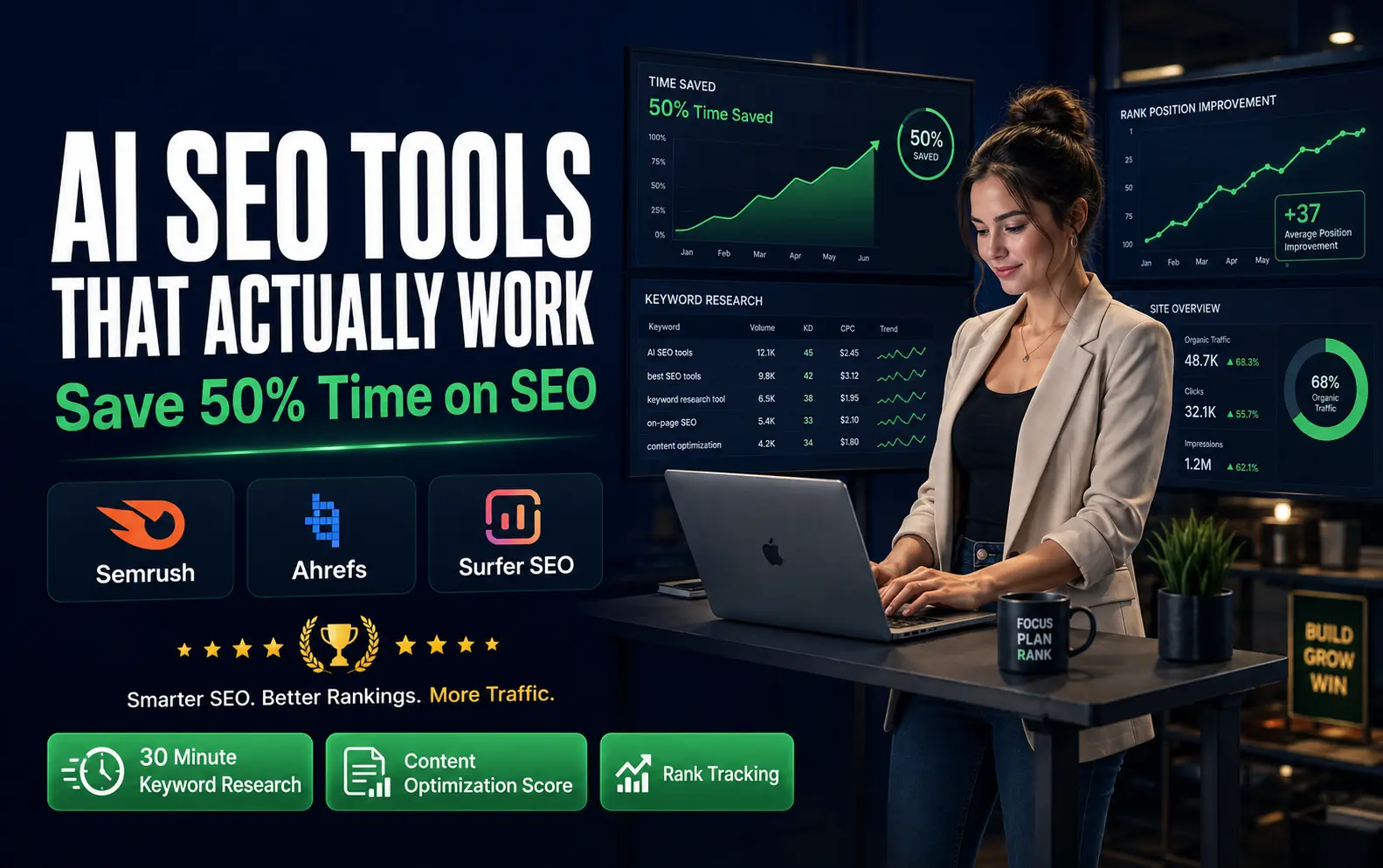
When I started my first blog, I spent every evening doing SEO research. Keyword research alone took three hours. I’d open ten different tabs, check search volumes on one site, check keyword difficulty on another, read competitor articles manually, and scribble down headings that appeared in multiple rankings.
By the time I finished the research, I was too tired to write.
Looking back, that approach was completely inefficient. I was doing manually what tools could have done in thirty minutes.
Today, my entire keyword research process takes less time than my morning coffee. I know exactly what keywords to target, what my content needs to include, and what competitors are missing. The difference isn’t that I became smarter. The difference is that I stopped wasting time on repetitive work.
This is what AI SEO tools actually do. They don’t write your content. They don’t magically rank your website. They handle the slow, repetitive tasks so you can focus on creating something genuinely helpful.
If you manage a website, run a blog, or create content professionally, you understand how much time SEO takes. Keyword research. Competitor analysis. Content optimization. Technical fixes. Rank tracking. It’s endless. Most website owners either spend forty to fifty hours per month on these tasks or pay thousands to an agency.
AI SEO tools offer a third option. They let you do professional-level work in a fraction of the time.
Why I’m Writing This Now
Here’s the honest reason I’m covering AI SEO tools in 2026. The SEO landscape changed.
Two years ago, SEO was mostly about getting your content to rank on Google. Today, it’s more complicated. Your content needs to rank on Google, yes. But it also needs to be visible when someone asks a question inside ChatGPT. It needs to be cited when someone searches on Perplexity. It needs to be mentioned when Google shows AI Overviews.
This shift is so significant that traditional SEO tools alone aren’t enough anymore.
You need tools specifically designed to help your content get picked up by AI engines not just ranked on Google. If you want to see the complete list of AI search
optimization tools that are actually built for this new environment, check out our guide to the 10 best AI search optimization tools, which shows you exactly which platforms help with both traditional rankings and AI visibility.
The website owners who understand this shift are already using AI tools to stay ahead.
The website owners who understand this shift are already using AI tools to stay ahead. The ones who don’t are falling behind.
I’ve watched people invest in SEO and get frustrated because they’re working manually while their competitors work smart. That gap grows bigger every month.
So I wanted to create a practical guide that addresses what actually works in 2026. Not the hype. Not the overcomplicated platforms that require a learning curve. Just the tools that genuinely save time and improve your ranking potential.
How This Guide Is Organized
I’m going to walk you through three things.
First, you’ll see which tools actually deliver results. I’ve tested these myself and watched others use them. I’m not recommending tools I haven’t used or tools I don’t believe in.
Second, I’ll explain exactly how to use these tools without wasting money. A lot of people buy SEO tools they don’t know how to use. That’s throwing money away.
Third, I’ll show you how to actually implement these tools in your workflow. This is the part most guides skip. They show you the tools, then you’re left wondering how to actually use them.
The Real Problem AI SEO Tools Solve
Let me be specific about what takes the most time in SEO.
If you spend two hours writing an article, you probably spend another three hours on everything else. Three hours finding the right keyword. Checking search intent. Analyzing competitor content. Optimizing your draft. Fixing technical issues. Adding internal links.
The writing is the creative part. Everything else is work.
Most of that work is necessary. Google cares about whether your content matches search intent. Google cares about whether your article covers the topic properly. Google cares about whether your site works well technically.
But the process of figuring all that out doesn’t have to take hours.
That’s where AI SEO tools come in. They automate the detective work. Instead of manually reading five competitor articles and taking notes, a tool shows you the patterns in seconds. Instead of guessing whether you’ve covered the topic well enough, a tool analyzes top-ranking content and tells you what’s missing.
The time savings add up. You might save two hours per article.There’s another layer most people miss: understanding whether your content is actually being used by AI systems to answer questions. Are you being cited in ChatGPT responses?
Does your content appear in Perplexity’s answers? Traditional
ranking tracking tools won’t tell you this. That’s where AI search monitoring becomes critical. I’ve written separately about why AI search monitoring tools matter in 2026 , it’s the blind spot that costs most content creators
thousands of dollars in missed visibility.
The time savings add up… If you write weekly, that’s over eight hours a month. Over a hundred hours a year.
But it’s not just about time. The tools give you better information. When you’re manually checking competitors, you miss things. Tools catch patterns you wouldn’t see otherwise.
Free Tools That Actually Deliver Value
I’m starting here because you can get started without spending any money.
Google Search Console
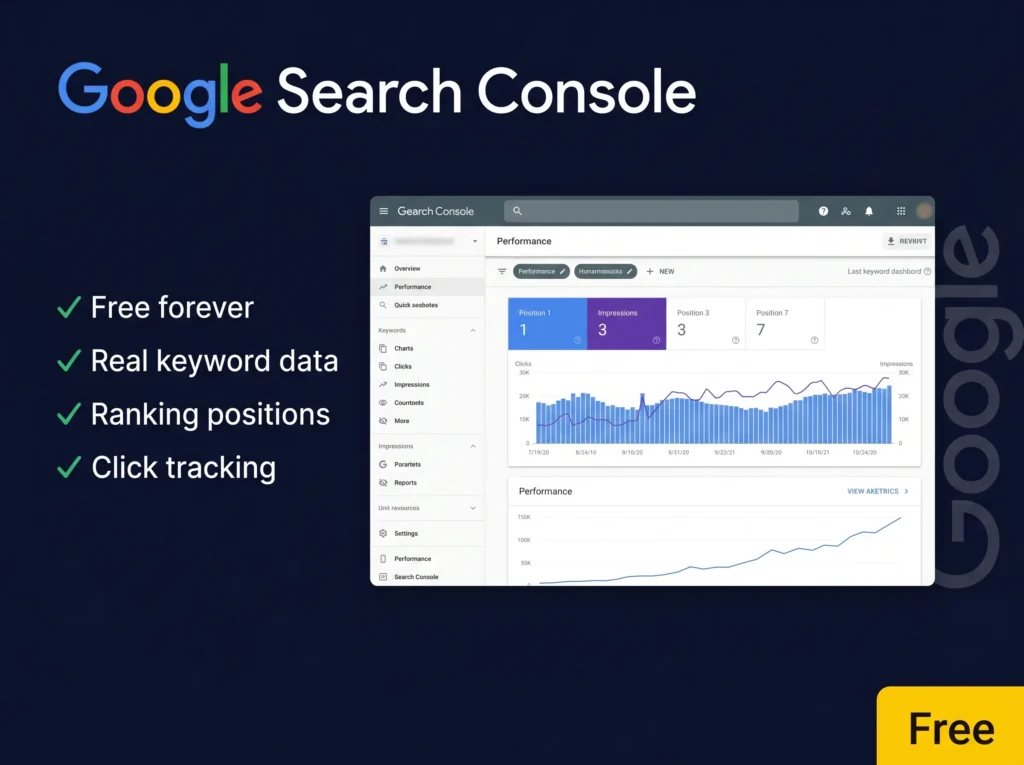
Google Search Console is the most underused SEO tool I know. Many website owners set it up and never look at it again.
That’s a mistake. This tool shows you what keywords people are actually searching before they find your site. It shows you which of your pages are getting impressions but few clicks. It shows you indexing problems and technical issues.
Specifically, it tells you:
Which keywords bring visitors to your site and what position you rank at
How many impressions you’re getting for different queries
Whether Google can index your pages properly
Which pages have mobile usability issues
Where you have broken links
That information is incredibly valuable. When you see a page getting fifty impressions but only two clicks, that’s a clear signal that the title or description needs improvement.
Use Search Console to monitor your performance after publishing. If an article doesn’t rank as expected, Search Console will often tell you why.
Bing Webmaster Tools
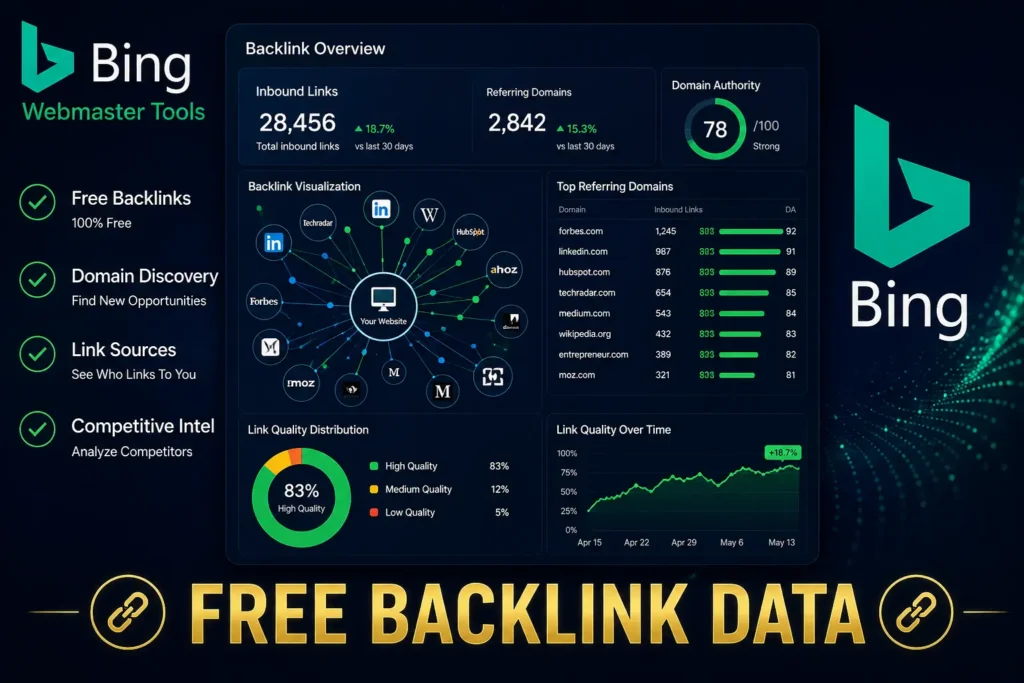
Most SEO professionals ignore Bing. That’s understandable because Google sends way more traffic.
But Bing’s insights are often clearer than Google’s. Bing also gives you backlink data for free. Google doesn’t. If you want to see who’s linking to your site without paying for a tool, Bing shows you this information.
Backlinks matter for ranking. If you know who’s linking to your competitors, you can figure out where to pitch your content for links.
ChatGPT
I use ChatGPT differently than most SEO people do.
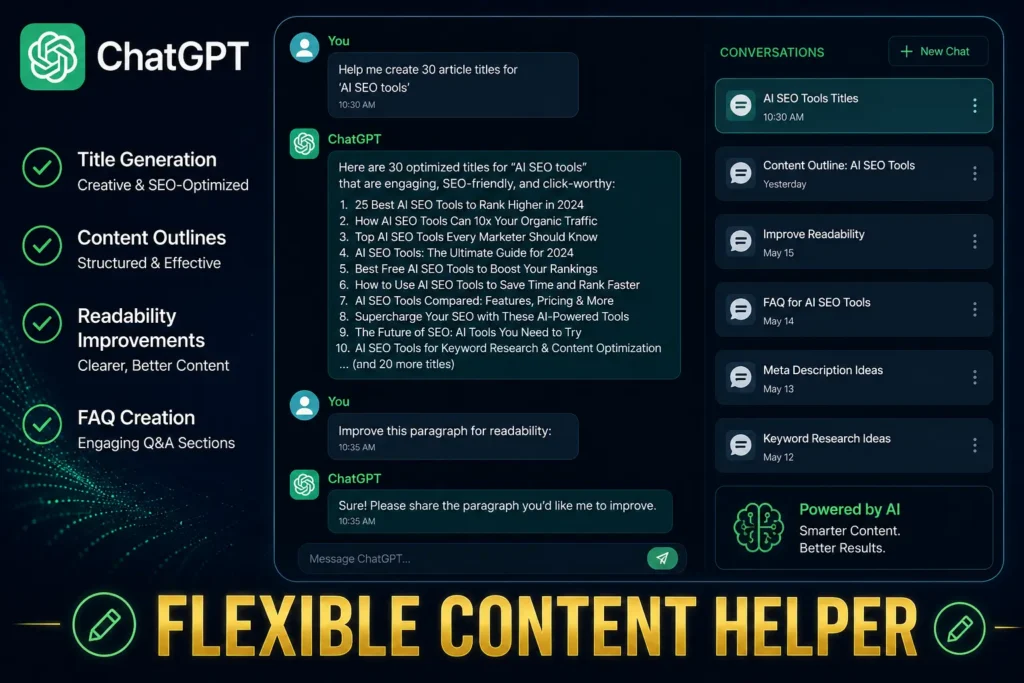
I don’t use it to write articles from scratch. That doesn’t work well. But I use it constantly for everything else.
I use it to brainstorm article titles. I give it my target keyword and ask for thirty title options. I pick the best ones and test them.
I use it to create article outlines. I give it a competitor article and ask ChatGPT to identify the main sections and suggest a better structure.
I use it to improve readability. If I’ve written something that feels dense, I paste it in and ask ChatGPT to simplify the language while keeping the meaning.
I use it to identify FAQ questions. I paste my draft article and ask what questions readers might have based on the content. It usually comes up with good ones I hadn’t thought of.
I use it to write meta descriptions and create social media snippets from my articles.
The key is that I’m not letting it do the thinking. I’m using it to move faster through the mechanical parts.
Claude
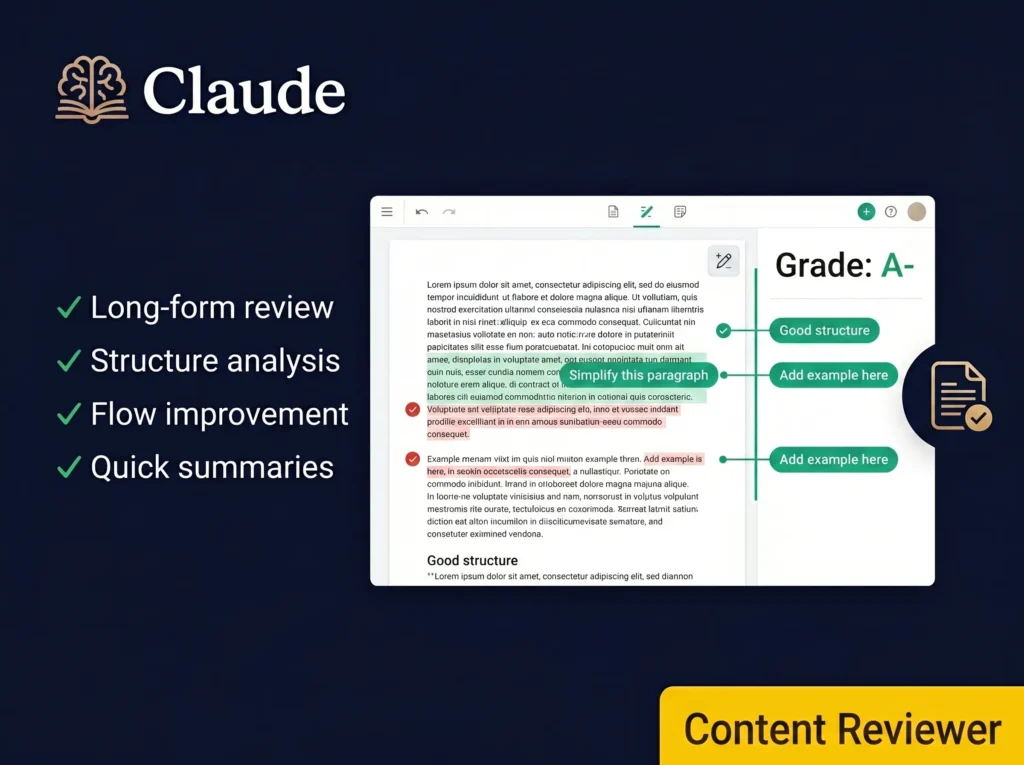
Claude is better than ChatGPT at reviewing long content. If I write a 3,000-word article and want honest feedback about structure and flow, Claude handles that better.
Claude also creates better summaries. When I need to understand a competitor’s article quickly, Claude can summarize the main points accurately.
Perplexity
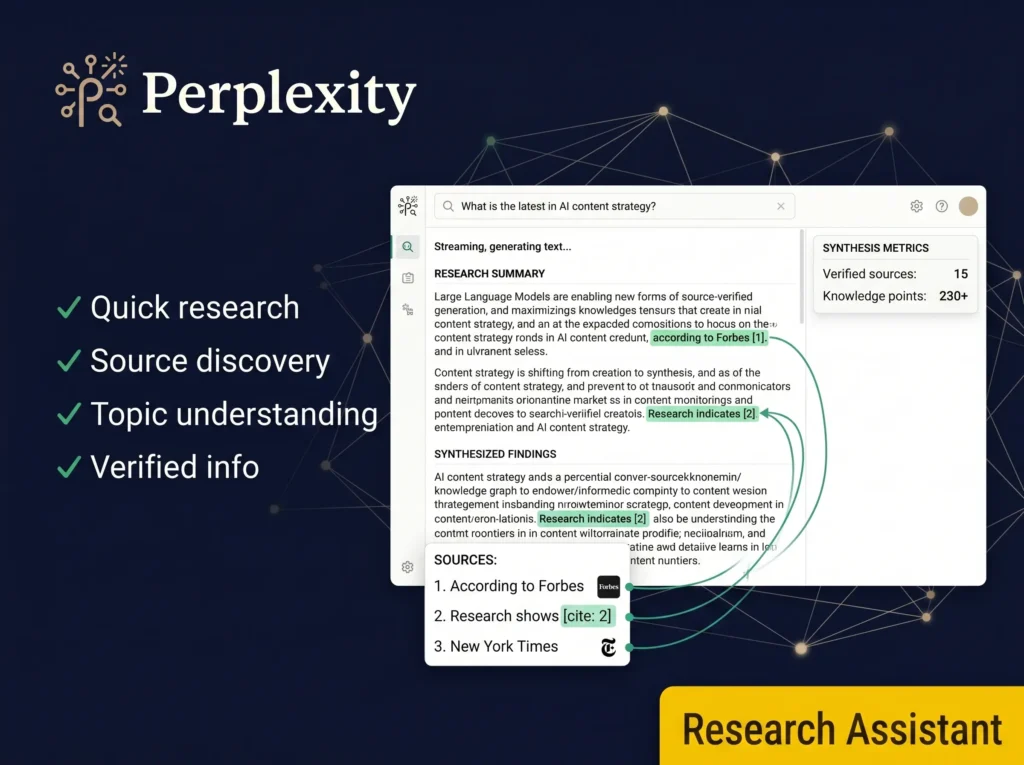
Perplexity is useful when I’m researching a topic I don’t know well. It summarizes information and points me to sources.
If I’m writing about a new trend or technology, Perplexity helps me understand it quickly. Then I verify the information from original sources before including it in my article.
Free Tools Comparison Table
Here’s how the free tools compare for different needs:
| Tool | Best For | Learning Curve | Time to Value | Cost |
|---|---|---|---|---|
| Google Search Console | Performance tracking & indexing | Minimal | Immediate | Free |
| Bing Webmaster Tools | Backlink data & additional insights | Minimal | Immediate | Free |
| ChatGPT | Content creation support | Low | 1-2 weeks | Free/Paid |
| Claude | Long-form content review | Low | 1-2 weeks | Free/Paid |
| Perplexity | Topic research & understanding | Minimal | Immediate | Free/Paid |
A completely free SEO toolkit using these five tools can handle basic SEO. You won’t get deep competitor backlink analysis or sophisticated keyword clustering, but you can publish helpful content, track your performance, and improve steadily.
When Free Tools Aren’t Enough
As you scale, free tools hit limits.
You can’t track rankings across hundreds of keywords with free tools. You can’t analyze competitor backlinks at scale. You can’t identify content gaps across entire industries.
Beyond those limitations, there’s another critical gap: most basic free tools don’t
help you monitor AI search performance. As more traffic moves through AI engines like
ChatGPT and Perplexity, you need visibility into whether your content is being cited.
Our comprehensive breakdown of AI search optimization tools shows you the full
spectrum of paid tools designed specifically to help with both traditional rankings
and AI search visibility—including features you simply won’t find in free options.
That’s where paid tools become valuable.
The Paid Tools That Deliver Real ROI
I’m only covering the ones I’ve actually used or seen deliver results.
Semrush: The All-In-One Platform

Semrush is what I recommend most often to people building serious websites.
It does keyword research showing search volume and keyword difficulty. It shows competitor analysis with their top-ranking pages, their backlinks, and the keywords they target. It audits your website for technical issues. It tracks your rankings over time. It suggests content topics. It analyzes backlink opportunities.
For a small business or freelancer starting out, Semrush feels expensive. For an agency managing multiple sites, it becomes essential.
I use Semrush specifically when I need to understand competitor strategy. I can see which pages earn them the most backlinks. I can see what keywords they rank for. I can identify gaps where they haven’t published content.
The learning curve is steeper than beginner tools, but the depth is powerful once you understand it.
Ahrefs: The Backlink Specialist

Ahrefs is built specifically for understanding backlinks and competitor analysis.
If you want to know why a competitor ranks for a keyword, Ahrefs shows you their backlink profile. You can see their referring domains, the anchor text they use, and the quality of their links.
For SEO professionals building link strategies, this is invaluable. You identify where competitors get links, then pitch your content to similar sites.
Ahrefs also has excellent keyword research and content gap identification tools.
Surfer SEO: Content Optimization Simplified

Surfer SEO is the tool I use most frequently.
You paste your article into Surfer, and it analyzes the top-ranking pages for your keyword. It shows you how many times the top pages use your main keyword, what subtopics they cover, what headings they include, how long their articles are, and their average readability score.
Based on this analysis, Surfer scores your article. The score isn’t perfect, but it’s useful as a guide.
I’ve found that articles with higher Surfer scores rank better more often than articles without optimization.
The key is not to chase a perfect score. A score of eighty is probably good enough. Trying to get ninety sometimes makes your writing feel forced.
Frase: The Research and Brief Builder
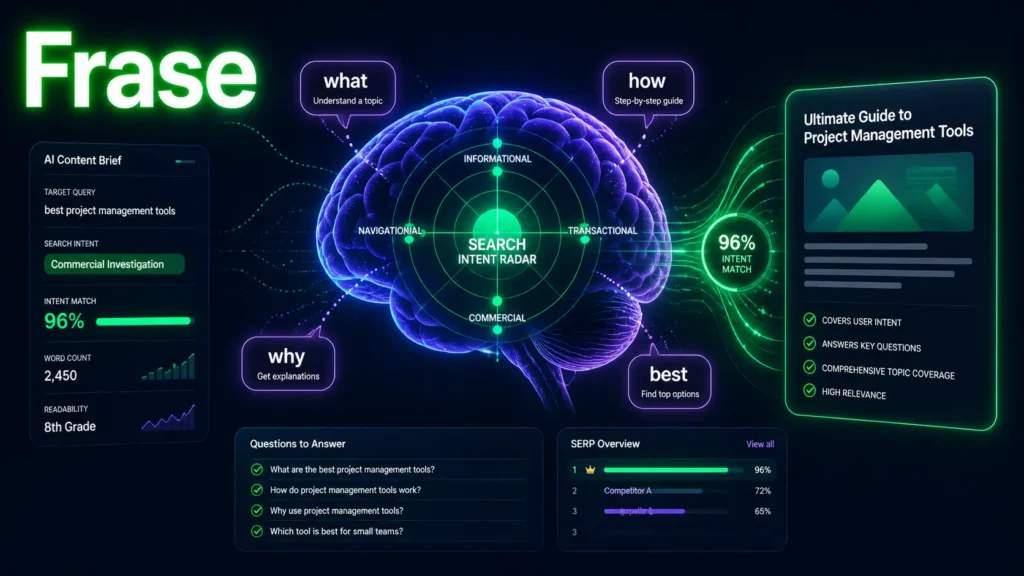
Frase combines research, brief creation, and content optimization.
What I like about Frase is that it helps you understand what readers actually want. It analyzes the top-ranking pages and the common questions people ask about your topic.
When you’re writing about “AI SEO tools,” Frase will show you that people frequently ask about pricing, free options, specific use cases, and comparisons between tools.
You can build an entire article outline from Frase’s research. Then you write content that answers the questions people actually have.
Clearscope: For Teams That Care About Quality
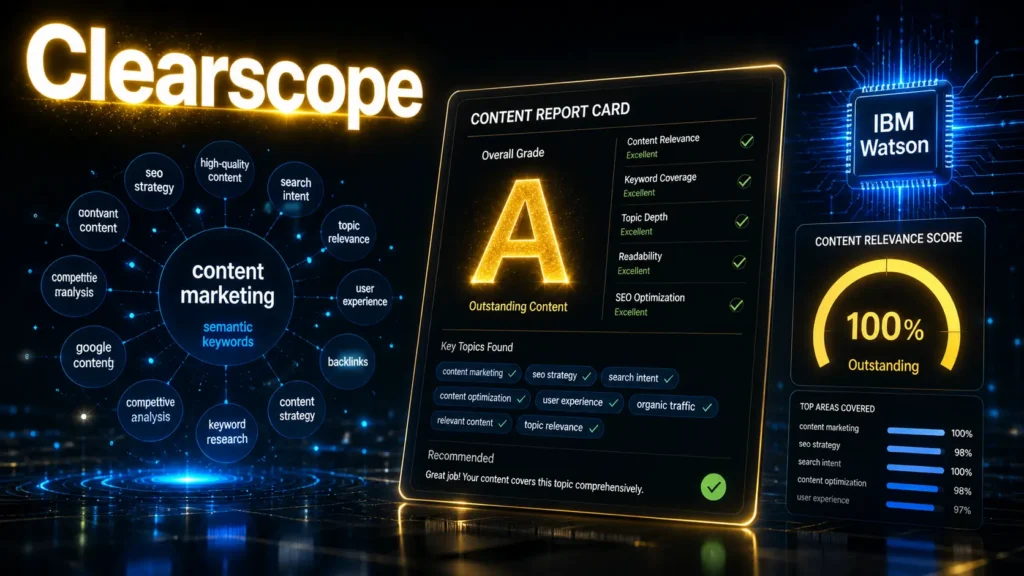
Clearscope is expensive compared to other tools, but it’s popular with professional content teams.
It grades your content based on semantic relevance. It checks whether you’ve covered the topic comprehensively. It identifies weak sections.
If you’re managing a content team and you care deeply about content quality, Clearscope helps maintain that standard across articles.
SE Ranking: The Budget-Friendly Option
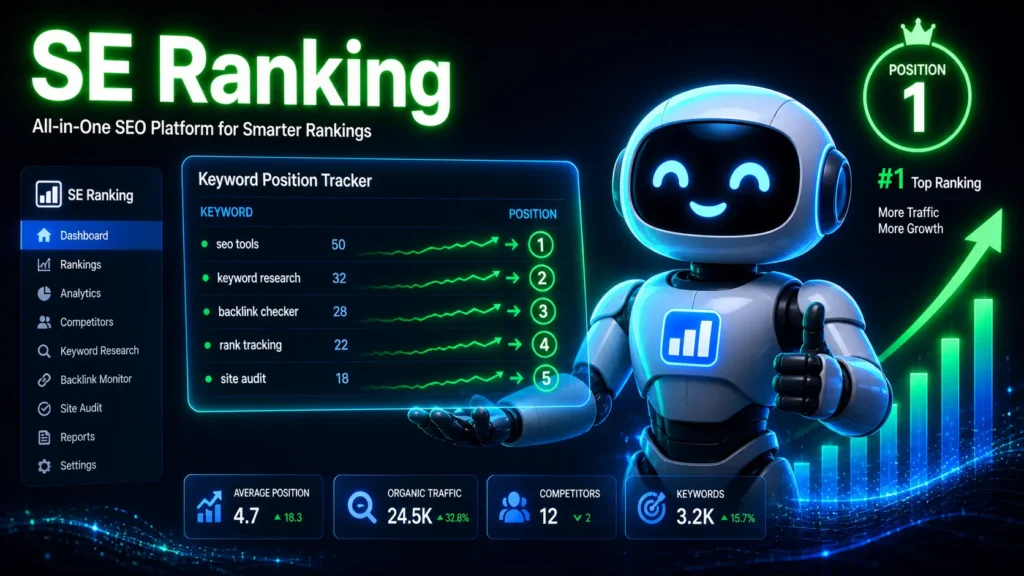
If tools like Semrush and Ahrefs feel too expensive, SE Ranking is a solid alternative.
It does rank tracking, site audits, keyword research, competitor analysis, and backlink analysis. It’s not as deep as the expensive tools, but it’s sufficient for most websites.
More importantly, it costs significantly less.
Paid Tools Comparison Table
Here’s how the paid tools stack up:
| Tool | Best For | Price Range | Best For | Learning Curve | ROI Speed |
|---|---|---|---|---|---|
| Semrush | All-in-one SEO | $100-800/mo | Agencies & serious sites | Moderate | Fast |
| Ahrefs | Backlinks & competition | $150-1,000+/mo | Link strategists | Moderate | Fast |
| Surfer SEO | Content optimization | $89-129/mo | Bloggers & writers | Low | Very Fast |
| Frase | Research & briefs | $44-200/mo | Content marketers | Low | Very Fast |
| Clearscope | Premium content quality | $200-500/mo | Professional teams | Moderate | Slow |
| SE Ranking | Budget-friendly suite | $47-168/mo | Small businesses | Low | Fast |
The Real Time Savings
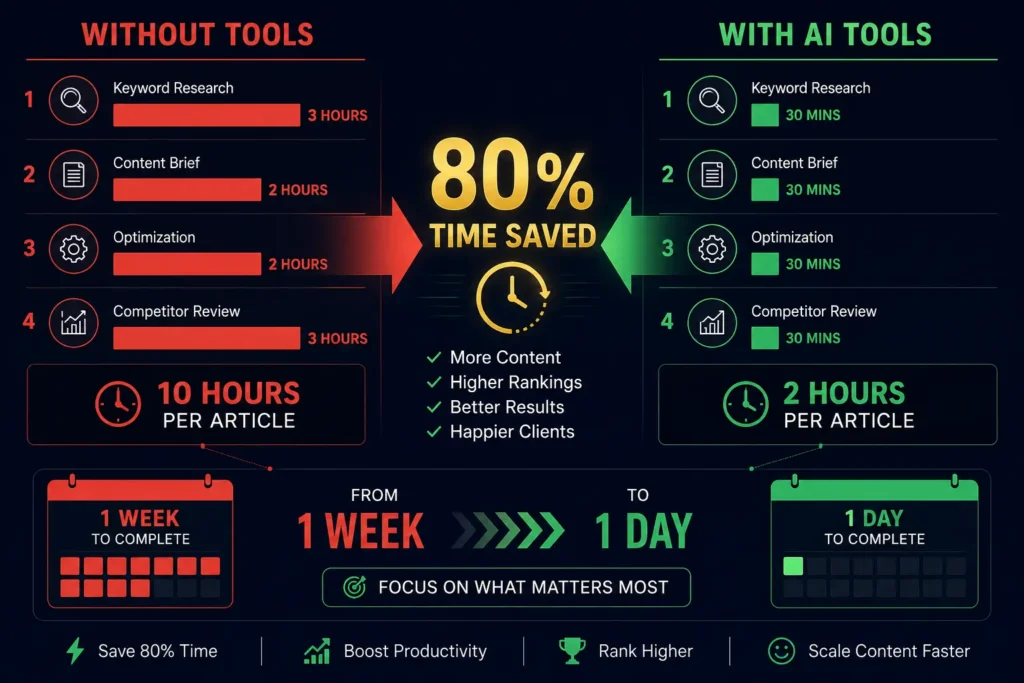
Let me show you with actual numbers what you save:
| Task | Without Tools | With Tools | Time Saved |
|---|---|---|---|
| Keyword Research | 2-3 hours | 20-30 minutes | 80-90% |
| Content Brief Creation | 2-3 hours | 20-40 minutes | 75-85% |
| Content Optimization | 2 hours | 30 minutes | 75% |
| Competitor Analysis | 3-4 hours | 15-30 minutes | 85-90% |
| Technical Site Audit | 4-6 hours | 10 minutes | 95%+ |
| Rank Tracking | 1 hour monthly | 5 minutes monthly | 92% |
Total Time Per Article: 10-12 hours without tools vs. 4-5 hours with tools = 50-60% time savings
Building Your First Workflow
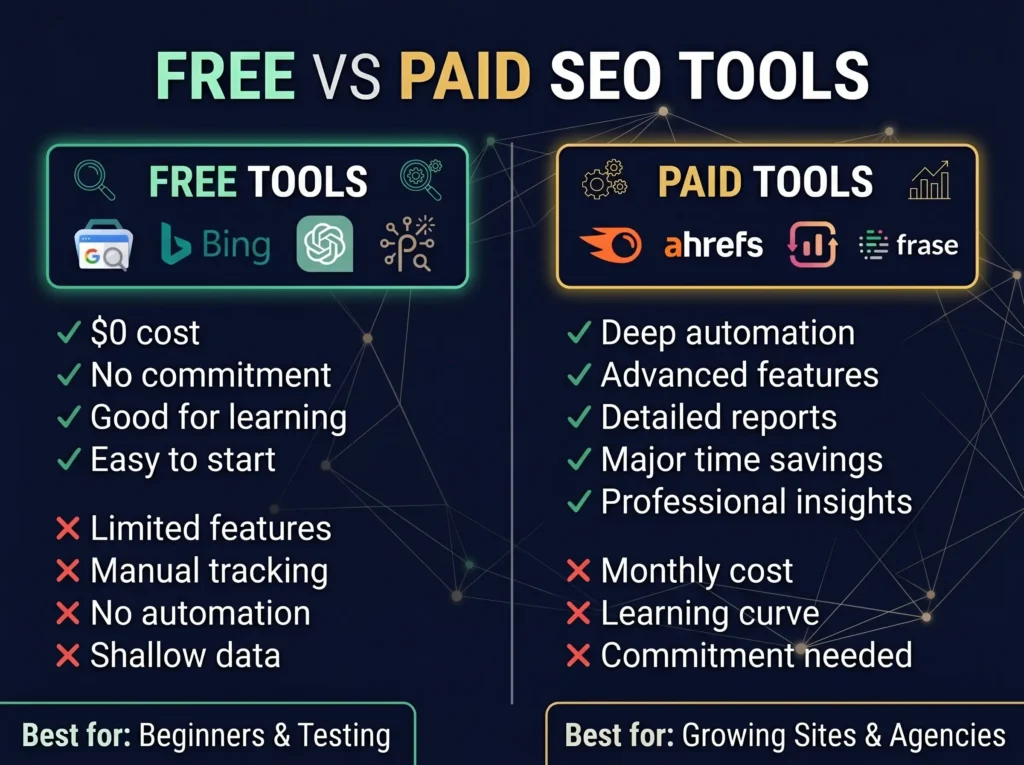
Let me walk you through exactly how I use these tools together.
When I decide to write an article, I start with keyword research. I use Semrush to check search volume, keyword difficulty, and related keywords. This takes about twenty minutes.
Then I analyze search intent. I search the keyword on Google and look at the top five results. Are they lists? Tutorials? Comparisons? Reviews? This tells me what format readers expect. This takes another fifteen minutes.
Next, I build a content brief. I use Frase to analyze what the top-ranking articles cover. I identify common themes, FAQs, and gaps. I create an outline. This takes about thirty minutes.
Then I write. This is the only part where I don’t use tools much. I just write clearly and helpfully. This takes as long as it needs to.
After I write, I optimize. I paste my article into Surfer SEO. I see what I’m missing. I add missing subtopics, adjust headings, improve readability. This takes about thirty minutes.
Finally, I add internal links, publish, and monitor performance in Search Console.
The total time is usually four to five hours for a complete article. Without these tools, it would take eight to ten hours.
Tools By Situation
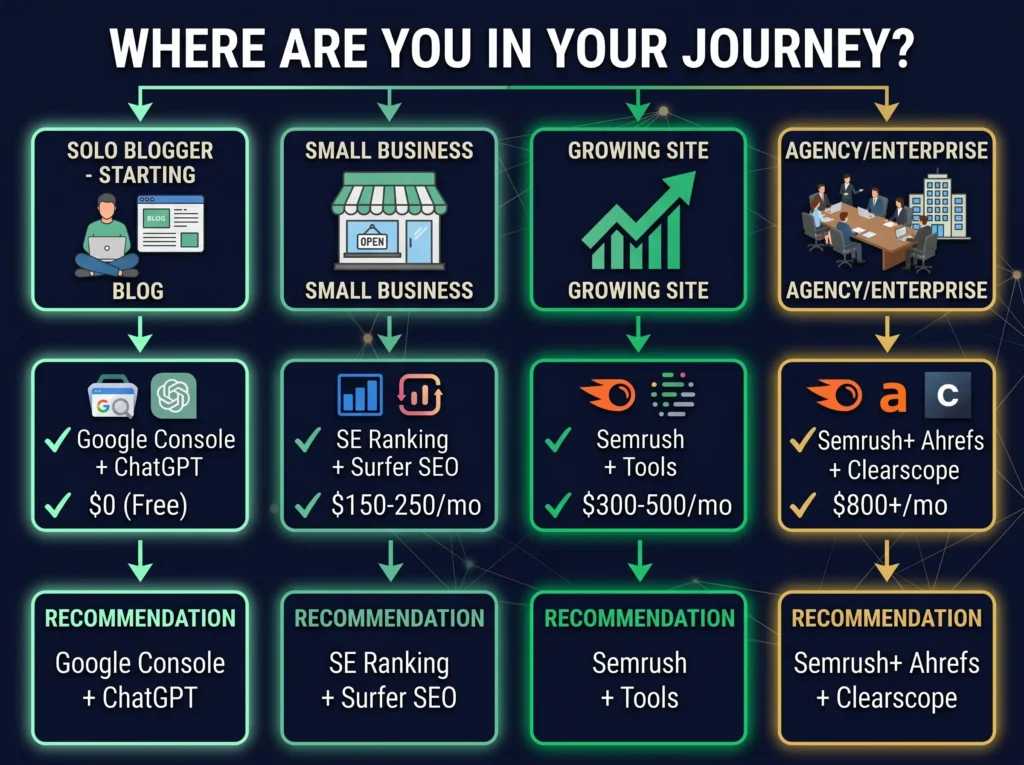
Different situations need different tools.
For a Solo Blogger
Start with Google Search Console, ChatGPT, and Ubersuggest. This costs almost nothing. If you commit to publishing weekly, add Surfer SEO or Frase for content optimization after two months.
For a Small Business
You probably need SE Ranking or Semrush plus a content optimization tool. You need rank tracking because you’re tracking specific keywords. You need to understand your technical SEO because broken links and slow pages hurt your business.
For an Agency
You need Semrush or Ahrefs because you manage multiple client websites. You need automated reporting because you need to show clients results. You need deep competitor analysis because that’s part of your value.
For Authority Blogs
You probably use Ahrefs or Semrush for strategic keyword planning and competitor research. You might use MarketMuse for content planning. You definitely use Surfer or Clearscope for optimization because content quality matters.
Tools by Situation Comparison Table
| Your Situation | Recommended Tools | Monthly Cost | Why This Stack |
|---|---|---|---|
| Solo Blogger (Starting) | Google Console + ChatGPT | $0-20 | Free option to learn, add Surfer/Frase later |
| Solo Blogger (Scaling) | Above + Surfer SEO or Frase | $100-150 | Content optimization becomes priority |
| Small Business | SE Ranking + Surfer SEO | $150-250 | Rank tracking + content optimization |
| Growing Site | Semrush + Surfer SEO | $200-300 | Broader features + content focus |
| Agency (Small) | Ahrefs + SE Ranking + Clearscope | $400-700 | Client reporting + depth |
| Agency (Large) | Semrush + Ahrefs + Clearscope | $800-1,500+ | Complete enterprise solution |
| Authority Blog | Ahrefs + MarketMuse + Surfer | $350-500 | Strategy + optimization focus |
Mistakes I See People Make
Most people don’t fail because of bad tools. They fail because of how they use them.
The first mistake is buying ten tools at once. You can’t learn ten tools. Pick one, learn it well, then add another.
The second mistake is trusting AI tools completely. A tool might suggest using your keyword fifteen times in a 1,500-word article. That would make the article unreadable. Tools should guide you, not control you.
The third mistake is ignoring search intent. You can optimize an article perfectly and still fail if it doesn’t answer what the person searching actually wants. Before using any tool, spend time understanding what successful articles look like for your keyword.
The fourth mistake is publishing without human review. AI tools help with structure and suggestions, but every article needs human judgment about accuracy, tone, and whether it’s actually useful.
The fifth mistake is thinking tools replace strategy. A tool can tell you that a keyword has high search volume. It can’t tell you whether that keyword matches your business goals or your audience’s needs.
Real Results You Can Expect
I want to be honest about timelines.
If you publish one article per month without optimization, you’ll get very little traffic. Optimization might triple your traffic, but it takes months to see results.
If you publish one quality article per week with proper optimization, you can expect meaningful organic traffic within three to six months. More articles rank. Your site builds authority. Traffic compounds.
But here’s what most guides don’t mention: you need to actually track these results properly. If you’re only measuring Google rankings, you’re missing half the picture in 2026.
Your content might be getting visibility through AI engines you don’t even know about. This is exactly why understanding AI search monitoring tools is becoming essential they help you see the complete picture of where your traffic is actually coming from (both traditional search and AI-generated answers)
and adjust your strategy accordingly.
If you actively update old articles using tools to identify weak pages…
If you actively update old articles using tools to identify weak pages, you can see ranking improvements within thirty to sixty days.
The common factor is consistency. The tools amplify consistent effort. They don’t create results from nothing.
How This Connects to Your Career
Using SEO tools well is becoming a valuable skill.
As you improve at SEO and start ranking articles consistently, opportunities appear. You might freelance as an SEO writer. You might consult for small businesses. You might build profitable content sites. You might reduce your business’s dependence on paid advertising.
I’m not saying SEO tools are your path to wealth. I’m saying that understanding these tools gives you a skill that increasingly employers want and that increasingly drives business results.
If you’re interested in how AI is changing career prospects, check out our article on AI product manager salary 2026. It covers how companies are paying premiums for professionals who understand AI. The same principle applies to SEO. Understanding both SEO strategy and AI tools is increasingly valuable.
Tools Cost vs. Value Table
Here’s how to think about investment:
| Monthly Cost | Tools Included | Best For | Expected ROI |
|---|---|---|---|
| $0 | Google Console, Bing, ChatGPT, Perplexity | Beginners, testing | Learning phase |
| $50-100 | One tool (Surfer, Frase, or Ubersuggest) | Solo bloggers starting | 3-6 months to positive ROI |
| $150-250 | Budget suite (SE Ranking + content tool) | Small businesses | 2-3 months to positive ROI |
| $300-500 | Mid-range suite (Semrush + optimization) | Growing sites | 1-2 months to positive ROI |
| $800+ | Enterprise suite (full Semrush/Ahrefs) | Agencies | Immediate for agencies |
What to Do This Week
If you don’t have any SEO tools set up yet, here’s your simple starting point.
This week, set up Google Search Console and Bing Webmaster Tools. They’re free and they’ll start showing you useful data immediately.
Next week, start using ChatGPT for one SEO task. Maybe title ideas. Maybe outlines. See if it actually saves you time.
If you’re already publishing regularly, start browsing Surfer SEO or Frase to see how content optimization works. You don’t have to buy anything. Just see if the approach makes sense to you.
In month two, if you’re publishing consistently, consider investing in one paid tool that solves your biggest problem. If keyword research is your bottleneck, get a keyword tool. If content optimization takes forever, get an optimization tool.
This slow, deliberate approach costs less and produces better results than buying everything at once.
Why This Article Exists
I’m writing this because I see smart people spending way too much time on SEO without getting results.
They’re working hard but not smart.
They’re doing manually what tools can do automatically.
They’re missing the obvious wins because they don’t have visibility into competitor strategy.
They’re publishing content that doesn’t quite match search intent because they didn’t spend time understanding what successful articles look like.
Tools won’t fix a bad strategy. But they’ll make a good strategy work much faster.
What Happens When You Actually Use These Tools
You start publishing faster. Your articles are better optimized. You understand your competition better. You know exactly which pages need improvement.
Over time, your traffic grows. Not because tools magically rank you, but because you’re publishing more consistently and your content is better.
Your website builds topical authority. Google sees that you cover topics thoroughly and links between your articles show deep knowledge.
You start getting natural backlinks because your content is actually better than competitors.
Your business grows because traffic grows.
It’s not magic. It’s just smart work instead of hard work.
The Bottom Line
AI SEO tools are no longer optional. But you don’t need to buy everything.
Start with free tools. Learn how to use them. Then add paid tools strategically as you grow.
Use these tools to work faster and smarter, not as replacements for thinking.
Track your results. See what works for your specific situation and your specific audience.
Most importantly, understand that the tools are just tools. Your effort, your judgment, and your commitment to publishing helpful content are what actually create results.
Frequently Asked Questions
Which tool should I buy first if I’m starting out?
Start free with Google Search Console and ChatGPT. If you’re publishing regularly, add SE Ranking or Surfer SEO next depending on whether you need rank tracking or content optimization more.
Can AI tools really save 50% on SEO time?
Yes, if you implement what they suggest. The time savings come from automating research and analysis. You still need to write quality content and make strategic decisions.
Do these tools help with Google ranking?
They help indirectly. They help you create better optimized content. They help you understand what successful articles look like. They help you identify technical problems. Better content and better optimization lead to better rankings.
Will tools work if I don’t publish consistently?
Tools help consistency. If you publish randomly, tools won’t help much. If you publish regularly, tools amplify your effort significantly.
How long before I see results from using tools?
New articles typically take four to eight weeks to rank. Updates to existing articles can show ranking improvements within two to four weeks. SEO is a long game, but tools make it faster.
Should I use multiple tools?
Not at first. Master one tool. Learn its features. See how it works for your situation. Then add another tool if you need different capabilities.









Comments (2)
10 Best AI Search Optimization Tools to Boost Your Rankings in 2026 - Trendoutsidersays:
May 30, 2026 at 2:28 pm[…] already thought through your overall SEO strategy and which tools would save you the most time, check out our comprehensive guide to AI SEO tools that actually work. It breaks down the free vs paid tools, shows you exactly how much time each saves, and helps you […]
Generative AI Startups: The Complete Guide to 50+ Companies Changing Tech in 2026 - Trendoutsidersays:
May 30, 2026 at 7:01 pm[…] becomes critical. If you’re building an AI company or creating content about AI, our guide to AI SEO tools and optimization strategies helps ensure your work reaches the right audience through […]