
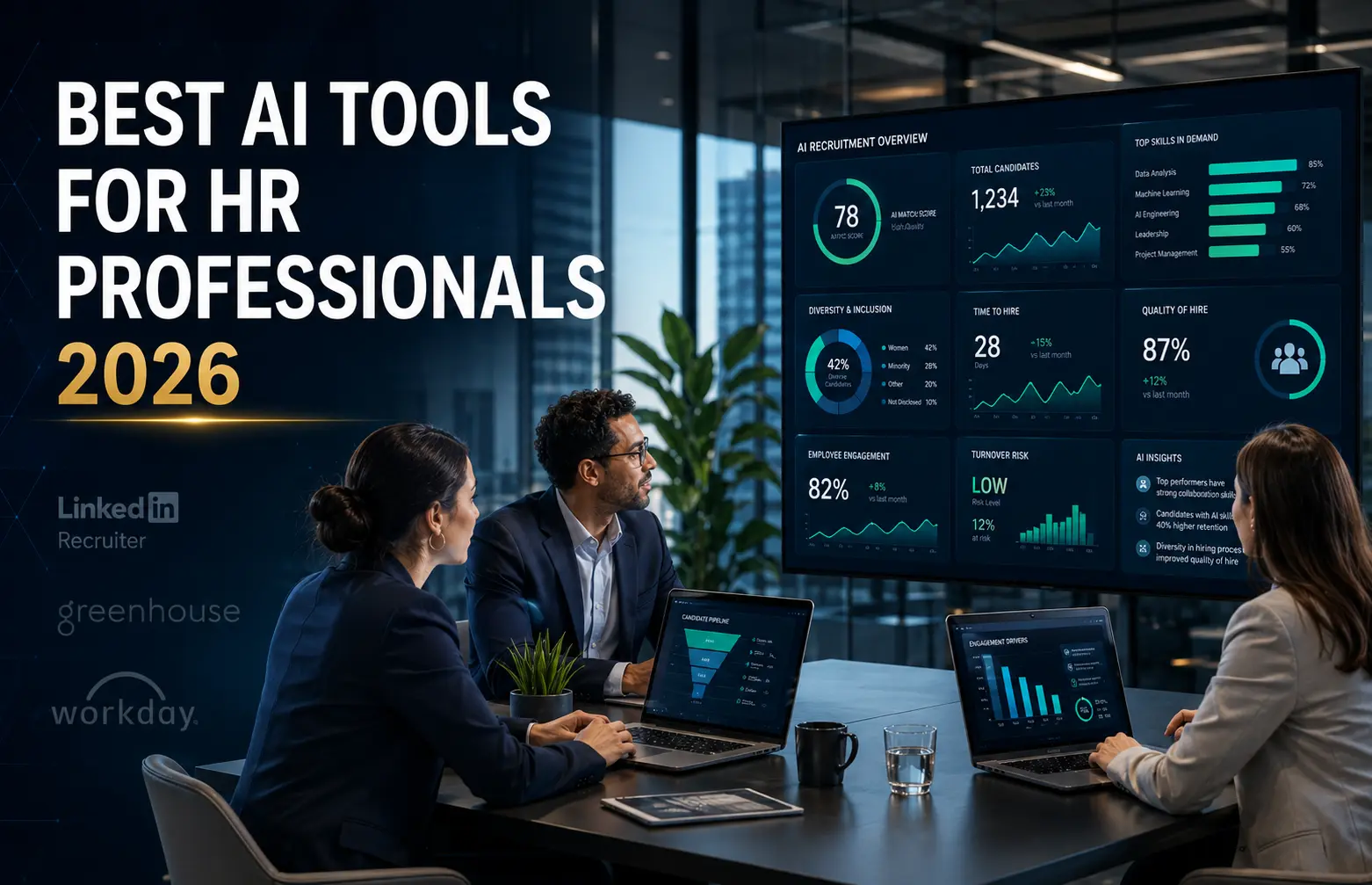
Introduction: Why HR Professionals Are Turning to AI in 2026
If you’re an HR professional in 2026, you’re probably exhausted.
Recruiting teams are drowning in applications. HR managers are juggling hiring, onboarding, performance reviews, engagement tracking, compliance, and workforce planning all at once. Meanwhile, everyone expects faster responses, smoother processes, and more personalized support. It’s a lot.
That’s where AI tools for HR come in.
Here’s what I see happening: the best HR teams aren’t abandoning the human side of their work. They’re using AI to eliminate the tedious, repetitive stuff so they can focus on what actually matters. Your recruiter shouldn’t spend four hours a day sorting through hundreds of resumes when AI can help prioritize the qualified candidates. Your HR manager shouldn’t spend an evening summarizing 200 survey comments when AI sentiment analysis can identify the key themes in minutes. Your leadership team shouldn’t wait until someone quits to notice they were unhappy when people analytics can flag retention risks early.
This guide covers 30+ HR AI tools organized by what they actually do. Whether you’re trying to hire faster, improve your onboarding experience, create better performance conversations, understand employee engagement, predict turnover, or just get your HR documentation organized, there’s an AI tool that can help.
If you’re interested in understanding how the AI technology itself is evolving, our guide to generative AI startups changing technology in 2026 explores the companies building the AI models and platforms that power HR tools.
A quick note before we dive in: AI in HR is powerful, but it needs guardrails. Decisions about hiring, pay, performance, and employee monitoring have real human impact. Before you use any AI tool for these decisions, make sure you understand how it works, whether it creates bias, whether it’s transparent, and where humans stay in control. AI should support your HR decisions, not make them for you in the shadows.
Let’s find the tools that actually work for your situation.
The Real Problem: Why HR Needs AI Now
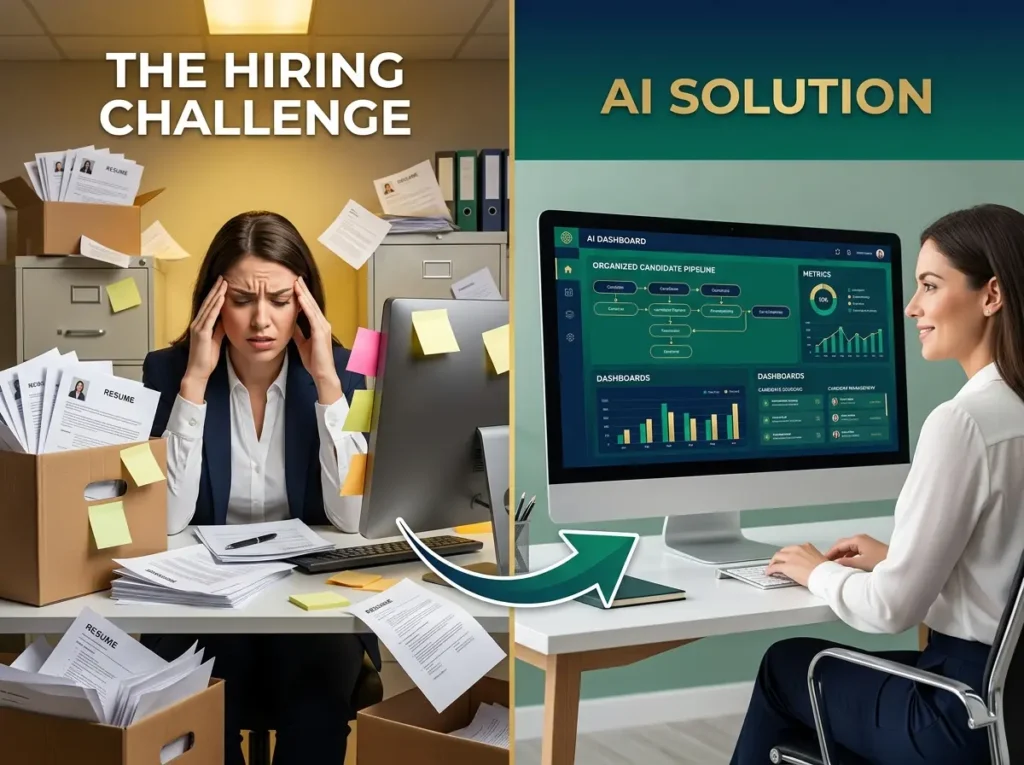
Let me be honest about what’s happening in HR departments right now.
Your recruiting team probably gets hundreds of applications for each job posting. That’s not an exaggeration. Candidates apply everywhere now. Some applications are legitimate. Some are generated by AI. Some people apply to ten roles at the same company at once. Manually screening all of this takes forever, and hiring managers don’t want to wait three weeks for a shortlist.
Meanwhile, retention is becoming critical. Everyone talks about the “Great Resignation,” but what’s really happening is that employees know they have options. They want career growth, fair compensation, flexibility, good managers, and meaningful work. If your HR team only notices someone is unhappy after they resign, you’ve already lost. You need to see the warning signs earlier.
Then there’s the complexity of performance management. Traditional annual reviews are dying because they feel disconnected from real work. Managers need support writing good feedback. Employees want continuous coaching, not a surprise conversation once a year. But doing this at scale without technology is nearly impossible.
Add onboarding challenges to the mix. A new employee’s first 30 to 90 days matters enormously for retention and productivity. But onboarding is usually just a pile of forms, paperwork, and random welcome messages. There’s no structure, no consistency, and new hires often feel lost.
All of this explains why AI tools for HR have moved from “nice to have” to essential. The pressure is real. The problems are real. The tools available today can actually help.
Behind every AI tool your HR team uses is specialized hardware and infrastructure. If you’re curious about the companies building AI chips, processing systems, and the physical infrastructure that makes HR AI possible, our complete guide to AI hardware startups shows the infrastructure layer that supports these tools.
Quick Summary: Best AI Tools for HR Professionals by Function
| What You Need | Best Tools | Good For |
|---|---|---|
| Enterprise HR | Workday, SAP SuccessFactors, Oracle HCM | Large companies with complex systems |
| Recruiting | Eightfold AI, Phenom, Greenhouse, LinkedIn Recruiter | Talent acquisition teams |
| Candidate Screening | HireVue, Humanly, Paradox, Workable | Faster hiring workflows |
| Candidate Sourcing | SeekOut, Findem, Gem, Fetcher | Building talent pipelines |
| Onboarding | Enboarder, BambooHR, Rippling, Gusto, Deel | New hire experience and automation |
| Performance | Lattice, 15Five, Leapsome, Betterworks | Reviews, goals, feedback, manager support |
| Engagement | Culture Amp, Lattice, 15Five, Officevibe | Surveys, sentiment, retention signals |
| Analytics | Visier, One Model, ChartHop, Workday | Workforce planning and people data |
| Learning | Degreed, Cornerstone, Docebo, Sana | Skills training and career development |
| Documentation | Textio, ChatGPT, Claude, Notion AI, Grammarly | Job posts, policies, summaries, templates |
Seven Ways AI Actually Helps Your HR Team
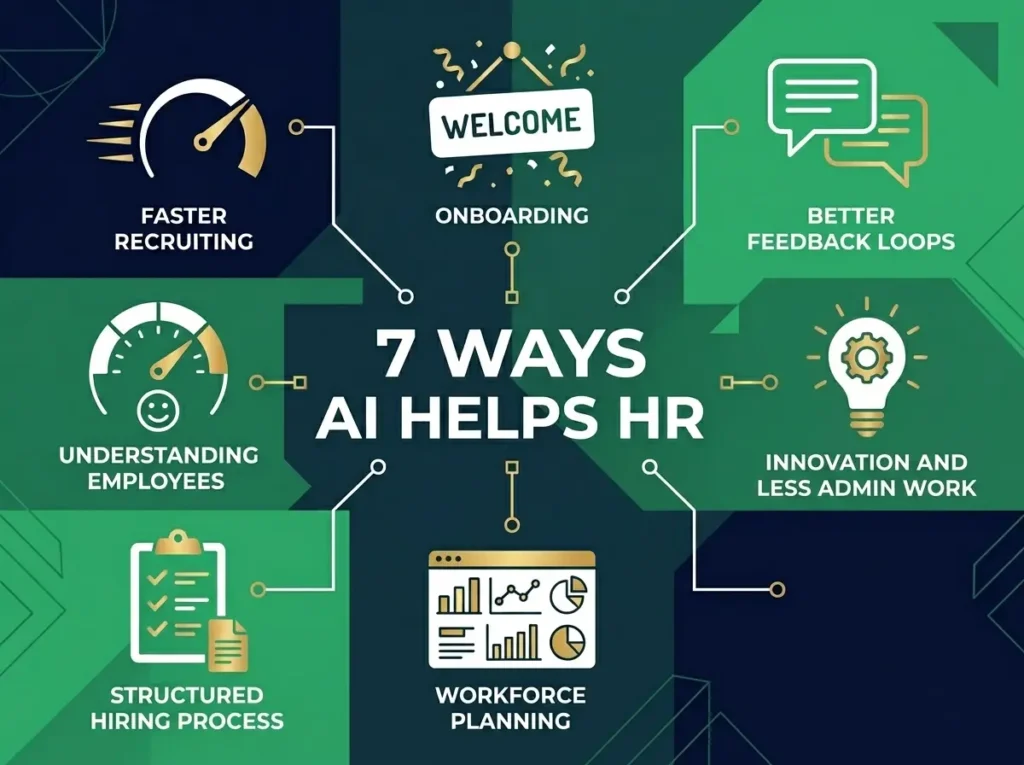
I want to be practical here. Let me explain what AI tools actually do and why your team should care.
1. Recruiting Gets Dramatically Faster
Good AI recruitment tools can scan resumes, match skills to requirements, rank candidates, schedule interviews, and answer basic candidate questions. Your recruiters spend less time on administrative work and more time actually talking to promising people. Time to hire drops from weeks to days. Cost per hire goes down. Candidate experience gets better because people get fast responses instead of silence.
2. New Hires Feel More Welcome
AI onboarding tools send reminders, automate paperwork, structure learning paths, and make the first few weeks feel intentional instead of chaotic. New employees understand what’s expected, where to find resources, and who to contact with questions. Your managers stay informed without doing all the coordination work.
3. Performance Feedback Becomes Better
When managers have AI support drafting feedback, suggesting performance patterns, and organizing goals, reviews feel less like annual surprises and more like ongoing conversations. The quality of feedback improves. Goals connect to actual business outcomes. Employees know where they stand throughout the year.
4. You Understand Employee Sentiment Earlier
AI engagement tools analyze survey responses, identify sentiment patterns, and surface themes from hundreds of comments. Instead of waiting for quarterly reports, you see problems in real time. Which teams are unhappy? Which managers need coaching? Where are retention risks emerging? You can act before people resign.
5. Hiring Becomes More Structured
When your recruiting process is standardized through AI tools, different recruiters make more consistent decisions. You compare candidates on actual skills and qualifications rather than gut feel. This also makes it easier to defend hiring decisions if needed.
6. Workforce Planning Becomes Data-Driven
People analytics AI tools answer questions that HR leaders actually need answered. Which roles have the highest turnover? Where are you likely to have capacity problems next quarter? Which departments need more managers? Which internal employees are ready for promotion? You make better decisions with actual data.
7. HR Gets Less Buried in Administrative Work
AI documentation tools help write job descriptions, draft policies, organize compliance documents, and answer routine employee questions. Your HR team spends less time on busywork and more time on strategy, culture, and relationships.
Best AI Tools for Recruiting and Sourcing
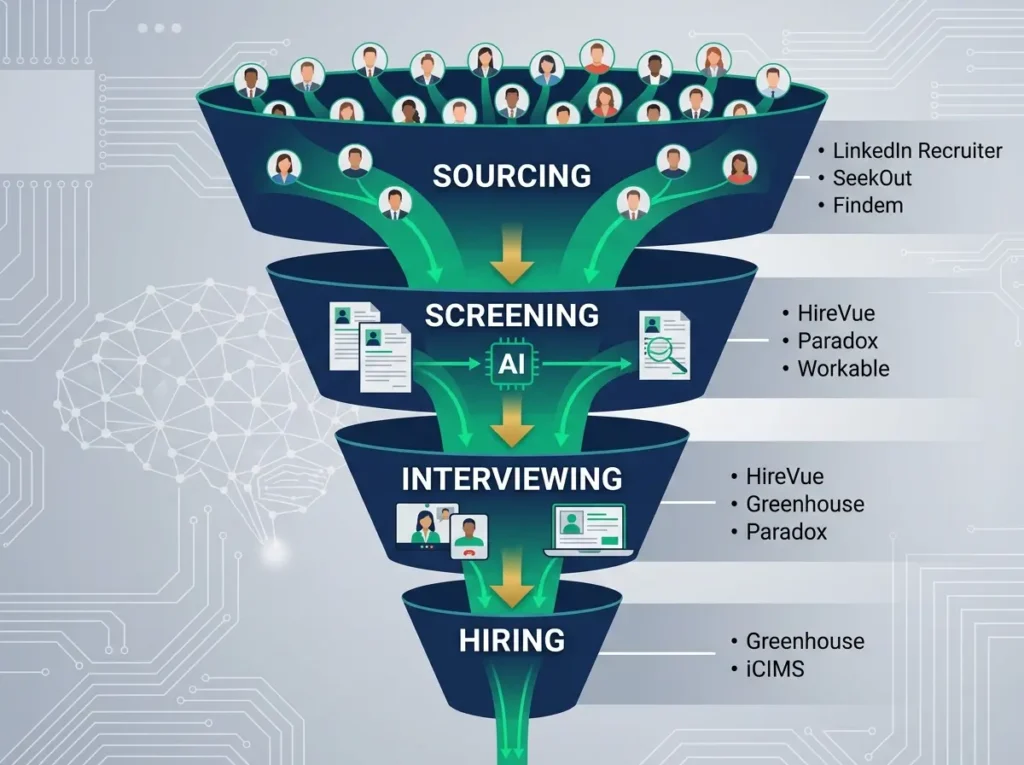
Recruiting might be the biggest use case for AI in HR. Let me break down the major options and what actually sets them apart.
For Enterprise Recruiting: Eightfold AI, Phenom, and iCIMS
If you’re hiring at scale across multiple locations and roles, enterprise platforms give you the infrastructure you need. Eightfold AI is particularly interesting because it tries to understand not just skills and experience, but potential career paths and internal mobility. Phenom focuses on making the candidate experience better while using AI to recommend jobs and matches. iCIMS is an older player but covers the full recruiting lifecycle from job posting through onboarding.
The downside of enterprise tools is cost and complexity. You’re not buying a single feature. You’re committing to a system. Implementation takes months. Training is required.
For Structured Hiring: Greenhouse and Workable
These are applicant tracking systems with AI baked in. Greenhouse is particularly strong on structured hiring workflows. It forces teams to make hiring decisions consistently by using scorecards and interview rubrics. Workable is more flexible and works well for small to mid-size companies. Both platforms include AI sourcing, resume screening, and candidate management.
For High-Volume Hiring: Paradox and HireVue
If you’re hiring dozens of people quickly (think retail, hospitality, manufacturing), these platforms automate the volume. Paradox uses a chatbot named Olivia to handle candidate communication, screening, and interview scheduling. HireVue uses video interviewing, skills assessments, and structured evaluation workflows. Both can process hundreds of candidates without your recruiters manually handling each one.
For Sourcing Talent: LinkedIn Recruiter, SeekOut, Findem
These platforms help you find people before they apply. LinkedIn Recruiter is powerful because of LinkedIn’s network, but it’s expensive. SeekOut is useful if you’re hiring specialized technical talent or need diversity sourcing. Findem uses attribute-based search, so you can look for people with specific experience patterns rather than keyword matching.
For Small Teams: Workable and LinkedIn Recruiter Lite
If you don’t have a large recruiting team, Workable handles sourcing, screening, and candidate management without overwhelming complexity. LinkedIn Recruiter has a more affordable tier for smaller teams.
Best AI Tools for Onboarding
Onboarding is where AI delivers consistent value for most companies.
For Small Businesses: Gusto and BambooHR
Gusto handles payroll, benefits, and basic HR. For small companies, Gusto can manage onboarding checklists, e-signatures on offer letters, and basic document tracking. BambooHR does employee records, time off tracking, and onboarding workflows. Neither is revolutionary, but both are practical and affordable.
For Growing Companies: Enboarder and Rippling
Enboarder focuses specifically on creating better new hire experiences. It structures onboarding journeys, sends reminders to managers, and helps new employees feel connected. Rippling is broader, handling HR, IT provisioning, device management, and payroll from one platform. If you’re growing fast and hiring multiple people a month, Rippling’s ability to automatically provision apps and devices saves real time.
For Global Teams: Deel
If you hire across countries, Deel handles compliance, contracts, payroll, and onboarding for international workers. It’s specifically designed for the complexity of global hiring.
For Integrated Onboarding: Zavvy
Zavvy combines onboarding with development journeys. You can automate the welcome process but also structure learning paths, feedback, and career conversations within the same platform.
Best AI Tools for Performance and Development
Performance management is evolving away from annual reviews toward continuous feedback and development.
For Mid-Size Companies: Lattice and 15Five
Lattice covers performance reviews, goals, engagement surveys, compensation, and people planning. 15Five is similar, with a particular focus on manager coaching and one-on-one meetings. Both include AI features that help analyze feedback, summarize performance trends, and provide insights to managers.
For Goal-Based Management: Betterworks
If you use OKRs or goal-based management, Betterworks ties performance and development to goals. It helps teams align, track progress, and connect individual work to company outcomes.
For Learning and Development: Degreed and Docebo
These learning management systems use AI to recommend personalized development paths, identify skills gaps, and help employees build specific capabilities. Degreed is strong on skills intelligence. Docebo is strong on training management.
Best AI Tools for Employee Engagement
Understanding what employees actually think and feel matters more than ever.
For Small Teams: Officevibe
Officevibe is simple. You run pulse surveys, collect anonymous feedback, and see engagement trends. The AI piece is basic, but for small teams, the simplicity is the value.
For Mid-Size to Enterprise: Culture Amp and Lattice
Culture Amp specializes in engagement and people science. You run surveys, get sentiment analysis across open-ended feedback, and see action recommendations. Lattice includes engagement surveys as part of a broader platform.
For Enterprise: Qualtrics Employee Experience
Qualtrics collects employee feedback across the entire lifecycle, analyzes sentiment at scale, and connects employee experience to business outcomes.
Best AI Tools for HR Analytics
If you have significant headcount or complex hiring, people analytics becomes important.
For Enterprise: Visier and One Model
Visier is the market leader in workforce intelligence. It helps you forecast headcount, model scenarios, identify retention risks, and plan for future needs. One Model is newer but allows you to connect more data sources and build custom analytics.
For Growing Companies: ChartHop
ChartHop helps with org charts, headcount planning, compensation planning, and people data visibility. It’s stronger on org planning than analytics, but useful as you grow.
Best AI Tools for Documentation and Writing
HR teams spend surprising amounts of time writing job descriptions, policies, and communication.
For Drafting: ChatGPT and Claude
ChatGPT is useful for brainstorming and drafting. Claude is particularly good at long-form writing and summarizing long documents. Both can help with job descriptions, policies, onboarding documents, and employee communication.
Important: Don’t paste sensitive employee data into general AI tools unless your company has approved the tool and data handling process.
For Writing Quality: Grammarly and Textio
Grammarly improves clarity, tone, and grammar. Textio specifically helps with job descriptions and recruiting language, suggesting changes that improve clarity and inclusiveness.
For Internal Knowledge: Notion AI
Notion AI helps organize internal knowledge bases, onboarding documents, meeting notes, and policy hubs. It’s particularly useful for startups and smaller teams.
Comparison Table: 30+ Top HR AI Tools
| Tool | Category | Best Use | Pricing |
|---|---|---|---|
| Workday | Enterprise HR | Large organizations | Custom |
| SAP SuccessFactors | Enterprise HR | Large companies | Custom |
| Eightfold AI | Talent Intelligence | Enterprise recruiting | Custom |
| Phenom | Talent Experience | Recruiting and culture | Custom |
| Paradox | Recruiting Assistant | High-volume hiring | Custom |
| HireVue | Assessment | Video interviews and skills testing | Custom |
| iCIMS | ATS | Enterprise recruiting | Custom |
| Greenhouse | ATS | Structured hiring | Custom |
| LinkedIn Recruiter | Sourcing | Finding candidates | Subscription |
| SeekOut | Sourcing | Technical and diversity hiring | Custom |
| Findem | Sourcing | Attribute-based search | Custom |
| Workable | ATS | Small to mid-market | Tiered |
| BambooHR | HRIS | Small business HR | Custom |
| Rippling | HR and IT | Tech companies and startups | Modular |
| Gusto | Payroll and HR | Small business | Tiered |
| Deel | Global HR | International hiring | Usage-based |
| Enboarder | Onboarding | New hire experience | Custom |
| Zavvy | Onboarding and L&D | Development journeys | Tiered |
| Lattice | Performance | Mid-market performance | Tiered |
| 15Five | Performance | Manager coaching | Tiered |
| Leapsome | Performance | Performance and engagement | Tiered |
| Betterworks | Goals | OKR management | Custom |
| PerformYard | Performance | Review workflow | Tiered |
| Culture Amp | Engagement | Employee experience | Custom |
| Officevibe | Engagement | Pulse surveys | Tiered |
| Qualtrics EX | Analytics | Enterprise engagement | Custom |
| Peakon | Engagement | Sentiment analysis | Custom |
| Visier | Analytics | Workforce intelligence | Custom |
| One Model | Analytics | Custom people analytics | Custom |
| ChartHop | People Ops | Org planning | Tiered |
| Degreed | Learning | Skills and development | Custom |
| Cornerstone | Learning | Enterprise LMS | Custom |
| Docebo | Learning | Modern learning | Custom |
| Textio | Writing | Inclusive job descriptions | Custom |
| ChatGPT | Assistant | HR drafting | Free/Paid |
| Claude | Assistant | Long-form writing | Free/Paid |
| Grammarly | Writing | Grammar and tone | Free/Paid |
| Notion AI | Documentation | Knowledge bases | Add-on |
How to Actually Choose the Right Tool
Here’s the mistake most companies make: they look at what’s trendy instead of what solves their actual problem.
Before you spend money on any HR AI tool, answer these questions honestly.
What’s Your Real Problem?
Are you struggling to fill positions faster? Then focus on recruiting tools. Are you losing people? Then focus on engagement and retention analytics. Is performance management a mess? Then focus on performance platforms. Pick one real problem, not five nice-to-haves.
What Data Are You Comfortable Sharing?
HR data is sensitive. Resumes, salaries, performance reviews, employee feedback, medical information. Before using any tool, understand exactly what data it collects, where it’s stored, whether your employee data is used to improve the vendor’s AI, whether you can delete it, and who can access it. Ask the vendor directly. Don’t assume.
Can You Explain How the AI Works?
For hiring, pay, and performance decisions, you need to understand how recommendations are made. If a candidate is scored, you should understand why. If someone shows up as a flight risk, you should know what signals the AI detected. If you can’t explain it, you shouldn’t use it.
Does It Actually Integrate?
A tool that doesn’t talk to your other systems creates more work, not less. Check whether it integrates with your HRIS, ATS, payroll system, calendar, email, Slack, and other tools you actually use.
What’s the Total Cost?
The subscription price is just the beginning. Include implementation, training, data cleanup, integration, legal review, and admin time. A cheap tool can become expensive if it’s hard to use.
How Will You Know It’s Working?
Before you buy, identify measurable metrics. Time to hire. Turnover rate. Employee engagement scores. Manager review completion rate. Internal mobility rate. If you can’t measure it, you can’t prove it’s worth the cost.
Smart Implementation: Four Rules
If you decide to use AI tools in HR, do this right.
Start Small
Don’t automate everything at once. Start with one workflow. Maybe it’s interview scheduling. Maybe it’s job description writing. Maybe it’s survey analysis. Get that working, measure results, then expand.
If your company is developing AI products or integrating AI into your own services, understanding how AI accelerates product development timelines is critical. Our detailed analysis of how AI improves time-to-market shows how to manage development cycles when implementing new AI tools and platforms.
Keep Humans in Control
AI should support decisions, not replace them. Humans should review, override, and approve. This is especially true for hiring, pay, performance, and retention decisions.
Tell People You’re Using AI
If AI is involved in decisions that affect someone’s employment, they should know. This doesn’t mean sharing algorithms. It means being transparent about what processes use AI and where humans review recommendations.
Check for Bias Regularly
AI can reflect bias from training data or workflow design. Monitor whether the tool produces different outcomes for different groups. If it does, investigate why and correct it.
FAQ: Questions HR Leaders Actually Ask
What’s the Best Tool if We’re Just Starting Out?
Start with simple, affordable tools. Gusto or BambooHR for basic HR. Workable for recruiting. ChatGPT or Claude for writing help. Grammarly for communication. Officevibe for pulse surveys. This gives you core functionality without overwhelming complexity.
Can AI Tools Replace HR Professionals?
No. AI removes repetitive work. It helps HR professionals spend more time on judgment, relationships, culture, and strategy. It doesn’t replace the human skills that actually matter in HR.
What’s the Biggest Risk?
Using AI for sensitive employment decisions without proper oversight. Hiring, pay, performance, and termination decisions affect people’s lives. These need human judgment, especially at critical points.
How Much Should We Spend?
There’s no right answer. A startup might spend $100 a month on basic tools. A growing company might spend $500-2,000 a month. An enterprise might spend tens of thousands. Focus on ROI, not budget.
Should We Buy Everything from One Vendor?
Integrated platforms (Workday, SAP SuccessFactors, Rippling) are simpler if you have complex needs. Best-of-breed tools (Greenhouse for recruiting, Lattice for performance, Visier for analytics) might work better if you don’t need everything.
Real Talk: The Responsible AI Checklist
Before you use any HR AI tool, check these boxes.
Does the vendor have clear privacy and data security terms? Can the vendor explain how AI recommendations are made? Can humans review and override AI decisions? Does the tool keep audit logs of decisions? Has the vendor tested for bias? Does the tool ask for only necessary data? Are candidates and employees notified where required? Does your company have an internal AI usage policy? Have legal, IT, security, and HR teams reviewed the tool? Have you tested it on a small workflow first?
If you can’t check all these boxes, don’t use the tool.
The Bottom Line
AI tools for HR are real. They work. They save time. They help teams make better decisions.
But they’re tools, not replacements for HR professionals. The HR teams that win in 2026 aren’t the ones using the most tools. They’re the ones using the right tools, with proper oversight, for the right problems.
For HR professionals and people leaders managing AI tool implementations, understanding how AI is changing job roles and compensation is important. If you’re curious about AI product manager salaries and the careers emerging around AI tools, our analysis of AI PM compensation in 2026 shows how these new roles are being valued in the market.
For small businesses just starting, simple affordable tools work. For growing companies, integrated platforms like Rippling help. For enterprises, comprehensive platforms like Workday or SAP SuccessFactors with specialized bolt-ons like Eightfold AI or Visier make sense.
Pick your top problem. Find a tool that solves it. Measure whether it’s working. Expand from there.
That’s how HR teams get better.






Comments (2)
Generative AI Workflows: The Complete 2026 Guide to 50+ Automation Tools That Save 15+ Hours Per Week - Trendoutsidersays:
June 2, 2026 at 5:06 pm[…] tools to streamline recruiting, onboarding, and employee management. Our comprehensive guide to the best AI tools for HR professionals shows how human resources teams are automating people […]
Free AI Tools for Marketing: 40+ Tools That Actually Help Improve Results in 2026 - Trendoutsidersays:
June 2, 2026 at 6:22 pm[…] from one person to multiple people, managing that team and their workflows becomes important. Our comprehensive guide to the best AI tools for HR professionals covers automation and management tools that help when scaling your marketing […]