
When I first explored AI video tools, I thought Topview AI was the obvious choice. Everyone talked about it, and the promise seemed simple: turn product links, scripts, and ideas into professional marketing videos in minutes.
But after testing it alongside a dozen other video creation tools, I realized something important. Topview AI isn’t the universal answer for video marketing. It’s one specific solution that works exceptionally well for some creators and situations, while completely missing the mark for others.
That realization changed how I approach video tool selection. Today, if someone asks me for the best AI video generator, my first question isn’t “which tool is most popular?” It’s “what specific problem are you trying to solve?”
The AI video generation market has exploded in 2026. There are tools specialized for avatar videos, tools built specifically for short-form TikTok repurposing, tools that excel at blog-to-video conversion, tools designed for team collaboration at agencies, and everything in between. Some are completely free. Some cost under thirty dollars monthly. Some are enterprise platforms serving Fortune 500 companies.
This comprehensive guide compares the 15+ best Topview AI alternatives based on specific use cases, budget constraints, and skill levels. By the end, you’ll understand which tool actually solves your specific video creation problem, not just which tool is trending this month.
Why Video Marketers Are Exploring Topview AI Alternatives in 2026
Let me be clear about something upfront: Topview AI is a legitimately useful tool. It excels at what it was designed for. Product marketers, ecommerce brands, dropshippers, and TikTok advertisers often find real value in its workflow.
The problem isn’t that Topview AI is bad. The problem is that not everyone needs what Topview AI offers.
Consider the different people creating videos in 2026. An ecommerce founder running a Shopify store needs fast product video generation without extensive editing. An affiliate marketer promoting SaaS tools needs educational comparison videos and explainer content. A digital agency managing five client brands needs scalability, team collaboration, and white-label options. A YouTube creator wants to repurpose long videos into shorts for TikTok. A corporate training director needs professional avatar videos in multiple languages for employee onboarding.
Each of these people would benefit from a completely different tool. Asking them all to use Topview AI is like asking a graphic designer and a video editor and a web developer to all use the same software. It’s not realistic.
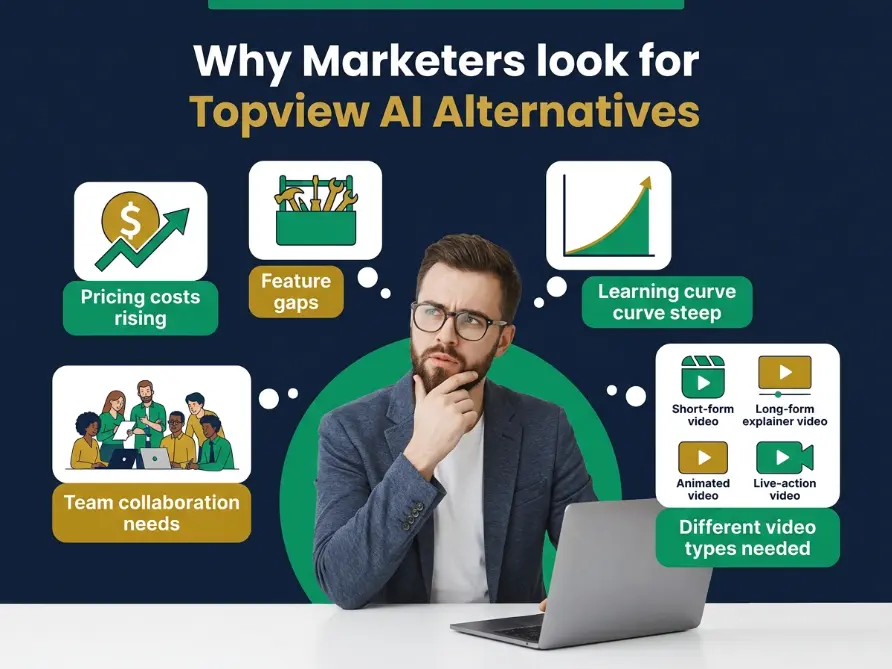
The reasons marketers look for Topview AI alternatives typically fall into several categories.
Pricing concerns are the most common reason. Topview AI uses a credit-based system, which creates unpredictable costs for people testing different approaches. If you’re experimenting with different hooks, scripts, or visual styles, credits add up quickly. I’ve worked with affiliates spending $250 to $400 monthly on credits for a single project, without a clear sense of what they were spending or how to optimize it.
Feature gaps come in second. If you need realistic, highly customizable avatars that match your specific brand personality, Synthesia or HeyGen might serve you better. If you want to turn long YouTube videos into TikTok clips automatically, Opus Clip does that more efficiently. If you edit podcasts and interviews, Descript has a better workflow. Topview doesn’t claim to be great at everything, and that’s fine. But it means people need alternatives.
Team size and collaboration requirements matter. A solo creator can use lightweight, simple tools. An agency with ten people working on multiple client projects needs features like brand management, team workflows, approval processes, asset libraries, and performance tracking. Topview wasn’t designed with that in mind.
Learning curve and technical skill level factor in. Some creators want drag-and-drop simplicity. Some want complete creative control and timeline-based editing. Some want minimal setup and maximum automation. Topview targets a specific skill level and approach. Other tools serve different audiences.
Here’s what the research shows about why people search for alternatives.
| Primary Reason for Searching | Percentage of Searchers | What This Means | Best Solution Type |
|---|---|---|---|
| Pricing is too expensive | 34% | Credit system costs exceed budget | Free or flat-rate alternatives |
| Need different video style | 28% | Topview doesn’t fit their specific workflow | Specialized tools by use case |
| Learning curve is steep | 18% | Want simpler, more intuitive interface | Beginner-friendly platforms |
| Avatar customization needs | 12% | Default avatars feel generic | Advanced avatar platforms |
| Team collaboration required | 8% | Multiple people need to work together | Enterprise video tools |
The key insight: the best Topview AI alternative isn’t about finding the most advanced tool. It’s about finding the tool specifically built for your particular problem.
Decision Framework: Choosing the Right Topview AI Alternative
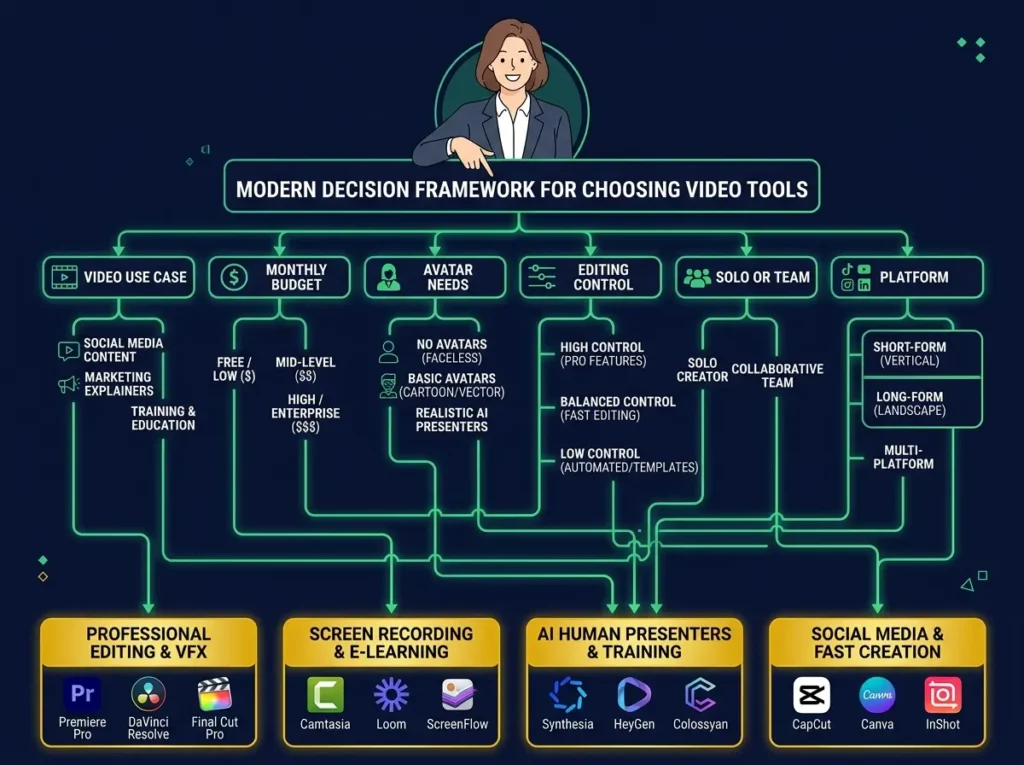
Before evaluating any tool, answer these six fundamental questions. They’ll narrow your options by 70 percent before you even start testing.
Question 1: What is your primary video use case?
This matters more than anything else. Are you creating product videos for ecommerce? UGC-style advertisements? Avatar explainer videos? YouTube content? TikTok and Instagram short-form videos? Corporate training videos? Screen recording tutorials? Podcast repurposing? Blog-to-video conversion?
Be specific. “Marketing videos” is too broad. “Thirty-second product demo videos optimized for Instagram Reels showing product benefits to ecommerce buyers” is specific enough to guide your choice.
Question 2: What’s your realistic monthly budget?
Budget often decides your options immediately. If you need completely free, your choices are CapCut, Loom free tier, Opus Clip free version, Pika, Genmo, Fliki limited free, Descript free tier, and Canva Video. If you can spend $20 to $50 monthly, options expand significantly. If budget isn’t a constraint and you’re building an agency solution, enterprise tools become viable.
Question 3: Do you specifically need AI avatars?
This is a binary decision that eliminates many tools immediately. If yes, focus on Synthesia, HeyGen, InVideo, Biteable, and Pictory. If you don’t need avatars, you might find better value in editing and repurposing tools designed for different workflows.
Question 4: How much editing control do you actually want?
Some creators want to drop content into templates and hit publish. Others want timeline-based editing with frame-by-frame control. InVideo and Biteable offer template-first workflows. Descript, Runway, and CapCut offer editing control. Know your preference before evaluating.
Question 5: Are you working solo or with a team?
Solo creators need simplicity and minimal overhead. Teams and agencies need brand kits, collaboration workflows, approval processes, asset management, and client reporting. These requirements change which tools are actually useful.
Question 6: What platform is your video primarily for?
TikTok and Reels have specific requirements. They need vertical video, fast-moving content, punchy captions, trending sounds, and hooks that work in 3 seconds. Corporate videos need different things. YouTube needs different requirements. YouTube Shorts need different things than long-form YouTube. Choose tools optimized for your specific platform.
Once you answer these six questions honestly, your realistic options narrow from dozens to maybe three to five specific tools worth testing.
15+ Best Topview AI Alternatives for Different Creators
1. Synthesia: Professional Avatar Videos
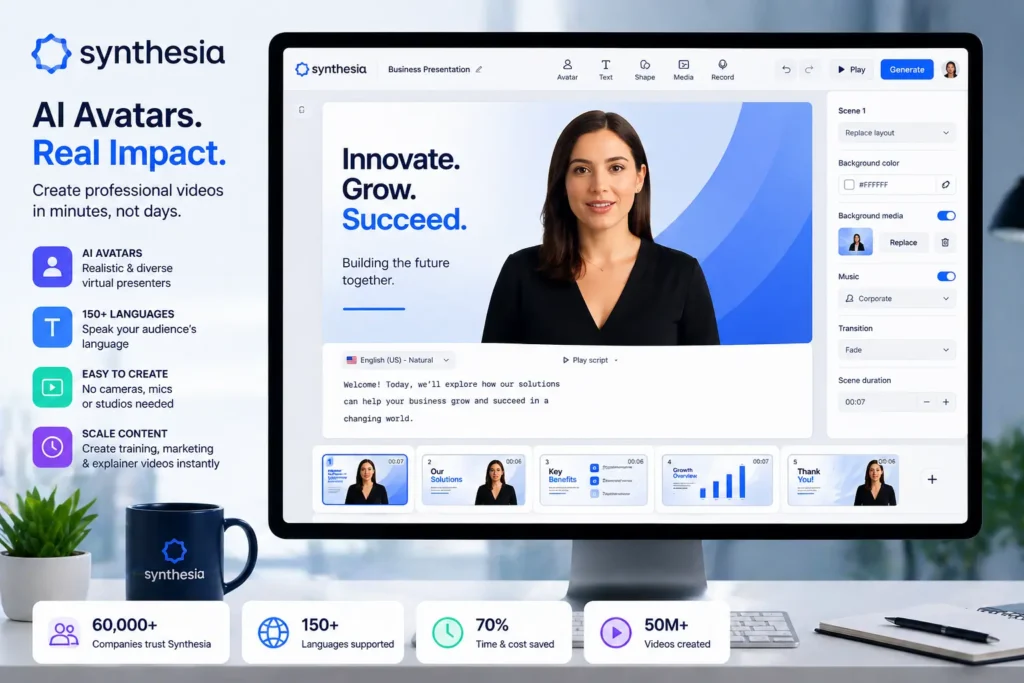
Synthesia is arguably the strongest Topview AI alternative for anyone creating professional avatar videos. The platform is built from the ground up for business video communication, corporate training, product explainers, onboarding sequences, and internal communication.
What separates Synthesia is production quality. If you need a realistic virtual presenter, clean professional styling, multilingual support, and structured video output for corporate environments, Synthesia delivers that more consistently than generalist tools.
Best for: Corporate videos, professional training content, multilingual explainers, business presentations
Key features:
- Realistic, customizable AI avatars
- Multiple language support with natural voiceovers
- Business-focused video templates
- Brand kit management for enterprises
- Text-to-video workflows optimized for professional use
- Multilingual video creation without re-recording scripts
Pros:
- Avatar quality is noticeably professional
- Strong positioning for business clients
- Genuinely useful for training and internal communication
- Multilingual capabilities are actually functional
Cons:
- Not ideal for casual TikTok-style UGC advertisements
- Can feel overly formal for social media content
- Usage costs increase with heavy production
Verdict: Choose Synthesia if you’re creating professional avatar videos, corporate communication, training content, or business explainers. It’s not the cheapest option, but it’s often the quality option.
2. HeyGen: Custom Avatar Videos
HeyGen is an excellent Topview AI alternative, particularly if you care about avatar customization and personalization. The platform appeals to creators and teams that want their avatars to feel unique and branded rather than generic.
Best for: Custom avatars, creator-friendly talking-head videos, branded explainers, personalized video content
Key features:
- AI avatar creation with extensive customization
- Digital twin video creation from your own photos
- Text-to-video workflow for creators
- Professional voiceover support
- Translation and localization capabilities
- Creator-focused features and pricing tiers
Pros:
- Avatar customization is genuinely strong
- Works well for both individual creators and businesses
- Free tier lets you test before spending
- Flexible enough for many different video approaches
Cons:
- Advanced customization features increase costs
- Credit-based system requires usage planning
- Not the best choice for serious timeline-based editing
Verdict: Choose HeyGen if you want flexible avatar video creation with strong customization and creator-friendly approaches.
3. InVideo: Beginner-Friendly Marketing Videos
InVideo is a practical Topview AI alternative for creators who want an all-in-one marketing video creation tool without steep learning curves. It’s designed to turn scripts, ideas, prompts, and blog posts into social-ready videos.
If Topview feels too specialized or complex, InVideo can be easier to navigate. It’s strong for social media videos, promotional clips, YouTube content, explainer videos, and small business marketing.
Best for: Beginner-friendly marketing videos, social media content, promotional material
Key features:
- Text-to-video and script-to-video conversion
- Large template library for different industries
- Integrated stock footage and music library
- AI-powered voiceover generation
- Social media format optimization
- Simple drag-and-drop workflow
Pros:
- Very beginner-friendly interface
- Comprehensive template library
- Useful for marketing video creation
- Formats optimized for multiple platforms
Cons:
- Some outputs still need manual refinement
- Not as powerful for advanced visual generation
- Not specialized for specific niches
Verdict: Choose InVideo if you want simple, affordable AI video creation primarily for marketing and social content.
4. Runway: Advanced Creative Video Generation
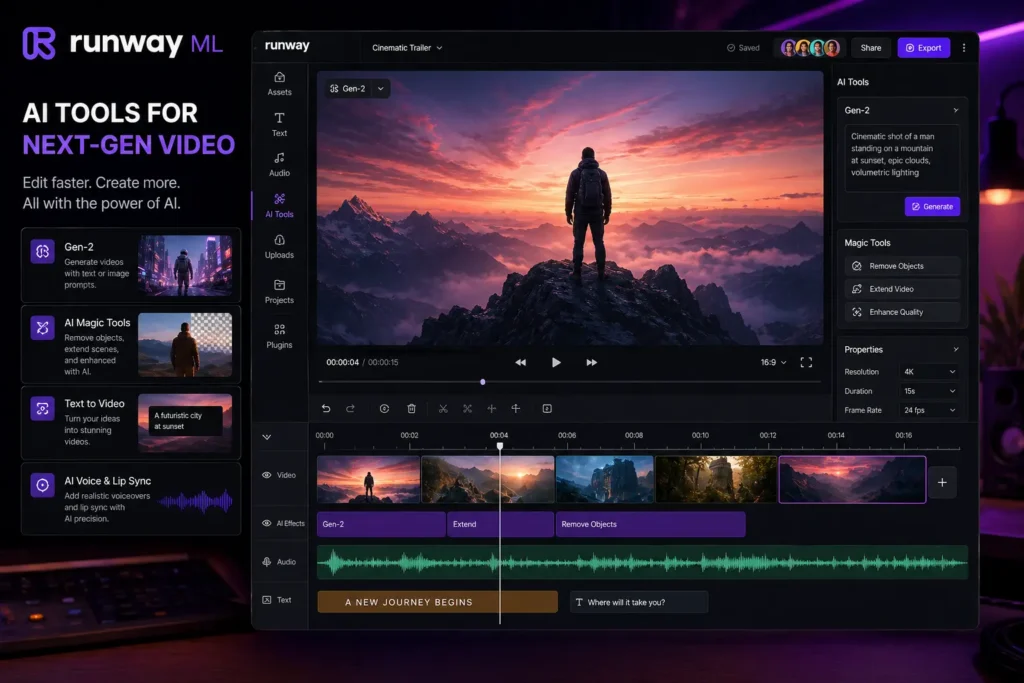
Runway is a different category entirely from Topview AI. It’s more about creative, generative video rather than template-based marketing. It’s stronger for creators who want advanced visual control, experimental effects, and creative freedom rather than structured templates.
Best for: Creative AI video generation, visual effects, professional experimentation, advanced editing
Key features:
- Text-to-video generative capabilities
- Image-to-video conversion
- Advanced AI video editing tools
- Background replacement and removal
- Generative visual effects
- Access to multiple creative AI models
Pros:
- Excellent for creative experimentation
- Visual generation is noticeably more advanced
- Good for agencies and creative professionals
- More powerful than template-focused tools
Cons:
- Higher learning curve for beginners
- Not primarily designed for product marketing ads
- Output quality depends heavily on your prompts
Verdict: Choose Runway if you need advanced creative video generation and aren’t constrained by templates.
5. Opus Clip: Video Repurposing Specialist
Opus Clip solves a completely different problem than Topview AI. Instead of generating videos from scratch, it turns long-form content into short clips for TikTok, Reels, YouTube Shorts, and social media.
If you already create podcasts, webinars, interviews, or YouTube videos, Opus Clip can save tremendous editing time by automatically detecting engaging moments and creating social-ready clips.
Best for: Long-to-short video repurposing, TikTok clip creation, social media content leverage
Key features:
- Automated long-to-short video conversion
- AI-powered clip detection and selection
- Automatic reframing for different social formats
- Caption and subtitle generation
- Hook and engagement detection
- Social-ready export options
Pros:
- Genuinely saves editing time for content creators
- Free plan with reasonable limits
- Designed specifically for repurposing workflows
- Strong for podcasters and video creators
Cons:
- Not useful if you don’t have existing long-form content
- Doesn’t create videos from scratch
- Limited value if your main goal is product ads
Verdict: Choose Opus Clip if you already have long-form video content and want to produce more short-form social videos quickly.
6. Descript: Video Editing and Transcription
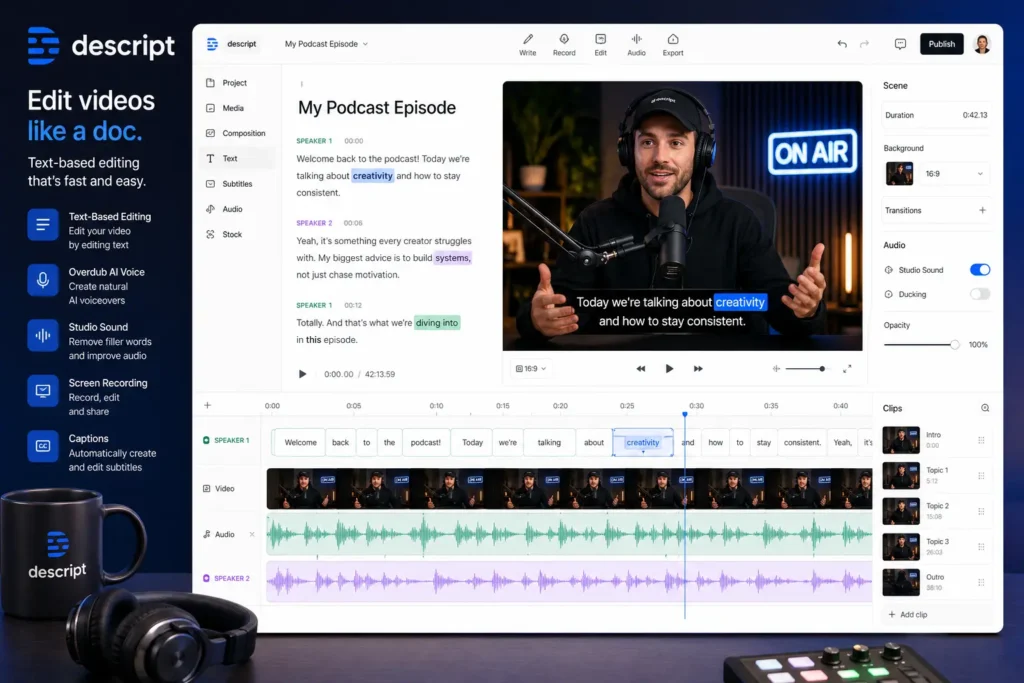
Descript is a powerful AI video editing and transcription tool that works differently from Topview. Instead of generating marketing videos, it helps you edit existing video content using a text-based interface.
The text-based editing workflow is revolutionary for many creators. You edit video like you’re editing a document. That makes video editing feel more intuitive and less technical.
Best for: Video editing, transcription, podcasts, tutorials, talking-head content, content repurposing
Key features:
- Text-based video editing interface
- Automatic transcription and captions
- Screen recording capabilities
- AI voice generation
- Podcast editing optimization
- Social media repurposing tools
Pros:
- Very effective for editing existing videos
- Excellent for podcasters and educators
- Saves significant time on transcription
- Strong workflow for content creators
Cons:
- Not designed for avatar video generation
- Not built for product ad creation
- Some advanced features require paid plans
Verdict: Choose Descript if you edit podcasts, interviews, tutorials, or talking-head content more than creating product ads.
7. Pictory: Blog and Content to Video
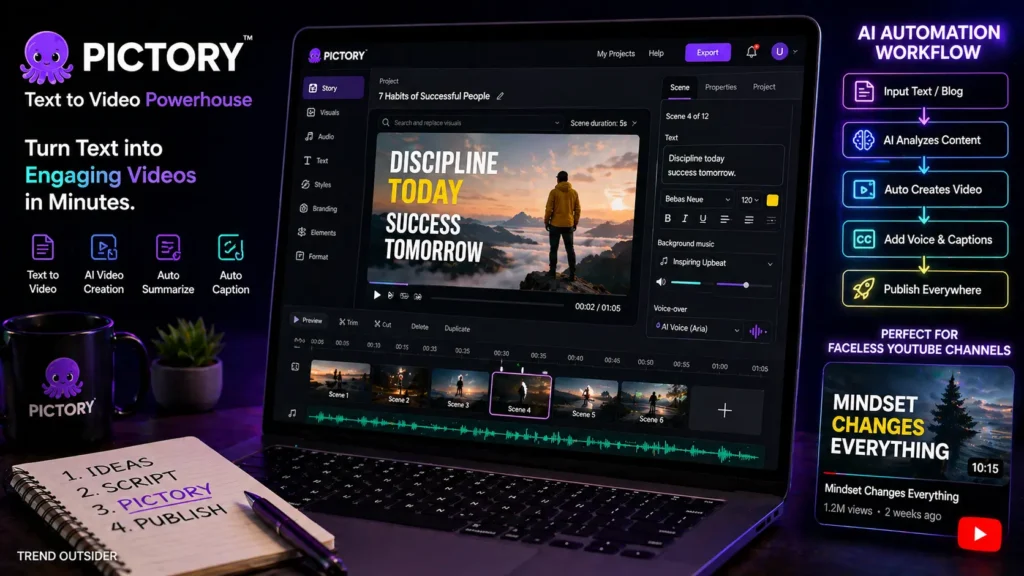
Pictory is specifically designed for converting long-form content into video. It handles scripts, blog posts, website URLs, and written content, turning them into video assets.
For content marketers, bloggers, affiliate marketers, and YouTubers, Pictory can be valuable because it helps repurpose existing written content into video format.
Best for: Blog-to-video conversion, script-to-video, content repurposing, educational video creation
Key features:
- Automatic blog-to-video conversion
- Script-to-video workflow
- URL-to-video capability for web content
- AI voiceover generation
- Automatic caption and subtitle generation
- Template system for consistency
Pros:
- Strong for repurposing blog and written content
- Useful for content marketers and bloggers
- Saves time compared to manual video creation
- Works well for faceless, content-focused videos
Cons:
- Not avatar-focused like Synthesia or HeyGen
- Output often needs some manual polishing
- Pricing may not suit every beginner
Verdict: Choose Pictory if you want to turn blog posts, scripts, and long-form content into videos efficiently.
8. Fliki: Text-to-Video with AI Voiceover
Fliki is a text-to-video and AI voiceover platform useful for creating faceless videos, narrated content, and short-form videos with high-quality voice generation.
If you want an affordable AI video tool for creating videos from scripts or blog content without appearing on camera, Fliki is worth evaluating. It’s especially strong if you care about voiceover quality and want multilingual support.
Best for: Faceless videos, voiceover-based content, multilingual videos, blog-to-video, educational content
Key features:
- Text-to-video conversion with AI narration
- Multiple AI voice options with personality
- Blog article-to-video automation
- Multilingual voiceover support
- Stock media library integration
- Simple, straightforward interface
Pros:
- Good value for budget-conscious creators
- Strong voiceover quality and variety
- Useful for faceless and educational content
- Simple, intuitive workflow
Cons:
- Not ideal for advanced timeline-based editing
- Avatar features are more limited
- Free plan has usage restrictions
Verdict: Choose Fliki if you want a low-cost AI video maker for faceless content and narrated videos.
9. Pika: Generative Video Effects
Pika is a creative generative video AI tool focused on short visual generation, image-to-video, and experimental creative clips rather than marketing templates.
Compared with Topview, Pika is less about structured marketing and more about creative motion generation. It’s useful for creators wanting eye-catching visuals, short clips, and experimental content.
Best for: Creative short-form videos, image-to-video, generative visual effects, experimental content
Key features:
- Text-to-video generation with creative AI
- Image-to-video conversion
- Creative visual effects generation
- Short-form video creation
- Free plan with meaningful credits
- Experimental AI motion generation
Pros:
- Good for creative visual content
- Useful for TikTok-style experimentation
- Free option for testing
- Strong for visual-focused creators
Cons:
- Not a complete marketing video suite
- Output is less predictable than template tools
- Requires testing different prompts
Verdict: Choose Pika if you want creative AI-generated visuals rather than standard product marketing templates.
10. Genmo: Experimental AI Video
Genmo is an AI video generation tool focused on creative video models and prompt-based generation for experimental creators.
For people interested in exploring AI video generation without heavy costs, Genmo offers a budget-friendly entry point to generative video creation.
Best for: Experimental AI video creation, creative projects, low-cost generative content
Key features:
- Prompt-based video generation
- Free credits for testing
- Open video model approach
- Watermark-free paid options
- Community-focused exploration
- Creative video generation
Pros:
- Very budget-friendly entry point
- Good for experimentation and exploration
- Useful for creative-minded users
- Interesting open model direction
Cons:
- Not designed for product ads
- Output quality can vary significantly
- Less suitable for professional corporate teams
Verdict: Choose Genmo if you want a low-cost generative video tool for creative experiments.
11. Loom: Screen Recording and Demos
Loom isn’t a traditional AI video generator, but it’s a useful Topview alternative for creating business communication, product demos, tutorials, and screen recordings.
If your videos are product walkthroughs, SaaS demos, onboarding tutorials, or customer support content, Loom may be more practical than an avatar-based generator.
Best for: Screen recording, product demos, tutorials, asynchronous business communication, training videos
Key features:
- Screen and webcam recording
- Automatic transcription
- Comment and reaction features
- Easy team sharing
- Transcription search capability
- AI-powered video communication features
Pros:
- Very easy to use
- Excellent for tutorials and product demos
- Useful and functional free tier
- Strong for remote team communication
Cons:
- Not a product ad generator
- Not avatar-focused
- Less useful for TikTok-style content
Verdict: Choose Loom if your videos are demos, tutorials, internal updates, or training content.
12. CapCut: Professional Free Video Editing
CapCut is one of the strongest free Topview AI alternatives for social media creators. It’s especially popular for TikTok, Instagram Reels, YouTube Shorts, captions, transitions, and quick social content.
CapCut isn’t a direct one-to-one Topview replacement, but it’s excellent for editing, polishing, and finalizing videos once you have footage or AI-generated clips.
Best for: Free video editing, TikTok content, social media video, UGC-style editing, caption creation
Key features:
- Professional-grade AI video editing
- Large template library
- Caption generation with AI
- Background removal and replacement
- Text-to-video features
- Platform-optimized formats
Pros:
- Strong completely free option
- Easy for beginners
- Excellent for TikTok-style editing
- Good desktop and mobile access
Cons:
- Privacy considerations for professional use
- Not always ideal for formal business videos
- Some advanced features require payment
Verdict: Choose CapCut if you want a free or very affordable video editor for social media and UGC content.
13. Animaker: Animated Explainer Videos
Animaker is strong for creating animated videos, explainers, training content, and educational material with character-based storytelling.
If Topview feels too product-focused, Animaker is better for animated explainers and business storytelling with animation style.
Best for: Animated videos, character explainers, training content, educational videos, animated storytelling
Key features:
- Animated character creation and control
- Video templates for business use
- AI-supported video creation
- Voiceover integration
- Business and educational templates
- Simple editing interface
Pros:
- Good for animated visual storytelling
- Beginner-friendly approach
- Useful for education and training
- Free plan option
Cons:
- Not ideal for realistic product videos
- Animated style doesn’t fit every brand
- Some features require paid access
Verdict: Choose Animaker if you want animated videos instead of realistic avatar or product videos.
14. Biteable: Template-Based Business Videos
Biteable is a template-based video maker designed for teams, marketers, HR departments, educators, and businesses needing professional videos without complexity.
Compared with Topview, Biteable is often better for teams wanting simple branded videos, internal communication, explainers, and announcements using templates.
Best for: Template-based business videos, team communication, professional explainers, internal videos
Key features:
- AI-powered video creation platform
- Professional template library
- Avatar video options
- Stock clips and media library
- Team collaboration features
- Video analytics on paid plans
Pros:
- Easy and intuitive interface
- Good for business teams and professionals
- Helpful template library
- Strong for professional-looking videos
Cons:
- Less powerful for advanced generative video
- Not as avatar-specialized as dedicated platforms
- Best features require paid plans
Verdict: Choose Biteable if you want fast, professional-looking videos using templates with minimal complexity.
15. Vimeo: Professional Video Hosting and Collaboration
Vimeo is more than a video hosting platform. It’s useful for teams that need to host, manage, share, edit, collaborate, and distribute professional videos.
It’s not a Topview replacement for generating product ads, but it can be valuable for professional video workflows. Agencies and businesses often use Vimeo after creating videos in other tools.
Best for: Professional video hosting, team collaboration, client delivery, video management, distribution
Key features:
- Professional video hosting platform
- Team collaboration and workflow tools
- Video sharing with permissions
- Professional presentation options
- Screen recording and editing capabilities
- Advanced analytics and reporting
Pros:
- Strong for professional video workflows
- Useful for hosting, sharing, and collaboration
- Good for teams and agencies
- Professional-grade platform
Cons:
- Not an AI video generator
- Requires another tool for video creation
- Advanced features need paid plans
Verdict: Choose Vimeo if your main need is professional video management, hosting, collaboration, and client delivery.
Complete Feature Comparison Table
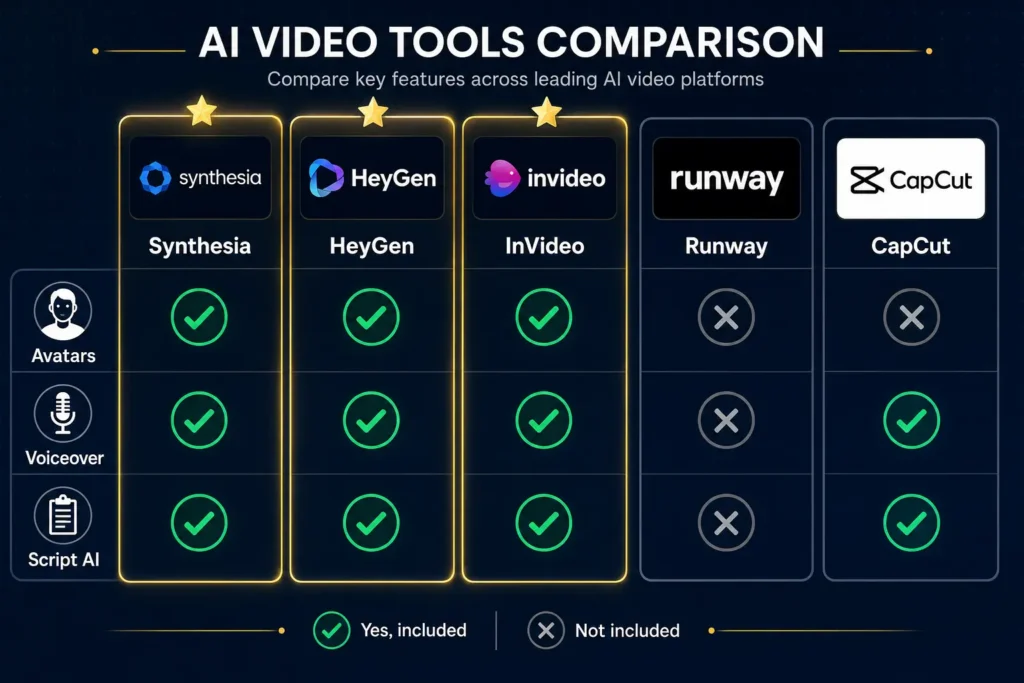
| Tool | Avatars | Voiceover | Script AI | Free Tier | Price | Best For |
|---|---|---|---|---|---|---|
| Topview AI | Yes | Yes | Yes | Limited | $99+ | Product and UGC ads |
| Synthesia | Yes | Yes | Yes | Yes | $30+ | Professional avatars |
| HeyGen | Yes | Yes | Yes | Yes | $0-100 | Custom avatars |
| InVideo | Some | Yes | Yes | Yes | $25+ | Beginner marketing |
| Runway | Limited | Some | Prompt | Yes | $12+ | Creative generation |
| Opus Clip | No | No | AI Clip | Yes | Free/paid | Short repurposing |
| Descript | No | Yes | Edit AI | Yes | $24+ | Podcast editing |
| Pictory | Some | Yes | Yes | Trial | $19+ | Blog-to-video |
| Fliki | Some | Yes | Yes | Yes | $20+ | Faceless narration |
| Pika | No | No | Prompt | Yes | Free/paid | Creative shorts |
| Genmo | No | No | Prompt | Yes | Free/paid | Experiments |
| Loom | No | No | Record AI | Yes | Free/paid | Screen demos |
| CapCut | Some | Yes | Yes | Yes | Free | Social editing |
| Animaker | Animated | Yes | Some | Yes | Free/paid | Animated explainers |
| Biteable | Yes | Yes | Yes | Paid | $19+ | Business templates |
| Vimeo | No | No | Some | Yes | $75+ | Professional hosting |
Real-World Scenarios: How Different Creators Use These Tools
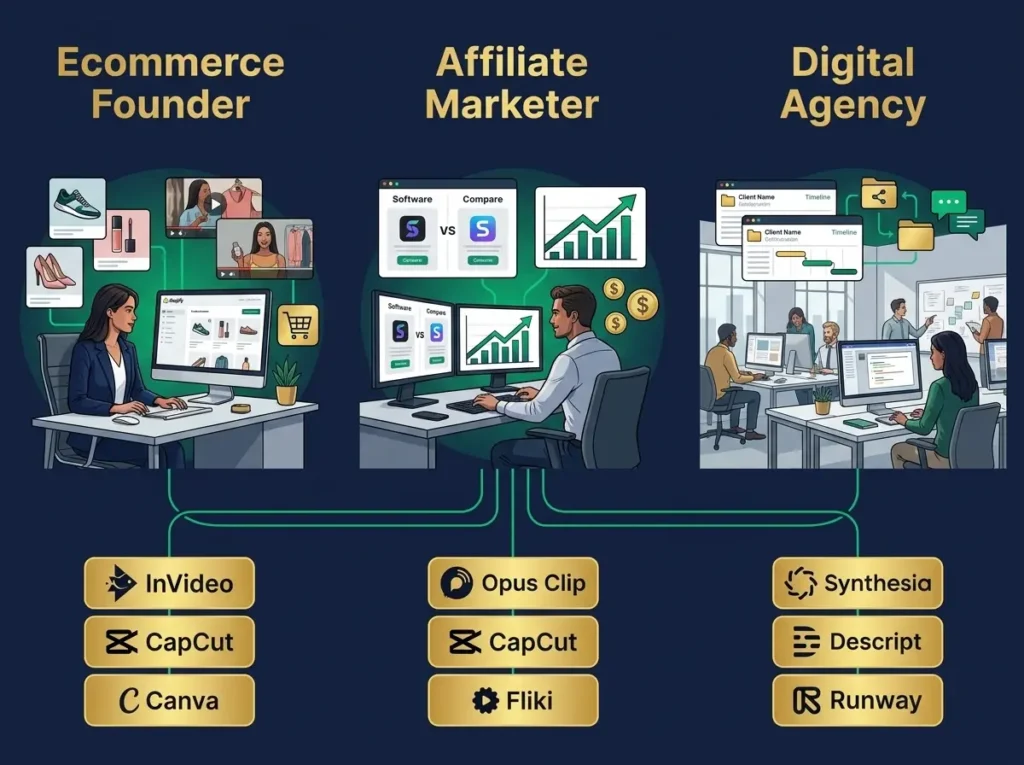
Scenario 1: The Ecommerce Founder
An ecommerce founder running a Shopify store needs fast product video generation for TikTok ads, Instagram Reels, and product pages. They test different product angles and marketing hooks regularly.
They need volume without excessive costs. Testing multiple versions is critical for their success.
Their practical stack:
- InVideo for quick product video generation
- CapCut for editing, captions, and final polish
- Canva for thumbnail graphics and social templates
- HeyGen for occasional brand-story explainer videos
Why this works:
Ecommerce needs speed, testing flexibility, and cost efficiency. This stack creates multiple video angles, tests different hooks within budget, and allows rapid iteration based on performance data. The founder can create fifty product videos monthly without excessive spending.
Scenario 2: The Affiliate Marketer
An affiliate marketer promotes software tools, online courses, and digital products through short-form content. They don’t need expensive product video production.
They need content volume, clarity, and cost efficiency. Educational and comparison content drives their commissions.
Their practical stack:
- Opus Clip for repurposing YouTube videos or podcast interviews
- CapCut for editing and adding captions
- Canva for visual overlays and graphics
- Fliki for quick faceless product explainer videos
Why this works:
Affiliate marketing thrives on educational clips, tool comparisons, and quick product explainers rather than heavy production. Volume matters more than polish. This stack produces multiple video types, tests different angles, and maximizes existing content through repurposing.
Scenario 3: The Digital Agency
A digital agency creates videos for multiple clients. They handle corporate explainers, training videos, product ads, short-form content, and client approvals simultaneously.
They need quality, brand control, scalability, and repeatable workflows across different client needs.
Their practical stack:
- Synthesia for professional avatar videos and corporate content
- Descript for editing, transcription, and podcast content
- Runway for creative visuals and advanced effects
- Vimeo for hosting and client delivery
- InVideo or Biteable for fast templates when speed matters
Why this works:
Agencies need flexibility and quality. They handle diverse content types and client requirements. This stack handles everything from polished corporate videos to quick social clips. Team collaboration, client approval workflows, and professional delivery are built into each tool.
Agencies managing multiple client projects often find that understanding generative AI workflows helps them structure video creation processes, optimize team workflows, and deliver consistent quality across different client needs.
Best Tool for Every Specific Use Case
| Your Specific Need | Best Tool | Why | Runner-Up |
|---|---|---|---|
| Professional avatar videos | Synthesia | Polished business quality | HeyGen |
| Custom personalized avatars | HeyGen | Strong customization | Synthesia |
| Product marketing videos | InVideo | Easy marketing workflow | Topview AI |
| Creative generative video | Runway | Advanced visual control | Pika |
| TikTok short-form clips | Opus Clip | Automated repurposing | CapCut |
| Podcast and tutorial editing | Descript | Text-based editing | VEED |
| Blog-to-video conversion | Pictory | Content repurposing | Fliki |
| Faceless narrated videos | Fliki | AI voiceover quality | Pictory |
| Social media editing | CapCut | Free and powerful | VEED |
| Animated explainers | Animaker | Animation-focused | Biteable |
| Business templates | Biteable | Simple professional | Canva Video |
| Screen recording demos | Loom | Fast tutorials | Descript |
| Professional hosting | Vimeo | Team collaboration | Loom |
| Completely free option | CapCut | Professional features | Genmo |
| Experimental AI clips | Pika | Creative effects | Genmo |
Pricing Reality: Comparing Costs Across Tools
Completely Free Options (no watermarks, no time limits):
- CapCut: Professional video editing, completely free desktop and mobile
- Opus Clip: Free plan with reasonable monthly limits
- Loom: Free tier for screen recording
- Pika: Free tier with monthly credits
- Genmo: Free tier with credits for experimentation
Budget-Friendly Options ($15-40/month):
- Fliki: From $20 monthly for regular creators
- Pictory: Entry plans around $19
- InVideo: Starting at $25 monthly
- Descript: Starting at $24 monthly
- HeyGen: Free tier plus paid plans from $25
- Synthesia: Starting at $30 monthly
Mid-Range Options ($40-150/month):
- Runway: From $12 monthly, scaling with usage
- Biteable: Entry plans around $19, professional $99
- More advanced plans from most platforms
- Team collaboration features typically require this range
Premium and Enterprise ($200+/month):
- Synthesia professional tiers
- HeyGen business plans
- Vimeo business subscriptions
- Enterprise video solutions
- White-label and custom solutions
Common Mistakes When Switching from Topview AI
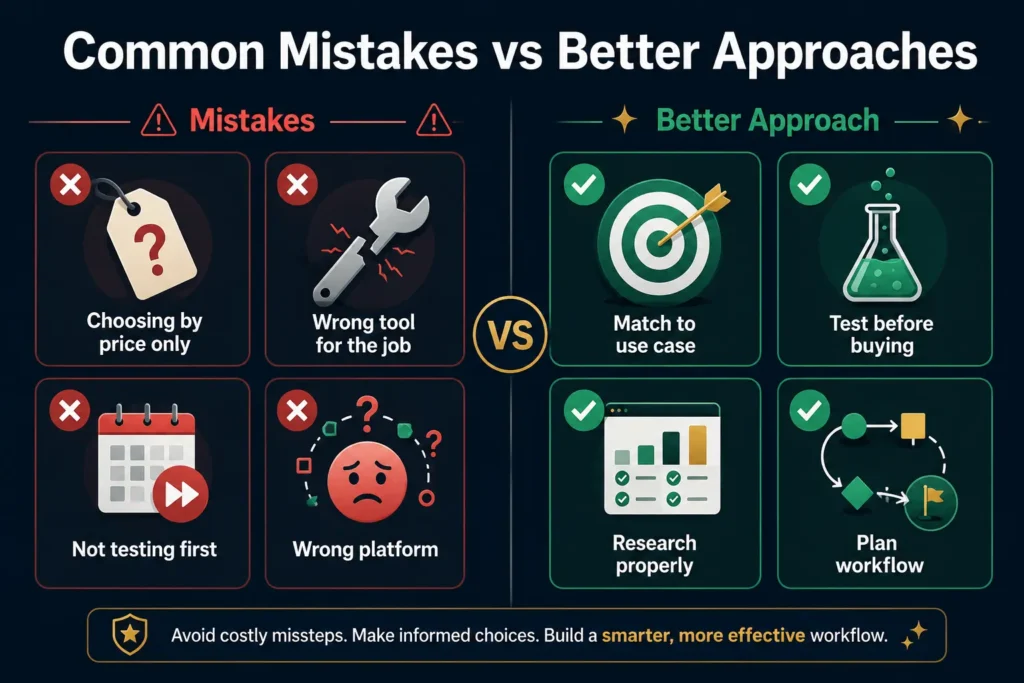
Mistake 1: Choosing Based Only on Price
The cheapest tool isn’t always the best tool. If it can’t create your specific video type, it wastes your time and frustration.
Better approach: Start with your actual use case, then find the most affordable tool that fits.
Mistake 2: Expecting Perfect One-to-One Replacement
A Topview AI alternative won’t do everything the same way. Some tools excel at avatars. Some excel at editing. Some excel at repurposing. That’s intentional design.
Better approach: Choose based on your specific workflow, not on feature-by-feature matching.
Mistake 3: Ignoring Free Trials and Free Tiers
Many creators jump to paid plans before testing. Free tiers exist for a reason.
Better approach: Test three tools using identical projects. Compare output quality, ease of use, export options, speed, and final results before spending.
Mistake 4: Forgetting Your Target Platform
A TikTok video isn’t a corporate training video. A YouTube Short isn’t the same as an Instagram Reel. Different platforms have different requirements.
Better approach: Choose tools specifically optimized for your actual platform.
Mistake 5: Not Checking Watermarks and Commercial Rights
Some free tiers add watermarks or restrict commercial use. This matters before using videos in ads or for client work.
Better approach: Review export quality, watermark policy, usage rights, and licensing terms before committing.
Mistake 6: Choosing a Tool Too Advanced for Your Skill Level
Runway is powerful, but a beginner creates faster with InVideo or Canva. Complexity isn’t always an advantage.
Better approach: Match your tool choice to your actual technical comfort level and available learning time.
Mistake 7: Believing Any Tool Guarantees Viral Success
No tool can guarantee viral content. Hook quality, niche audience, storytelling, timing, distribution, and testing matter more than the tool.
Better approach: Use tools to test more variations faster. Virality comes from strategy, not from software.
For teams building content businesses with AI tools at the center, understanding how AI is reshaping marketing careers and business models helps inform tool selection. Our breakdown of AI product manager salaries and roles shows how companies structure teams around AI-powered content creation.
FAQ: Questions About Topview AI Alternatives
What is the best Topview AI alternative?
The answer depends entirely on your use case. For professional avatar videos, Synthesia. For custom avatars, HeyGen. For beginner marketing videos, InVideo. For creative generation, Runway. For social video editing, CapCut. For podcast editing, Descript. For short-form repurposing, Opus Clip.
Is there a completely free Topview AI alternative?
Yes. CapCut, Loom, Pika, Genmo, Opus Clip, Fliki, Descript, and Canva Video all offer free or free-entry options. Free plans have limits, so check usage caps, watermarks, export limits, and usage rights before using for commercial work.
Which Topview AI alternative is easiest to use?
InVideo, Canva Video, Biteable, and CapCut are easiest for beginners. They use templates and simple workflows, so you don’t need advanced video editing experience.
Can I create avatars like Topview AI in other tools?
Yes. Synthesia, HeyGen, InVideo, Biteable, and Pictory all offer avatar-style video creation. Synthesia and HeyGen are strongest for professional and customizable avatars.
What is the cheapest Topview AI alternative?
CapCut is strongest among completely free options. For paid tools, Fliki and Pictory start around $20 monthly. For budget-conscious creators, these two offer the best value at entry level.
Which tool is best for affiliate marketers?
Affiliate marketers need volume and repurposing. Practical stack: Opus Clip for short clips, CapCut for editing, Canva for graphics, Fliki for faceless explainers. This produces multiple content types efficiently.
If you’re building an affiliate business with video at the center, our comprehensive guide to free AI tools for marketing covers the full toolkit beyond video, including content creation, email marketing, and social tools that complement your video strategy.
Which tool is best for agencies?
Agencies should consider Synthesia for professional work, HeyGen for custom avatars, Runway for creative visuals, Descript for editing and transcription, and Vimeo for hosting and collaboration. This range covers different client needs.
Is Runway better than Topview AI?
Runway is better for creative generative video. Topview AI is better for product ads and ecommerce. Choose based on whether you need creative control or fast marketing videos.
Is Synthesia better than Topview AI?
Synthesia is better for professional avatar videos. Topview is better for ecommerce product videos. If corporate communication or training is your goal, Synthesia is superior.
Can I completely replace Topview AI?
Yes. For avatars, use Synthesia or HeyGen. For social content, use CapCut and InVideo. For short clips, use Opus Clip. For podcasts, use Descript. Multiple tools can replace Topview’s functions.
Our Recommendation: Finding Your Best Alternative
There is no single best Topview AI alternative for everyone.
If you need professional avatar videos, Synthesia is your answer.
If you want custom, personalized avatars, HeyGen wins.
If you want beginner-friendly marketing videos, InVideo is best.
If you want advanced creative video generation, Runway is the choice.
If you want to convert long videos to short clips, Opus Clip solves that.
If you edit podcasts, interviews, or tutorials, Descript is strongest.
If you want a free social video editor, CapCut is hard to beat.
If you want faceless narrated videos, Fliki works well.
If you want to convert blogs to video, Pictory is designed for that.
If you want animated explainers, Animaker is best.
If you want simple business templates, Biteable delivers.
If you need professional hosting and collaboration, Vimeo is it.
The smartest approach is testing before committing. Use three tools with identical projects. Compare output quality, speed, ease of use, cost, and how naturally each fits your workflow.
Getting Started With Your Alternative Today
Here’s a practical three-week implementation plan.
Week 1: Identify Your Specific Use Case
Be specific. “Marketing videos” is too vague. “Thirty-second product video for Instagram Reels showing product benefits to ecommerce buyers” is specific enough.
Also test three free versions. If you’re creating professional avatars, test Synthesia, HeyGen, and InVideo free tiers using the same script. If you’re creating TikTok content, test CapCut, Opus Clip, and Pika. Compare output, speed, and ease.
Week 2: Choose Your Primary Tool
Choose based on output quality, speed, cost, and how naturally the tool fits your workflow. Don’t choose based only on features or price.
Week 2: Build a Repeatable Workflow
Create a simple, repeatable process:
- Script or idea development
- Video generation or recording
- Editing and refinement
- Captions and graphics
- Thumbnail creation
- Export and optimization
- Publishing and scheduling
- Performance tracking
Once your process is repeatable, you create more videos without restarting from zero each time.
Week 3: Test and Scale
Create three to five versions of your best video idea using different hooks, captions, and visual approaches. This is where AI video tools become genuinely valuable. They let you test more variations faster.
Track which versions perform best. Double down on what works. Discard what doesn’t.
Once you have your video workflow established, understanding how AI tools fit into broader marketing automation becomes valuable. Our guide to generative AI workflows shows how video creation integrates with content distribution, email marketing, and audience engagement strategies across your entire business.
Conclusion: Your Next Steps
Topview AI is a genuinely useful tool for specific purposes. It excels at product videos, UGC-style advertisements, ecommerce creatives, and avatar-based marketing content. If that’s your exact use case, Topview might be the right choice.
But for everyone else, alternatives exist that solve different problems better.
In 2026, the AI video generation market is rich with strong options. Synthesia and HeyGen are superior for professional avatar videos. InVideo is easier for beginners. Runway is stronger for creative generative video. Opus Clip excels at short-form repurposing. Descript is better for editing and transcription. CapCut is one of the strongest free video editors for social content. Pictory and Fliki are useful for faceless and blog-to-video workflows. Animaker and Biteable are strong for animated and template-based videos. Vimeo is better for professional hosting and collaboration.
The best Topview AI alternative is not the tool with the longest feature list. It’s the tool that solves your specific video creation problem most efficiently with the least friction.
Start with your use case. Test the free plans of three tools using identical projects. Compare output quality, speed, ease of use, and final results. Check pricing and usage limits. Review watermarks and commercial rights.
Then build a repeatable workflow.
AI video tools won’t guarantee viral success. Virality depends on hook quality, storytelling, niche audience match, platform strategy, distribution, and consistent testing. What these tools actually do is help you create faster and test more variations without excessive time investment.
That efficiency is your real advantage.
The companies creating these video AI tools themselves are interesting AI entrepreneurship case studies. If you’re curious about the business and funding behind these platforms, our guide to generative AI startups explores the companies, funding rounds, and business models driving this market.







Comments (1)
Liandrosays:
July 7, 2026 at 2:55 pmI’ve been looking at AI video tools for a while now, and it’s wild how many options there are — honestly makes picking one feel harder than it should be. The thing that stuck with me in your breakdown is how you’re splitting this by actual use case instead of just ranking by hype. I was probably guilty of that, assuming Topview AI was the default answer just because everyone used it. Turns out I needed something totally different for what I was building, and I wasted time before realizing there wasn’t a one-size-fits-all tool. By the way, ImageToVideoAI converts static images into cinematic videos using AI models like Kling and Runway — free credits on signup, no credit card needed — feel free to try it out.