
Imagine standing in a quiet forest and deciding that it should start raining.
You type a sentence. The light changes, the weather shifts and the place around you responds while you continue exploring. A character might appear. The trees might move in the wind. And instead of watching a prerecorded video, you are influencing what happens next.
That is the experience Google is trying to build with Genie 4.
On November 18, 2026, Google began rolling out Genie 4 through Project Genie to eligible Google AI Ultra subscribers, bringing its newest interactive world model to a wider audience for the first time.
It is a striking step beyond ordinary text to video generation. Genie 4 creates scenes in response to user actions, allows new instructions during exploration and generates sound as part of the world itself.
But there is a catch that makes this technology more interesting, not less.
Genie 4 can produce a convincing world for a short interactive session. It cannot yet be treated as a reliable replacement for a complete video game, a traditional simulation engine or a finished virtual environment.
Google itself acknowledges problems with long term consistency, physics, audio accuracy and objects remaining stable as the scene evolves.
So what can Genie 4 actually do? Is it worth paying for Google AI Ultra? How does it compare with Genie 3? And can someone use it to start building a game?
Here is what the latest announcement, official model documentation and independent reporting tell us.
What Is Google Genie 4?
Google Genie 4 is a world generation model developed by Google DeepMind.
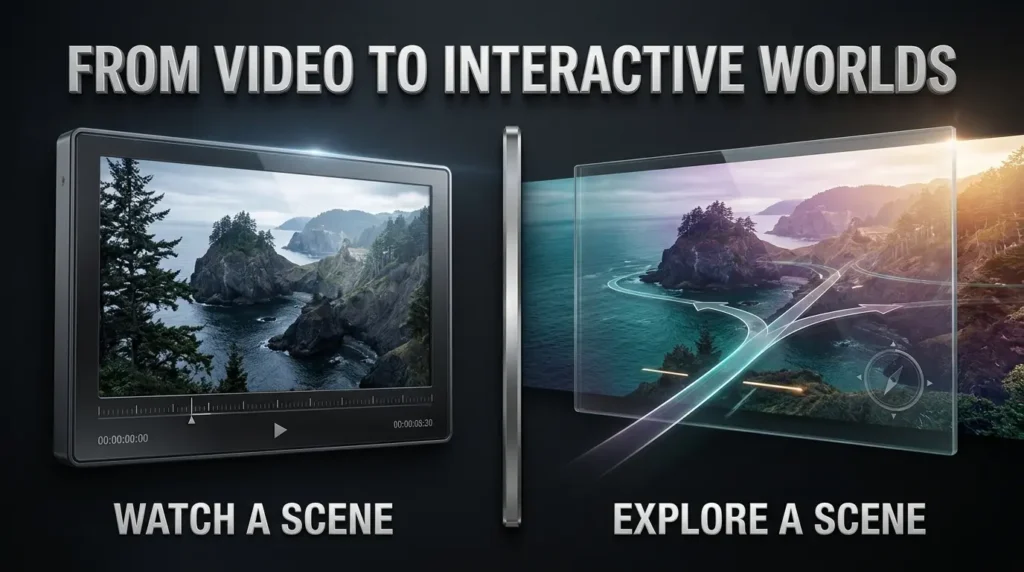
A conventional AI image generator creates a picture. A video generator produces a sequence of frames that someone watches.
A world model goes further. It produces a scene that responds to movement and other inputs as the interaction continues.
Imagine asking for a coastal village at sunset.
With a conventional video generator, you might receive a short clip of the village. You could watch it, but you would not be able to freely decide to turn left halfway through the clip and explore another street.
With a model such as Genie 4, the next part of the scene is generated in response to your actions.
That difference is central to the product.
According to the official Google DeepMind Genie 4 model card, the system accepts text, images and real time actions such as keyboard and mouse navigation. It generates video at up to 720p and 24 frames per second, alongside synchronized audio.
Google describes it as a multimodal model built on technology from the Gemini family.
Gemini models also help with reasoning and steering, allowing the system to interpret what a user wants to happen next.
Google Genie 4 at a glance
| Feature | Officially documented information |
|---|---|
| Developer | Google DeepMind |
| Initial announcement | October 27, 2026 |
| Expanded Project Genie rollout | November 18, 2026 |
| Product | Project Genie |
| Model | Genie 4 |
| Inputs | Text, images and user actions |
| Output | Interactive generated video with audio |
| Reported maximum output | 720p, up to 24 frames per second |
| New capabilities | More realistic scenes, live steering, native audio and dialogue |
| Consumer access | Eligible Google AI Ultra subscribers |
| Other access | Pro waitlist and limited developer partner arrangements |
| Current status | Experimental research technology |
These specifications describe Google’s model and the announced product experience. They do not mean every prompt produces perfect results or that every account has identical access.
October 27 vs November 18: When Did Genie 4 Actually Launch?
The two dates have caused some understandable confusion.
Google first introduced Genie 4 on October 27, 2026.
At that point, it was a research preview for a limited group of trusted testers. Google showed interactive environments, improved realism and the new ability to generate sound directly with the scene.
The public story changed on November 18, 2026, when Google announced wider access through Project Genie.
That update introduced the Genie 4 experience to eligible Google AI Ultra subscribers, alongside a creative agent and a community gallery.
It also brought improvements to Genie 3.
So if you see one article saying Genie 4 launched in October and another describing a November launch, both may be referring to different milestones.
The first is the model announcement. The second is the expanded subscriber rollout.
The distinction matters when you’re trying to decide whether you can actually use the technology today.
How Does Genie 4 Create an Interactive World?
Google’s approach combines live world generation with reasoning systems that help interpret events.
The user begins by describing a place or providing an image.
The system generates an environment from that starting point.
As the user moves, turns the camera or issues another instruction, Genie generates more of the scene and attempts to maintain continuity with what has already happened.
Google’s technical introduction to Genie 4 describes several improvements over its earlier research.
1. The environment responds while you explore
Suppose you create an abandoned train station.
You can move through the environment and ask the system to change an aspect of the scene, such as making the lights flicker or introducing rain outside the windows.
The intention is to preserve the sense of being in one continuous experience rather than generating a completely separate video for every change.
2. Characters can respond to events
Google’s demonstrations show more natural human movement and reactions than earlier world model examples.
The system can introduce characters as part of the evolving environment.
That does not mean every generated character will behave consistently or remember every interaction indefinitely.
It means Google is improving the way its world model represents people and responds to events.
3. Gemini helps steer the simulation
Google describes Gemini models working alongside Genie to interpret instructions, follow the changing scene and coordinate complex events.
The roles are complementary.
Genie generates the visible and audible environment. Gemini contributes reasoning and direction.
This is different from simply asking a language model to write a description of a fictional place.
For readers familiar with Google’s wider AI products, it is worth separating Genie 4 from a general purpose model such as Gemini 4 Hydrogen. Our Gemini 4 Hydrogen guide covers a model designed for broader reasoning, coding and automation tasks.
Genie 4’s distinctive purpose is interactive world simulation.
Genie 4 vs Genie 3: What Actually Changed?
This is where the new Project Genie release becomes a little surprising.
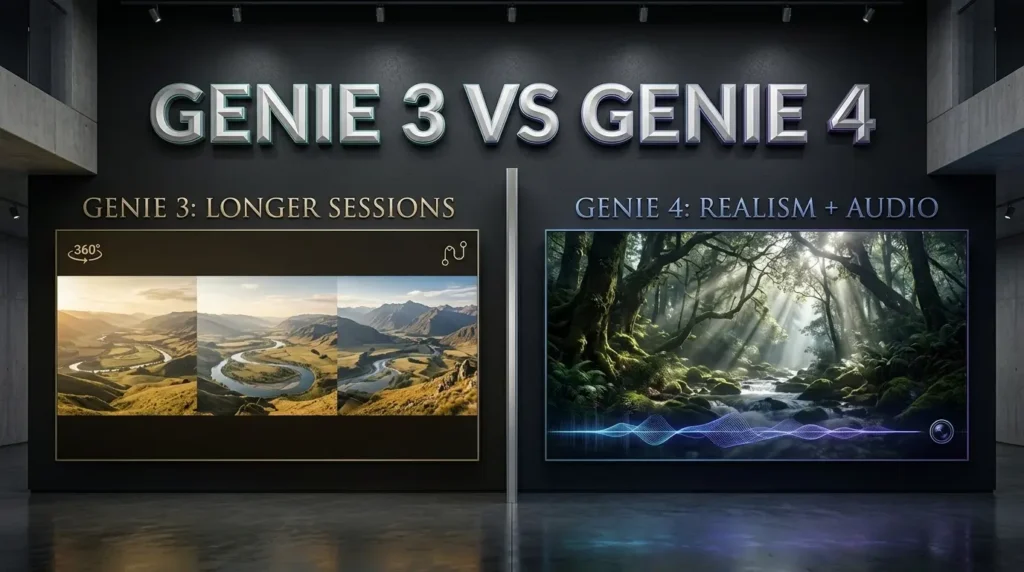
Genie 4 is Google’s more advanced model for visual realism, movement, real time steering and native audio.
Yet some of the most useful November improvements belong to the older Genie 3 model.
Google has kept both options in Project Genie.
Genie 3 versus Genie 4 comparison
| Capability | Genie 3 | Genie 4 |
|---|---|---|
| Interactive world generation | Yes | Yes |
| Real time user navigation | Yes | Yes |
| In-world prompts | Updated support | More advanced live steering |
| Native sound and dialogue | Not the new native audio feature | Supported |
| Photorealism | Earlier generation | Google reports stronger realism |
| Longer generation sessions | Up to three minutes after November update | Remains a shorter research interaction |
| Linked world sequences | Announced in November update | Not established as identical |
| 360 degree panorama grounding | Announced in November update | Do not assume identical support |
| Role in Project Genie | Still available | Newer world model |
The three-minute session improvement is for Genie 3, not Genie 4.
Google says updated Genie 3 sessions can run for up to three minutes per generation, compared with the previous one minute, and can connect multiple worlds into longer journeys.
The same update introduces 360 degree panorama grounding for Genie 3.
Those capabilities could make Genie 3 preferable when someone wants a longer exploration or to begin from a panoramic image.
Genie 4 is the more appealing choice when the goal is newer visual realism, native audio and changing a scene while exploring.
Is Genie 4 better than Genie 3?
For everything? Not necessarily.
Google’s own November 18 announcement presents the two models as useful for different experiences.
If you want to test a short cinematic idea with sound and responsive events, Genie 4 may be the right choice.
If you want a longer generated journey or panorama based exploration, Genie 3 may currently suit that purpose better.
There is no need to treat the larger version number as proof that it wins every practical comparison.
Real Time Editing: Change the World Without Starting Again
One of Genie 4’s most distinctive features is the ability to issue instructions during exploration.
Instead of committing to a single description before generation, a user can steer the scene as it evolves.
Google gives examples such as changing the weather, moving the camera and adding characters.
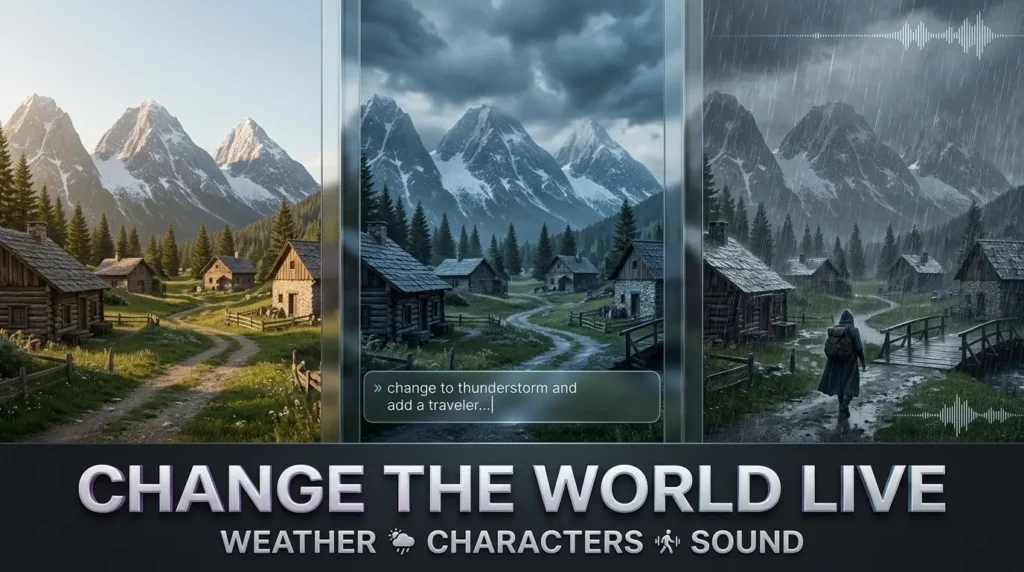
Consider a scene that begins as a sunny mountain village.
You might ask for clouds to gather, a storm to move across the valley or a new character to enter the scene.
The model attempts to adapt the existing environment to the instruction.
That creates an unusual form of creative interaction. The prompt is no longer simply a request for the final image. It becomes a way of directing an experience while it happens.
How detailed should a live prompt be?
A useful live prompt should usually describe one clear change.
For example:
“Make the afternoon light fade into a cloudy evening while keeping the village layout unchanged.”
Or:
“Introduce a traveler walking toward the bridge. Keep the camera near the river.”
Those are suggested instructions based on the documented capability. They are not examples TrendOutsider has independently tested.
It is also worth remembering that asking the model to preserve something does not guarantee it will succeed.
A world model may still alter a distant building, lose an object or change the shape of a location as the session continues.
That is one of its known technical challenges.
Native Audio: Why Sound Makes Genie 4 Different
A scene feels very different when the sound responds to what is happening.
Picture standing beside a beach.
A static video can include prerecorded waves and wind. But a world model needs the sound to fit an environment that is changing as the user moves.
Genie 4 introduces native audio generation.
Google says this includes environmental sound, music and interactive character dialogue.
A forest might have movement in the leaves. A seaside scene might include surf. A generated character may speak in response to an event.
The important development is that audio and visuals are generated as part of the interactive process, rather than simply attaching an unrelated soundtrack to a finished clip.
Is Genie 4 audio perfectly synchronized?
No such guarantee is supported.
Google’s model card specifically identifies audio accuracy and synchronization among the areas that still need improvement.
Speech may sound convincing in a demonstration while remaining imperfect during longer or more complicated interactions.
The technology is promising for creative experiments, but a filmmaker should not assume that every generated performance is ready for use in a finished scene.
How to Access Google Genie 4 Through Project Genie
The official route for eligible consumers is Project Genie.
You can begin at Google’s Project Genie website.
Google’s current Help Center instructions explain the account and access requirements.
Who can use it?
Project Genie is available to eligible Google AI Ultra subscribers in supported regions.
Google AI Pro subscribers can join a waitlist, with access granted gradually according to availability.
Users must be at least 18 years old and sign in with an eligible personal Google account.
Daily usage limits apply.
This is not a universal free rollout, and a Google AI Pro subscription does not automatically guarantee immediate Genie 4 access.
How much does Genie 4 cost?
There is no independently verified, generally available standalone Genie 4 per-world price.
Access is tied to eligible Google AI plans.
Google’s current AI plans page shows US Ultra pricing starting at $99.99 per month, with plan options and regional prices subject to change.
That is the price of a wider subscription bundle, not a statement that Genie 4 itself costs $99.99 for each generated world.
Google also documents daily usage limits for Project Genie.
Before subscribing, check the current features, region, tier and limits shown for your account.
Is there a public Genie 4 API?
Google’s October research announcement mentioned access for selected early partners through the Gemini API and Google AI Studio.
That is not the same as a generally available public API that every developer can purchase and deploy.
The November 18 consumer rollout does not establish a universal API launch or a published standalone token pricing schedule for Genie 4.
If you’re a developer hoping to integrate the world model into your own product, verify the current developer access documentation rather than assuming the consumer Project Genie subscription includes API rights.
How to Create Your First World in Project Genie
Google’s documented workflow is intended to be approachable.
You don’t need to begin with a complex game design document.
Start with an environment you can describe clearly and a simple interaction you want to explore.
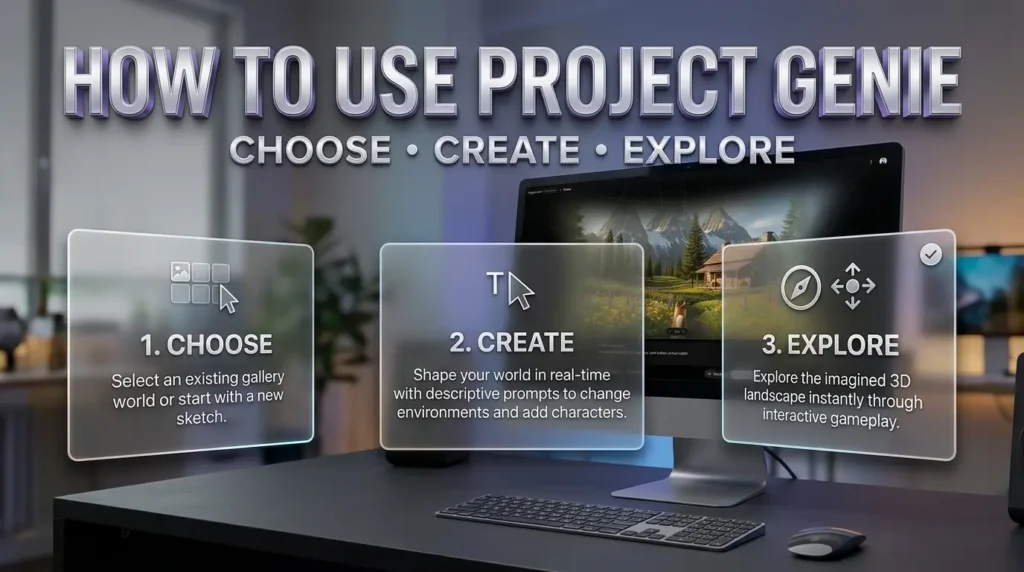
Step 1: Open Project Genie
Visit Project Genie and sign in using an eligible personal Google account.
If your Ultra subscription qualifies and access has reached your account, you should see the available experience.
If you’re an eligible Pro subscriber without access, Google provides a waitlist.
Step 2: Choose a starting point
The updated product offers curated experiences, a community gallery and creation options.
You can explore an existing world to become familiar with the controls, or start building your own.
Step 3: Select a model
Project Genie includes Genie 3 and Genie 4 options where available.
Choose according to your purpose.
For newer native audio and more advanced realism, consider Genie 4.
For longer sessions and panorama based exploration, the updated Genie 3 experience may be more appropriate.
Step 4: Describe the world
Begin with a focused prompt describing the setting, atmosphere, perspective and one or two interesting details.
For example:
“Create a quiet coastal village at sunset. The viewer starts beside a stone path overlooking the water. There are small fishing boats, distant hills and gentle waves. Use realistic lighting and a peaceful atmosphere.”
Avoid trying to include an entire game storyline in the first instruction.
Step 5: Refine with the Project Genie agent
Google’s new creation agent can help turn a conversation into an initial world concept.
The announcement describes the agent coordinating visual generation and background music suited to the desired mood.
You can refine the atmosphere before entering the world.
Step 6: Explore and interact
Use the navigation controls presented in Project Genie.
Google’s documentation describes standard keyboard based movement, including WASD and additional controls for certain experiences.
As you explore, issue new prompts to steer the scene where that feature is supported.
Step 7: Review the result
Watch for changing object shapes, missing details, unexpected movements or sound that does not match the scene.
Those are valuable observations, particularly when you’re experimenting with how reliably the model follows instructions.
Step 8: Save or share through supported options
Google documents ways to revisit experiences, share gallery creations and download a video of a playthrough.
Do not confuse a downloadable playthrough video with a complete reusable game project.
The available options depend on the product interface, account and current usage conditions.
Five Genie 4 Prompts Worth Exploring
The following prompts are original creative examples based on Google’s documented features.
They have not been executed or evaluated by TrendOutsider, and they do not imply that a generated scene will match every instruction.
1. A mysterious coastal town
Starting prompt:
“Create a quiet fictional coastal town just before sunset. Narrow streets lead down toward a small harbor. The buildings have weathered stone walls, warm window lights and realistic architectural details. Start the camera at street level. Include gentle waves, distant seabirds and natural evening ambience.”
Live prompt to try:
“Change the weather to light rain. Keep the street layout and harbor in their original positions.”
What to observe: Whether familiar buildings remain stable as the lighting changes.
2. An enchanted forest
Starting prompt:
“Create an explorable forest with tall trees, moss covered rocks, a winding path and sunlight filtering through the canopy. Make the scene feel magical through atmosphere and color, while keeping the landscape believable.”
Live prompt to try:
“Introduce a softly glowing creature moving between the trees. Keep the camera on the path.”
What to observe: Character movement, depth and whether the creature remains consistent.
3. A miniature city
Starting prompt:
“Create an interactive miniature city viewed from the perspective of a tiny explorer. Ordinary objects such as books, tables and indoor plants should feel enormous. Make the environment richly detailed, with realistic shadows and a gentle background soundscape.”
Live prompt to try:
“Move the camera toward the desk and introduce a small toy vehicle passing nearby.”
What to observe: Scale consistency and how physical objects relate to one another.
4. A science fiction research station
Starting prompt:
“Create a fictional research station inside a transparent dome on an unfamiliar planet. Show detailed corridors, a distant rocky landscape and soft blue interior lighting. Begin from the entrance with a clear path forward.”
Live prompt to try:
“Shift the exterior weather into a dust storm while keeping the station interior calm.”
What to observe: Whether the environment remains coherent when different regions of a scene need different conditions.
5. An underwater ruin
Starting prompt:
“Create an explorable underwater environment with ancient fictional stone structures, schools of small fish, beams of filtered sunlight and slow moving plant life. Use an immersive viewpoint and a quiet atmospheric soundscape.”
Live prompt to try:
“Introduce a large shadow passing beyond the ruins, without changing the ruins themselves.”
What to observe: Water movement, lighting and whether the original structures persist.
A useful prompting principle
Start with one place and one clear goal.
Once the initial environment is working, change a single feature.
That makes it easier to see whether the model followed the instruction or lost important details.
A prompt containing twenty simultaneous changes may produce a spectacular result, but it will be harder to determine which instructions actually worked.
The New Project Genie Agent and Community Gallery
The November 18 update is not only about the model.
Google is also turning Project Genie into a broader creative environment.
The new Project Genie agent helps people develop worlds through conversation rather than requiring a single perfect opening prompt.
Google also introduced a community gallery for discovering, sharing and remixing experiences.
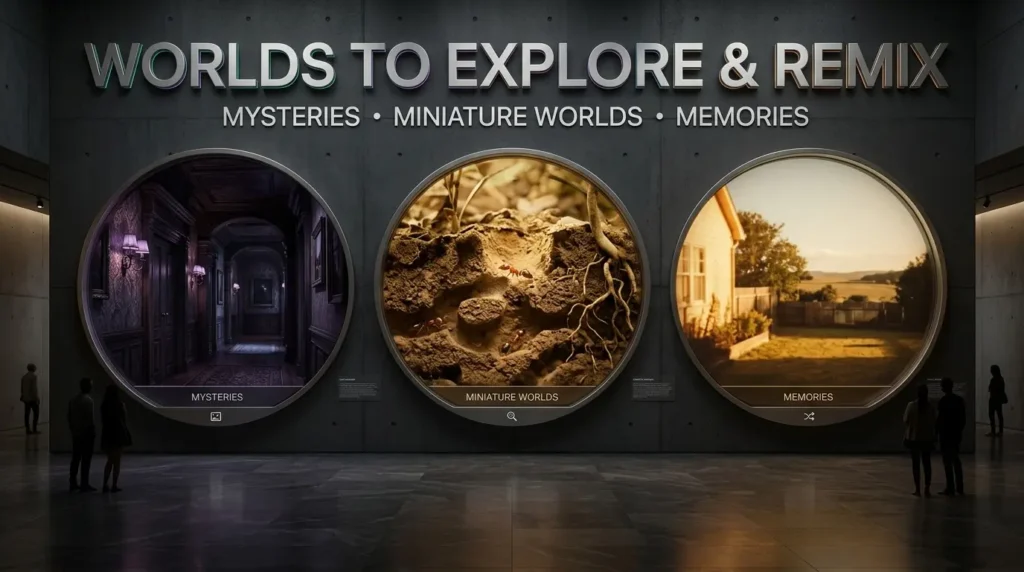
Villa Giallo
One featured experience, Villa Giallo, was developed with creative technologist Will, known as BLVCKL!GHT.
Google describes it as a gothic manor mystery that people can explore room by room.
The example demonstrates why interactive world generation has an obvious appeal for atmospheric storytelling.
But it should be understood as a featured collaboration, not evidence that an ordinary user can produce an equally polished experience with one prompt.
The Life of Ants
Another featured creation, The Life of Ants, was built with filmmaker Anand Gandhi.
It allows visitors to explore an ant colony from the perspective of an ant.
The concept shows how world models can create unusual viewpoints without requiring a person to physically film the subject at that scale.
Living Memory and other gallery experiences
Google also highlights Living Memory, which turns photographs into explorable spaces, along with other curated activities.
These examples broaden the appeal beyond gaming.
An interactive environment might be a short story, a creative experiment or a new way to experience a familiar image.
What does remixing mean?
Google says users can modify supported gallery experiences, including aspects of the world, soundtrack or rules, through the Project Genie agent.
That does not automatically establish ownership of every underlying asset or permission to distribute another person’s creative work commercially.
Users should review the applicable sharing terms and the rights attached to any source material they upload.
Can Genie 4 Build a Real Video Game?
This is probably the most interesting question for people who work in gaming.
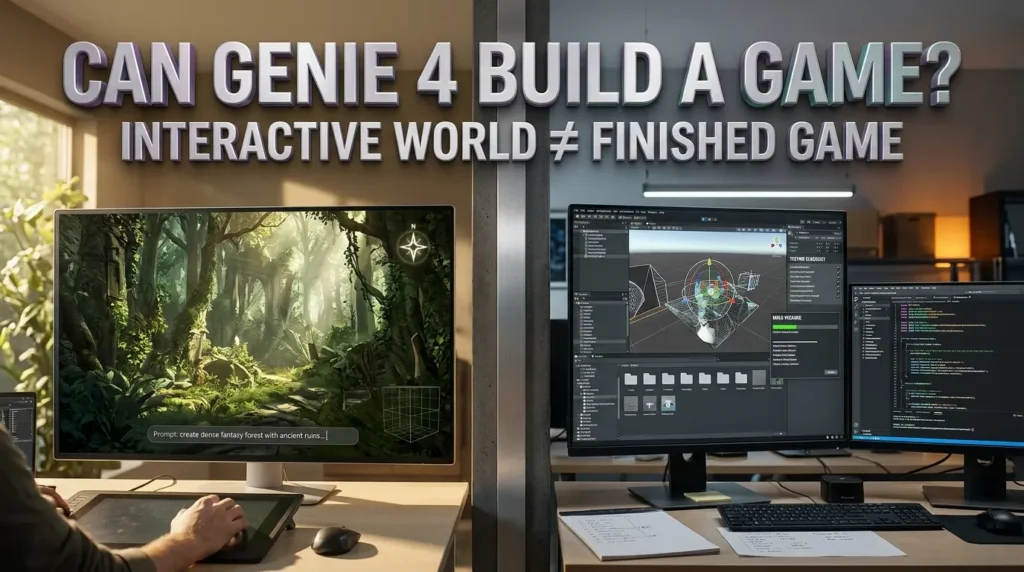
The short answer is that Genie 4 can create interactive world experiences, but Google’s current documentation does not establish a complete commercial game development and export workflow.
That distinction matters.
A finished game involves more than a visually impressive environment.
It may require persistent world state, reusable assets, deterministic gameplay systems, reliable controls, saved progress, user accounts, menus, accessibility settings, network code and support for a specific distribution platform.
A world model solves a different problem.
It tries to generate the next part of an experience in response to what the user does.
Genie 4 versus traditional game engines
| Capability | Genie 4 through Project Genie | Traditional game development engine |
|---|---|---|
| Generate scenes from prompts | Core capability | Typically requires additional tools or assets |
| Explore generated environments | Yes, within supported sessions | Yes, if the developer builds the experience |
| Change scenes using live language prompts | Core demonstrated capability | Requires custom systems or integrations |
| Precisely control every game rule | Not established | Developer can implement explicit rules |
| Export a reusable complete game project | Not established | Standard development workflow |
| Persistent save and progression systems | Not established as general features | Developer can implement them |
| Publish directly to major game stores | Not established | Possible with suitable development and platform approval |
| Long term scene consistency | Current limitation | Can be controlled through authored content and systems |
An indie developer could find Genie 4 valuable for exploring the mood of a location, testing a visual concept or thinking through an interactive story.
A filmmaker might use it to explore a scene from different viewpoints.
A creative team might decide whether an idea is worth developing further.
But it would be misleading to promise that a few prompts can currently produce an exportable, production ready Unreal Engine or Unity game through Project Genie.
What about AI generated games in the future?
World models could influence how interactive entertainment is designed and experienced.
They may eventually become part of systems combining conventional game logic, procedural generation and responsive simulations.
That is a plausible research direction, not an announced Genie 4 export feature.
For now, the technology is best evaluated as an experimental creative tool rather than a replacement for the complete game development process.
Why World Models Matter Beyond Gaming
Google’s research team is interested in more than immersive digital scenery.
A system that can simulate how an environment changes in response to actions could also be useful for studying AI agents and robots.
Robotics and agent training
A robot needs to respond to a changing physical environment.
In principle, simulated worlds can provide opportunities to explore situations without reproducing every one of them in the real world.
Google identifies training environments for robots and agents as an important research direction.
That does not mean Genie 4 is currently a fully validated simulator for every robotics task.
If a world model gets physical behavior wrong, a system trained on those interactions may learn the wrong lesson.
Our guide to AI agents and workflow automation examines a related principle: useful AI systems need clear goals, reliable tools and ways to check outcomes.
A convincing simulation is helpful only if its behavior is trustworthy enough for the intended purpose.
Filmmaking and previsualization
Before constructing a set or shooting a scene, a filmmaker may want to explore lighting, camera movement and the feel of a location.
Google and independent technology reporting have identified previsualization as a possible use.
A short interactive world could help communicate a mood or test a visual direction.
It is not a substitute for the production work needed to deliver a finished film.
Education and creative learning
Imagine entering an interactive interpretation of a historical landscape or a model of an unfamiliar environment.
That could be a powerful teaching experience.
But generated worlds can contain inaccurate geography, unrealistic physical behavior and invented details.
Educational material would require verification rather than relying on an impressive visual appearance.
There is also an important distinction between Genie 4 and source based tools such as Gemini Notebook’s interactive websites.
Gemini Notebook builds interfaces around supplied source material. Genie 4 generates explorable environments.
They solve different problems, even if both can make digital content more interactive.
What Genie 4 Still Gets Wrong
The most responsible way to evaluate this technology is to take its limitations seriously.
Google DeepMind’s model card and research overview explicitly acknowledge several unresolved challenges.
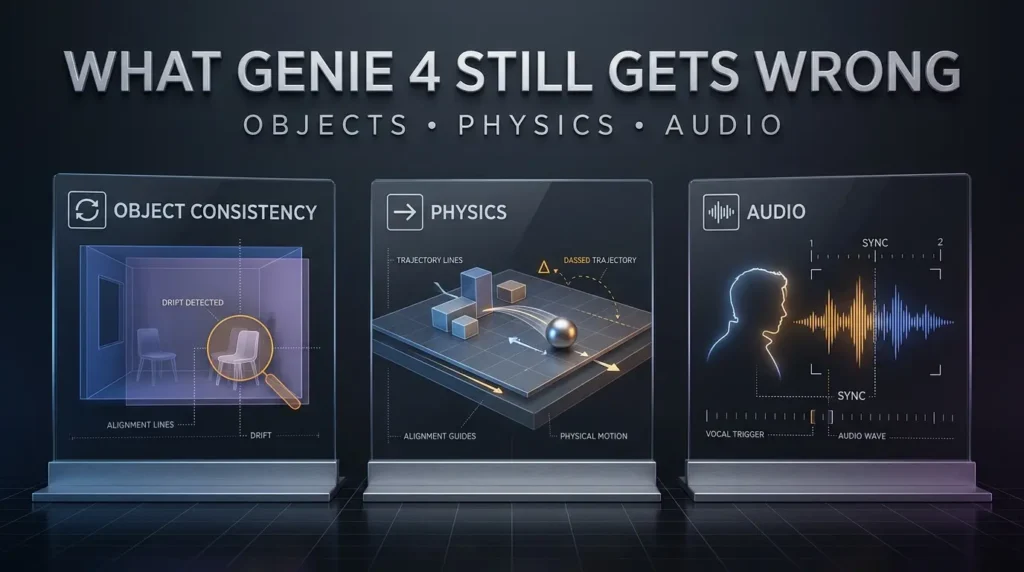
Objects do not always remain in place
A tree, chair or doorway may change as the simulation continues.
The problem is often described as object permanence.
For an ordinary video clip, a small inconsistency may pass unnoticed.
Inside an interactive world, the user can turn around and discover that the space no longer looks quite the same.
That makes long term exploration difficult.
Physical behavior is not always accurate
Google describes improved physics and more realistic movement.
It also acknowledges that complex interactions remain imperfect.
Objects colliding, water behaving naturally and characters responding to the environment are all difficult problems.
An impressive short demonstration is not proof of physically correct simulation.
Audio still needs refinement
Native audio is one of Genie 4’s most exciting features.
But dialogue, sound timing and synchronization are still active research areas.
Creative users should expect occasional mismatches.
Text inside scenes may be unreliable
AI generated words on signs, interfaces or other surfaces can be difficult to render consistently.
That matters if an experience relies on readable instructions or environmental clues.
Long sessions remain difficult
Maintaining a stable world over time is more challenging than generating a short scene.
Google acknowledges that inconsistencies can accumulate during longer interactions and after complicated prompt changes.
This is why the distinction between Genie 4’s current experience and Genie 3’s newly extended three-minute sessions matters.
Generated geography is not a reliable replica of reality
A world may look like a real place without accurately reproducing its streets, buildings or physical layout.
For education, journalism or location planning, that is a substantial limitation.
Generated scenes should not be presented as verified footage of actual places or events.
Is Genie 4 Safe? What About Copyright and AI Watermarks?
Google says it conducted safety reviews, tested for misuse and applies safeguards at different stages of generation and product use.
Its official announcement also states that generated video and audio include SynthID, Google’s digital watermarking technology.
This helps support identification of AI generated media.
However, a watermark does not make every generated scene accurate or automatically resolve questions about copyright and commercial rights.
Using real photographs as starting material
If you upload a photograph to create an interactive environment, make sure you have the appropriate rights and permissions to use it.
A photograph of a private location, a person or copyrighted artwork can raise questions that are separate from whether the model accepts the image.
Sharing generated worlds
The community gallery offers new creative possibilities.
But sharing an experience in a product is not equivalent to securing all rights required to sell, license or independently distribute it.
Review Google’s applicable terms and the source material used in the creation.
Can Genie 4 create misleading footage?
Any sufficiently realistic generated environment can create confusion if presented without context.
A fictional scene should not be labeled authentic documentary footage.
For journalism and educational work, it is especially important to disclose when something is an illustration or simulation.
TrendOutsider’s own visuals for this guide will follow the same principle.
We will distinguish official Google demonstrations from original editorial illustrations.
Genie 4 Troubleshooting: Common Problems to Check
Genie 4 is missing from Project Genie
Check whether you have an eligible Google AI Ultra subscription, a supported account and access in your region.
Google AI Pro subscribers may need to join the waitlist rather than expecting immediate access.
The world stops sooner than expected
Project Genie is an experimental product with usage and session limits.
Check which model you selected. The updated three-minute generation feature belongs to Genie 3.
The environment changes unexpectedly
This may reflect the model’s known limitations in spatial consistency and object permanence.
Try starting again with a simpler description and changing fewer things at once.
That is a practical troubleshooting suggestion, not a guaranteed fix.
A character does not respond naturally
Genie 4 supports interactive dialogue and responsive characters, but output quality varies.
Use a simpler request and avoid expecting a long, perfectly coherent conversation.
The sound does not match the scene
Audio accuracy is an acknowledged research limitation.
If the task needs precise sound timing, don’t rely on an unverified generated clip as a final production asset.
Can I export the world into Unreal Engine?
A complete reusable game project export has not been established in the current product documentation.
A playthrough video is not the same thing as a scene with reusable 3D assets, scripts and gameplay logic.
Can I use Genie 4 commercially?
Do not assume that subscriber access or gallery sharing automatically grants every commercial right.
Check Google’s current terms and any applicable licensing conditions for the intended use.
Frequently Asked Questions About Google Genie 4
When was Google Genie 4 released?
Google announced Genie 4 on October 27, 2026. It began rolling out the model through Project Genie to eligible Google AI Ultra subscribers on November 18, 2026.
Is Google Genie 4 free?
No general free access was announced. The wider consumer experience is currently tied to eligible Google AI Ultra subscriptions, while Google AI Pro users can join a waitlist.
How do I access Genie 4?
Open the official Project Genie website and sign in with an eligible personal Google account. Access depends on subscription, age, region and rollout conditions.
What is Project Genie?
Project Genie is Google’s experimental environment for creating, exploring, sharing and remixing interactive worlds using world models.
Can Genie 4 generate sound?
Yes. Google says Genie 4 generates native audio, including ambient sound, music and interactive dialogue. Synchronization and accuracy are still areas of research.
How is Genie 4 different from Genie 3?
Genie 4 emphasizes realism, improved scene steering and native audio. Updated Genie 3 offers longer sessions, panorama grounding and linked world sequences.
Does Genie 4 support three-minute sessions?
Google’s November 18 announcement explicitly assigns up to three-minute generation sessions to updated Genie 3. Do not assume the same session limit applies to Genie 4.
Can Genie 4 create a real video game?
It can generate interactive world experiences. Google’s current consumer documentation does not establish a complete workflow for exporting production ready game projects.
Can I download a Genie 4 world?
Project Genie documents downloadable playthrough video and supported sharing options. That is different from downloading a complete editable game.
Can developers use a Genie 4 API?
Google previously announced limited access for early developer partners. A general public API and standalone pricing were not verified in this research.
Can Genie 4 create a world from an image?
Google’s model card lists image inputs, and Project Genie supports image based creation workflows. Exact options depend on the chosen model and interface.
Is Genie 4 better than AI video generators?
It serves a different purpose. A video generator produces a clip. Genie 4 creates an environment that responds to user actions. The better tool depends on whether you need a finished video or an interactive experiment.
What is Genie 4’s resolution?
Google’s model card specifies real time output at 720p and up to 24 frames per second, with audio.
Is Genie 4 available worldwide?
Access depends on Project Genie availability, eligible subscriptions, account requirements and rollout status. The announcement does not establish universal worldwide access.
The Most Interesting Part of Genie 4 Is What Happens Next
The impressive thing about Genie 4 is not simply that it can make a beautiful landscape.
AI has been generating striking images and short video clips for some time.
The more significant change is that the environment can respond.
You are no longer limited to watching the scene someone or something has already created. You can move through it, change its conditions and ask what happens next.
That opens creative possibilities for games, film concepts, education and simulated experiences.
But the limitations are real.
Objects can drift. Physics can be unreliable. Sound can lose accuracy. And a short interactive experiment is still a long way from a finished video game or dependable training simulation.
Google’s November 18 rollout makes these capabilities available to more eligible people, which means the next phase of learning will come from the worlds they try to create and the problems they encounter.
For anyone considering an expensive subscription solely to use Genie 4, the sensible question is whether short interactive world generation would be valuable for their actual work or creative interests.
For everyone else, this remains a technology worth watching.
The destination is fascinating. The journey from an impressive world model to a consistently reliable world is only beginning.
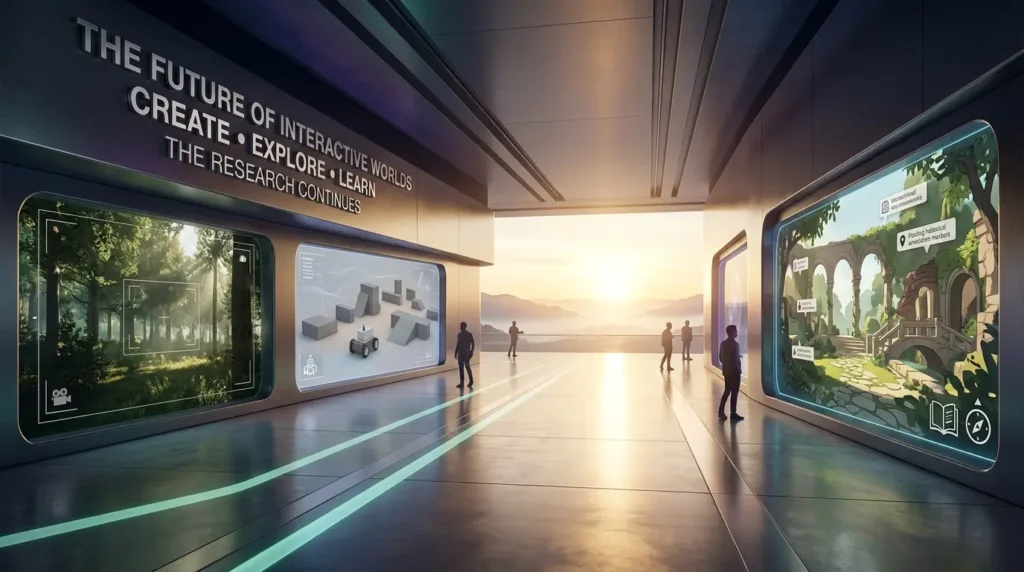
Editorial note: This guide is based on Google DeepMind’s October 27, 2026 research announcement, Google’s November 18 Project Genie update, official model and Help documentation, and independent technology reporting. TrendOutsider has not personally tested Genie 4, measured its performance or reproduced the featured demonstrations.
Access and pricing note: Subscription prices, region eligibility, daily limits, product capabilities and developer availability can change. Check Google’s current official information before subscribing or planning a commercial product.
Visual disclosure: AI generated editorial illustrations used with this guide are not actual Genie 4 output, authenticated screenshots or independently tested simulations unless specifically credited as such.







Leave a Reply