
There is a considerable difference between asking an AI assistant to find an appointment and asking it to book one.
In the first case, you still have to visit the website, check the available times, compare them with your calendar and finish the booking yourself.
In the second, the assistant has to work through those steps, deal with the website or business and know when to ask for your approval.
That is the difference Google wants people to notice in its latest Gemini update.
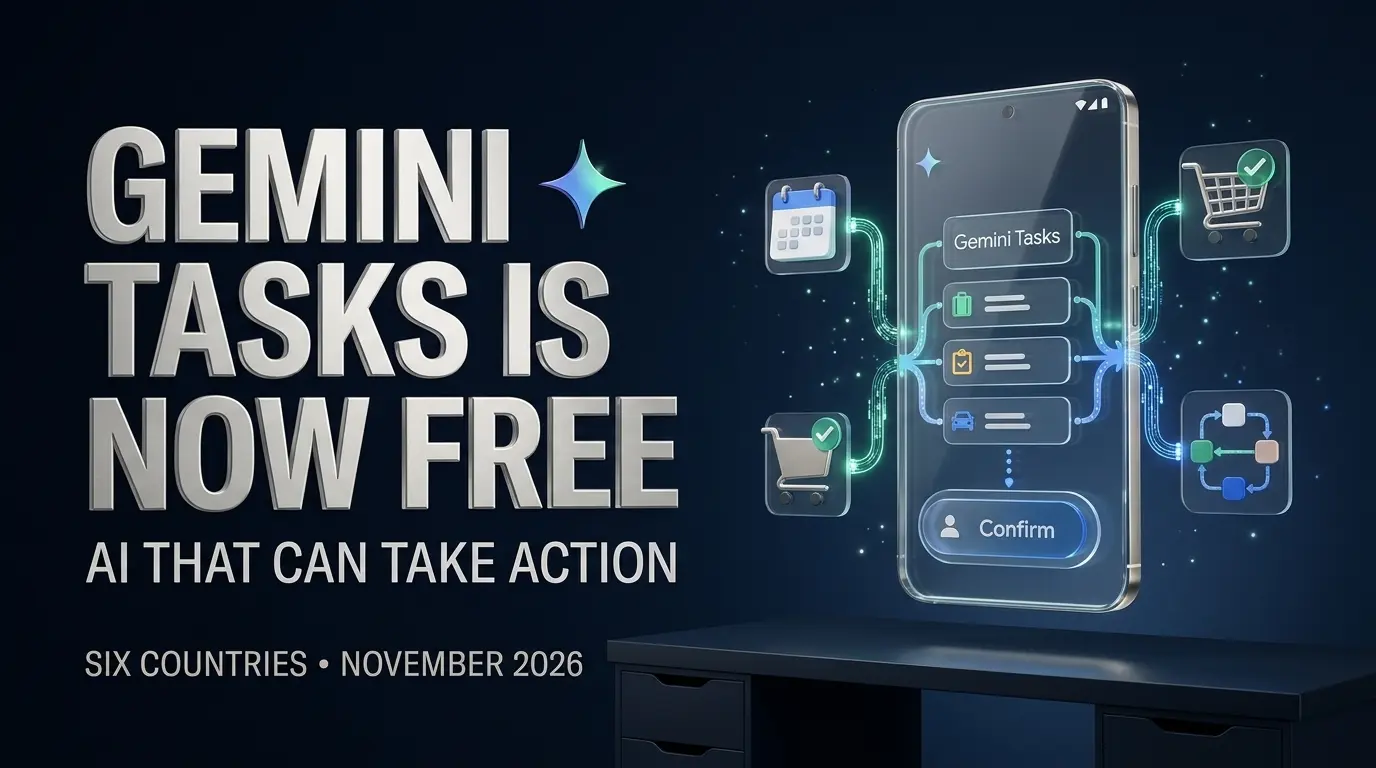
On November 17, 2026, Google announced that Gemini Tasks is becoming free to use in six countries, expanding access to an AI agent that can take action across supported websites, apps and connected services.
Previously known as Gemini Spark, the feature moves Gemini beyond ordinary conversations. Rather than simply suggesting what to do, it can work through certain assignments on your behalf.
Google also introduced advanced capabilities involving phone calls, shopping, Google Pay and account access, beginning in the United States.
But there is an important distinction in the announcement: free access to Gemini Tasks does not mean everyone can use every new feature.
Country restrictions, account eligibility, permission requirements and product availability still matter.
Here is what Google has actually released, how to try it and what you should understand before handing an AI assistant access to your personal accounts.
What Is Gemini Tasks?
Gemini Tasks is Google’s personal AI agent inside the Gemini app.
Its purpose is to help complete assignments that involve several steps, rather than stopping at a written answer.
You might ask a chatbot to suggest meals for the week. You might ask Gemini Tasks to help turn that plan into a grocery list, check information in connected services and perform supported follow-up actions.
A conventional chat response gives you information to act on.
An agent can use connected tools and available permissions to take some of those actions.
Google first introduced the underlying agent experience as Gemini Spark, then incorporated it into Gemini’s Tasks interface.
The November 17 announcement expands subscription free access and adds more ambitious capabilities in the United States.
According to Google’s official announcement, the updated experience is powered by Gemini 4 Hydrogen, Google’s recently introduced model designed in part for agent workflows.
TrendOutsider has already examined Gemini 4 Hydrogen’s capabilities and benchmarks, including the challenges involved in comparing agent performance across different evaluations.
The distinction matters because the model provides part of the intelligence, while the Tasks product supplies the surrounding environment, permissions and integrations.
Gemini Tasks at a glance
| Question | Answer |
|---|---|
| What is it? | Google’s action taking AI assistant |
| Previous name | Gemini Spark |
| Free rollout announcement | November 17, 2026 |
| Model powering the update | Gemini 4 Hydrogen |
| Initial countries with subscription free access | US, Canada, India, Japan, South Korea and Australia |
| Connected apps | More than 60, according to Google |
| Where to start | Switch Gemini from Chat to Task |
| Who can use it? | Eligible adults with a personal Google account and required activity settings |
| Advanced calls and purchases | Initially focused on the United States, subject to further restrictions |
| Does it always finish? | No. Google acknowledges mistakes and incomplete tasks |
The key change is not that Gemini can suddenly understand a calendar or read a document. Assistants have been able to discuss those things for years.
The change is that more people can now ask Google to carry out supported work across systems.
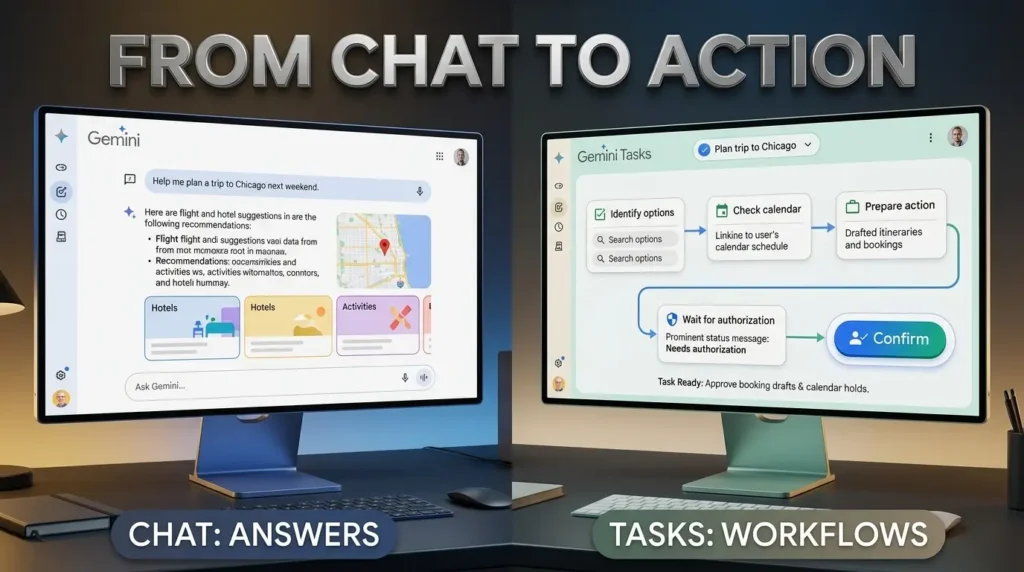
Gemini Chat vs Tasks: What Is the Difference?
The distinction is easiest to understand through an ordinary weekend plan.
Imagine you’re organizing dinner with friends.
You ask Gemini Chat for restaurant ideas. It might suggest several options, summarize reviews and help you choose.
You still need to investigate availability and make the reservation.
With Tasks, you can describe the intended outcome and let the agent attempt supported steps on your behalf, using available tools and connected services.
If an action requires confirmation, the system can pause and ask.
If a service does not allow the necessary action, Tasks may stop or hand that step back to you.
| Gemini Chat | Gemini Tasks |
|---|---|
| Answers questions | Attempts supported actions |
| Summarizes information | Can work across connected apps and websites |
| Helps draft plans | Can help carry out parts of a plan |
| Usually ends with a response | May continue through multiple steps |
| Does not imply authorization to act | Requires relevant connections and permissions |
| Useful for brainstorming and explanations | Useful for errands and supported workflows |
That does not make Chat obsolete.
Sometimes an answer is all you need. If you want to compare several options before deciding, a conversation may be simpler than delegating the entire process.
The practical benefit of Tasks appears when information needs to become an action.
This is also different from the interactive responses described in our ChatGPT Intelligent UI guide, where an assistant can present information through visual comparisons and interactive tools.
Displaying a useful interface and performing an external action are separate capabilities.
Where Is Gemini Tasks Free?
Google is making Tasks available without a Google AI subscription in six countries:
- United States
- Canada
- India
- Japan
- South Korea
- Australia
The rollout began on November 17, 2026.
Google describes the expansion as reaching hundreds of millions of potential users, but that figure should not be mistaken for the number of people who have actually activated or used Tasks.
Availability can also depend on the specific account and whether rollout has reached it.
What about the UK, Europe and other countries?
Google’s Tasks Help documentation distinguishes free access in the six launch countries from subscription access elsewhere.
It says eligible Google AI Pro or Ultra subscribers can access Tasks in other supported Gemini regions, subject to exclusions including the European Economic Area, the United Kingdom, Switzerland and Nigeria.
Those restrictions can change, so checking the live eligibility documentation is more reliable than relying on a social media post announcing a global launch.
Can users in Pakistan access Gemini Tasks for free?
Pakistan is not among the six countries named in Google’s November 17 subscription free rollout.
Eligible paid access may be available in other supported Gemini regions, depending on the account, product and current restrictions.
The announcement alone does not establish free access in Pakistan.
Are all six countries getting the same features?
No.
The broader Tasks experience is being expanded without a subscription in all six countries, but Google’s more advanced calls, purchases and messaging options are being introduced separately, beginning in the United States.
A user in Canada or India should not assume that seeing the Task toggle means they can already authorize Google Pay purchases or delegate business calls.
Even within the United States, specific calling capabilities have additional device, account and geographic requirements.

How to Turn On Gemini Tasks
Google’s starting instructions are straightforward.
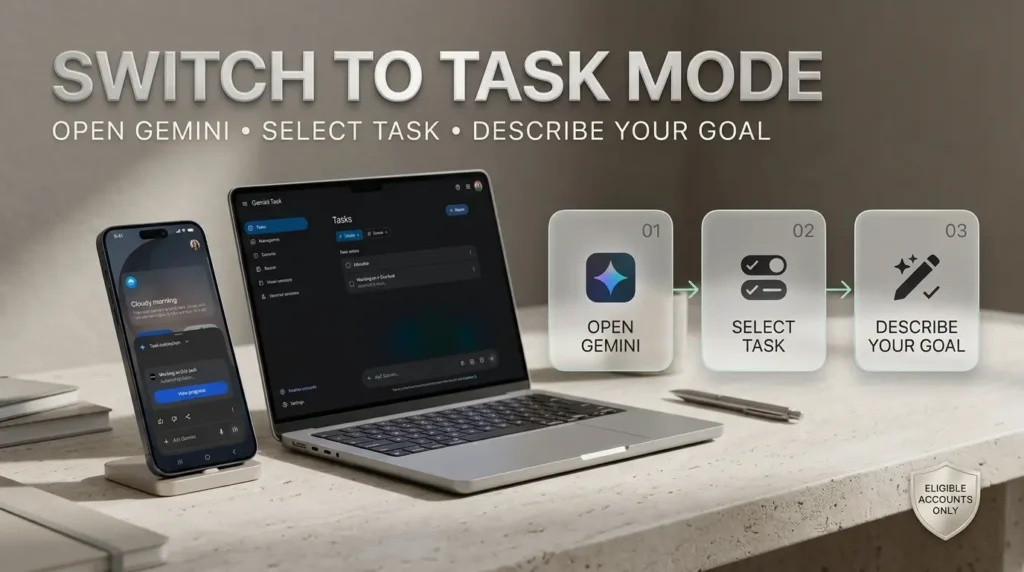
Step 1: Open Gemini
Visit gemini.google.com in a supported browser, or open the Gemini app on a compatible device.
Google lists the web app, mobile apps and Gemini for Mac among the supported Tasks environments.
Sign in with your personal Google account.
Step 2: Check your eligibility
Google’s current Help guidance requires users to be at least 18.
Tasks also requires the relevant History setting to be enabled, and it is not generally offered through work or school Google accounts under the documented eligibility rules.
If you cannot find the feature, verify your location, account type, subscription status where applicable and app version.
Step 3: Switch from Chat to Task
On the Gemini home screen, look for the option to change Chat to Task.
Google’s official launch instructions specifically describe flipping the home screen toggle from Chat to Task.
If the toggle is missing, that may indicate that your account has not received access.
It does not necessarily mean you have done something wrong.
Step 4: Describe the outcome you want
Start with something simple, specific and reversible.
For example:
“Review the upcoming events on my connected calendar and help me organize a plan for the weekend. Show me any proposed changes before saving them.”
Or:
“Find the newsletters I received this week, group them by topic and prepare a short summary. Do not delete or unsubscribe from anything without asking.”
The goal should be clear enough that you can recognize whether the task succeeded.
Step 5: Review connections and permissions
Some tasks require access to connected apps.
Approve only the services needed for the assignment.
A request to organize a calendar should not automatically justify giving an assistant access to unrelated accounts.
Step 6: Monitor the task
Google says users can give Gemini additional instructions while work is underway.
Review anything it proposes, particularly external messages, account changes, purchases or actions that could affect other people.
Step 7: Check the final result
Do not treat a completed status message as proof that every action happened correctly.
Open the relevant calendar, document, shopping cart or website and confirm the outcome.
This is especially important if Gemini reports that it encountered a page it could not use or handed the last step back to you.
Can Gemini Tasks Really Make Phone Calls for You?
Google’s launch announcement includes a striking example.
Josh Woodward, Google’s Vice President responsible for Labs, the Gemini app and AI Studio, described asking Gemini to contact two nearby car dealerships to arrange a service appointment.
In his account, the assistant made the calls, handled the waiting process and added the resulting appointment to his calendar.
He also said Gemini disclosed that it was an AI assistant when speaking to the business.
That is a company executive’s reported example, not a call independently conducted or verified by TrendOutsider.
What kinds of calls are supported?
Google describes possible uses including checking business hours, asking about stock or service quotes, navigating phone menus and booking or managing appointments.
These are everyday calls that often require patience and several follow-up questions.
The potential benefit is clear: an assistant could handle some of the waiting and information gathering before returning with the outcome.
Who can use the calling feature?
This is where access becomes more complicated.
The November 17 announcement says advanced calling capabilities are rolling out beginning in the United States.
It also states that calling is unavailable in Indiana, Louisiana, Minnesota, Montana and Nebraska at the time of announcement.
Google’s separate agentic calling Help page documents an eligible Pixel phone experience with additional requirements, including a supported Pixel device, US SIM and qualifying Google AI subscription.
The two descriptions should not be combined into a claim that every free Tasks user can immediately make calls from any device.
Check the current instructions for the exact calling experience offered on your account.
Can Gemini make emergency calls or financial transactions by phone?
The documented agentic calling feature does not support emergency calls, sharing sensitive financial details or completing financial transactions over the phone.
Google also describes restrictions on telemarketing and sharing sensitive personal information.
A phone call to ask for an appointment is not the same as permission to disclose a password or credit card number.
Can Gemini Tasks Shop and Pay With Google Pay?
Google is also expanding the connection between Gemini, shopping and payment services.
In its November 17 announcement, the company described Gemini researching a USB-C charger, comparing available products, finding a discount and helping complete checkout through Google Pay.
The launch also mentions Google’s Agent Payments Protocol, or AP2, as part of the purchasing system.
How does shopping work?
The intended experience moves from product research toward checkout.
A user describes what they want.
Gemini can compare supported options and ask clarifying questions about preferences such as specifications or color.
When payment is supported, the assistant may help prepare or complete the purchase through the appropriate connected services.
But users should not assume every retailer, product, card or country supports this flow.
Does Gemini need permission before buying?
Google says Tasks is designed to request confirmation or preapproval before critical actions, including purchasing.
It also describes spending caps and the ability to grant ongoing permission for some routine activities.
Those controls are important because a broad instruction such as “order groceries” should not be interpreted as unlimited spending authority.
Users should review the product, merchant, quantity, delivery details and final charge.
What does Google Wallet do?
Google says receipts and tracking information from supported purchases can appear in Google Wallet.
Its announcement also describes expanding Google Wallet to iOS in the United States.
The company is working with payment network partners on supported card experiences. It identifies Mastercard and Visa in the launch announcement and says American Express integration is coming.
These partnerships do not establish that every payment card or merchant is already supported.
Can Gemini pay bills automatically?
Google’s announcement uses an example involving analysis of a household electricity bill and access to a utility portal.
That demonstrates the intended usefulness of connected account information.
It should not be interpreted as a universal guarantee that Gemini can pay every bill automatically.
Actual bill payment depends on the supported service, permissions, location and confirmation requirements.

For financial tasks, it is safer to begin with analysis and review before granting permission for any transaction.
More Than 60 Connected Apps: What Can Gemini Tasks Work With?
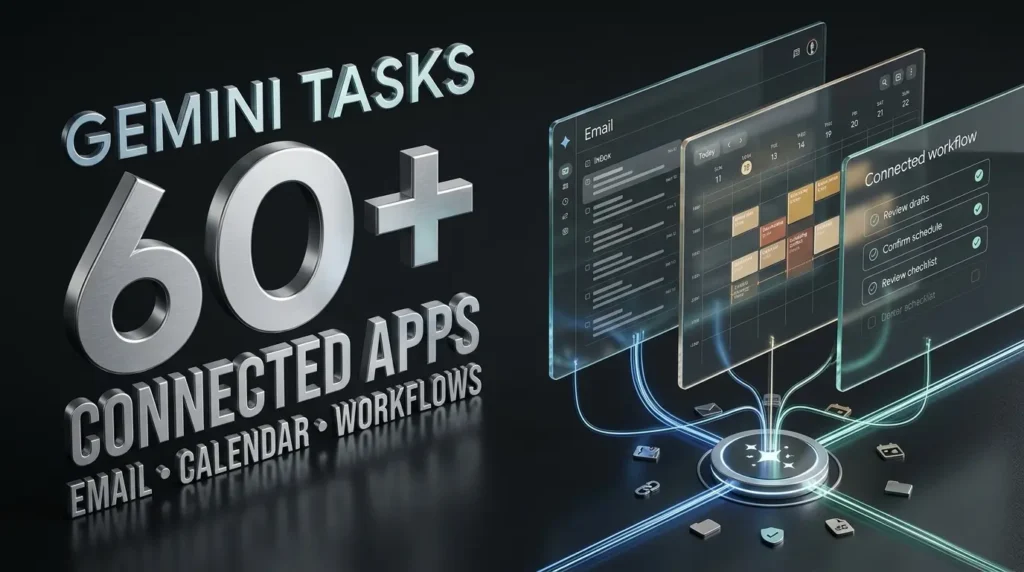
Google says Gemini now connects with more than 60 popular apps.
The significance isn’t simply the number.
An agent becomes more useful when it can move information between services that people already use.
Gmail and Calendar
For someone with a busy schedule, email and calendar integration can provide practical assistance.
In Google’s launch example, Woodward described forwarding school related emails to Gemini, which helped turn the information into calendar events and surfaced a scheduling conflict.
That is a useful illustration of an agent working with information from different sources.
But readers should check what access they have granted and review proposed events before relying on them.
Photos, files and other Google services
Tasks can work with supported information from Google’s connected services and Personal Intelligence.
Depending on the feature, account and permissions, this may involve documents, photos, stored information or connected folders.
Not every service permits every action.
There is a meaningful difference between reading a document, editing it and sending it to another person.
Grocery and shopping integrations
Google also highlighted an example involving Instacart.
In that account, Gemini helped add items to a grocery order, including an item identified from a photograph, then handed the user to the retailer to complete the process.
This is an important limit.
Sometimes the assistant can prepare the work but cannot independently finish the final step.
Can developers connect their own apps?
Google says developers can apply to join its Connected Apps Platform.
That is an opportunity for broader integration, not proof that every third party application can immediately be controlled by Gemini.
For the full picture of how tools, permissions and workflow logic fit together, see TrendOutsider’s AI agents workflow automation guide.
An agent’s usefulness depends as much on the services it can reliably access as on the language model behind it.
Can You Send Tasks to Gemini by Email or Text?
Google has introduced additional ways to assign work without beginning inside the ordinary Gemini chat screen.
The November 17 announcement describes forwarding emails to gemini@google.com and assigning tasks through text, with these options beginning in the United States.
That email address is part of Google’s announced product workflow, not a general instruction for everyone to send personal or confidential documents to it.
Users should first confirm that the channel is available and enabled for their accounts.
Setting up texting
Google’s instructions for the newly announced text channel describe opening Gemini on Android or iOS, entering Settings, selecting Channels and using the Text with Gemini setup.
The process includes phone number verification.
Google says an eligible US phone number and mobile carrier are required.
Someone outside the supported rollout should not assume the channel will work merely because they can access the Gemini app.
Why this matters
For recurring administrative tasks, the ability to forward an email or send a text could make delegating work feel less like opening a separate AI application.
But the convenience increases the importance of reviewing what information is being shared and which actions the assistant is permitted to perform.
Is Gemini Tasks Safe? What Happens to Your Data?
An AI assistant that answers questions has relatively limited ability to change the world outside its conversation.
An agent that signs into services, visits websites and takes action introduces different risks.
Google acknowledges those risks in its November 17 announcement.
How Google isolates the agent
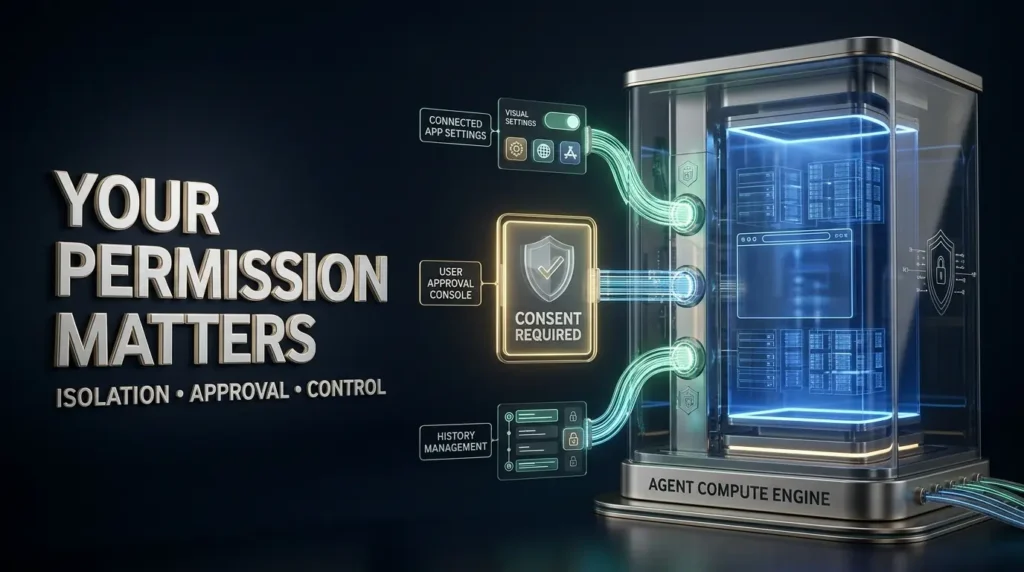
Google says Gemini Tasks uses its Agent Compute Engine, which provides a hardware isolated virtual machine dedicated to the user’s account.
The company describes the environment as sandboxed, with safeguards that include testing against security threats.
It also mentions protections against prompt injection, a type of attack in which content from an external page or document attempts to redirect an AI agent.
These measures are important, but no technical isolation system makes mistakes impossible.
Why website content can be risky
Imagine asking an AI assistant to research a purchase.
It visits a product page that contains ordinary text, prices and specifications.
A malicious page could also contain instructions designed to confuse the assistant into behaving in ways the user did not authorize.
Google says it uses filtering and other protections to reduce such risks.
The correct conclusion is that this is an actively managed security problem, not a permanently solved one.
Permission before sensitive actions
Google says Tasks can pause for confirmation or preapproval before critical steps.
It may also ask for clarification when a request is ambiguous.
Some routine actions can receive ongoing approval through settings, but users should consider the consequences before granting broad permissions.
How can you control your information?
Google’s Gemini Apps Privacy Hub explains how activity, connected apps and stored information are handled.
Depending on the feature, users can manage connections, change relevant settings and delete activity records.
Google’s documentation says Tasks requires History to be enabled.
That requirement matters for anyone who prefers not to retain activity.
Should you let Gemini access passwords or payment accounts?
Only after understanding the specific supported workflow and its controls.
Google describes integration with Password Manager and supported purchasing systems, but that is different from typing your password, payment card number or other sensitive credentials into an ordinary chat message.
The current Tasks Help guidance specifically cautions against entering sign-in details and payment information directly into a task thread.
Use the platform’s supported connection or authentication process rather than sharing secrets in plain text.
And for important accounts, consider whether the convenience of automation is worth the amount of access required.
What Gemini Tasks Still Cannot Do Reliably
Google’s announcement includes impressive examples, but it also openly acknowledges failures.
Some websites are difficult for agents to navigate.
Some tasks cannot be completed from beginning to end.
The assistant may reach a point where it needs to hand control back to the user.
That limitation is important for anyone expecting an AI agent to replace every administrative step.
Websites can block automation
Businesses and websites have long used anti bot systems to prevent automated abuse.
An AI assistant performing a legitimate task may still encounter a verification screen or unsupported interface.
Google says it is working with website operators and security providers to improve compatibility.
Until then, some tasks will remain partially manual.
The assistant can misunderstand instructions
An ambiguous appointment request can lead to the wrong date or an unsuitable location.
A shopping instruction can omit important constraints.
A financial summary can miss context from a document.
Good instructions help, but they do not eliminate the possibility of error.
Connected apps have different capabilities
A connection to an app does not necessarily authorize all actions within that app.
A system might be able to find an item or prepare a cart but still require the user to finish checkout.
Free access is not unlimited access
Google’s announcement does not establish unlimited task usage, unrestricted advanced features or availability on every account.
Usage rules and feature access may change.
Before relying on Tasks for recurring work, review the current limits and terms.
Five Useful Gemini Tasks Prompts to Try First
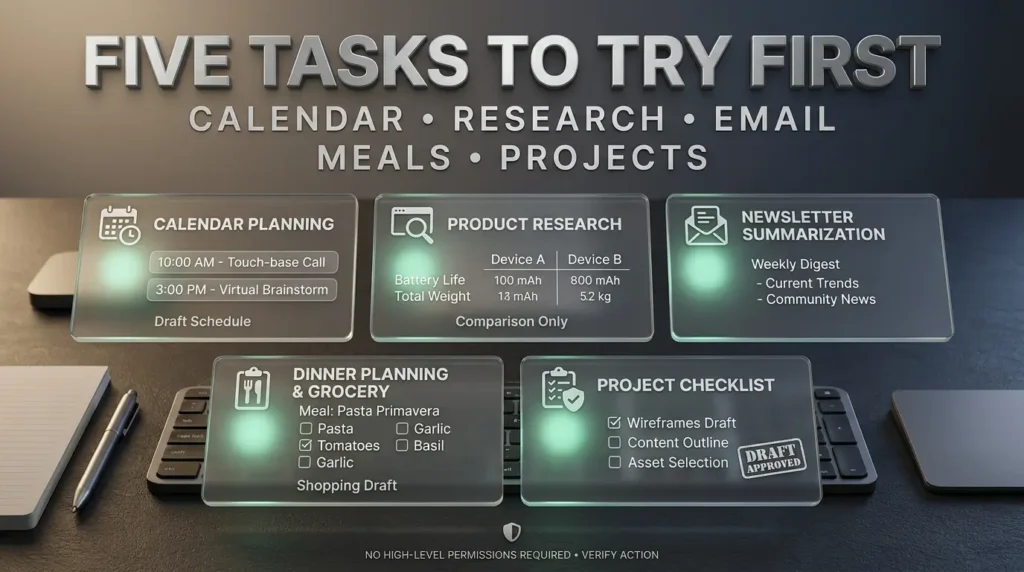
If Tasks is available on your account, begin with low risk assignments.
The following prompts are suggested starting points, not examples TrendOutsider has personally completed.
1. Organize your calendar
“Review my connected calendar for next week. Identify overlapping events and suggest a more organized schedule. Ask before changing or deleting anything.”
2. Research products without purchasing
“Compare three suitable USB-C chargers for my laptop using official compatibility information. Summarize the differences and give me links. Do not purchase anything.”
3. Summarize newsletters
“Find newsletters received during the past seven days in my connected email. Group them by subject and prepare a short summary. Do not delete, archive or unsubscribe without approval.”
4. Prepare a dinner plan
“Help me plan three simple dinners using ingredients I already have. Create a shopping list for missing items, but do not place an order.”
5. Organize a small project
“Review the project information I choose to share. Make a checklist of tasks, deadlines and open questions. Show me the plan before saving any changes to connected services.”
These prompts are deliberately conservative.
They give the assistant something useful to do while keeping account changes and spending under the user’s control.
Once you understand how a particular workflow behaves, you can decide whether more automation makes sense.
Gemini Tasks vs Gemini Notebook: Which Should You Use?
Google now offers several AI experiences with different purposes.
Gemini Chat is suited to conversation, information and general assistance.
Gemini Tasks adds action taking through supported services and tools.
Gemini Notebook focuses on information collected in a notebook and can turn eligible sources into interactive study or research experiences.
The differences matter because asking Notebook to organize source material is not the same as asking Tasks to perform work across external services.
Our recent guide to Gemini Notebook’s interactive website feature explains that document centered workflow in detail.
What about other AI agents?
Gemini Tasks competes in a growing category of assistants that can use tools, browse supported websites and work through multistep assignments.
The practical distinctions often involve account integration, available actions, permission models, pricing and whether the assistant works through connected apps or a separate computer environment.
The better product depends on what services you actually use and which tasks you want to delegate.
For a person deeply invested in Gmail, Calendar, Photos and other Google services, that integration may be particularly valuable.
For a business using different systems, the right answer may involve other agent products or conventional automation.
Frequently Asked Questions
Is Google Gemini Tasks really free?
Google began offering Tasks without a Google AI subscription in the United States, Canada, India, Japan, South Korea and Australia on November 17, 2026. Advanced features may have separate eligibility requirements.
Is Gemini Tasks available worldwide?
No. Subscription free access was announced for six countries. Other supported regions have different subscription rules, and some regions are excluded.
Is Gemini Tasks available in India?
India is one of the six countries in the announced free rollout, subject to account eligibility and rollout timing.
Is Gemini Tasks free in Pakistan?
Pakistan is not among the six countries in the initial subscription free rollout. Check Google’s current Help documentation for any applicable paid access and future changes.
How do I activate Gemini Tasks?
Open Gemini, sign into an eligible personal account, and look for the home screen toggle that switches Chat to Task.
Is Gemini Spark the same as Gemini Tasks?
Tasks is the current name and interface for the agent experience previously known as Gemini Spark.
Can Gemini Tasks call businesses?
Google announced advanced business calling features beginning in the United States. Actual availability depends on the calling experience, account, device and geographic restrictions.
Can Gemini Tasks book appointments?
Google describes appointment booking as a supported use case for eligible calling and task workflows. Results depend on access and the business’s systems.
Can Gemini Tasks make purchases?
Google announced shopping and Google Pay integrations for eligible advanced experiences. Purchase approval, supported merchants and payment methods remain important constraints.
Does Gemini Tasks need permission before spending money?
Google says critical purchasing actions require confirmation or preapproval, with controls including spending limits and some configurable routine permissions.
Can Gemini Tasks use Gmail and Calendar?
Tasks can use supported connected Google services when the account and permissions allow. The precise actions vary.
Can I send tasks by email?
Google introduced an email task channel beginning in the United States. Confirm that your account is eligible before forwarding information.
Can Gemini Tasks work on an iPhone?
Google lists the Gemini mobile app among supported Tasks environments. The availability of individual features and the text channel depends on account, device and region.
Is Gemini Tasks safe for private information?
Google describes isolation, filtering and permission protections, but it acknowledges that agents can make mistakes. Avoid putting credentials and sensitive payment details directly in task threads and review account permissions.
Does Gemini Tasks always finish successfully?
No. Google says tasks can fail, encounter unsupported websites or require a person to complete a final step.
What is the difference between Gemini Chat and Tasks?
Chat primarily provides responses and assistance. Tasks can attempt supported external actions using available tools and authorized connections.
The Bottom Line
Google is moving Gemini toward a different kind of relationship with users.
Instead of asking an AI assistant how to complete an errand, more people can now ask it to attempt the errand itself.
That may sound like a small change in wording, but it introduces an entirely different set of practical questions.
Can the assistant navigate the website?
Does it have permission to access the account?
Will it ask before spending money?
And will it tell you clearly when something did not work?
Making Gemini Tasks free in six countries is significant because it brings this kind of AI agent experience to a much wider potential audience.
The advanced calling and shopping capabilities are also interesting, but their more limited rollout must be understood separately.
For eligible users, the sensible first step is not to hand Gemini the most sensitive task on the list.
Start with something straightforward, review the result and understand the controls.
An AI assistant that completes one ordinary task reliably can be more useful than a remarkable demonstration you cannot reproduce.
That is the standard Gemini Tasks will need to meet as its rollout continues.

Editorial disclosure: This article is based on Google’s November 17, 2026 announcement, official Gemini Help and Privacy documentation, and independent reporting from TechCrunch and The Verge. TrendOutsider has not independently made phone calls, completed purchases or tested every Tasks integration.
Availability note: Countries, eligibility, subscriptions, device requirements and enabled features may change. Confirm the current status in Google’s official documentation before relying on a specific capability.
Privacy note: AI agents can make mistakes and may encounter malicious or misleading website content. Do not enter payment credentials or passwords directly into task messages. Review permissions and sensitive actions.
Visual disclosure: Accompanying illustrations depict conceptual workflows. They are not authenticated Google app screenshots, actual phone calls, receipts or tested purchases unless separately identified and sourced.








Leave a Reply